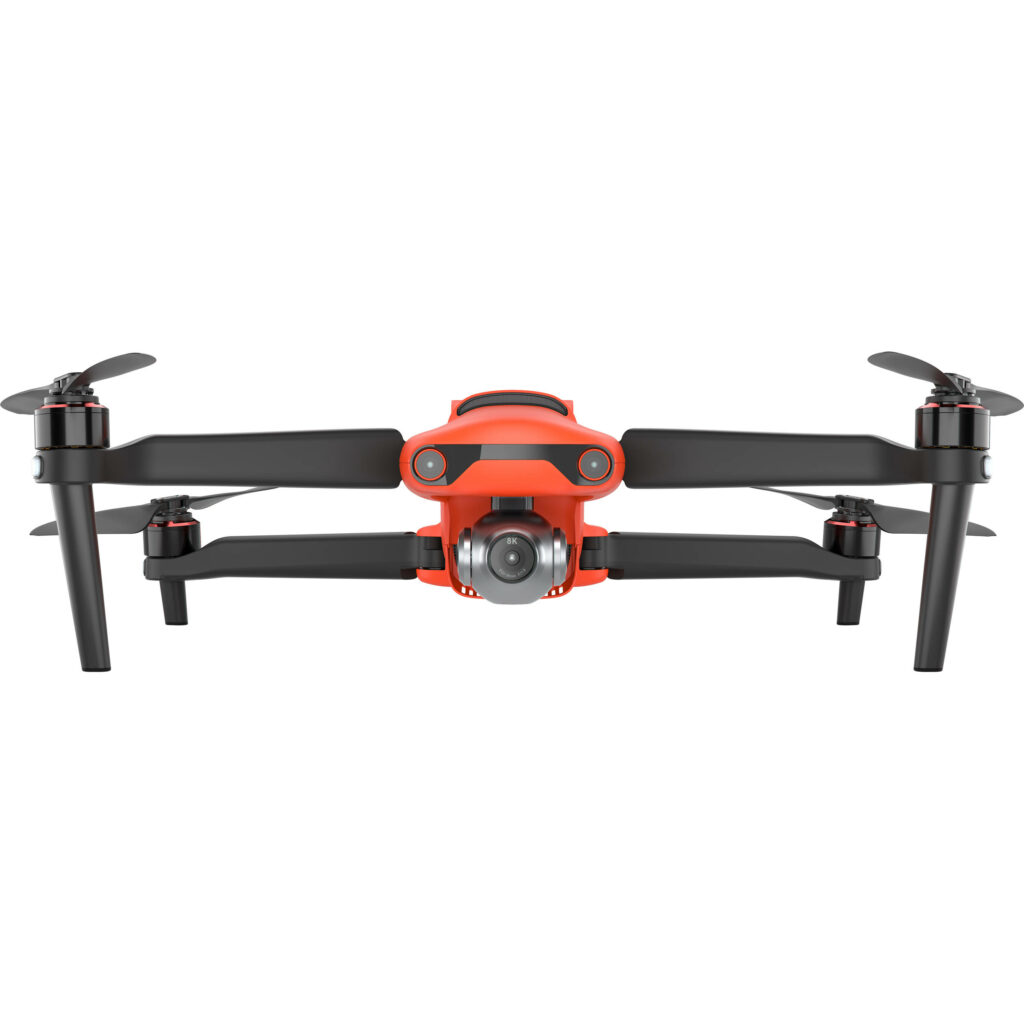
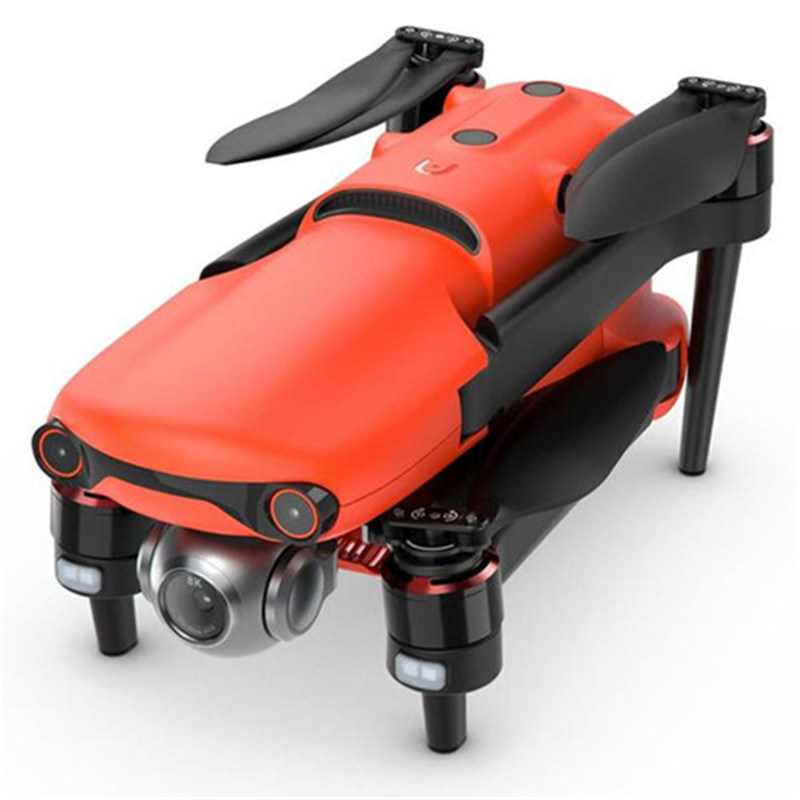
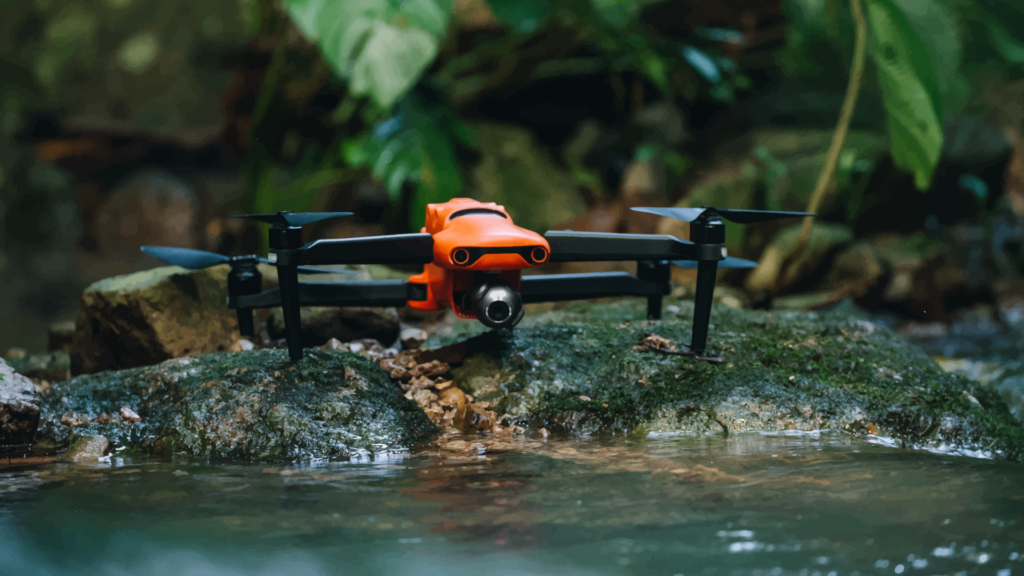
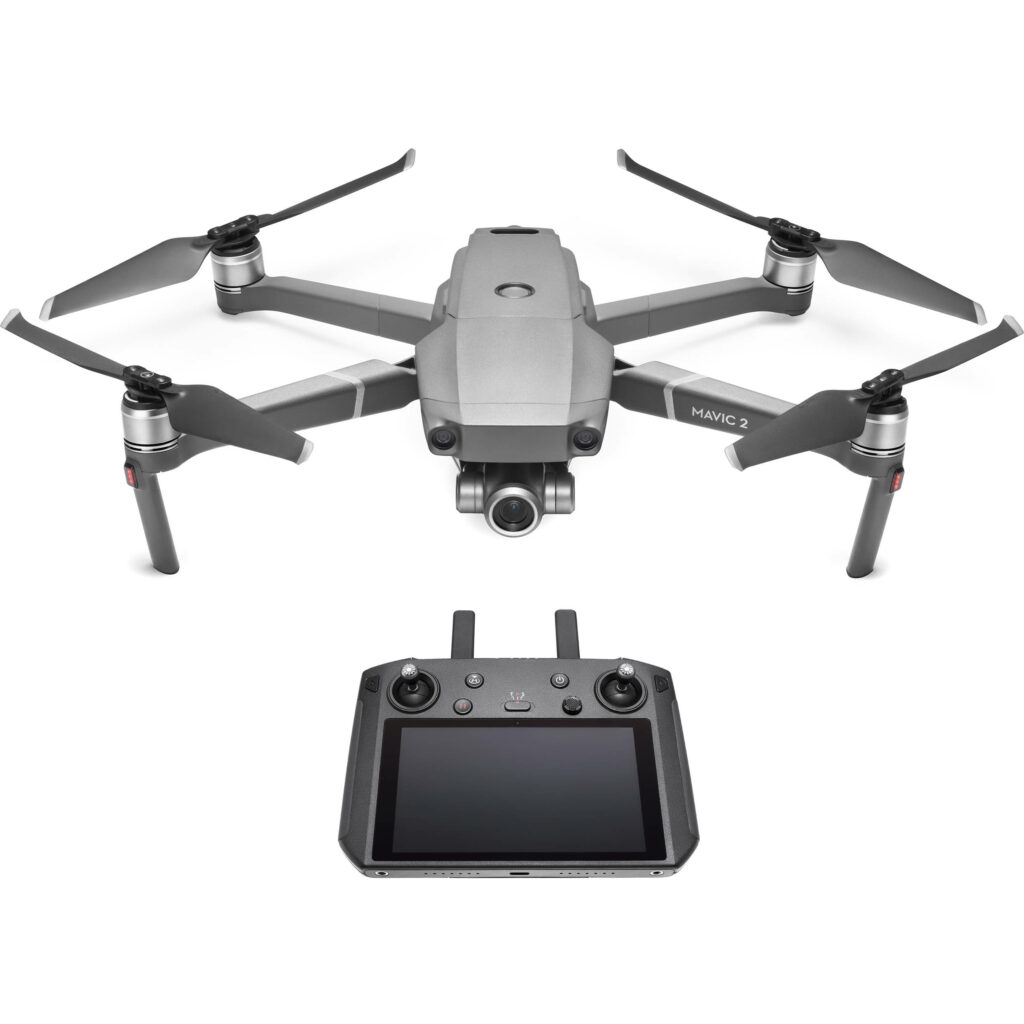
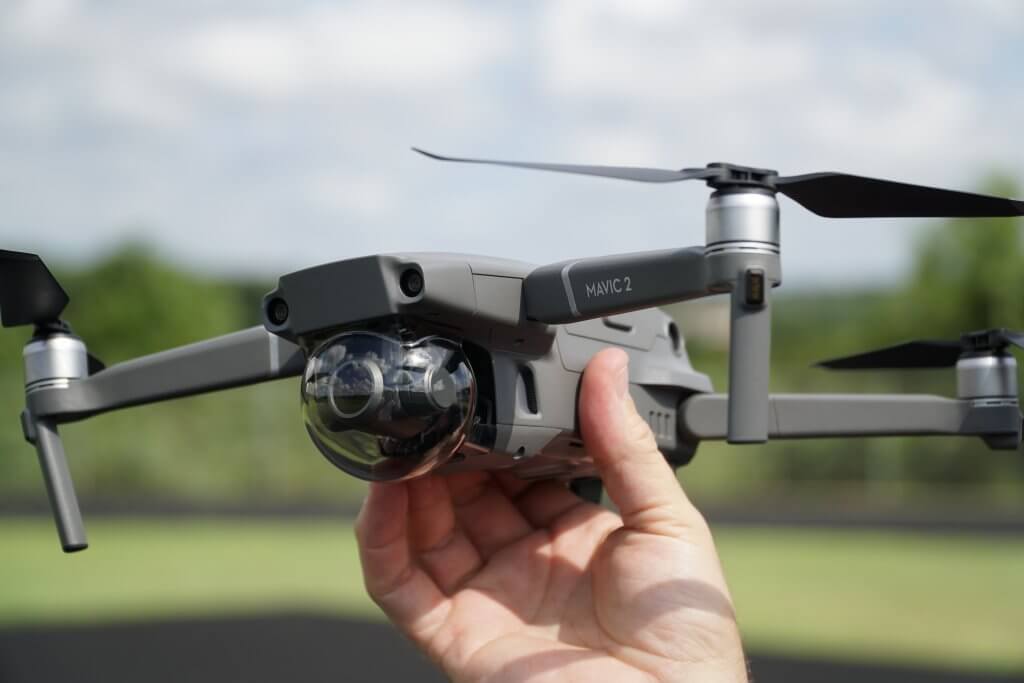
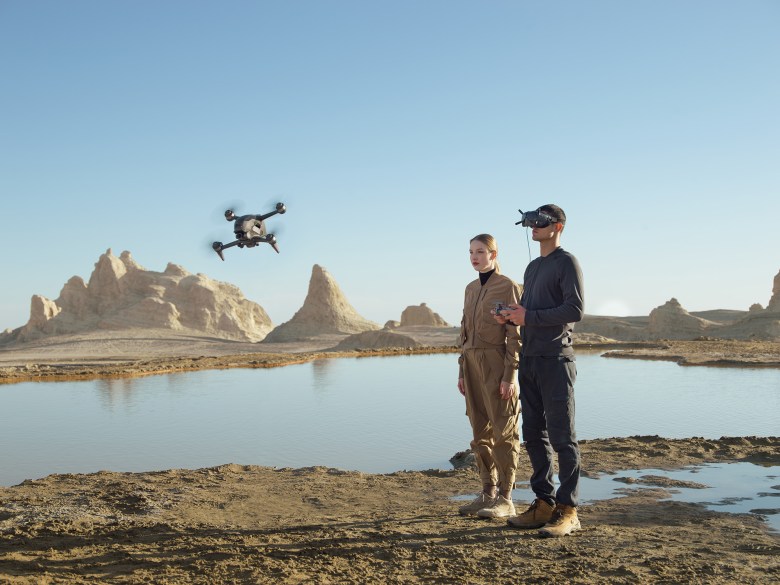
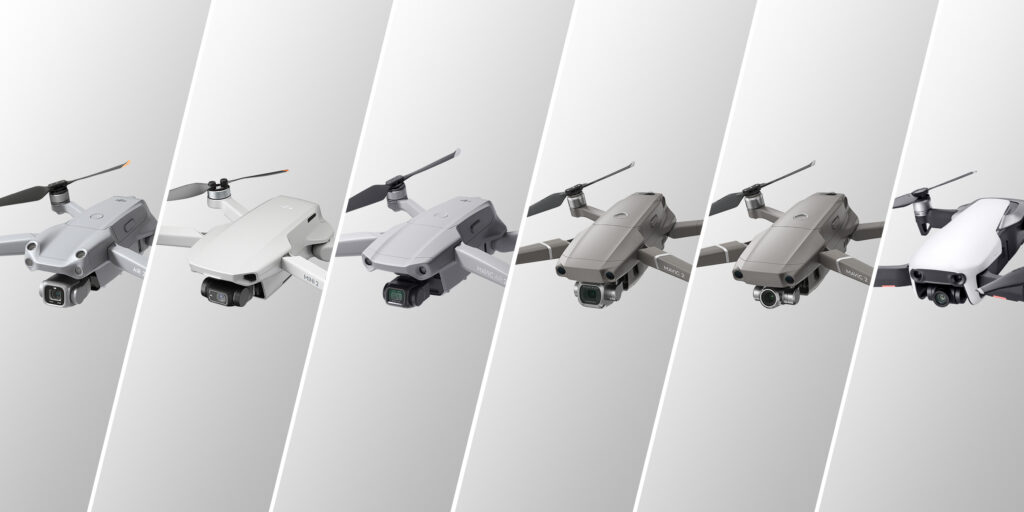
In an industry where DJI drones dominate the field and competitors strive to even come close to their success, Autel Robotics releases the second iteration of their EVO line, the Autel Robotics EVO II.
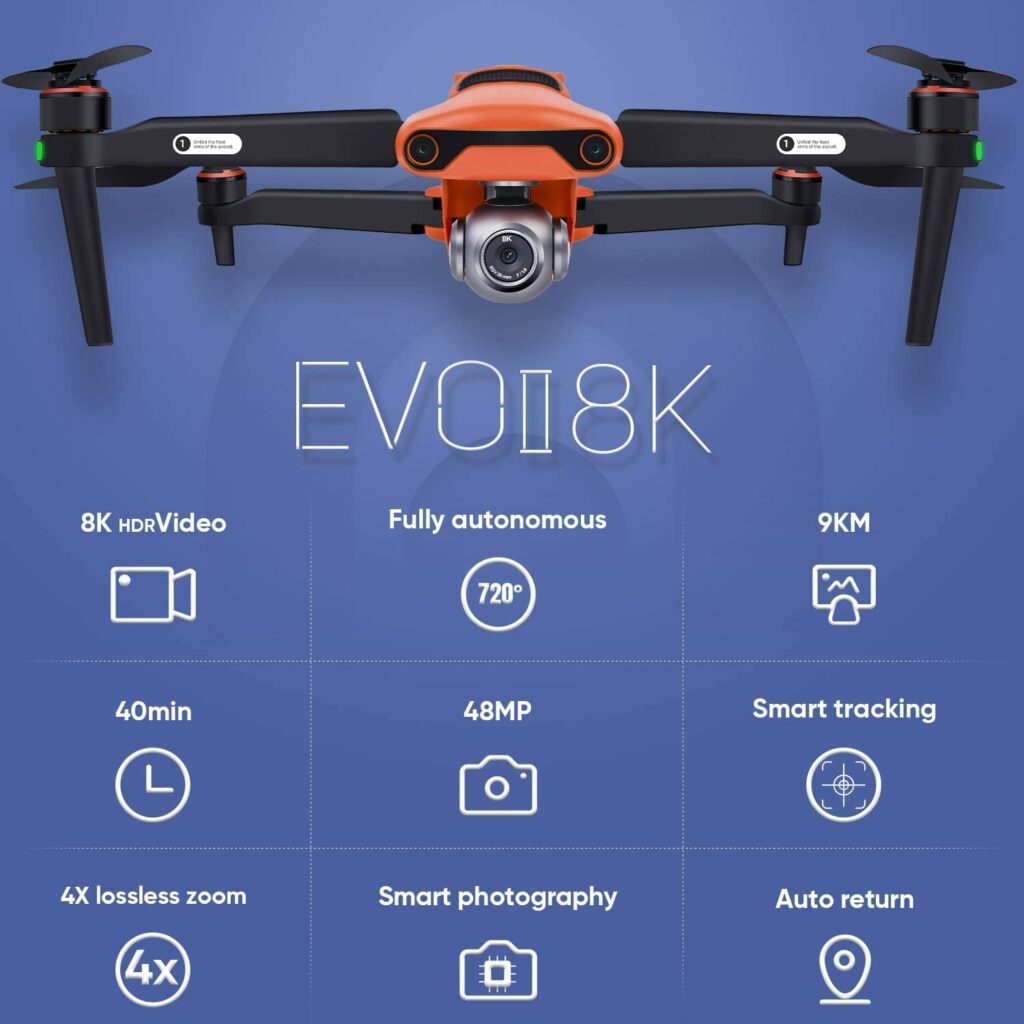
The EVO II is a folding drone that packs a solid punch with its 8K video resolution, a 48 MP camera, and a much longer flight time than most DJI models in the market.
So today, we will be finding out in this dedicated review whether the EVO II drone will be a great, if not better alternative to the well-loved and sought-after DJI camera drones.
If you have been shopping for drones to use for your aerial photography for a while now, then you’ll most likely have seen that most stores and online shopping sites carry a ton of DJI drones. Heck, most of them even recommend DJI as the best drone or the best seller for your UAV needs.
While DJI has certainly made a name for themselves with their impressive line of camera drones, sometimes we want something different. Something that will make us stand out from the crowd. And what better way to do that besides coming in with a camera drone wrapped in bright orange colors?
Enter the Autel Robotics EVO II.
For some of you, Autel Robotics may tend to lack the polished features we love about the DJI camera drones. But the EVO II is a pretty solid and well-rounded contender if you’re really serious about your aerial photography. Dare I say, DJI might have even finally found a worthy rival.
But that’s good news to drone enthusiasts. More competition in the market means more options for us to choose from.
So what makes the EVO II stand out?
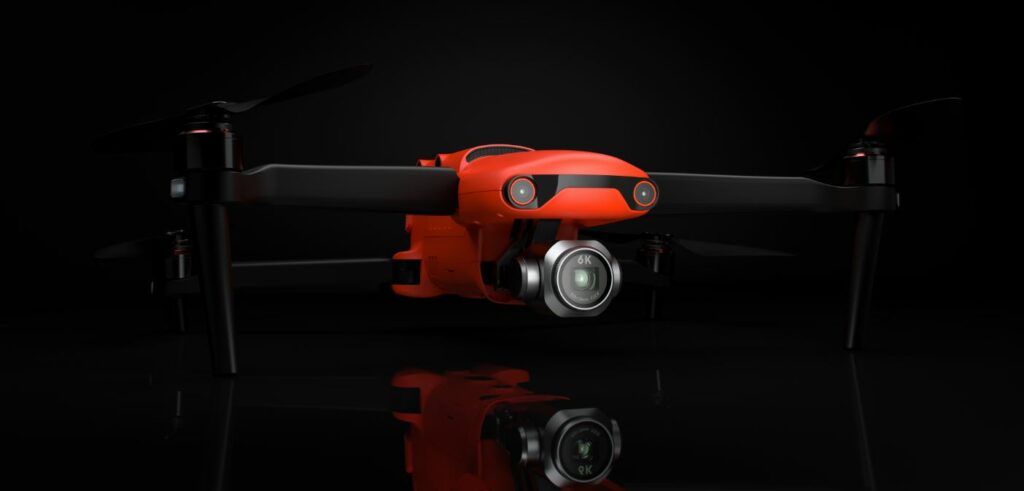
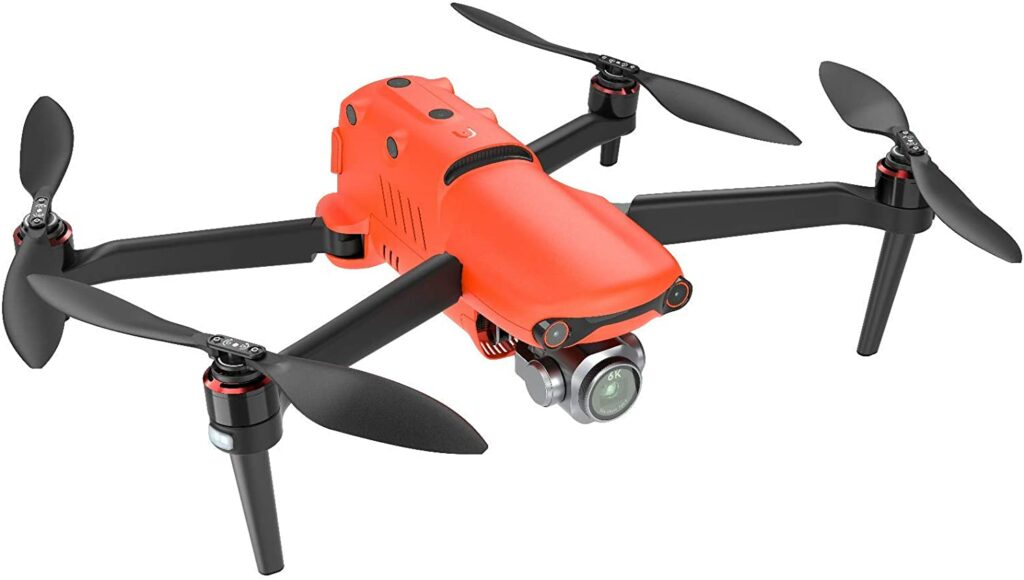
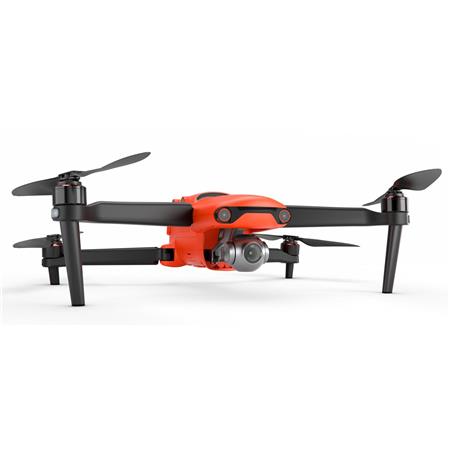
The EVO II offers plenty of different camera choices and is designed with a bright, eye-catching orange frame. This makes the drone a lot more noticeable and easy to detect in most locations. So unless you’re shooting and flying this drone in an orange set, this one’s pretty hard to miss.
Not to mention, it’s a stark contrast against DJI’s neutral white and grey colors, which can sometimes be hard to find as it blends in a lot of backgrounds.
Upon closer inspection, you will notice that the EVO II is slightly bigger and chunkier compared to other camera drones in the market. However, it makes up for it with a much longer battery life compared to most drones you’ll come across.
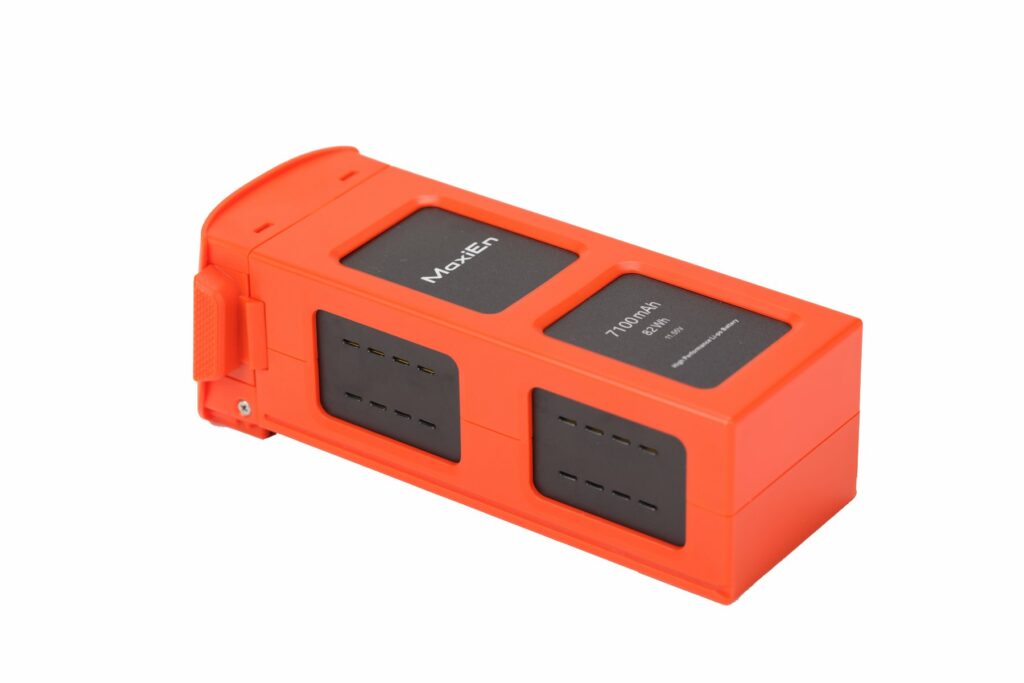
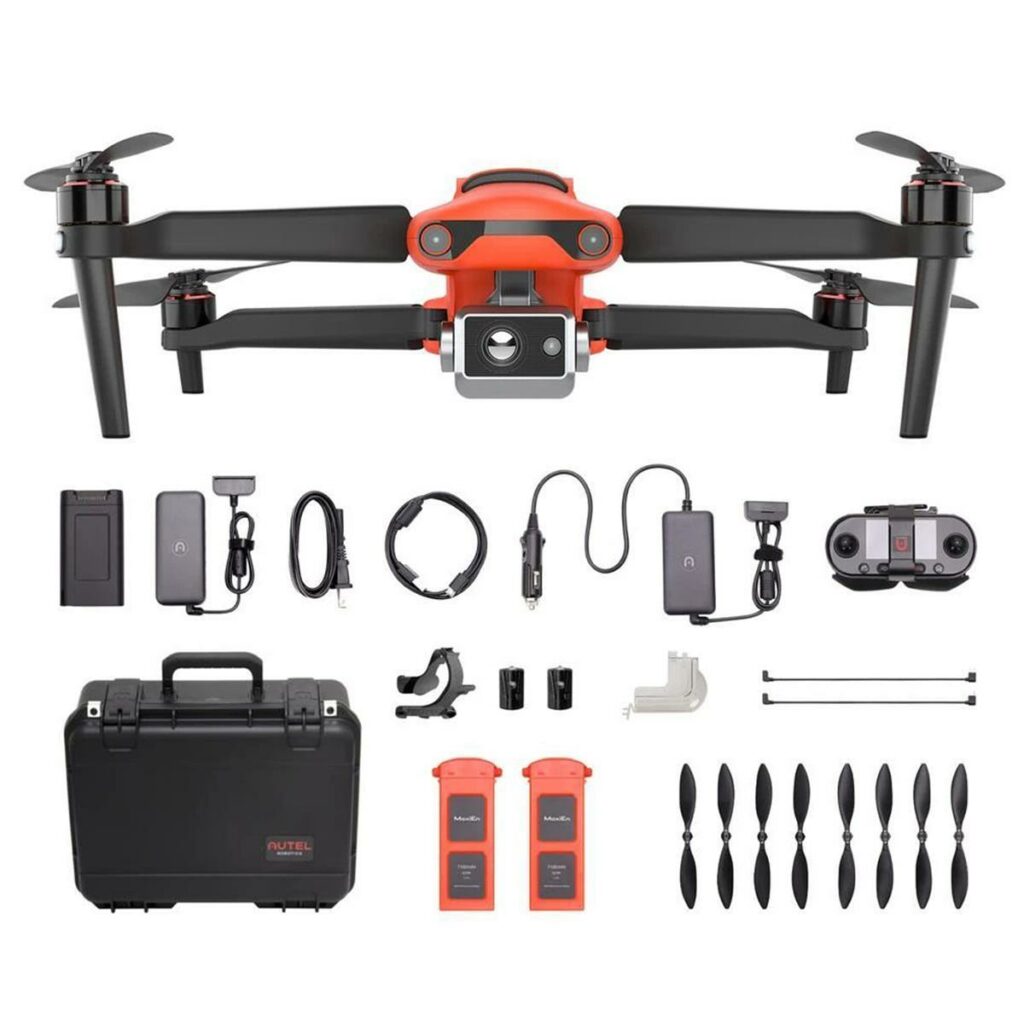
To be more specific, the EVO II comes in with a 7100mAh rechargeable EVO 2 battery. It delivers up to 40 minutes of flight time in forwarding motions and 35 minutes when it is just hovering.
If that’s not enough for you, the EVO II is easily capable of shooting 8K video resolutions thanks to its 1/2-inch sensor. Apart from that, you might also want to keep in mind that its 8K resolution is limited to 25 fps, 6K to 50 fps, and 4K to 60 fps.
Here’s a breakdown of the things we really liked about the EVO II.
Impressive video and camera resolutions
The EVO II is equipped with a camera with a 1/2-inch CMOS Quad Bayer sensor that can capture both Raw or JPEG images at up to 48MP resolution with a fixed aperture F1.8 lens. It also provides an 8x digital zoom along with a maximum of 4x lossless zoom. When it comes to video footage, you can easily shoot up to 8K video resolutions.
The Autel Explorer app also allows you to choose from several camera options that can really add a more interesting layer to your aerial photography.
Longer flight time
Apart from its amazing camera and video capabilities, the EVO II also shines when it comes to providing longer flight times for you thanks to its 7100mAh battery.
While most drones can only deliver 10-20 minutes of battery life on a single charge and DJI usually sticks with about 30 minutes, the EVO II pushes it further and offers you 40 minutes of flight time.
To some, 10 minutes doesn’t seem that much of a stretch. But in the drone industry, it’s a lot. Especially if you think about how most camera drones in the market limit you to 10-20 minutes of flight time. Sometimes even less.
Ultimately, having 40 minutes of your drone remaining airborne is more than enough for you to capture a lot of breathtaking aerial shots.
Eye-catching design
The EVO II couldn’t be any more different from the DJI camera drones in terms of aesthetic and design. The bright orange color it sports all over its foldable frame makes it really stand out from your usual neutral colors. Not to mention, it’s so much easier to sport in the sky as it doesn’t blend in with the clouds.
Phone-free operation
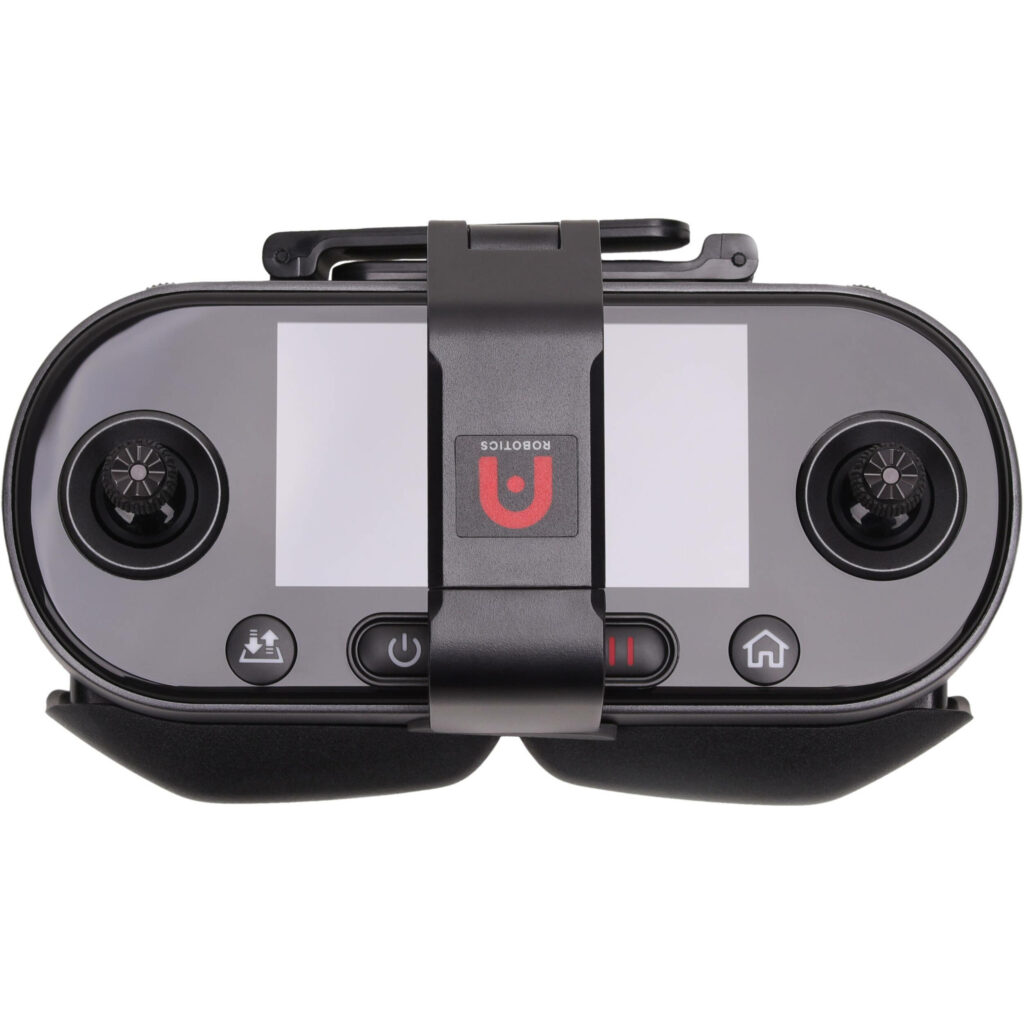
Another great thing about the EVO II is that it doesn’t require you to use your smartphones in order to pilot the drone. The remote controller it comes in with has a built-in display which you can use as you fly the EVO II.
The best thing about this is that you don’t have to worry about using up your phone’s battery as you use it to maneuver your camera drone. In addition to that, you can now also record and take photos to commemorate your piloting skills using your phone’s camera.
No geo-fencing features
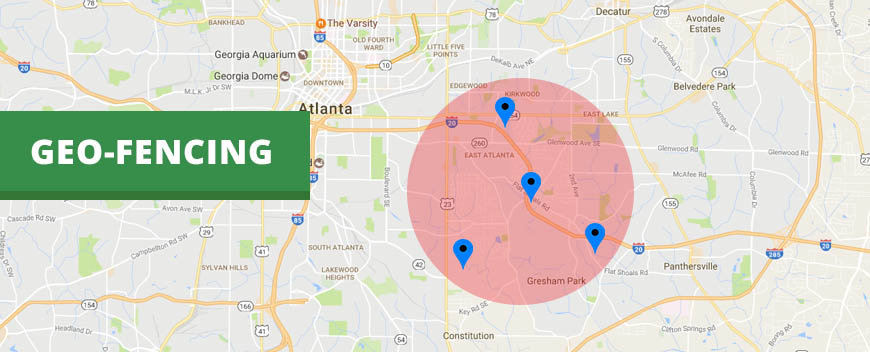
A feature that I’m sure a lot of you will appreciate is that the Autel Robotics EVO II has no geofencing features equipped into their model. This is something a lot of DJI camera drones have and it can certainly be a double-edged sword for them.
While geofencing serves to be a safety feature to prevent your drones from flying in restricted areas, it can be quite inconvenient for authorized pilots with secured permission to fly in these certain areas.
Our Least Favorite Things
It’s Expensive
If there’s anything the EVO II shares in common with DJI drones, it’s definitely that both units are really, really pricey.
Though some of you might argue that you get what you pay for, and what you get with the EVO II is a heavy-duty camera and video resolution of the highest quality for the most stunning aerial shots and footage and a longer flight time that can beat most camera drones’ battery life.
Whether you think the EVO II is worth spending a few thousand dollars is completely up to you. But if you were looking for a more budget-friendly alternative to DJI’s premium drones, then the EVO II will certainly disappoint you.
In A Nutshell
Now that we have finished covering the things we liked and disliked about the Autel Robotics EVO II, here’s a narrowed-down list of the good and the bad with this particular camera drone.
Pros
Can shoot up to 8K video resolutions along with other camera options.
Better battery life than most camera drones in the market.
Can capture raw 48 MP stills.
360 degree sensors.
No geofencing features to restrict you.
The bright orange design is easily visible to most surroundings.
Cons
8K is limited to shooting at 25 fps.
Software can be improved.
Not as portable as other camera drones.
Our Final Verdict
Overall, the Autel Robotics EVO II is an amazing camera drone that may serve as an alternative for people who aren’t too fond of getting a DJI drone.
Despite the many comparisons it’s getting with its direct competition, the EVO II stands out on its own with its bright orange design and impressive camera resolutions that can easily beat other camera drones in the market, including some DJI units.
Do you already own the DJI Mavic 2 Zoom? Or are you still thinking about purchasing it? Let me know in the comments section below if you have any insights, questions, or experiences to share with us. We would love to hear all your thoughts!
For many years now, DJI has been one of the leading brands for camera drones. Since their iconic Phantom series, DJI has come a long way and has moved on to focus on their more modern and innovative lineup, the Mavic series. Now in its second generation, we will be giving you today our dedicated DJI Mavic 2 Zoom review.
A lot of drone pilots, professionals, and tech enthusiasts around the world see the DJI brand as their reliable go-to for their UAV needs. And for plenty of good reasons too. DJI has completely redefined the game when it comes to drone technology.
This particular drone company focuses on constant innovation and curiosity while putting complex technology into an easy-to-use device that anyone in the world can use without a fuss. So without further ado, let’s see if the DJI Mavic 2 Zoom lives up to its brand’s name and reputation.
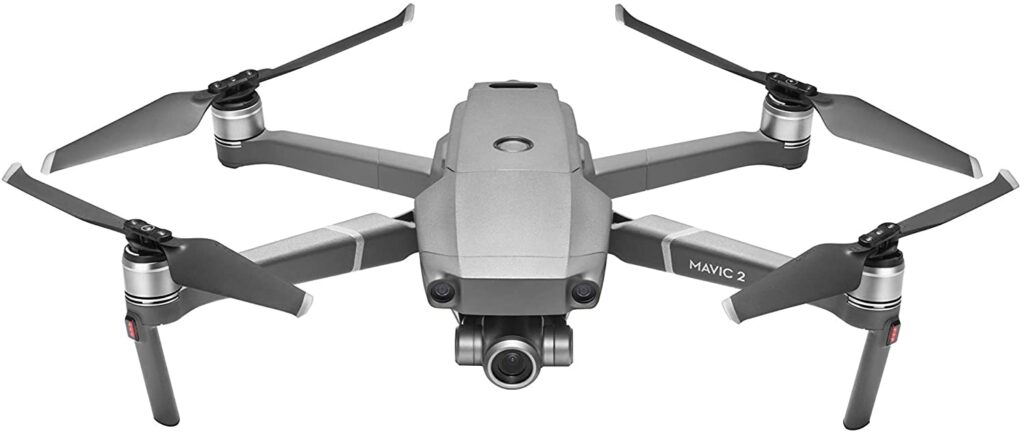
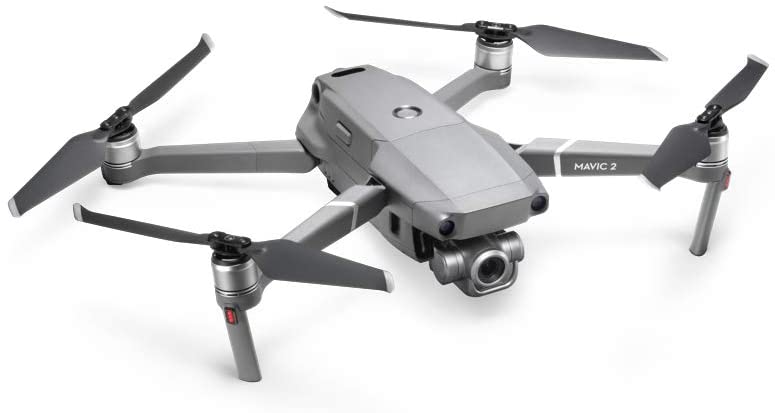
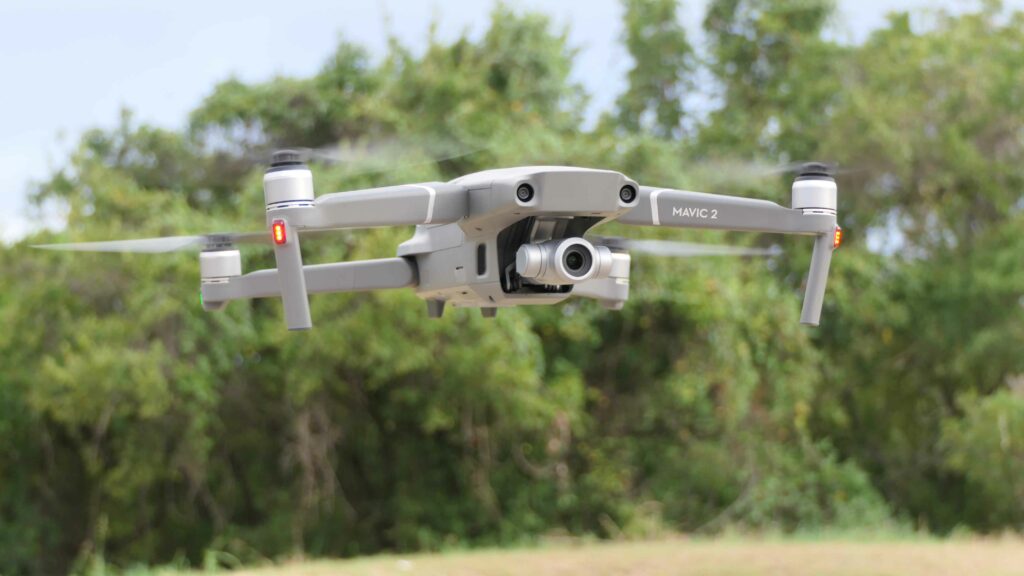
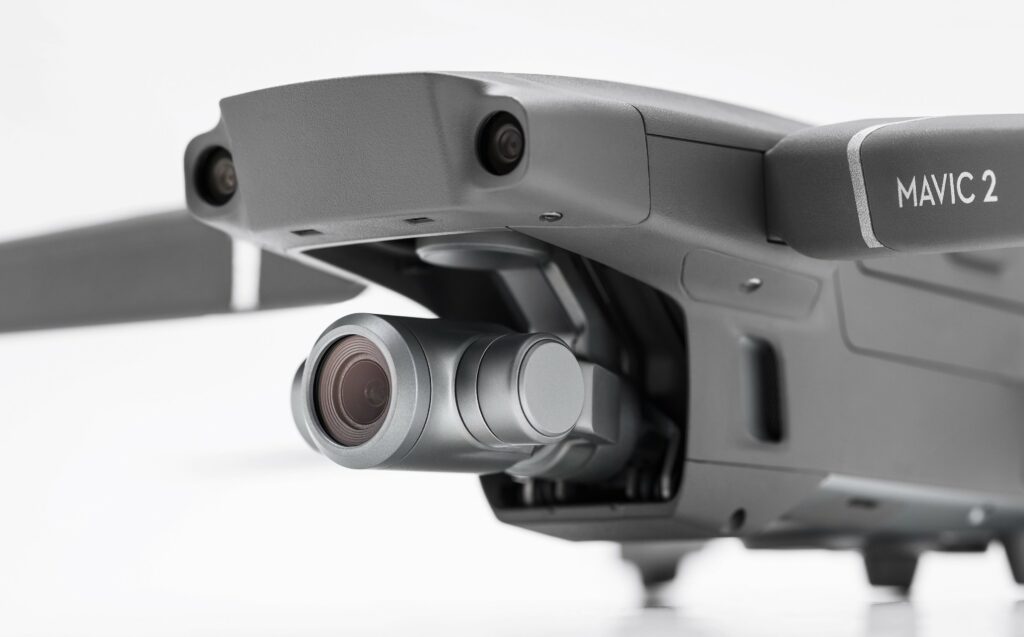
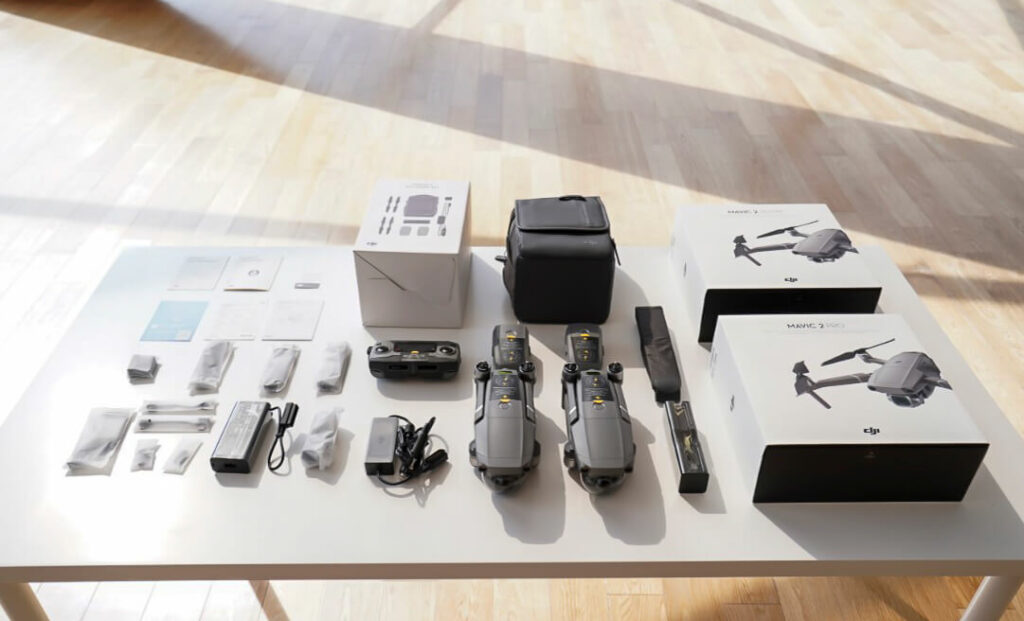
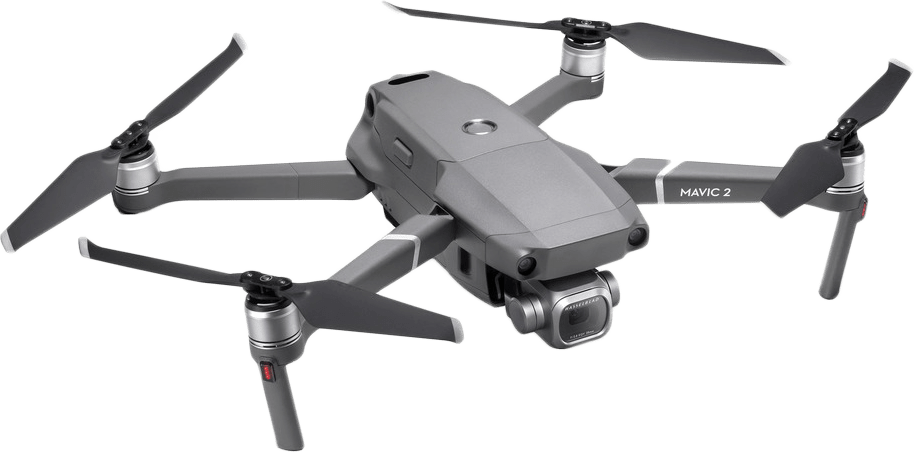
The DJI Mavic 2 Zoom is everything you love about DJI’s older model, the Mavic 2 Pro but with significant adjustments and upgrades from its predecessor.
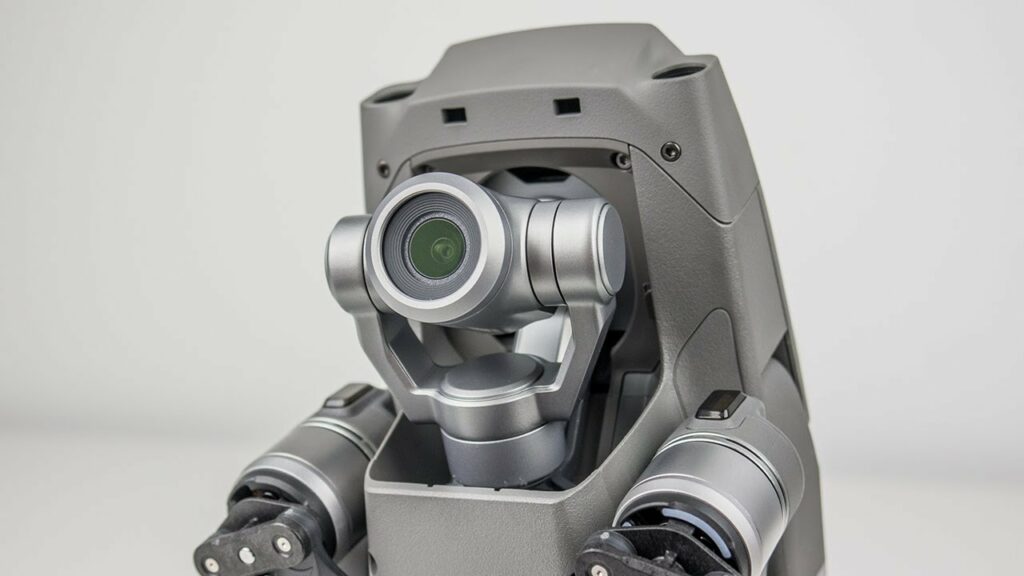
Instead of the large 1-inch sensor we are familiar with in the Mavic 2 Pro, the Mavic 2 Zoom boasts a 1/2.3-inch 12MP sensor with up to 4x zoom, including a 2x optical zoom (24–48 mm) that will offer you the most dynamic perspectives in every shot. All of this is packed in a very lightweight and compact foldable design.
Despite the slightly lower camera resolution compared to its older sibling, the Mavic 2 Zoom still comes in and completely redefines everything with its innovative features. Now your footage and stills with the Mavic 2 Zoom have real compositional versatility as well as the ability to shift perspectives with one easy click of a button.
So if you’re an aspiring filmmaker or professional photographer, you’ll absolutely love and enjoy using this camera drone. The amount of unique angles and camera movements you can do with this thing is practically endless.
Other features of the Mavic 2 Zoom also include 31 minutes of flight time, a max speed of 44 mph, 905 grams of takeoff weight, a 3-axis gimbal for ultra-steady shots, 8GB of internal storage, and an SD card support for up to 128 GB.
And if you want to extend your flight time or you feel like you haven’t taken enough shots or footage, you can also opt to bring in an extra set of batteries for a longer flight time.
Here’s a breakdown of our favorite things about the DJI Mavic 2 Zoom.
Impressive Onboard Features
One of the best things the DJI Mavic 2 Zoom has that really makes it stand out from its predecessors and other competitors in the market are its impressive onboard features. DJI’s drone technology is pretty sophisticated and refined which is glaringly obvious once you get to fly the Mavic 2 Zoom.
The Mavic 2 Zoom offers GPS that allows you to track the drone’s position around your location when you use the app. It also stays steady and hovers in the air in case you’re not controlling the drone in any direction at the moment. But the GPS feature is proven to be useful in case the unit gets blown away by a strong gust of wind.
Another noteworthy feature is the anti-collision features such as the omnidirectional obstacle sensing that lets the drone avoid incoming obstacles to prevent crashing into it. The Mavic 2 Zoom will alert you via audio and visual cues in the case of potential danger.
The Mavic 2 Zoom also provides three manual flying modes which can be accessed through the app. But if you’re not yet confident with your skills, the Zoom is also equipped with automated intelligent flight modes to help you out.
Stunning Image & Video Quality
Despite the tinier sensor in the Mavic 2 Zoom, this camera drone can still produce pretty impressive video footage and stills that will surely meet the needs of both amateur and professional photographers alike.
This is all thanks to the onboard lens used by the Mavic 2 Zoom, which provides you with a full-frame equivalent focal range of 24-48mm without looking distorted or lessening in quality. This is pretty useful when you’re trying to close-up shots of sceneries, people, or objects from afar.
Our Least Favorite Thing
Now that we have covered what we liked about the DJI Mavic 2 Zoom, here are some of our least favorite things about this particular camera drone.
Lacks 60 FPS For 4K
As you already know, the Mavic 2 Zoom is built on the success of its iconic and popular predecessors in the Mavic line. And as such, this particular model also shares a lot of similarities with its older siblings.
However, one thing that’s a little disappointing is that I wish the Mavic 2 Zoom didn’t share the Mavic 2 Pro’s lack of ability to shoot 60 FPS at 4K. For a drone at this price point, it’s just something that I kind of expect and would want to have in my arsenal.
This may or may not be a dealbreaker for some of you but it’s definitely something to keep in mind and consider if you’re intent on buying the Mavic 2 Zoom.
It’s Very Pricey
As you might already know, DJI drones are not really the most budget-friendly drones in the market. And the DJI Mavic 2 Zoom is no exception to their high-end price points.
While some may argue that it’s worth the splurge since you are paying for a very premium device with lots of terrific built-in features, not everyone can afford a camera drone this expensive. So if you feel like spending over a thousand dollars on a camera drone is just too much, don’t worry, that’s completely reasonable.
Luckily for you, there are plenty of camera drones in the market that are a lot more affordable. Sure, you might not get the same benefits and features DJI puts into their drones, but you are sure to find drones that can operate just as well, if not better.
Plus, if you’re just starting to get into flying drones, you might also want to start somewhere small first. If you’re looking for recommendations, you can read our article for the best drones for beginners in 2021 here.
In A Nutshell
Now that we have finished covering the things we liked and disliked about the DJI Mavic 2 Zoom, here’s a narrowed-down list of the good and the bad with this camera drone.
Pros
Impressive optical zooms.
Overall terrific smart sensors and camera features that provide unique shots and perspectives.
Amazing software features.
Portable and lightweight.
Cons
Quite expensive.
Lacks 60 fps for 4K.
Our Final Verdict
Overall, the DJI Mavic 2 Zoom is certainly one of the most innovative and versatile camera drones to be released by DJI. It combines the sophisticated camera features and sensors that made DJI’s most premium drones successful while being able to maintain a lightweight and compact design.
Do you already own the DJI Mavic 2 Zoom? Or are you still thinking about purchasing it? Let me know in the comments section below if you have any insights, questions, or experiences to share with us. We would love to hear all your thoughts!
Affiliate Disclosure: I am grateful to be of service and to bring you content free of charge. In order to do this, please note that when you click links and purchase items, in most cases I receive referral commissions. Eventually, I may earn enough to buy a beer or two.
Drones have seriously come a long way from being simply novelty toys for gadget enthusiasts to play with. These days, the best drones in the market are more popularly used as a tool for aerial photography. But whether you’re an amateur or professional photographer, our list of the best drone for aerial photography 2021 is sure to help you out.
This week’s “best of” list seeks to guide and recommend the best drones for aerial photography to people who are either looking to get their hands on their first camera drone or have been wanting an upgrade from their outdated models.
Luckily for you, drones are getting quite popular right now. And with drone technology advancing and changing at such a rapid rate, more and more models are put out by different manufacturers and companies to meet the market’s demands.
With that being said, I have made sure to include that every drone in this list will ensure the best results for your still photography and video footage as well as include camera drones in different price ranges to accommodate everyone’s budget.
So whether you’re looking to spend a few hundred dollars or splurging a thousand bucks on a camera drone, you will surely find one that is right up your budget’s price range.
What Can I Expect From A Camera Drone And Are They Worth It?
The short answer to your questions is a big, fat yes! Gone are the days when camera drones performed poorly and gave us low-quality resolutions. Sure, some cheaper toy drones might still do that but you get what you pay for, right?
But if you’re really looking for a camera drone that will deliver some great quality images and footage, then you’ll have no trouble finding ones that actually do. You see, the camera technology integrated into these particular drones has come such a long way in terms of advancements.
In fact, a mid-range drone can now even provide you with 4K quality video footage for the right price. Most of these drones are also equipped with better and larger sensors, improved camera resolutions so all your footage is ensured to be of the highest quality, as well as terrific stabilization systems thanks to its onboard gimbals.
In addition to that, camera drones are also mostly equipped with smart features that will give you better flight controls to avoid any accidental crashes or collisions. So naturally, this makes flying camera drones a breeze to operate even if you’re just a newbie. But if you’re still worried about accidents, you can start with beginner models too.
That being said, if you’re still on the fence about investing in camera drones, perhaps knowing a camera drone can do wonders for your photography might just be the little push you need.
To put it simply, camera drones can easily offer you a unique perception with every video and image you capture that you won’t be able to achieve with your traditional DSLR. Overall, camera drones allow you to have a more creative angle that can add an interesting layer of perspective to your footage.
What Are Some Reliable Brands To Look Out For?
If you’re new to aerial photography and you just started researching about drones, most likely you have come across the brand DJI a lot. That’s because, in the drone industry, this particular brand has dominated and released some of the best drones money can buy in the market.
You’ll also often find a lot of photographers and videographers, both professional and rookies alike, using this as their go-to drone for their work. And for good reason.
Undoubtedly, they have provided some of the best camera drones for their market, and just to warn you, you’ll see different models from their lineup pop up in our recommendations list.
But that doesn’t mean you should solely focus on DJI drones. After all, DJI camera drones are not really the most budget-friendly options.
So if you’re not someone who’s looking for a camera drone that will cost you an arm and a leg, don’t fret! There are also a plethora of worthy brands in the market that can be pretty good and solid choices for your next camera drone. Just continue reading this article to find out more about them.
Our Top Recommendations
1. DJ Mavic 2 Zoom
Overview
DJI is filled with impressive and premium drones that any UAV pilot would dream of having. And admittedly, it was pretty difficult to choose which DJI drone model should take the top spot on our list. But ultimately, in the end, the DJI Mavic 2 Zoom had proven itself superior when it comes to aerial photography.
So what exactly made it so great to stand above the rest of its competition? The answer is actually in its name. The DJI Mavic 2 Zoom boasts a 1/2.3-inch 12MP sensor with up to 4x zoom, including a 2x optical zoom (24–48 mm) that will offer you the most dynamic perspectives in every shot.
Not to mention, you’re getting a 4K camera resolution with this model too.
Just when you thought the original Mavic Pro couldn’t get any better, the Mavic 2 Zoom comes in and proves everyone wrong. Now your footage with the Mavic 2 Zoom has real compositional versatility and the ability to shift perspectives with a click of a button.
So if you’re an aspiring filmmaker, you’ll absolutely love and enjoy using this particular drone. The amount of unique angles and camera movements you can do with this thing is endless.
Additionally, you easily get 31 minutes flight time, 44 mph max speed, 905G takeoff weight, 3-axis gimbal for steady shots, 8GB internal storage, SD card support for up to 128 GB with the DJI Mavic 2 Zoom. And if you want to extend your flight time, you can also opt to bring in an extra set of batteries.
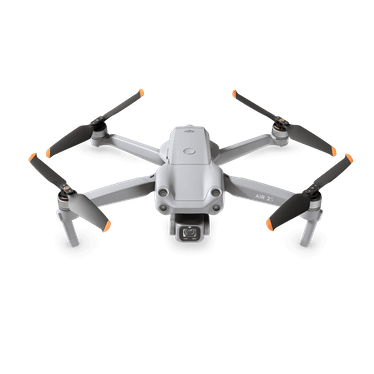
The DJI Air 2S combines ease of flight and a 4k camera resolution all in a single compact and lightweight drone. This is perfect for anyone who doesn’t want to spend over a thousand dollars on a camera drone but still wants to benefit and use DJI’s premium drones.
The best thing about the Air 2S is not just the fact that it’s easy to carry around, but because when it comes to smaller drones like this one, most models suffer from having way too small sensors.
But since DJI is on another level when it comes to drone technology, they were able to equip the Air 2S with a 1-inch image sensor. That’s more than enough to provide the Air 2S a significant bump in terms of overall image quality and dynamic range compared to its other competitors in the market.
Other features of the Air 2S also include large 2.4μm pixels, making this model capable of 5.4K/30fps and 4K/60fps video footage. Something the Mavic 2 Zoom Pro lacks.
What’s more, you also get MasterShots, which is an advanced intelligent feature that gives users the best shots in any location with just a tap along with FocusTrack that features Spotlight 2.0, ActiveTrack 4.0, and Point of Interest 3.0, making it a breeze for DJI Air 2S to follow or circle your subject.
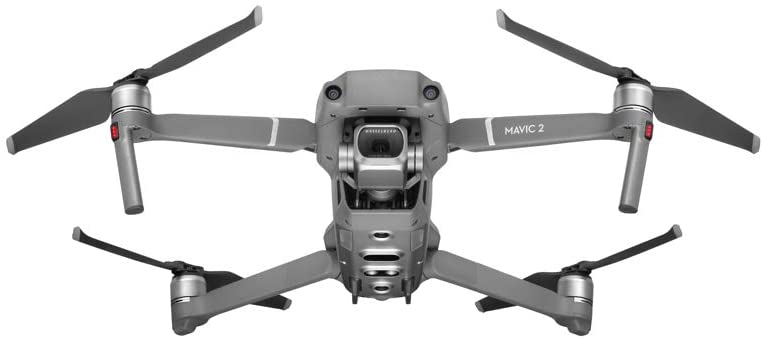
The DJI Mavic 2 Pro is a much more expensive model than the previous DJI drones you just have seen and with a slightly shorter battery life as well.
However, the Mavic 2 Pro still reigns supreme in terms of overall image quality and video footage. This is all thanks to its impressive 20 mp stills from the 1-inch sensor equipped in the Mavic 2 Pro. So undoubtedly, this particular unit has far better quality than the other drones with much smaller sensors.
What’s really impressive with the Mavic 2 Pro is even under low light environments, the stills and footage you get with the camera drone remain highly detailed and stunning.
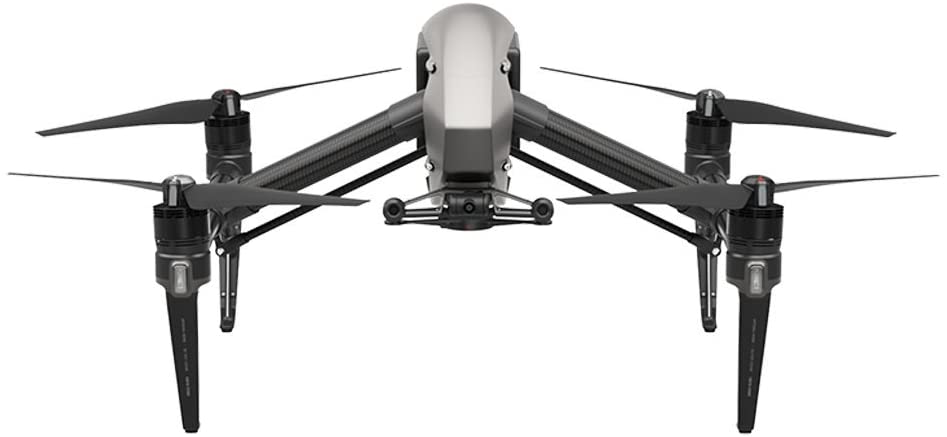
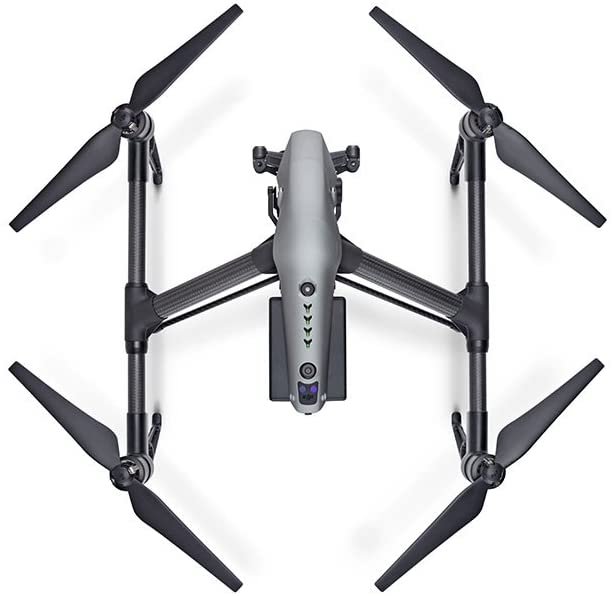
For the aspiring filmmakers out there, the DJI Inspire 2 is definitely something to consider if you really want to take your shots and scenes to a whole new level. If there was a single camera drone that was responsible for changing the game for aerial filmmaking, it’s the DJI Inspire 2.
Built and made specifically with filmmakers in mind, the DJI Inspire 2 takes all the good stuff from its predecessor and further improves upon it. This model is packed with plenty of amazing features that will surely satisfy any filmmaker’s needs in terms of aerial filmography.
One of its main features is its dedicated FPV camera which allows the pilot their own personal feed, letting them operate the camera drone independently. There’s also an all-new image processing system that records up to 5.2K in cinema DNG raw, Apple prores, and more.
Other quirks include a 1-inch sensor, a 20MP camera sensor on the Zenmuse, Spotlight Pro, intelligent flight modes as well as a Smart Return To Home feature.
If you feel like DJI camera drones aren’t for you, then you might want to take a look at the Autel Robotics EVO II.
While Autel Robotics tends to lack the polished features we love about the DJI camera drones, this is still a pretty solid contender if you’re really serious about your aerial photography. The EVO II offers different camera choices and is built with a pretty eye-catching orange frame. A stark contrast against DJI’s neutral white and grey colors.
Upon inspection, the EVO II is slightly bigger and chunkier compared to other camera drones in the market, but it makes up for it with longer battery life. To be more specific, the EVO II comes in with a 7100mAh rechargeable EVO 2 battery, offering up to 40min of flight time in forwarding motions and 35min at a hover.
Not to mention, its capability to shoot at 8K resolutions thanks to its 1/2″ sensor isn’t too shabby either. Apart from that, you might also want to keep in mind that its 8K resolution is limited to 25 fps, 6K to 50 fps, and 4K to 60 fps.
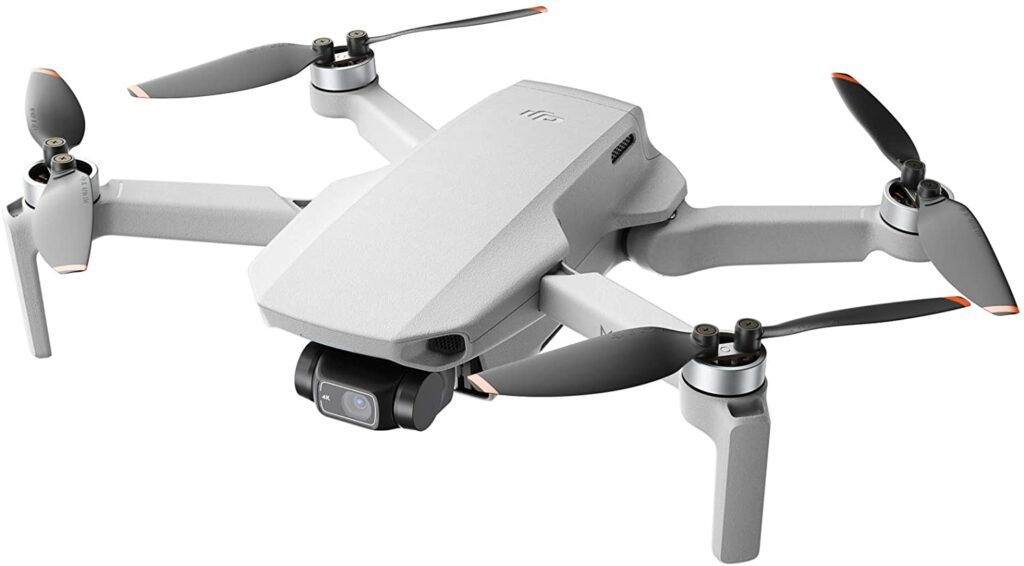
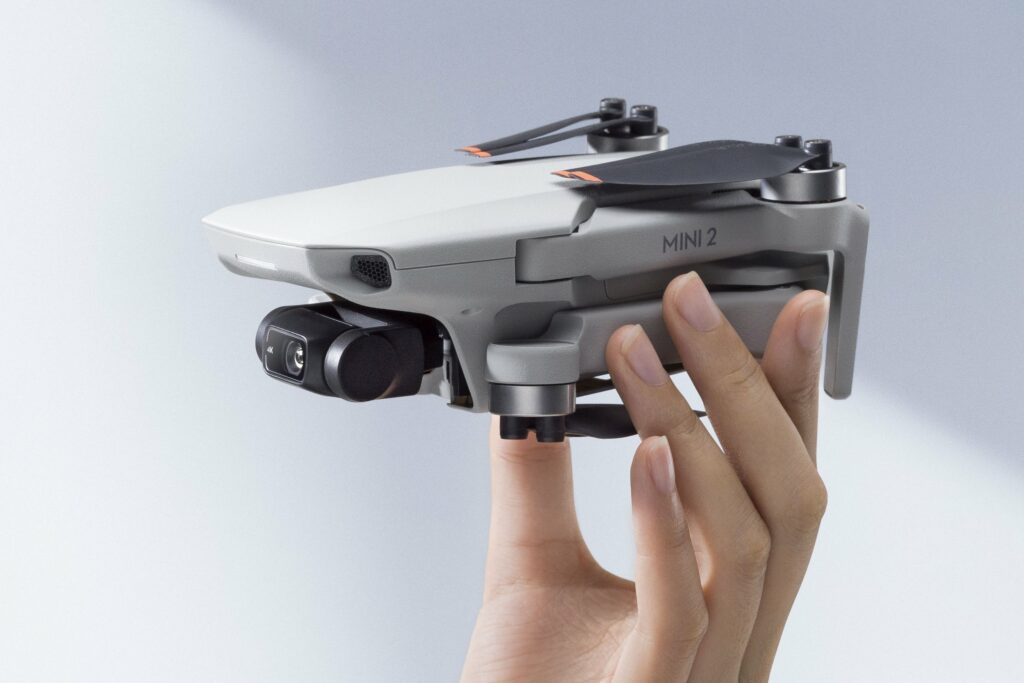
The DJI Mini 2 is one of the best compact and all-rounder drones in the market. This is especially fantastic if have only just started to test the waters of drone photography. Not to mention, this particular model is considerably smaller and significantly less expensive compared to its brothers and sisters in DJI’s lineup.
The DJI Mini 2 ensures portability, allowing you to fold the unit up as well as its compact controller so taking it anywhere with you is a breeze. In addition to that, the DJI Mini 2 also weighs in at only 8.8 ounces. If you’re flying in the USA, that means you won’t have to register this drone with the FAA.
The DJI Mini 2 also features a 4k camera, which means you can easily shoot a 4k video at up to 30 frames per second along with a solid 4x digital zoom performance. This should be enough to test out your aerial photography skills.
You can also take 12 mp still images in the same camera while offering you 31 minutes of flight time in a single charge.
Extra Special Features: Ultralight Foldable Drone, 3-Axis Gimbal with 4K Camera, 12MP Photos, 31 Mins Flight Time, OcuSync 2.0 10km HD Video Transmission, QuickShots
Pros
Lightweight and portable.
Great for beginners.
Easy to fly.
The most affordable camera drone in this list.
Terrific value for its price.
Cons
Expensive.
Doesn’t have sensors to avoid obstacles so expect some crashing every now and then as you practice with this unit.
Now that we have covered our top picks for the best drones for aerial photography this 2021, here are some friendly tips and reminders you should keep in mind so you can make an even more informed purchase on your next camera drone.
A Camera Drone’s Battery Life Is Its Achilles’ Heel
While I have previously expressed that drones have come a long way in regards to technological advancements, we actually have yet to see a drone that can last us more for more than an hour. So if you’re new to camera drones, you might want to manage your expectations a little bit in this department.
For the most part, the longest-lasting camera drones in the market can stay up in the air for about 30-40 minutes. More or less. And that’s if you’re willing to drop thousands of dollars on a camera drone. While we all wish that camera drones last longer than that, only time can tell if that will ever happen anytime soon. But fingers crossed!
Nevertheless, half an hour should be more than enough to allow you to capture plenty of footage. You just have to work wisely and manage your time more efficiently if you’re ever worried.
Budget Concerns
You get what you pay for. We see this saying all the time and it’s usually the rule of thumb with whatever product you choose to buy. And this is especially true when it comes to investing in your camera drones.
Personally, when it comes to high-tech gadgets like this, I highly recommend buying the drone that will best suit your needs. Sure, having an expensive and premium model will offer a lot of advanced features to tinker around with, but sometimes you have to ask yourself if you’ll be able to use those certain amenities to their full potential.
And a lot of the time, unless you’re doing commercial stuff and you’re a highly advanced professional, I don’t find spending thousands of bucks on a camera drone is worth it. But if money is no object to you, then don’t do as you will as long as it makes you happy.
However, if you’re on a tight budget and want to spend your money wisely, there are plenty of mid-range camera drones that are more than enough to satisfy even the most demanding photographers in the industry.
In addition to that, it’s not also practical to splurge on a high-end drone if you’re still unsure if aerial photography is something you see yourself doing in the long run. It’s best to start with entry to mid-level models to get a feel for the overall experience first.
Remember That Not Everything Is Free Real Estate When It Comes To Flying Drones
Another thing that’s important to keep in mind is that you should always be mindful of the locations where you are not allowed or shouldn’t fly your drones to avoid getting in trouble or breaking any laws. Some places are just generally unsafe and some are just simply no-fly zones. And yes, that includes your neighbor’s backyard.
The last thing you want is a lawsuit regarding an invasion of privacy. Trust me, a lot of people are actually quite uncomfortable with drones flying around above their heads and would suspect that you’re spying on them. The last thing you’ll want is an angry neighbor complaining about your camera drones.
In addition to that, it is actually also illegal to fly drones in national parks in the US. And generally, flying your drones in public locations like most metropolitan areas is not allowed as well.
This is understandable because these areas are way too populated with people, cars, and tall buildings which might obstruct your drone from flying around. So if you want to avoid collisions, then better stay away from these locations.
So if you want to keep enjoying your drone without worrying about breaking any laws, it’s best that you find an open field that doesn’t have a lot of people around and that is not off-limits.
Depending on where you are residing and planning to fly your drone, there are actually some regulations regarding flying drones in different parts of the world. Each country follows a different set of laws and guidelines and it is best that you read up on them to avoid any future trouble. You may read more about it here.
Conclusion
Now that we have finally reached the end of our article, it’s safe to say that drones in general have literally given us a new way to view the world around us. What once was an expensive and difficult thing to do in the photo and film industry has now been made effortless through the use of drones.
Before, aerial photography required a lot of tools in order to capture a single shot. But ever since the technology for drones had matured at a rapid rate, taking photos and recording videos from a higher angle is now as easy as pressing a button on a remote.
That being said, I hope this article was able to help you out in deciding which drone is best suited to your photography and filming needs. Happy flying!
Do you already own any of the drones listed in our Best Drone For Aerial Photography 2021 article? Did your favorite make it to our list? Let me know in the comments section below if you have any insights or suggestions to share and add. I would love to hear all your thoughts!
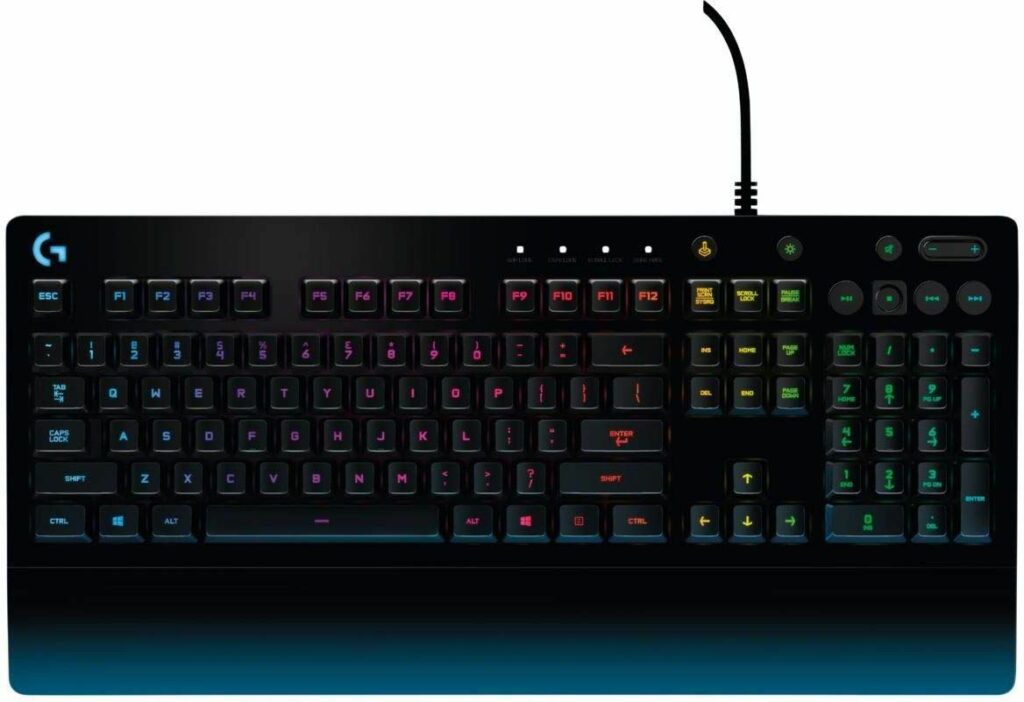
Gone are the days when keyboards were made solely for typing on a computer. These days, keyboards are also now an important tool in elevating someone’s gaming experience. But with so many models popping in the market each and every day, this guide seeks to help gamers out there on how to buy the best PC gaming keyboards for you.
If you have been following the latest news in the gaming community, you must have heard or already know that obtaining GPUs is pretty difficult right now. PC builders know all too well that finding GPUs that aren’t priced exorbitantly is very few and rare. So if you’re looking to upgrade your GPUs then I bid you the best of luck.
But on the bright side, if you’re unwilling to pay for GPUs that are two or three times the usual retail price, you can try setting your focus on upgrading your gaming keyboards. This way, you can still improve your overall gaming experience as you wait for the market on GPUs to improve.
To help you out on that aspect, this buyer’s guide will tell you the things you need to know in getting the best-suited PC gaming keyboard for you this 2021.
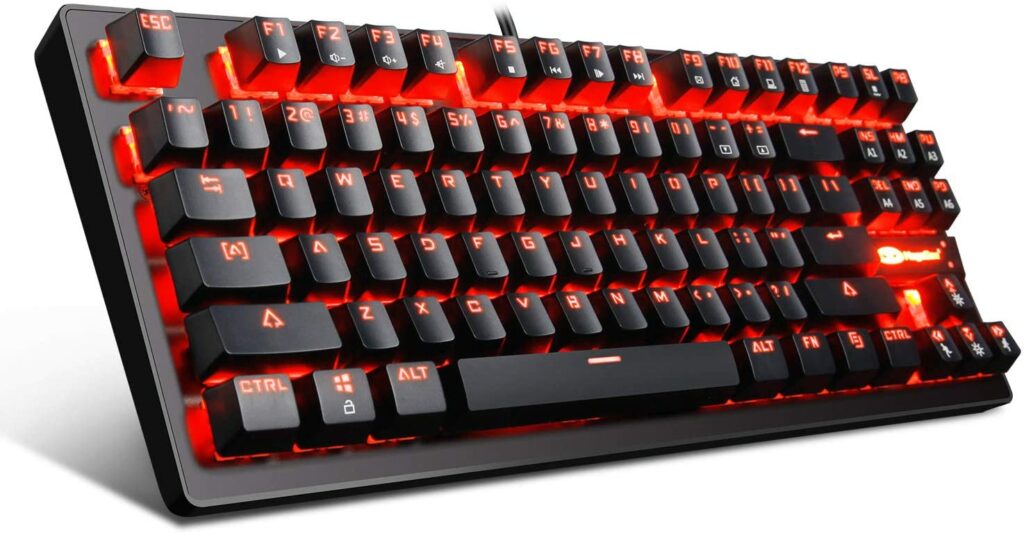
When it comes to gaming keyboards, the most common types you’ll frequently encounter in the market are either mechanical keyboards or the traditional membrane keyboard. Each of these gaming keyboards offers a different tactile feel, responsiveness, as well as requiring a certain amount of actuation force to register.
Apart from that, the switches used in these two types of keyboards are also very different from each other. As you might already know, a keyboard’s switches determine its overall performance and how each keystroke will feel for you.
Since your PC gaming keyboards will be one of the most used parts of your gaming setup, it’s only natural that you would want a keyboard that will provide you with the best gaming experience possible. The last thing you’ll want is to use a keyboard that doesn’t feel comfortable or great in your hands.
Rubber Dome & Membrane Keyboards
Rubber dome keyboards and membrane keyboards are terms that you’ll see are used interchangeably. That’s usually because non-mechanical keyboards use both of these. Rubber domes are integrated into membrane keyboards to provide enhanced tactile feedback.
Personally, rubber dome or membrane keyboards aren’t the best options for gaming as they can sometimes be inconsistent with registering every keystroke or they would just feel downright mushy. But if you’re a casual gamer or on a tight budget, a membrane or rubber dome keyboard might be enough to satisfy your gaming needs.
Mechanical Keyboards
On the other hand, mechanical keyboards are often used for a more satisfying typing experience. But it has also slowly made its way to the gaming community and is the more preferred type of gaming keyboard these days.
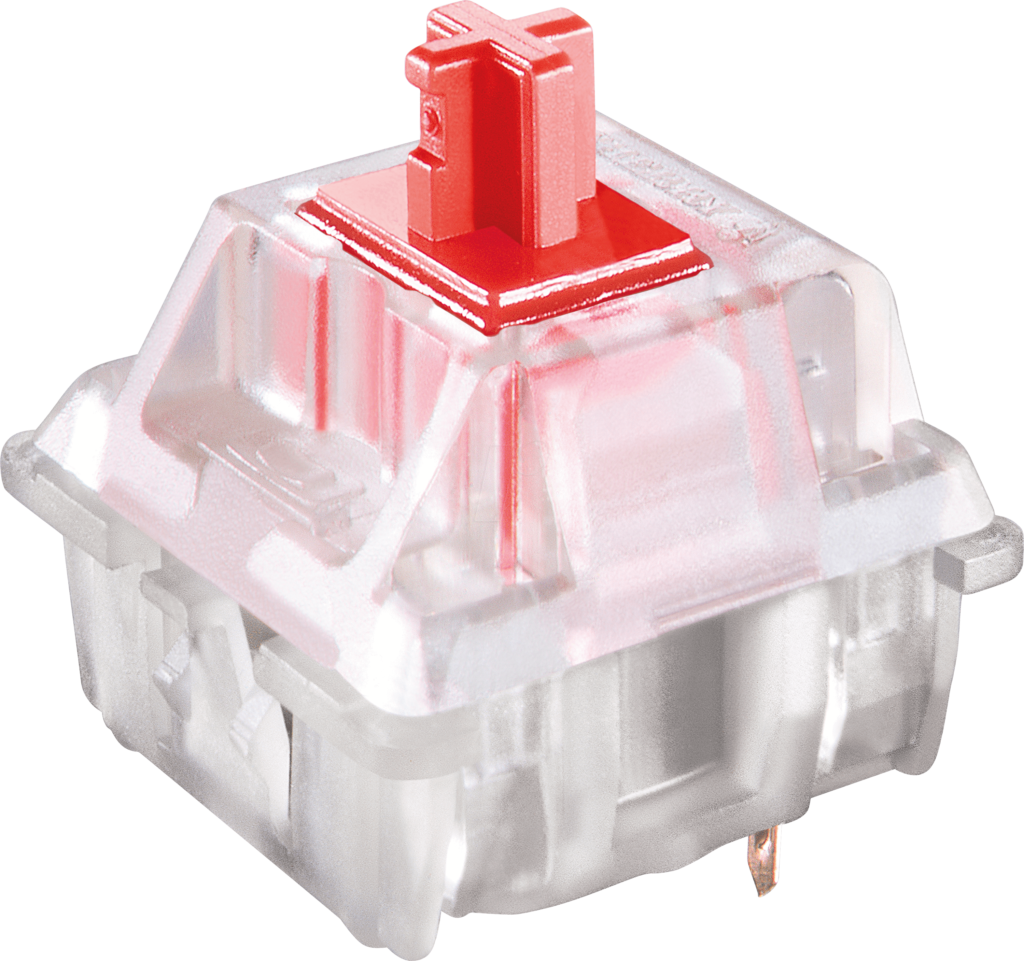
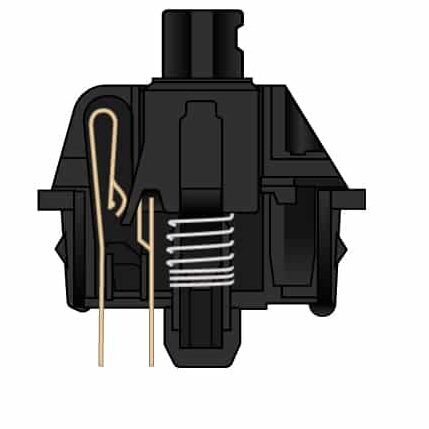
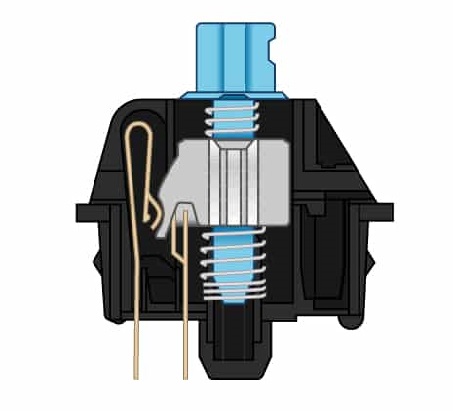
Mechanical keyboards work a lot differently than your traditional membrane keyboards. Each key of a mechanical keyboard has its own dedicated mechanical switch underneath it. The switch has its own housing, spring, stem, and metal contact leaves. Additionally, the switch also actuates before the point of bottoming out.
Using a mechanical gaming keyboard can not only make you a better gamer, but it can also make you a more effective typist. All thanks to its consistency and precision with each keystroke. Not to mention, the clicky noises are just oh so satisfying to hear!
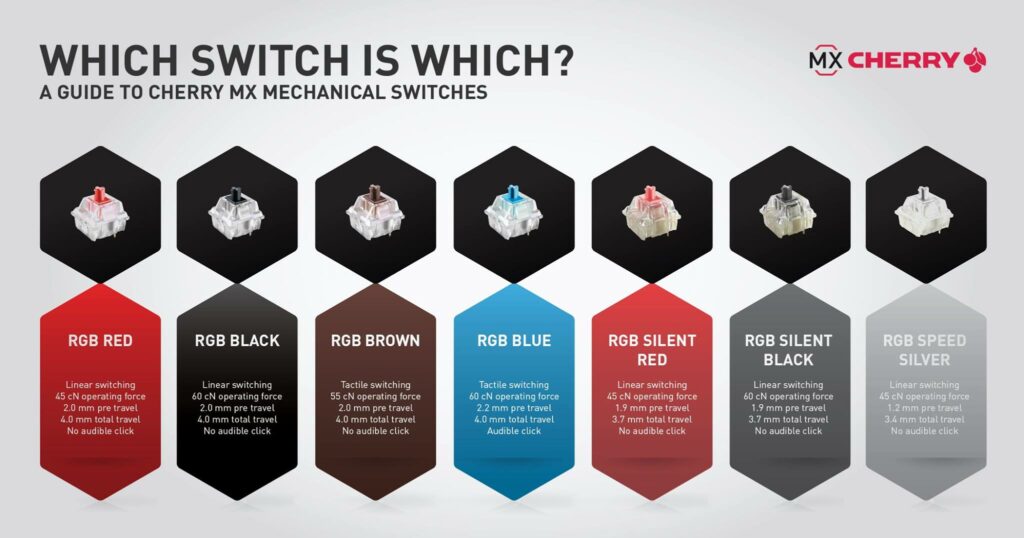
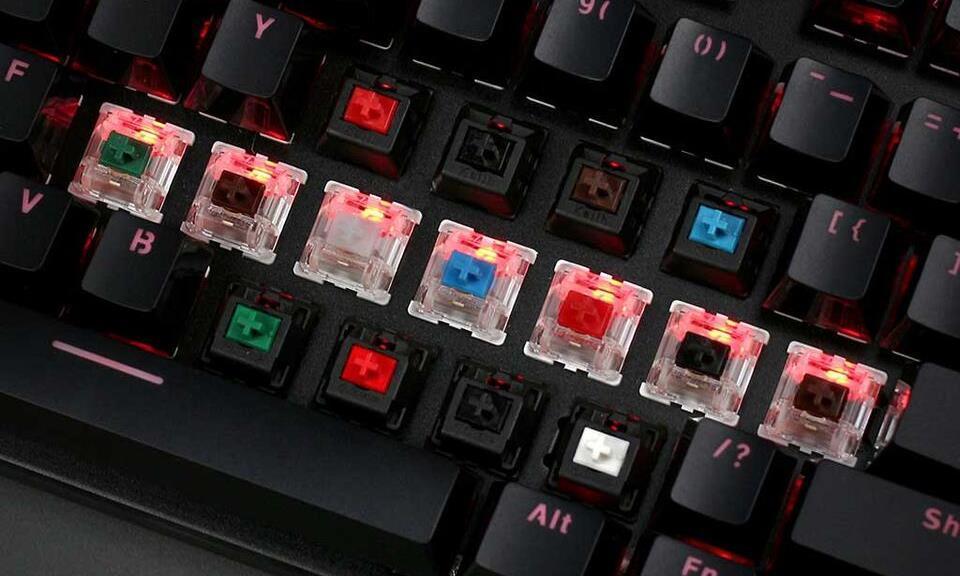
Whether you’re a veteran gamer or a newbie who is just starting to build your own gaming PC, you must have already come across the words “Cherry MX“. And if you don’t already know, Cherry is a company that specializes in supplying keyboard switches for a plethora of gaming companies, with Cherry MX as their best lineup.
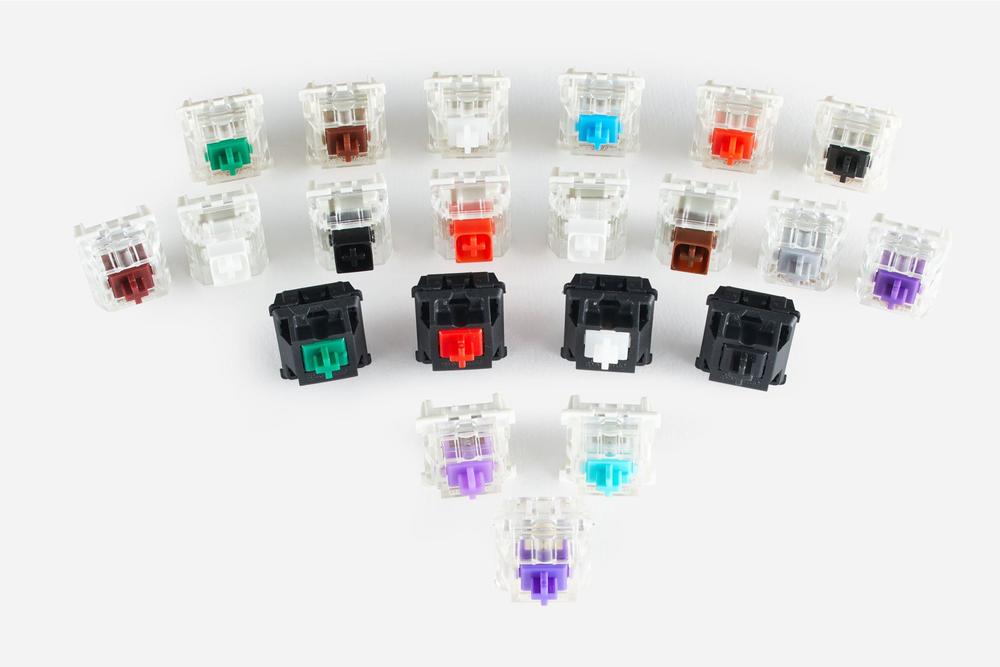
In other terms, they’re the gold standard for mechanical switches in the market. A lot of popular and flagship gaming keyboards are equipped with Cherry MX switches and these switches come in a variety of colors. but here are some of the most used ones that you might encounter:
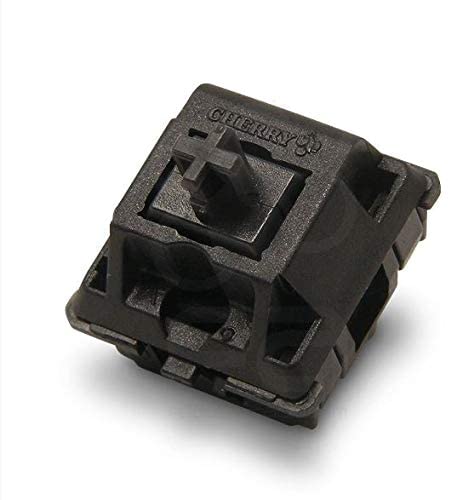
Cherry MX Reds
The Cherry MX Reds are the most popular type of Cherry switches. They’re the most used out of the whole Cherry MX series and this is all thanks to it only requiring 45 grams of force to actuate. All in all, this is the best choice if you’re planning to use it for all sorts of activities like gaming and typing for work.
Not to mention, these keys are also very quiet, especially the MX Red Silent variant. So if you’re in an office environment or you’re just not fond of clicky noises, then this is something you should look out for when buying your PC gaming keyboards.
Cherry MX Blacks
These linear switches are very similar to the Reds. Except for the part that they require 60 grams of force to actuate. So when using, you will feel they’re a little more resistant than the Reds. The Blacks also come in with a Silent variant.
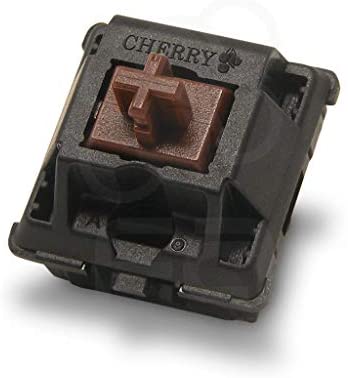
Cherry MX Browns
Like the Reds, Cherry MX Browns are some of the most popular switches when it comes to gaming keyboards. The Browns are tactile switches that only require 45 grams of force to activate without making too much sound and spring back very quickly after each actuation.
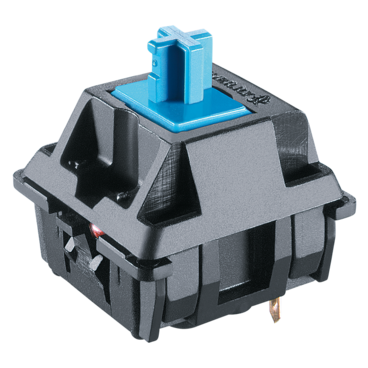
Cherry MX Blues
The Cherry MX Blues are known for being the “clicky” switches and require 50 grams of force to actuate. Meaning, they make audible clicking noises with every keystroke. Quite similar to the old typewriters that your grandparents might have used. For some of you, you might find the clicky sounds quite satisfying. But others might find it annoying.
So if you’re looking for a gaming keyboard that uses this type of switch, you might want to think twice about using this as your keyboard for work as well if your line of work requires you to be around people a lot of the time.
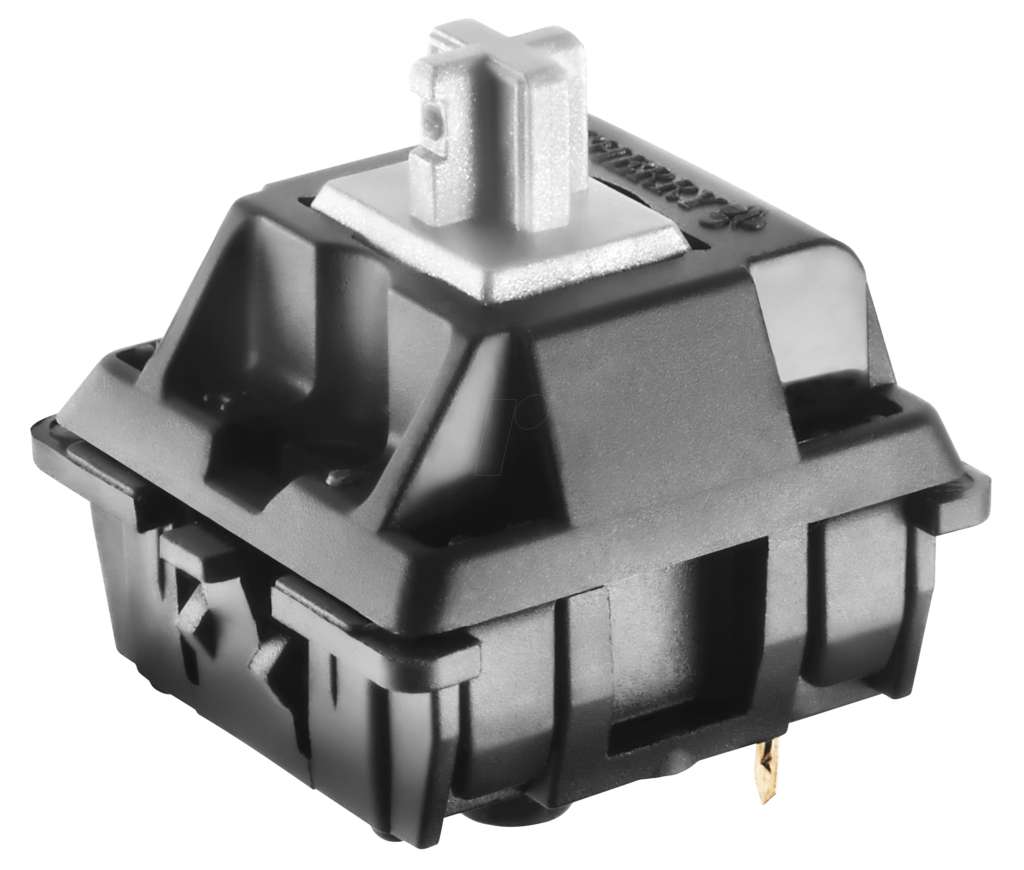
Cherry MX Speed or Silver
These types of switches from the MX series are built with gamers in mind. Like the Reds, the Cherry MX Speeds are linear switches that only require 45 grams of force to actuate. However, the Silvers travel for only 1.2 mm rather than the standard or usual 2 mm.
This allows gamers to press on the keys faster, which can be found helpful in certain gaming genres like MOBA games such as League of Legends or DOTA 2, and MMO games such as World of Warcraft, where skills are constantly refreshing.
What If A Gaming Keyboard Doesn’t Use Cherry Switches?
But what does it mean if a gaming keyboard doesn’t use Cherry MX switches? Does that mean they’re bad or mediocre gaming keyboards?
The answer is not at all! Some gaming companies, especially the bigger ones like Razer, can opt to use their own unique line of switches to integrate into their gaming keyboards, which can result in a more optimized gaming experience.
Not to mention, there are also other manufacturers in the market that provide great quality switches like Greetech and Kailh.
Here’s a breakdown of some helpful tips and reminders you might want to keep in mind when shopping for your desired gaming keyboards.
Know Your Switches!
When it comes to buying your gaming keyboards, it’s important to be aware of the different switches gaming keyboards use as this will determine a keyboard’s overall performance as well as your experience with them. TO break it down for you, here are the three types of switches that are commonly used:
Linear Switches.
Linear switches are the type of switch that offers a smooth, consistent actuation without giving any tactile feedback to the user. This is a great option for people who don’t really like the small bumps you might experience from tactile switches or the loud noises produced by clicky switches.
Tactile Switches
If you’re someone who types a lot aside from gaming, you will find using a tactile switch pretty satisfying as this kind of switch provides great feedback when you’re typing. The sounds you hear from each keystroke are also helpful in letting you know that every key is working properly.
This is the type of switch that produces a tactile bump and a subtle audible click with each keystroke.
Clicky Switches
Clicky switches are the type of switch that focuses on producing a tactile bump and a more noticeable audible click with each keystroke compared to the tactile switches. This type of switch also provides great feedback as well as a very satisfying sound in every click.
Check The Keyboard’s Design & Durability
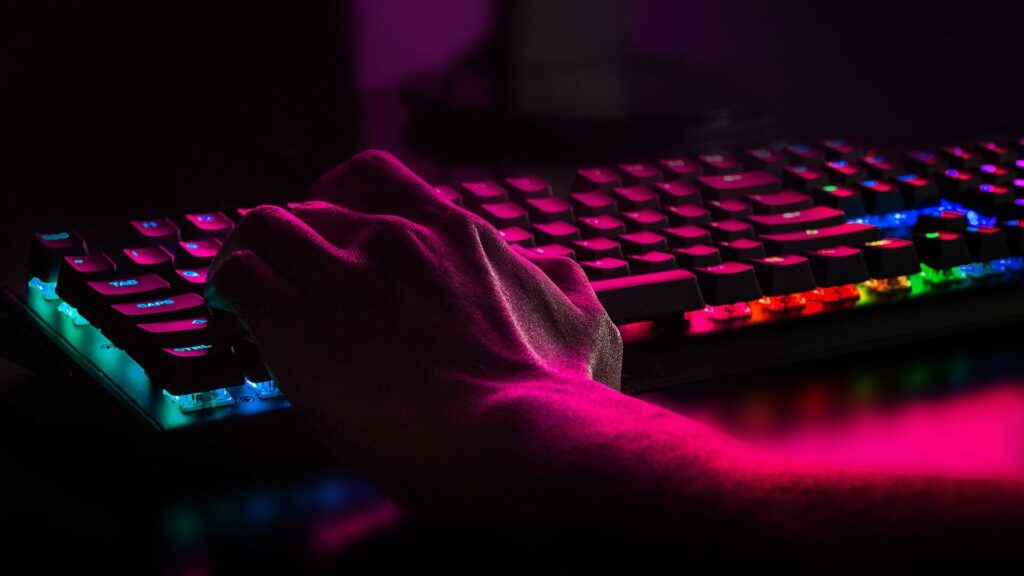
A gaming keyboard’s design is more than just its flashy RGB backlights. Though they do certainly help in catching a gamer’s attention. But other than having pretty and dazzling RGB lights that decorate your gaming keyboard, having one with great durability is something you shouldn’t overlook as well.
Gaming keyboards rarely need to be upgraded every year and a good model should survive wear and tear and will serve you for a great number of years.
Choose Your Preferred Form Factor
Keyboards for gaming come in different shapes and sizes. You’ll find a full-sized keyboard (100%) that is complete with every key, a tenkeyless (TKL) keyboard that doesn’t include the Numpad as well as a 60% keyboard that has even fewer keys.
Some of you might ask why would someone ever prefer a gaming keyboard that doesn’t include all the needed keys?
Well, tenkeyless keyboards or 60% keyboards are more preferred by some gamers who don’t really find the Numpad and other keys necessary for their gaming needs. Additionally, they’re also a lot cheaper, more compact, and don’t take up so much space on a gaming table.
Consider The Customization Options
One of the most exciting things about using a gaming keyboard is the wide variety of customization options it can offer. A lot of gaming companies release keyboards that allow you to program the RGB backlights in a color pattern that you prefer.
In addition to that, some keyboards also let you replace the keys entirely with a different set of keys of your choosing. If these things are something that appeals to you, then you should definitely consider a gaming keyboard that has plenty of customization options.
Now that we have finally reached the conclusion of our article, I hope you were able to learn a lot about PC gaming keyboards and have gotten an idea of which models would be best suited for you. By giving each factor stated in this article some serious consideration, you should be able to make the right choices that will meet and satisfy your gaming needs.
Did this guide help you in knowing more about PC gaming keyboards? Let me know in the comments section below if you have any other insights or suggestions you would like to add or share. I would love to hear all your thoughts!
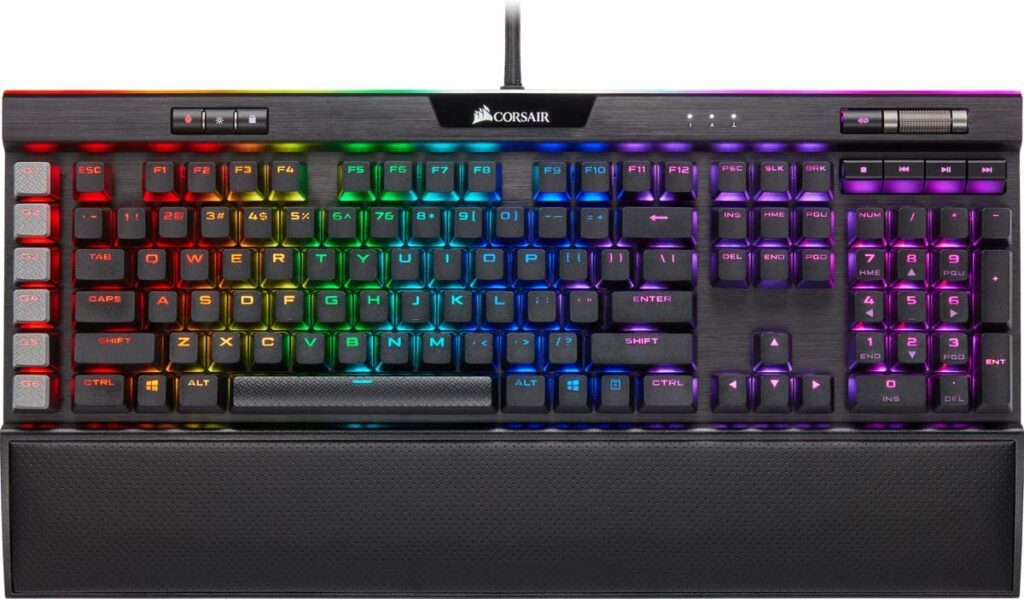
Way back in 2017, the Corsair K95 RGB Platinum made its debut in the gaming industry. It was quickly met with success due to its impressive performance and its flashy exterior being one of the best-looking gaming keyboards in the market. Fast forward to 2021, the Corsair K95 RGB Platinum XT was released and we’re about to find out if this gaming keyboard is worth the upgrade.
Despite the overwhelming popularity the original K95 RGB Platinum received even after a few years from its initial release, Corsair didn’t stop there and decided to raise the bar even further. Now other gaming companies need to catch up even faster to meet the high standards the K95 RGB Platinum XT has set.
So what makes it so great? And is it worth it to upgrade if you already have a dedicated gaming keyboard for your setup? The answer is yes and no. If you’re already quite content with the gaming keyboard that you have and don’t feel like you need more features, then getting the XT is not really necessary.
However, if you’ve been looking to upgrade your current keyboard and you’re willing to splurge around $200 for a gaming keyboard that’s rich with the most premium features then you might want to give the XT some serious consideration.
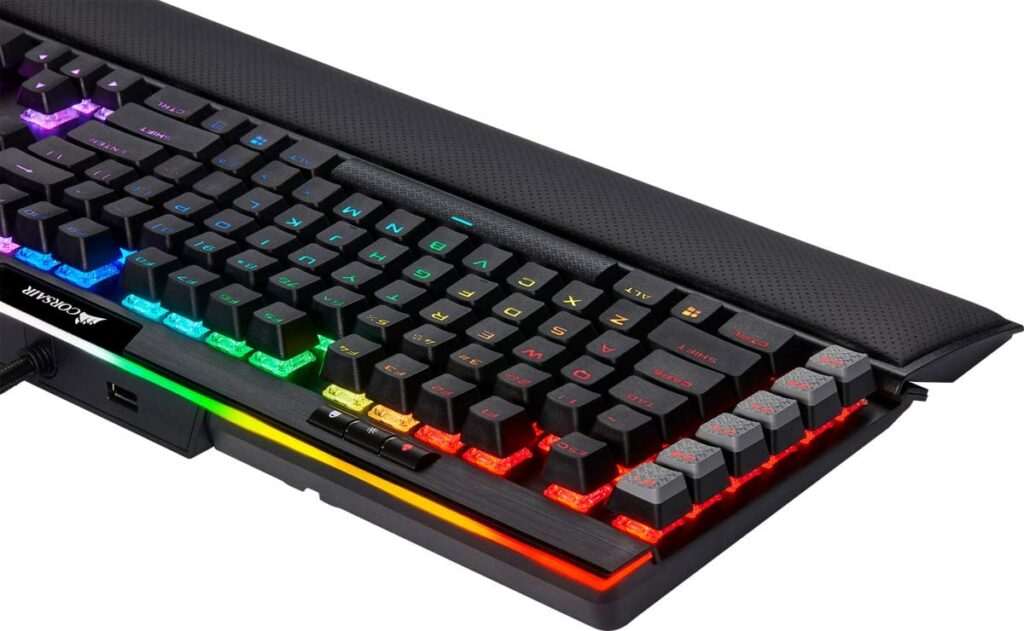
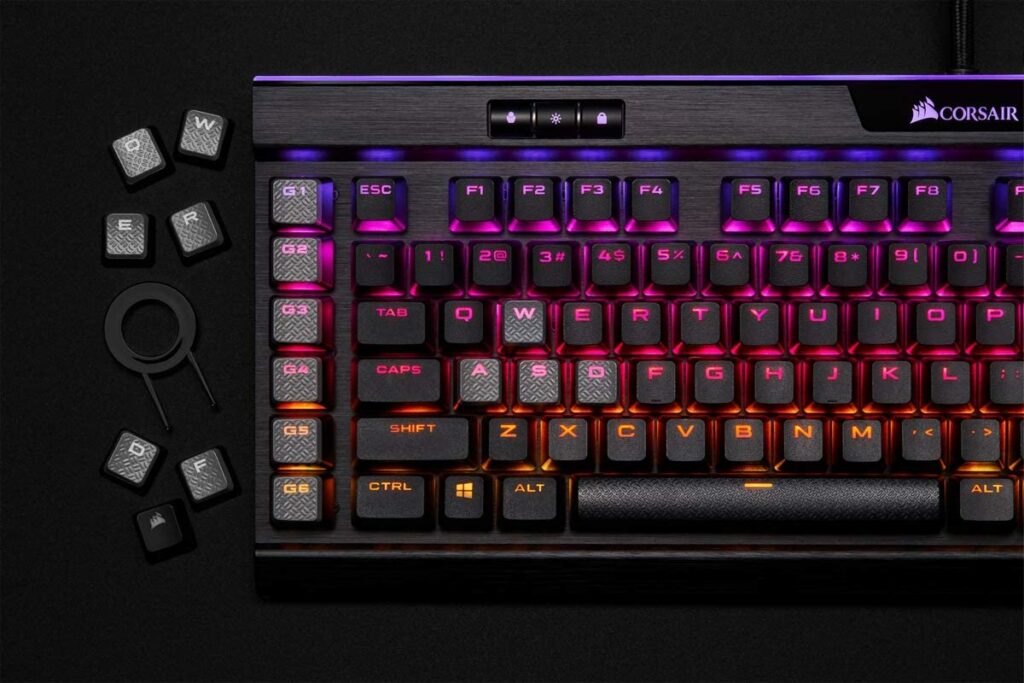
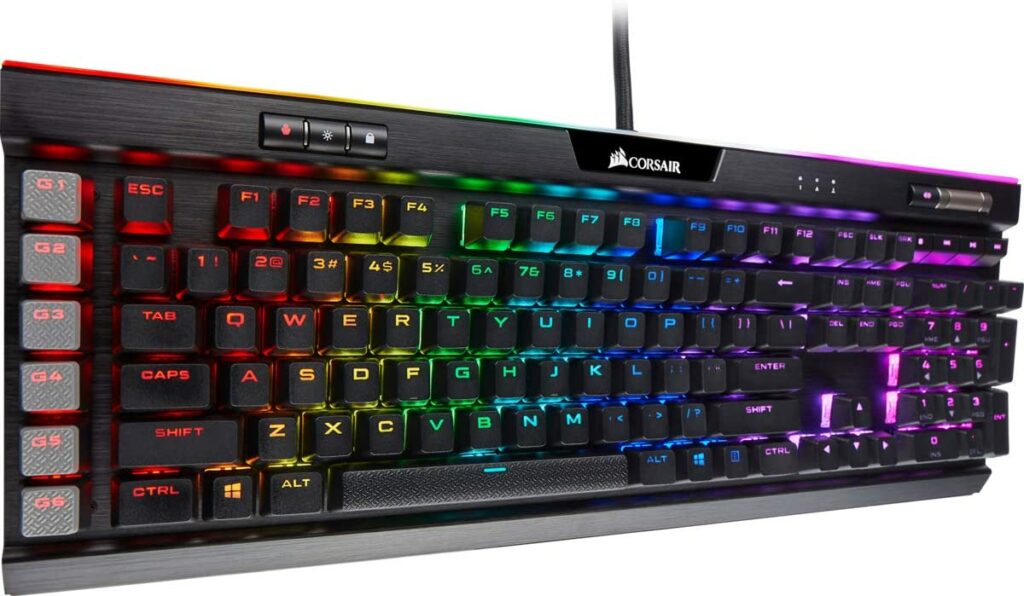
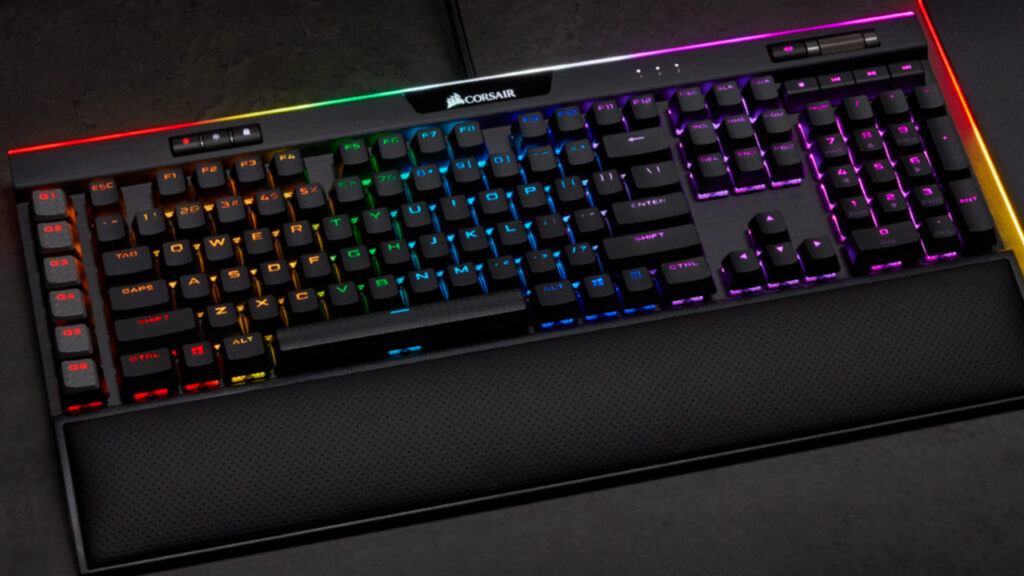
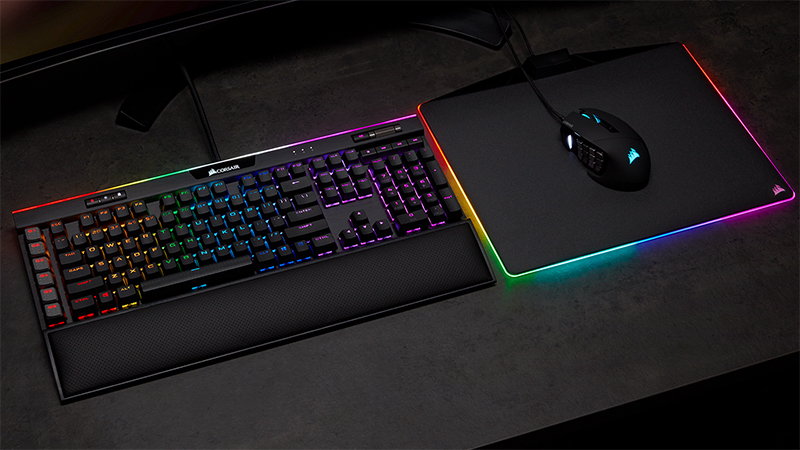
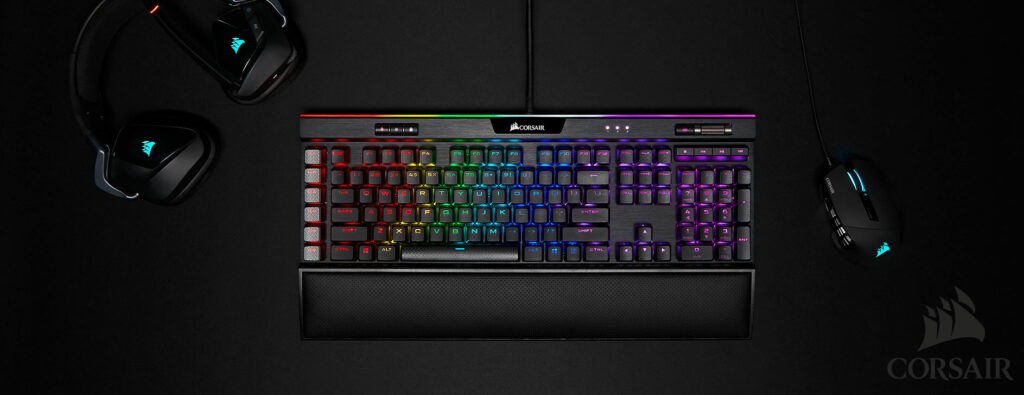
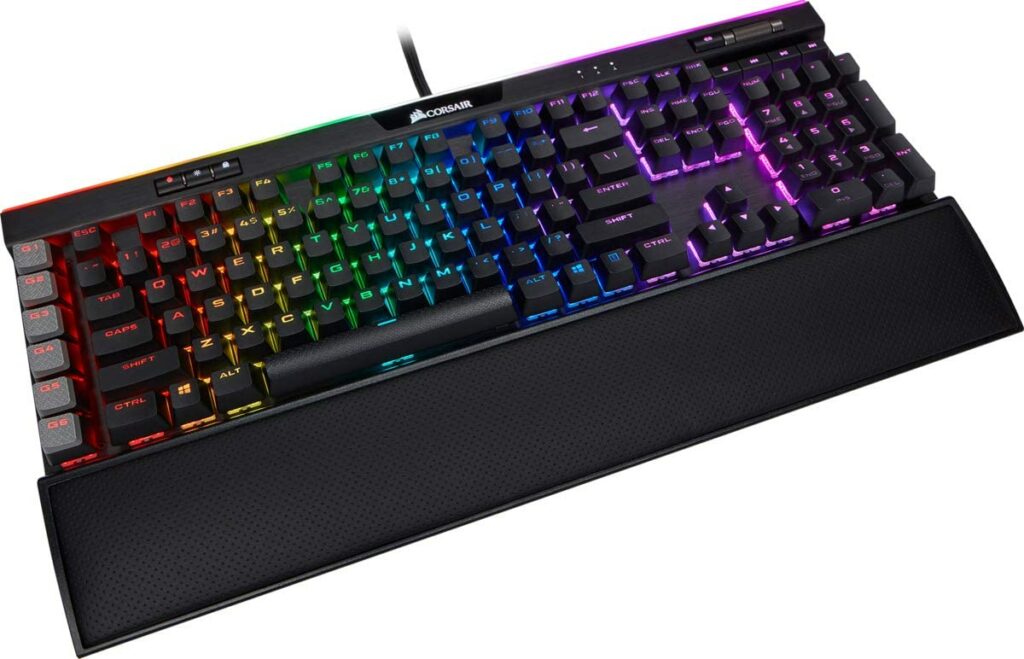
Not only does this gaming keyboard offers a 19-zone LightEdge and almost unlimited customization of RGB lighting programs to choose from (16.8 million color options to be specific), but it is also equipped with an anodized aluminum frame that delivers a solid and sturdy build, an 8MB onboard storage, and 6 dedicated macro keys.
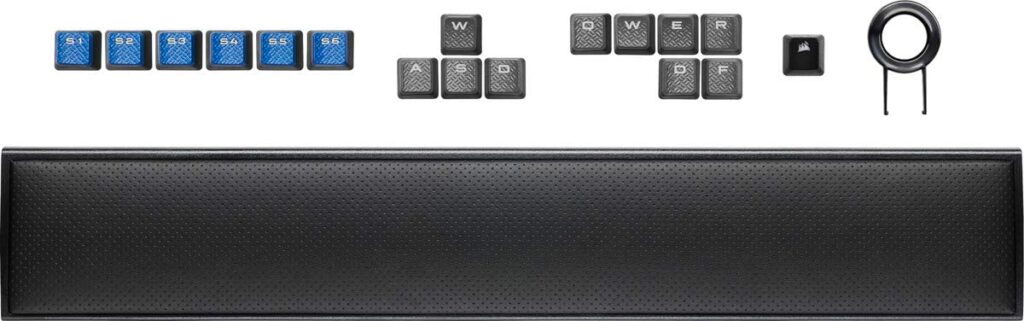
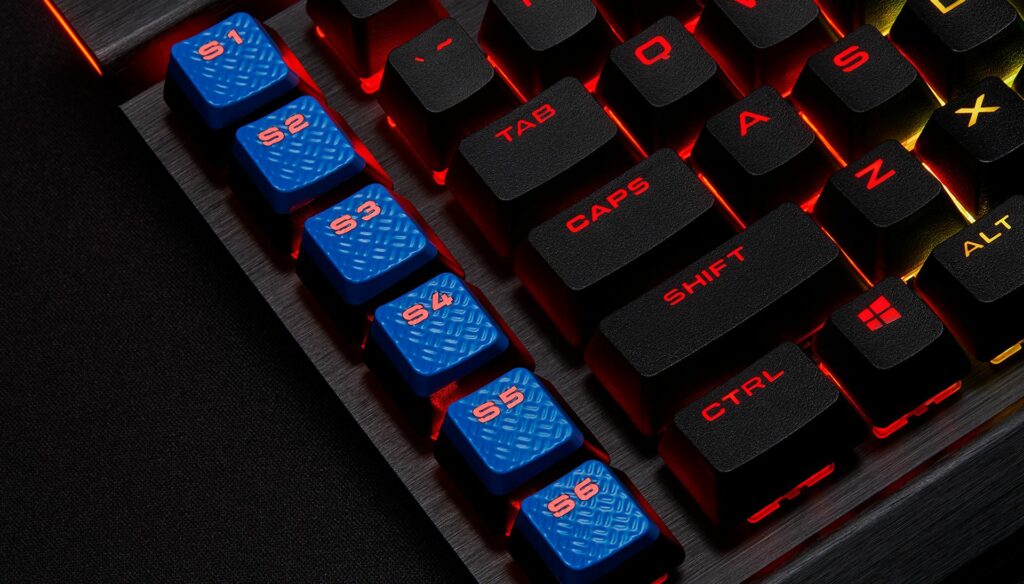
Upon further inspection, these macro keys are fully programmable for complex macros and key remaps to your liking. Other than that, you can also opt to swap them for the included S-key keycaps in the box and program them for special streaming commands through the Elgato Stream Deck software through your PC.
To make it even better, Corsair has finally upgraded their outdated cheap plastic wrist rests to a detachable soft-textured cushioned leatherette palm rest that ensures maximum comfortability to breeze through long gaming sessions.
Features & Specifications
Product Dimensions: 18.3 x 6.7 x 1.4 inches
Manufacturer / Brand: Corsair
Item Weight: 2.89 pounds
Size: Full size keyboard (100%)
Connectivity: Wired
Switch: Cherry MX Blue
Keycap Material: PBT plastic
Backlights: Yes
Individually Backlit Keys: Yes, and they’re programmable.
Media Keys: Yes, dedicated.
Macro Keys: Yes, and all of them are programmable.
Wheel: Yes
Passthroughs: USB
Wrist Rest: Yes, detachable.
Keyboard Compatibility: Windows (full), MacOS (partial), Linux (partial)
Software: iCUE
Profiles: Up to more than 6.
Warranty: 2 years
Extra Special Features: 19-zone LightEdge, Per-key RGB backlighting, Elgato Stream Deck software, and 8MB Onboard Profile Storage.
What’s In The Box?
The Corsair K95 RGB PLATINUM XT keyboard unit
A detachable wrist rest
An extra set of textured keys (2x Q, W, E, R, A, 2x D, S, F, Corsair logo)
An extra set of blue macro keys (S1-S6)
A keycap remover
User manuals
Check out Corsair’s preview of the K95 RGB Platinum XT below.
What We Love About The Corsair K95 RGB Platinum XT
Really Attractive Design & High-Quality Build
One of my favorite things about the XT is that it sports a very in-your-face gamer aesthetic without looking tacky. The design is sleek with really beautiful individually lit RGB keys. Not to mention, it looks and feels premium upon use.
Thanks to its anodized aluminum frame, this particular gaming keyboard are ensured to last you through many years. That way, you’ll get to enjoy its limitless customization options with the per-key RGB backlighting and a 19-zone LightEdge you’ll find at the top of the keyboard.
And if you’re worried about the size and how much space this might take up on your gaming space, you’ll be happy to know that the K95 RGB Platinum XT is not as bulky as the other premium and high-end gaming keyboards in the market. It’s still pretty big but the slight decrease in size and weight is much appreciated.
Better Keycaps & A Great Variety Of Macro keys
It was Razer who first introduced the integration of PBT keycaps on their gaming keyboards. But Corsair quickly followed suit on this trend and equipped this type of keycaps to both the original K95 RGB Platinum from years ago and the current model.
But why are PBT keycaps a big deal? To put it simply, PBT keycaps are generally thicker with improved durability in comparison to your traditional keycaps made of ABS plastic. PBT keycaps are also less prone to the oily sheen keycaps notoriously accumulate over time after a certain period.
In addition to that, the dedicated set of macro keys you’re getting from the XT will give you a competitive edge over your competition if you’re a serious MMO gamer.
Improved Software
If you’re unaware, Corsair purchased the Elgato software back in 2018. Now we get to see it in action on the K95 RGB Platinum XT. By far, I think this is the most significant upgrade the XT has over the original K95 RGB Platinum.
Whether you’re an avid streamer or an aspiring one, this particular software is going to be your new best friend. Due to the integration of this software into this current model, streamers now have better control options through the use of the Elgato Stream Deck.
Additionally, the iCUE software can also be easily used for limitless customization options to program your individually RGB lit keys.
Our Least Favorite Things
It’s Expensive
As much as I want gamers to have the best of everything and for these gaming peripherals to be accessible, all the premium features of the Corsair K95 RGB Platinum XT come at a really high cost. So people who are tight on budget or are unwilling to spend that much money on a gaming keyboard might want to look for other options.
However, if you have enough money to afford the XT, I say go for it and treat yourself to one of the best gaming keyboards in the market right now. At the end of the day,
However, if you have enough money to afford the XT, I say go for it and treat yourself to one of the best gaming keyboards in the market right now. At the end of the day, whether the splurge is worth it or not is completely up to you.
In A Nutshell
Now that we have covered the things we liked and disliked about the Corsair K95 RGB Platinum XT, here is a narrowed-down list for you of the good and the bad with this gaming keyboard.
Pros
Almost limitless RGB backlighting customizations.
Overall amazing build quality.
Inclusion of an upgraded detachable wrist rest.
You get 6 dedicated macro keys and much better PBT doubleshot keycaps.
Low click latency.
Really handy media and shortcut keys for you to use.
You can put more onboard profiles.
Access and support to the Elgato Stream Deck software.
Cons
Pretty expensive for a gaming keyboard.
Not that many significant upgrades from its predecessors.
The Final Verdict
All in all, I can truly say that you really can’t go wrong with the Corsair K95 RGB Platinum XT. It’s an excellent choice if you’re looking to swap your outdated gaming keyboard and want to experience some premium gaming on this beast.
For around $200, you get a gaming keyboard with a great quality build, extremely low latency, countless customization options for your individually lit RGB keys, six dedicated programmable macro keys, as well as access to the new Elgato software for your streaming needs.
But is it worth the upgrade? That highly depends on your situation. If you already have the original K95 RGB Platinum, I don’t think you’ll be missing out on much aside from the Elgato software. So unless that’s something you’re looking for, there are much cheaper options out there that won’t cost you an arm and a leg.
Do you already own the Corsair K95 RGB Platinum XT? How were your experiences with this gaming keyboard? Let me know in the comments section below if you have any insights or suggestions to share. I would love to hear your thoughts!