After reviewing a number of fitness trackers, the most common question I get asked is which one is the best? Every sports brand seems to be making its own version of the highly prized accessory so choosing one can be a bit daunting if you don’t know what you’re looking for. I’m not surprised I get asked the question all the time.(more…)
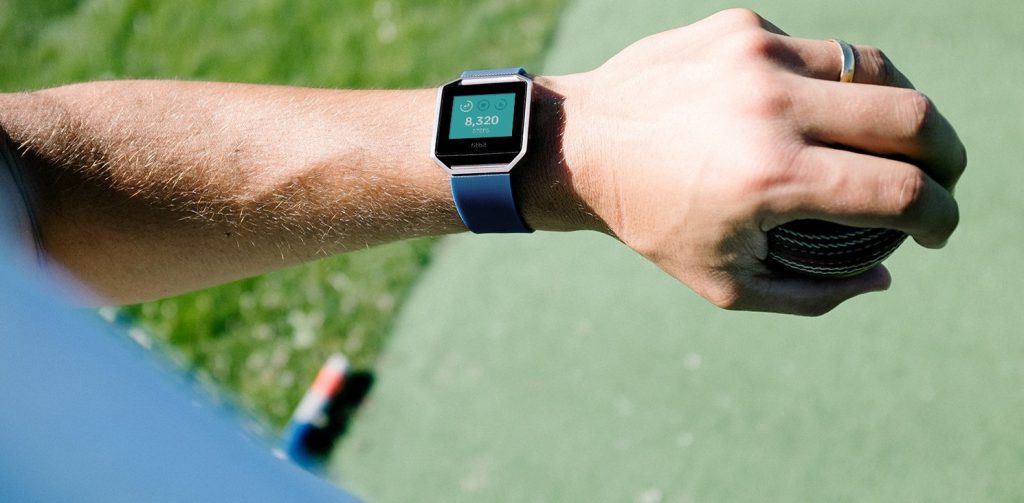
I’m happy to present to you the Fitbit Blaze fitness tracker watch review because the new range of wearables from Fitbit is doing away with the plastic look that we are used to seeing and have introduced a more premium looking activity tracker.
The brand has gone from strength to strength over the past few years and has established itself as a strong player in amongst fitness wearables- they have certainly made their mark and continue to do so with the new Fitbit Blaze tracker.
Feature-wise Fitbit has included more functionality, we’ll get into all this further down. The new blaze watch is already popular in the running community and I’ve spotted many gym-goers sporting it proudly during gruelling kettlebell squats and spinning classes. Feel the burn!
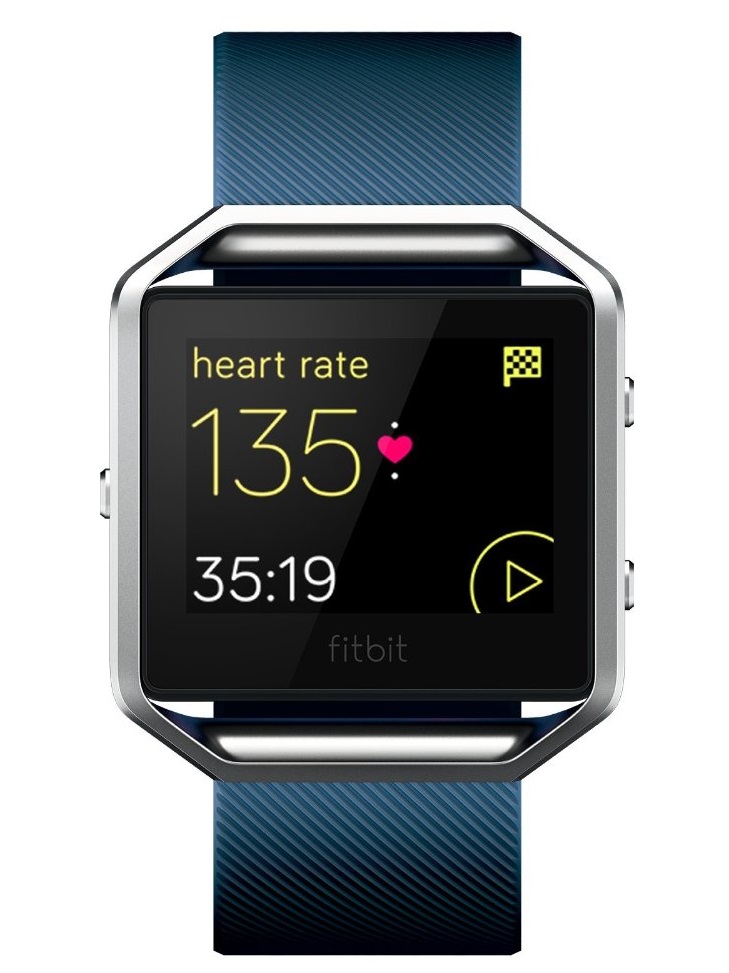
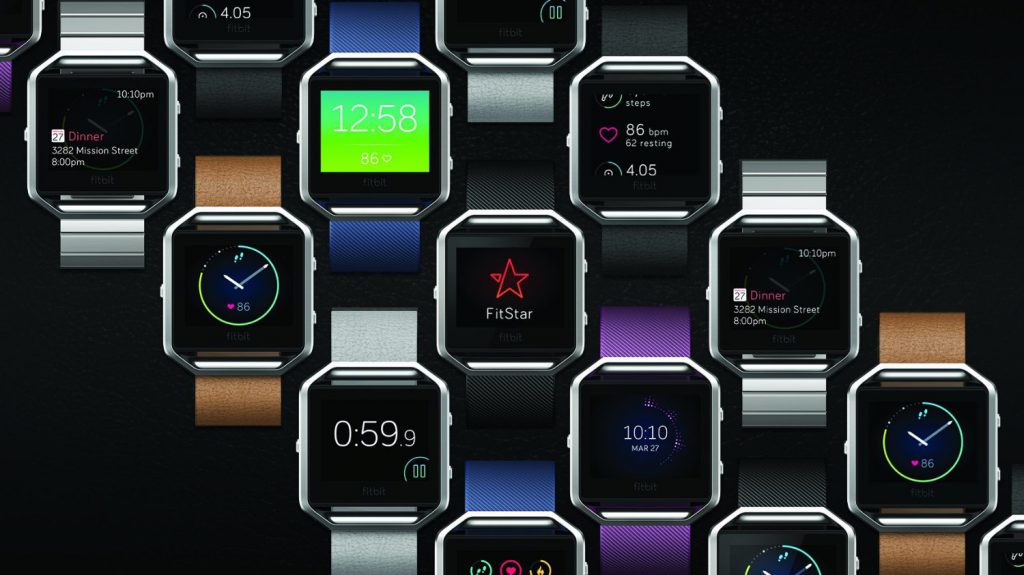
Fitbit has made it even easier to customise the new range but this time the main element is that the wristbands can differentiate it between a sports watch and a functional everyday watch that you could wear on social occasions.
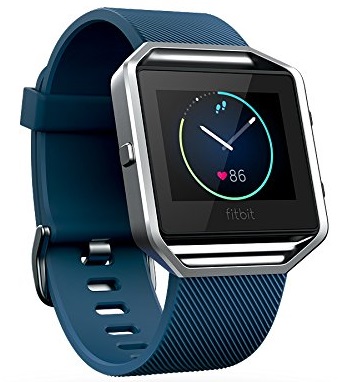
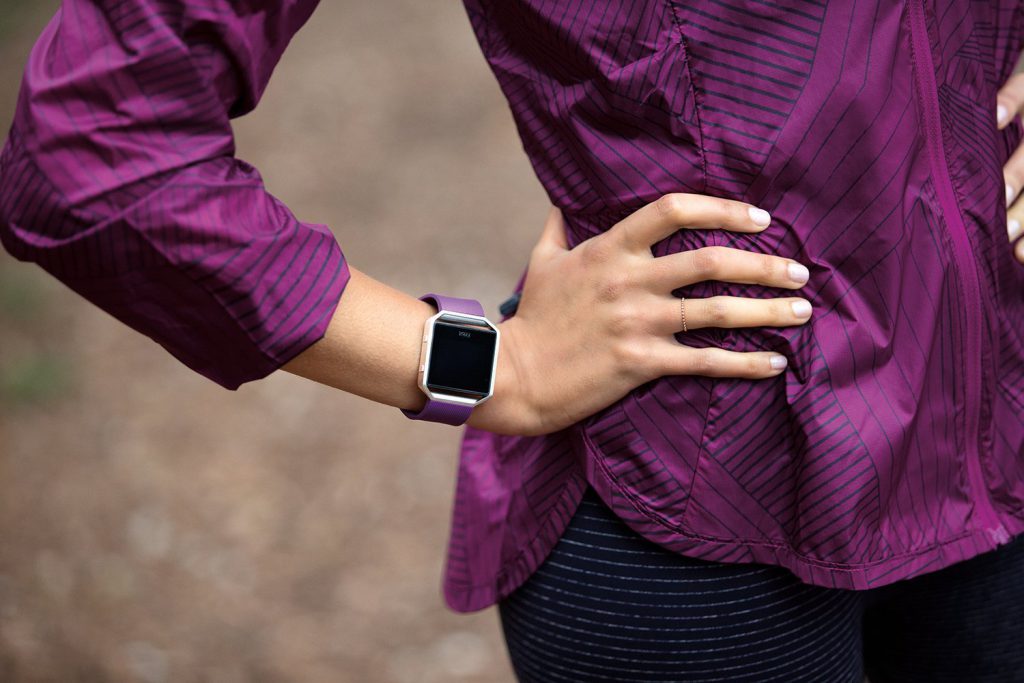
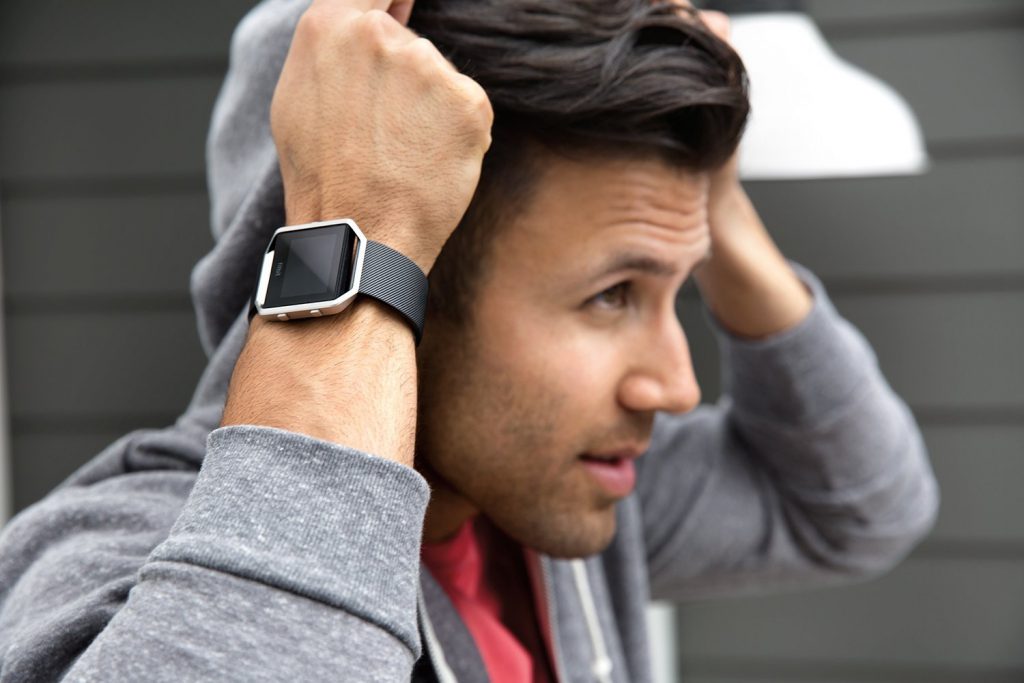
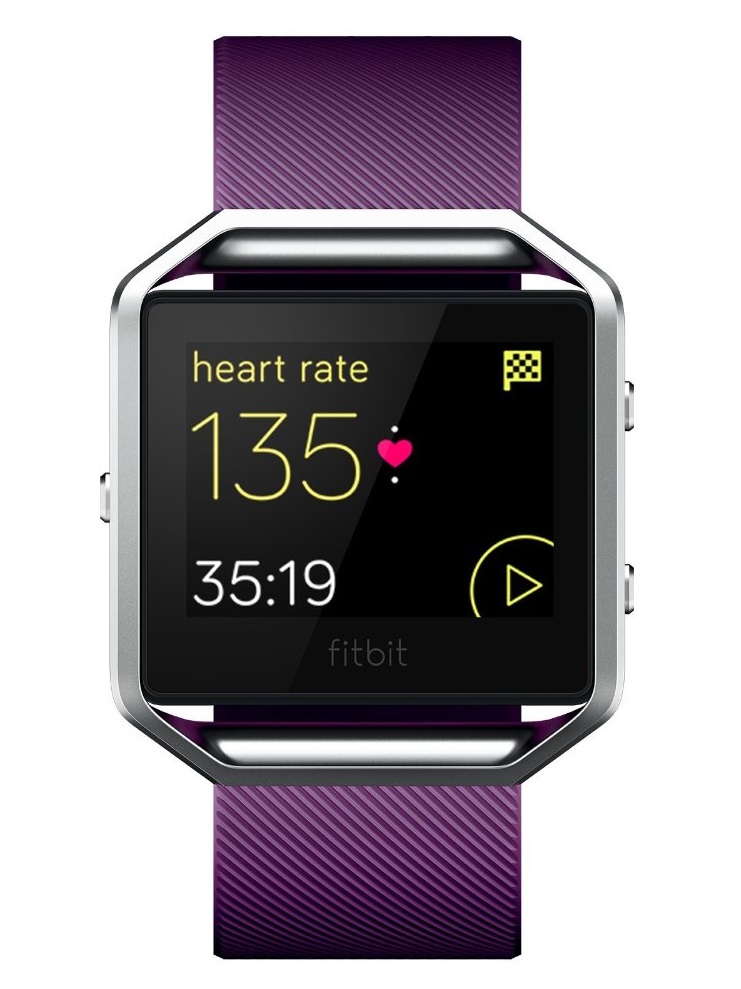
The Fitbit Blaze has a square design encased in a steel frame that has a swappable plastic strap. The straps can be swapped for stylish ones to suit different occasions.
The Blaze is an upgrade to previous models such as the Fitbit Surge. It has a slim profile and feels very light when you have it on.
It’s comfortable enough to wear throughout the day as you would with a normal watch. The square screen measure 1.25 inches and powers a 16 colour touchscreen display.
You can select features directly from the screen and the watch has 3 buttons on the side. 1 on the left and the other 2 on the right to help select options when it’s not possible to do so on the screen with your sweaty hands. To conserve energy the screen turns off when it’s not in use.
The video below shows just how versatile the Fitbit Blaze is for both working out and socialising:
Watch Features
If you have used the Fitbit Charge HR you will be quite familiar with the features on the Fitbit Blaze fitness tracker watch, the main differences are that the Blaze has an OLED screen, improved notifications and exercise guides.
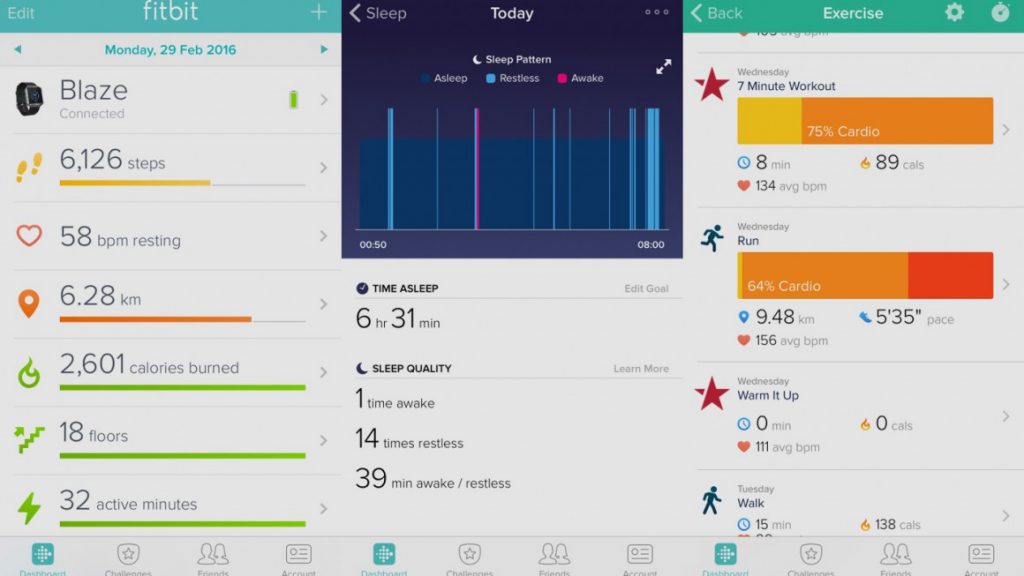
You have the ability to track burnt calories, daily steps, time spent being active, sleep quality and the number of stairs climbed. The built-in heart rate monitor can track exercises like running and cycling but you will need your smartphone to help with the GPS to track distance (more on this further down).
FitStar is a clever workout system which presents 3 guided sessions that pop up on the display to give you a structured workout whenever required-
The fitness settings are thorough and would satisfy any newbie or anyone improving their training program and looking for a premium fitness tracker.
As mentioned earlier, a slight setback is that the watch doesn’t come with GPS but Fitbit has made it possible to link the Blaze tracker with your smartphone and use the GPS on your phone via a feature called Connected GPS.
I usually take my phone with me to listen to music whilst running so this isn’t really a big issue for me. A silent alarm is another handy feature that uses vibrations to gently get you out of bed instead of an annoying alarm sound.
The video below shows how you can Track Your Workouts with Multi-Sport Modes:
Activity Tracking
The Fitbit Blaze tracker has plenty of options for different exercises including cycling, weight training, running, treadmills, kettlebell training, the list goes on. The tracker can also recognize your chosen exercise without you having to tell it. Neat!
The exercises record your heart rate via the sensor and exercise time to calculate calories burnt, additionally, the outdoor running and cycling activities use Connected GPS (via your smartphone) to accurately record distance and speed.
Sleep tracking on the Fitbit Blaze is very accurate and it also logs your midnight trips to the toilet. Although it’s accurate, it’s still very basic compared to rival activity trackers.
The sleep charts just show sleep, restlessness and wake whereas other products provide further sleep analysis (if that’s your thing) such as estimating deep sleep, light sleep and REM.
Heart Rate (HR) Monitor
Optical heart monitoring is accurate but it isn’t as good as a chest strap( this is standard across all fitness trackers).
If you’re going to be doing regular High-Intensity Interval Training (HIIT) then you’re better off buying atracker with a chest strap like the Garmin Vivosmart. The Blaze isn’t compatible with ANT+ or Bluetooth chest straps.
The watch accurately tracks your Resting Heart Rate- a way to measure improvements in your fitness.
The optical heart rate monitor maps your different workouts and gives useful accurate calorie burn information from your workout sessions or daily activities.
The video below shows how you can track your heart rate:
The Fitbit Blaze is a perfect entry-level fitness tracker for newbies and those looking at improving their fitness regime. Advanced trainers looking for specific zone training should considerthe Garmin Vivosmart.
Notifications
The watch can display text messages and incoming calls but not for 3rd party apps (except for WhatsApp which worked okay on the Fitbit Blaze).
The notifications don’t always show up even when the connection between the watch and phone is fine. Fitbit will need to sort this in an upcoming software update.
Fitbit will be soon changing how vibration alerts are received on the wrist but ultimately I think this option should be added for the user to choose the level of notifications rather than Fitbit making it the same for all its watches.
The Fitbit app
The Fitbit Blaze fitness tracker uses the same app as the rest of the other Fitbit product range. I would say this is a good thing because the app itself is easy to use, designed very well and is a great environment loaded with various challenges and trophies to be earned to keep workouts fun.
The app shows activities for the different days of the week and you are able to tap on a specific activity for a deeper analysis. For example if you tap on calories burnt you can look at your calorie output over time and sort by day, week or month and make comparisons.
The heart rate score is a very good measurement because it shows your resting heart rate over a period of time. As you become fitter the curve will show a downward trend.
The Fitbit app is one of the best apps amongst its peers. It’s very simple to use and understand but provides enough activity data without overloading you. The app syncs seamlessly between the Fitbit Blaze and your smartphone without any connection issues.
Battery life
Fitbit official battery times are pitched at 5 days usage which was accurate given the watch’s slim profile, constant notifications, bright OLED display, activity tracking and 3 workouts within 5 days- I would say this is a very strong point for the Fitbit Blaze as nobody wants their battery to die mid-way through a workout. Well done!
Waterproofing
The watch does Not come with waterproof expect for basic water resistance. Make sure you take it off before jumping into the bath and definitely no swimming with the watch.
US: Check current prices on Amazon.com UK: Check current prices on Amazon.co.uk
If you’re considering buying the Fitbit Blaze or already own one please leave your comments in the section below. I’d love to hear your experiences training with the watch. Thanks for reading my Fitbit Blaze fitness tracker watch review
Are you looking for an Android smartwatch but not sure what to get? Android wear continues to evolve and looks nothing like the original versions introduced a few years ago. For starters, there’s a lot more choice because most handset manufacturers are designing branded android wear and stepping up to the power of the google-centric Android software.
So how do you choose the best smartwatch? With so many of them available it can be like finding a needle in a haystack choosing the perfect smartwatch. How do you get the maximum benefits when there are many similarities across brands? The list below answers your questions and highlights the best android smart watches currently available in 2016. Enjoy!
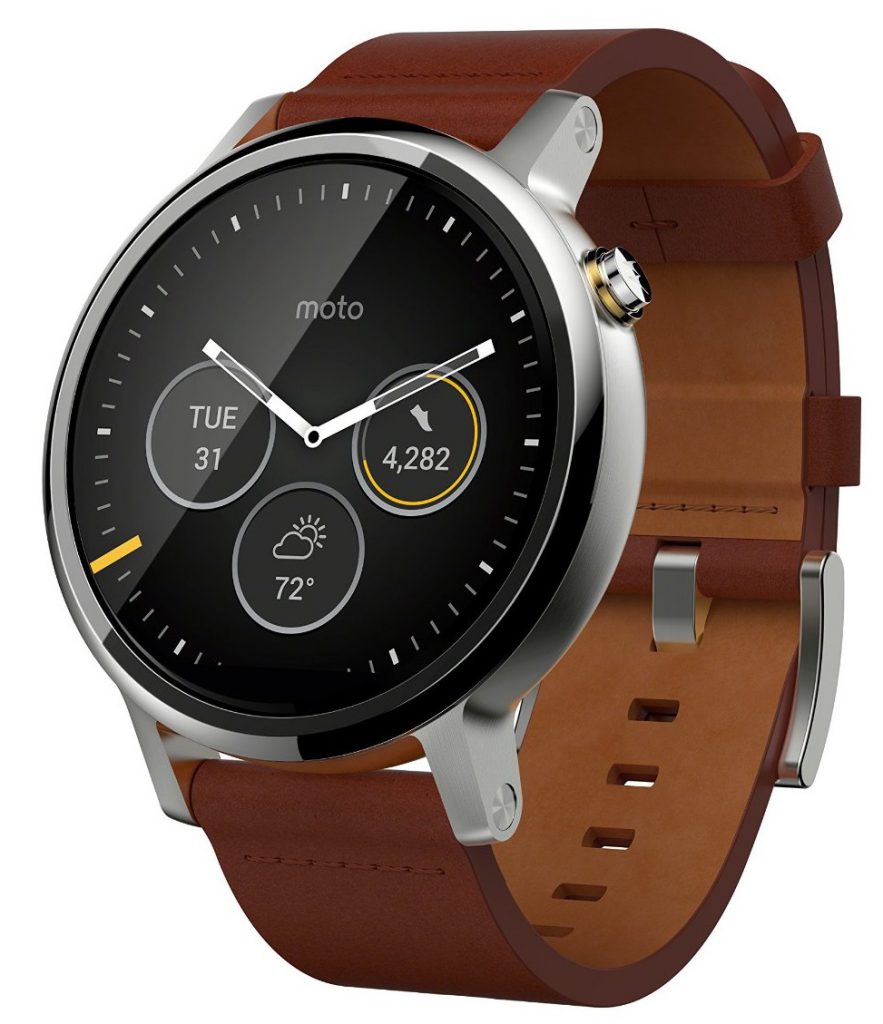
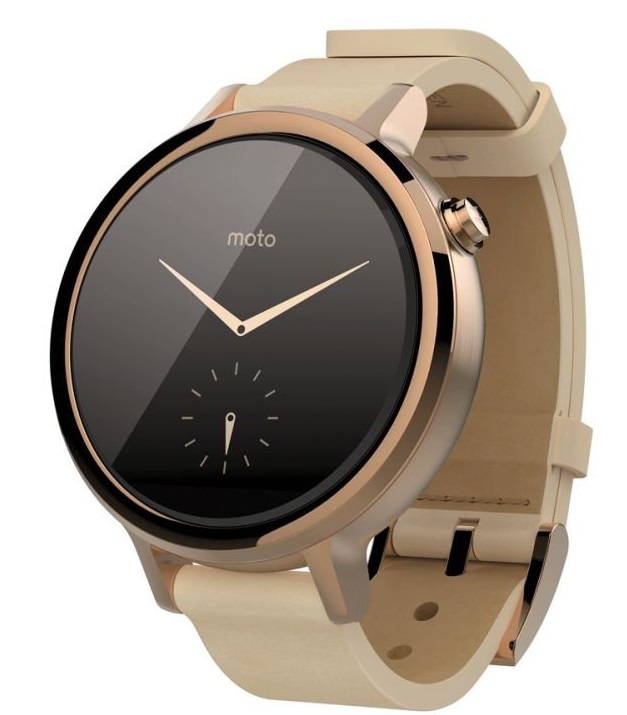
#1. Motorola Moto 360 (2nd Generation)
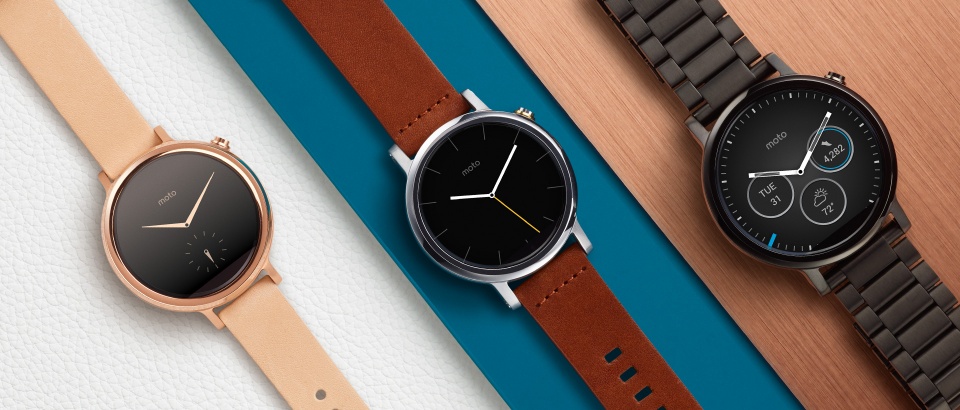
The first generation Moto 360 remained at the top spot for android smartwatches for a while but with Motorola’s second-generation released it’s looking like we can enjoy some added improvements to what was already a successful line of wrist tech.
The second-generation sports a Snapdragon 400 processor, longer battery life (up to 2 days) and has a choice of 2 sizes for a more personal fit especially if you have awkwardly small wrists as I do.
Extra customization can be done through Moto Maker which lets you select different bezels, styles, bands and faces. The faster processor ensures the Moto 360 keeps up with the growing list of demanding apps and interchangeable straps means that you can style it to match with your outfits.
1.56-inch IPS LCD display with 360 x 330 resolution, 263ppi
512MB RAM
Heart rate sensor
4GB of on-board storage
400mAh battery (2 Days)
Dimensions 46.0 x 46.0 x 11.4mm
IP67 dust and water-resistant
Pros
Updated premium design
I like the interchangeable straps.
Choice of two sizes available.
Brilliant wireless charging.
Cons
The microphone occasionally struggles to pick up the ‘OK Google’ command.
Customization is expensive.
Where Can You Buy The Moto 360 (2nd Gen)?
The Moto 360 (2nd Gen.) begins at less than $299 but bear in mind that the price goes up as you start adding customization. If you want to enjoy low prices then check out the cheapest models below.
US: Purchase it on Amazon.com UK: Purchase it on Amazon.co.uk
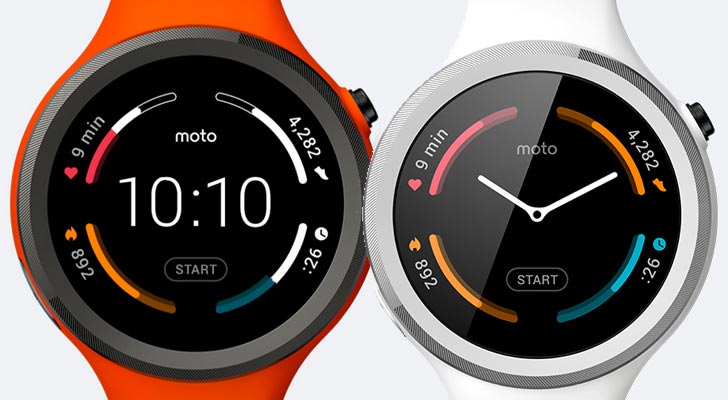
#2. Moto 360 Sport
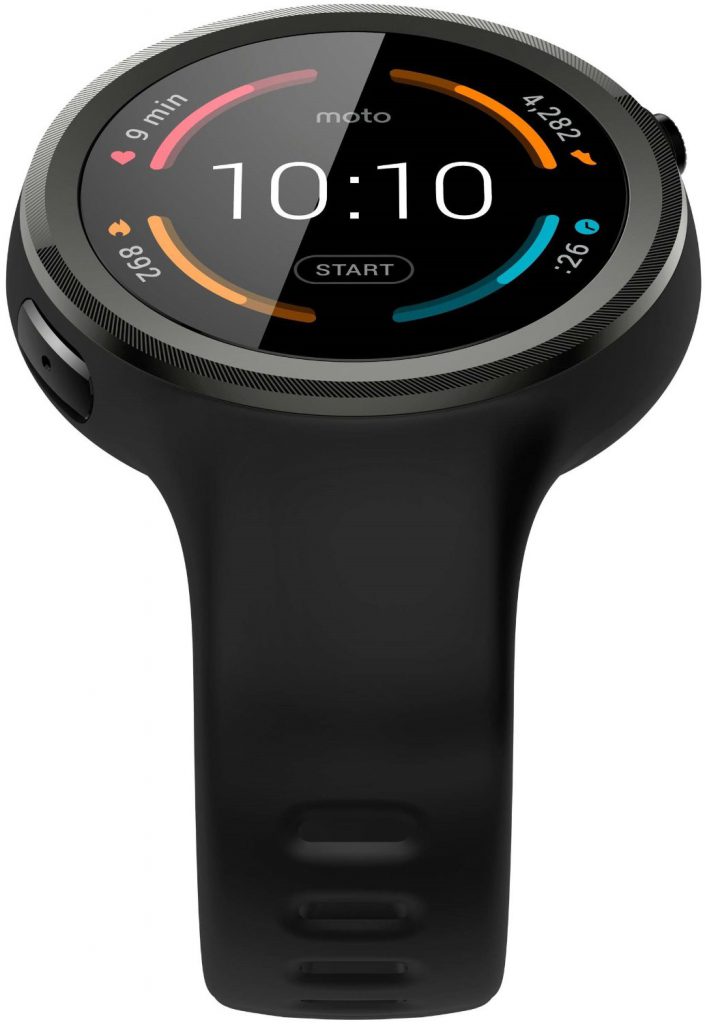
This is the sports variant of the Moto 360 and is well suited for anybody that wants a watch that can withstand the outdoor elements and take a few knocks. Internally it has the same specs as the Moto 360 but has the added GPS tracking function perfect for runners, although the battery won’t last as long if the GPS is constantly left on.
It also features a hybrid display that reduces screen glare when outside. The 360 Sport is also water and dust resistant rated at IP67
Overall, the Moto 360 Sport is a great choice if you’re after a watch to monitor fitness. It has added benefit of navigating rough terrain due to its robust external exterior.
Moto 360 Sport works with popular fitness apps like MapMyRun, Under Armour Record and Strava. It’s capable of tracking your workouts and syncing directly with these fitness apps.
1.37-inch AnyLight Hybrid Display with 360 x 325 resolution, 263ppi
512MB RAM
4GB of built-in storage
Heart rate sensor
300mAh battery (1.5 Days)
Dimensions 45 x 45 x 11.5mm, 54g
IP67 dust and water-resistant
PROS
GPS tracking
The hybrid display is brilliant at reducing screen glare.
Reliable performance
Lightweight and slim design
Fast wireless charging
CONS
Battery life suffers when GPS is turned on
Watch straps can’t be changed
Where Can You Buy The Moto 360 Sport?
If you want to enjoy low prices then check out the cheapest models below.
US: Purchase it on Amazon.com UK: Purchase it on Amazon.co.uk
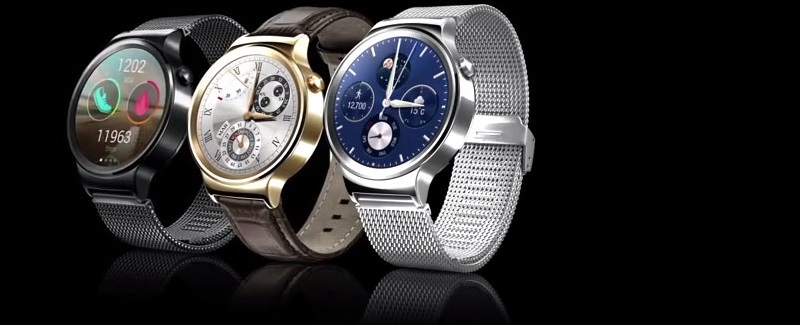
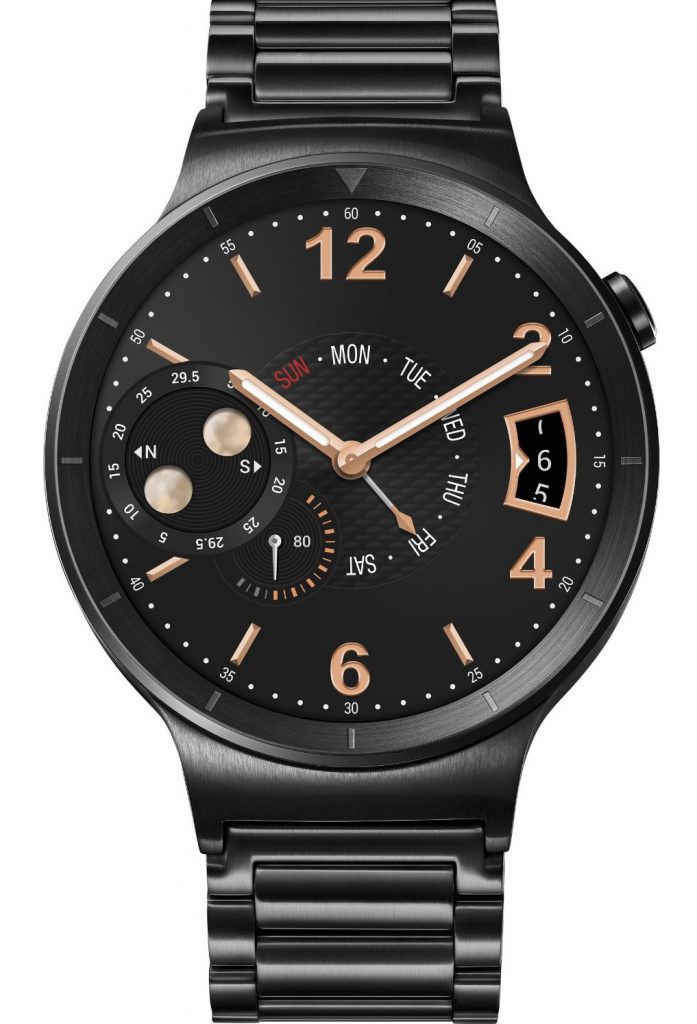
#3. Huawei Watch
The Huawei watch is the first Android smartwatch with a Sapphire Crystal screen. It’s styled to look a lot more like a traditional watch, you have to look at it closely before you can distinguish that it is android wear.
This is its stand out feature and certainly puts it above most of the other rival Android smartwatches. The Huawei watch looks beautiful but does its other features live up to the fierce competition?
The watch has interchangeable leather and steel straps and long battery life. The AMOLED screen is impressive and provides a high definition display that will keep you constantly glancing at it even when you don’t need to!
Don’t be fooled by its classic design which includes fitness tracking and a heart rate sensor under its bonnet. If you’re after something a bit different with a premium build then there’s no point looking any further.
The Huawei watch integrates seamlessly with your regular apps like Viber and WhatsApp. You can even browse and control your Amazon Prime Music library. When driving you will get traffic updates sent straight to your wrist. Impressive!
1.4-inch AMOLED display with 400 x 400 resolution, 286ppi
512MB RAM
4GB of built-in storage
300mAh battery
Dimensions 42.0 x 42.0 x 11.3mm
IP67 dust and water-resistant
PROS
Premium classic design
Interchangeable watch straps
Groundbreaking watch display
Long battery life
Lots of custom watch faces
CONS
No ambient light sensor
Can be awkward to charge
Where Can You Buy The Huawei Watch?
If you want to enjoy low prices then check out the cheapest models below.
US: Purchase it on Amazon.com UK: Purchase it on Amazon.co.uk
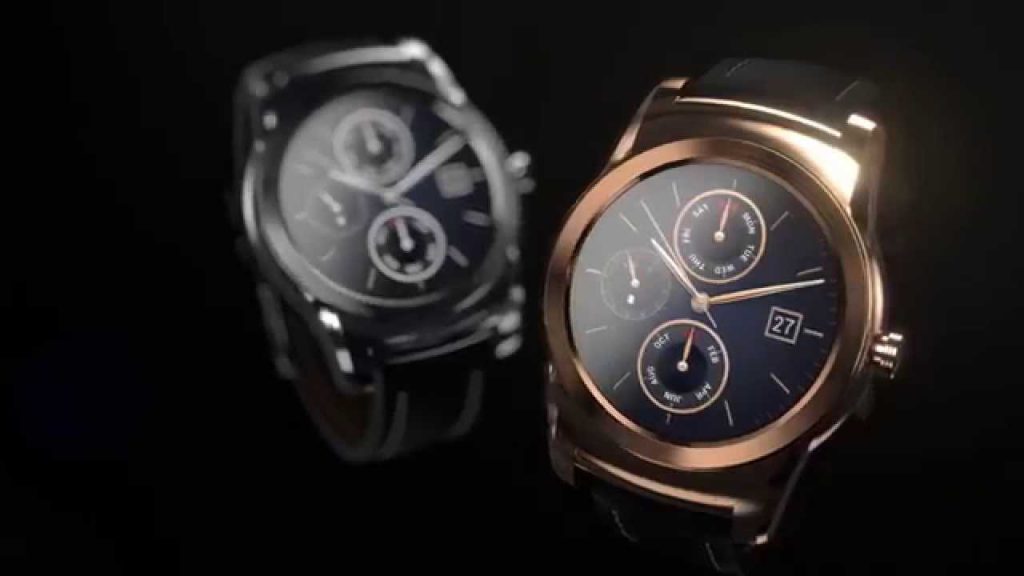
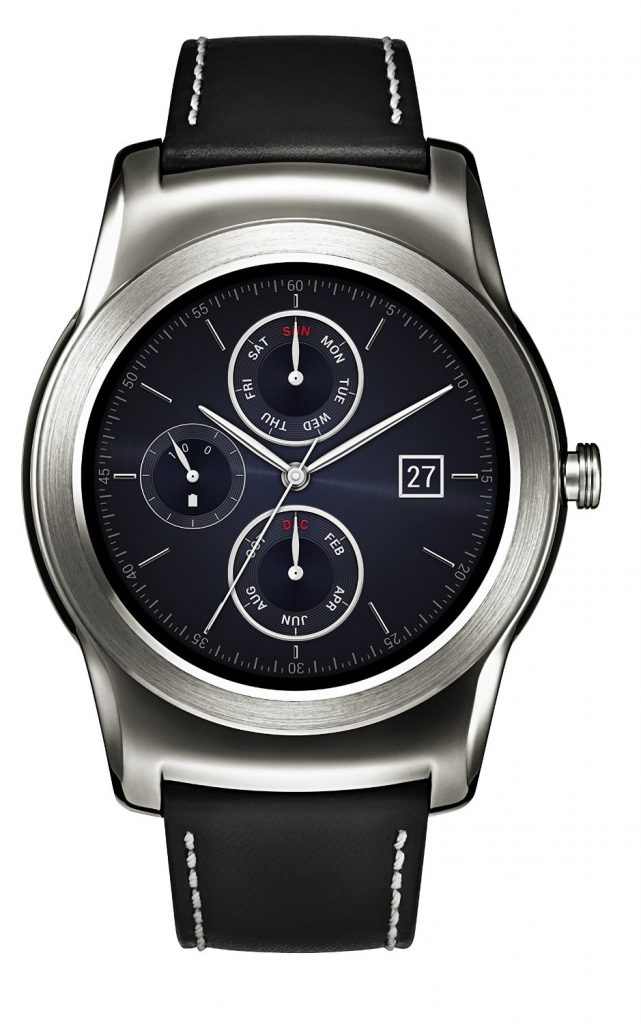
#4. LG Watch Urbane
The LG Watch Urbane is a premium android watch that features a circular 1.3-inch P-OLED screen encased in a stainless steel body. For a 1st generation watch it ticks all the boxes and includes a high definition display, Snapdragon 400 processor and comes with the latest android version of android which is a vast improvement over the previous version.
It uses WiFi connectivity to get notifications from your phone when out of Bluetooth range. The battery lasts a FULL 2 days with all its functions turned on.
You’ll be able to get the LG Watch Urbane for less than $250which is a great price for a premium android wear watch. LG has also gone a step further by designing a luxury 23-carat gold version named LG Watch Urbane Luxe.
So if you have deep pockets and want that extra bit of glam you can splash out on this version which will cost you around $1200.
1.3-inch P-OLED display with 320 x 320 resolution, 245ppi
512MB RAM
4GB built-in storage
410mAh battery
Dimensions 45.5 x 52.2 x 10.9mm
IP67 dust and water-resistant
PROS
Stylish design and reliable performance
Impressive OLED screen
Strong battery life
Feels comfortable throughout the day
CONS
Stainless steel body susceptible to scratches over time
If you want to enjoy low prices then check out the cheapest models below.
Where Can You Buy The LG Watch Urbane?
US: Purchase it on Amazon.com UK: Purchase it on Amazon.co.uk
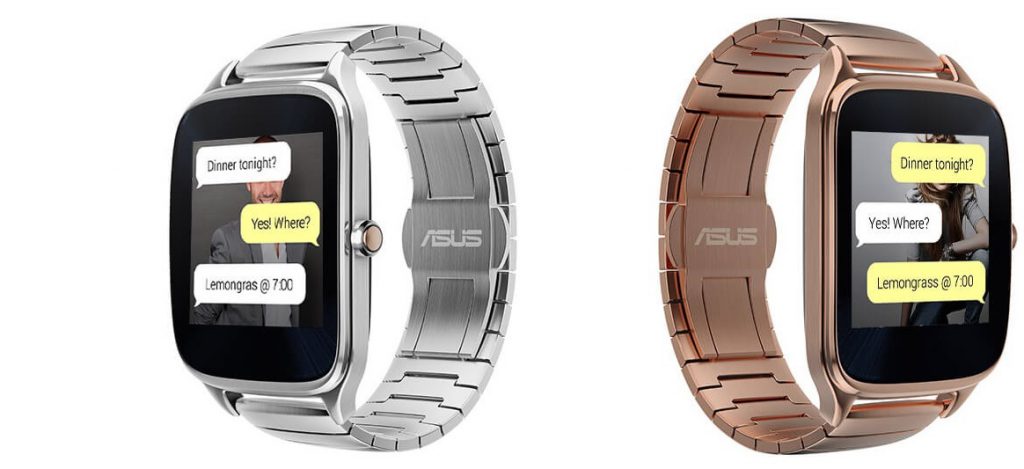
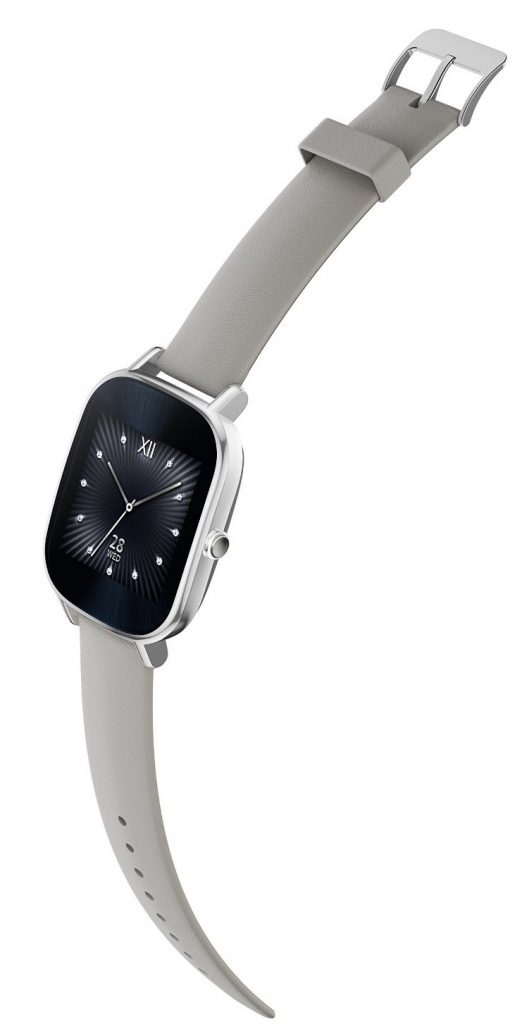
#5. ASUS ZenWatch 2
Last year I reviewed the original Zen watch which already contained some awesome features under its hood. This time around Asus has decided to take a different approach with the 2nd generation ZenWatch 2 by pricing it very competitively whilst retaining its premium materials and impressive specs. Job well done Asus!!
Asus has gone against the grain and kept the square screen design from the original watch. Its not to everyone’s taste but then again what shape is the apple watch display?
The Asus ZenWatch 2 has an attractively slim profile and comes in 2 sizes i.e. a 1.63-inch model and a 1.45-inch model (my awkwardly small wrists have plenty of choice from this list).
The battery lasts around a day and a half but can stretch to nearly three days with little use. The watch has a handy ‘lost my phone’ feature which will call your phone and find it for you. You can also play music directly from the watch onto a Bluetooth speaker.
1.45-inch AMOLED display with 280 x 280 resolution, 273ppi
512MB RAM
4GB built-in storage
300mAh battery
Dimensions 45.2 x 37.2 x 11.8mm
IP67 dust and water-resistant
PROS
Better positioning of the power button
Strong battery life
Fast charging
Choice of sizes
Attractive low pricing
CONS
large bezels
Where Can You Buy the ASUS ZenWatch 2?
If you want to enjoy low prices then check out the cheapest models below.
US: Purchase it on Amazon.com UK: Purchase it on Amazon.co.uk
That sums up our list of the best 5 Android Wear devices currently available for 2016. A condensed summary of the best technology which makes it a lot easier to find the best smartwatch for Android.
Are you considering buying a smartwatch or already own one? Is there a watch you think should be on this list? Let me know in the comments sections below. Thanks.
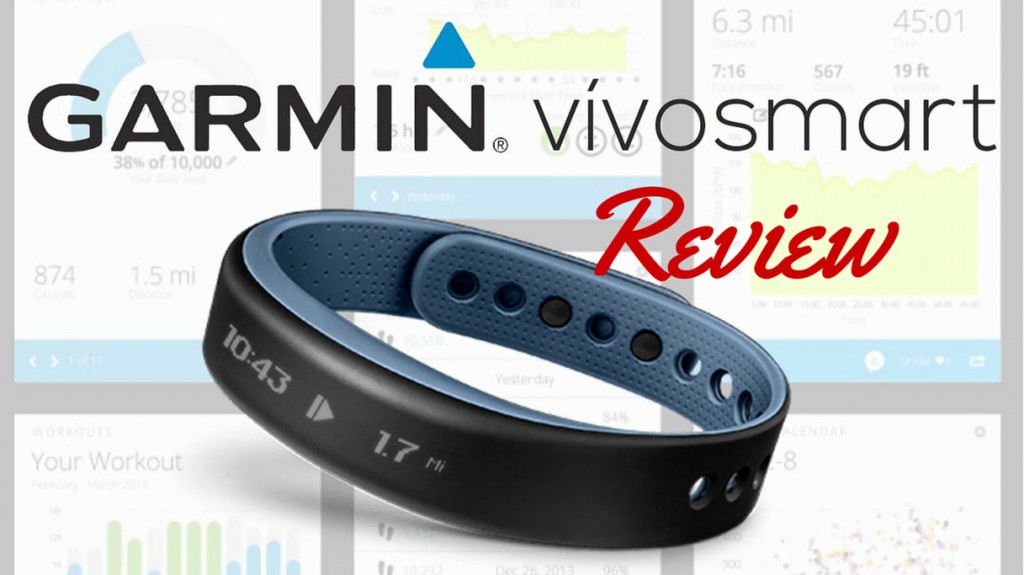
If you are searching for a new fitness tracker then you should consider the Garmin range as a potential purchase. But can you use Garmin Vivosmart to up your game, improve your exercise program or create an entirely new one?
The VivoSmart is the second activity tracker from Garmin and is an upgrade to the Garmin Vivofit that was released last year. I’ll be looking at its new features, build quality, usability and the accompanying app in my review below to see if the Vivosmart is right for you… Read on.
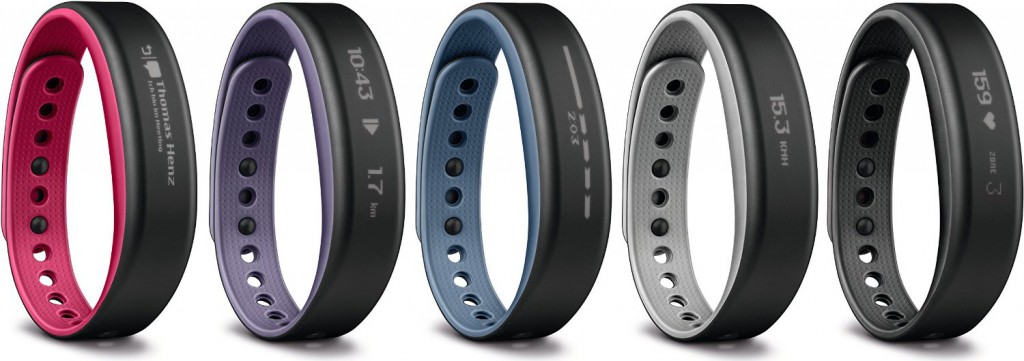
Product Review: Garmin VivoSmart Cheapest place to Buy Colours Available: Berry, Purple, green, Blue, Black, Slate Guarantee: 1-year Limited Warranty Product Rating: 8 out of 10 ★★★★★★★★☆☆
Build Quality
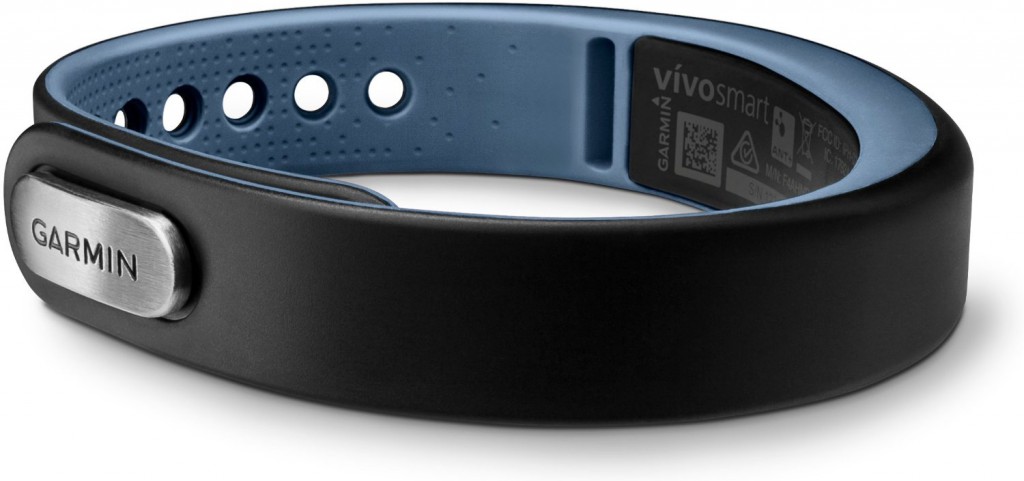
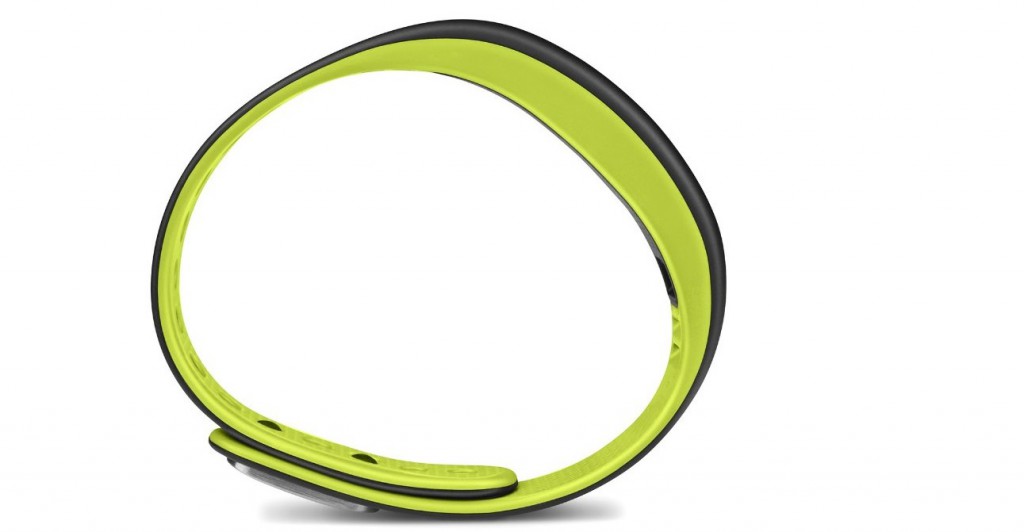
The Garmin VivoSmart is extremely light, it weighs a mere 19 grams. Comfort can be felt from the smooth silicone finish and the use of notches that fit the wrist impeccably. In response to consumer issues with the band unsnapping on the earlier vivofit, Garmin have introduced a featured called vivoKEEPER which stops the band from undoing.
The band is subtle but stylish altogether. It scores top marks on durability with a tough silicone that will withstand the daily rigors of running, weight training, cycling, aerobics and pretty much any fitness activity under the sun. I was pleasantly surprised to find that the VivoSmart is water-resistant up to 50 meters for those that enjoy kayaking, canoeing, rowing and plenty other water activities.
Touch Screen
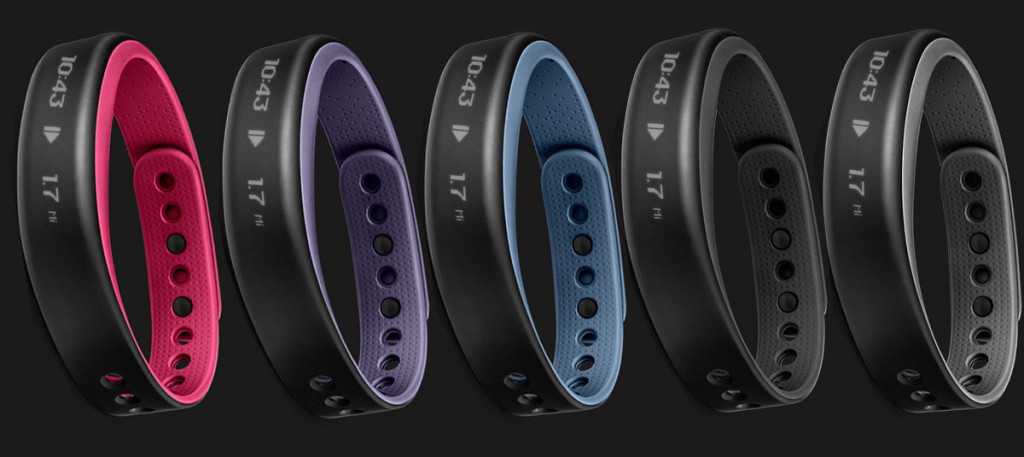
Similar to high-end fitness trackers the VivoSmart has a OLED touch screen which turns on when tapped twice. Not all touch screens are made equal, the responsiveness varies depending on the brand you buy. Reading this review you get to see just how good the screen is. Once the VivoSmart screen is turned on it’s very responsive when scrolling left or right and even a gentle swipe is acknowledged. It’s not as responsive to turn on but this might be a way for Garmin to avoid unintended gestures that accidentally turn on the screen when not required.
The screen displays time, weekday or weekend and the numeric day. If you scroll to the right you have access to your notifications and messages. The band can be paired with your iPhone, android or tablet. If you receive a notification on your paired device your band will vibrate and display it. This is a very convenient feature especially when you are exercising and don’t want the distraction of pulling out your phone every time you receive a notification. Simple features like this make a big difference.
Below is a video from Garmin that shows just how easy the VivoSmart can be paired to your smartphone:
Features
There’s a lot to cover but that’s a good thing right? The VivoSmart has an impressive set of features to control your fitness information from step count to distance to calories burnt.
MoveBar:
The MOVE Bar is a feature that displays a bar after a prolonged period of inactivity. It essentially tells you to stop being a couch potato, when the first bar is filled up it will blink and cause the band to vibrate showing 1 hour of inactivity. Thereafter, if you remain inactive, the next set of bars will blink after every 15 minutes. This feature is a great MOTIVATOR to keep you moving!
A short video below shows the MoveBar in action:
Smart Goals:
Once you have customized the App with your age, weight, height information, the Garmin VivoSmart starts to learn your activity patterns and sets Smart Goals for you. It will learn the amount of steps you make for example and automatically adjusts your daily goals and helps you to achieve a little more each day. If your fitness program starts to slow down the band will readjust your goals in line with the downtrend. If you would rather set your own goals you can do this manually within the app (More on this below).
If you hold down the band for a couple of seconds it reveals some extra features on top of the standard measurements above when compared to rival fitness trackers. You are provided a Stopwatch on the band which measures your running distance. A crescent moon activates the Sleep Mode feature to track movements throughout the night. The screen brightness can be adjusted, but a slight downside is that it’s a bit difficult to see in direct sunlight even at the brightest setting.
The next screen offers a triangle that lets you adjust privacy settings for notifications. The clever thing is that if you can’t find your paired phone or tablet you can press that icon and it will make your device play a loud sound so you can find it easily around the house. The band will also display a proximity meter to show how close you are to your phone. I’m sold!
Lastly is a symbol with arrows to sync your activity information. The more basic features include turning Bluetooth on or off, changing the time on the band, current band version with the battery level.
The App
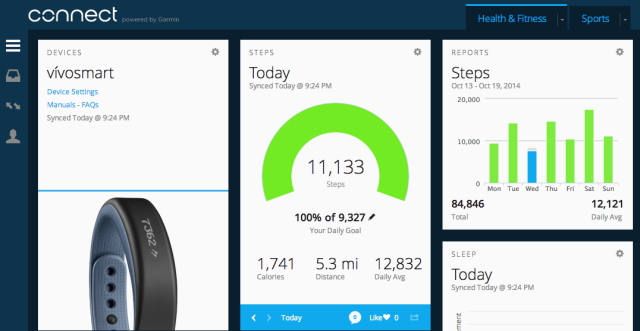
Here’s the section you eagerly want to know about, the GARMIN Connect App. The menu buttons can be moved as desired to suit which features you want to use the most. The screen shows the number of steps taken, distance, calories burnt and goals automatically set by the VivoSmart. Selecting DETAILS shows an analysis of your most and least active times on a fancy graph. Nice!
The Garmin App is brilliant at syncing with the MyFitnessPal app so you can log your daily diet and get a more accurate measurement of calories. It’s a great partnership, The Garmin App + Band tracks the calories burned whilst MyFitnesspal logs your food intake.
HR Monitoring:
You also have the option of buying Garmin’s Heart rate (HR) monitor together with the band as a package. The HR monitor gives a more accurate of your heart rate during workouts so it makes sense to buy the monitor for the small additional cost. It will indicate if your HR falls into the rest zone, boosts to the maximum zone and everything in between. If you already own a HR monitor it will be compatible with the band if it uses ANT+ technology. The band isn’t compatible with HR monitors that use Bluetooth.
The SLEEP feature on the App screen will provide detailed information of your type of sleep throughout the night. The movement pattern on the graph shows how much you moved during the night which determines the quality of your rest.
The BADGES feature is your wall of trophies for achieving goals that you set for yourself or auto goals set by the VivoSmart band.
The SEGMENTS feature lets you measure yourself against other runners that have used the same route and shows the best time achieved. You can see the distance, time taken and their speed per kilometre. This is a handy feature for all you runners out there as it provides you with great motivation.
Although they are more features, the ones above are probably the most important ones.
WORKOUTS lets you make your own custom workouts via the Garmin Connect website. You can also manually input your Personal Records as and when you get the opportunity.
The menu button gives you access to the community, to buddy up with runners or other sportspeople to challenge and compare results. You can send a friend request to individuals that you wish to keep regular contact with. If you have family and friends that already own Garmin devices, it’s a great encouragement to set mini-challenges amongst each other. The Live Track feature lets you share your activity with your followers on your social media profiles.
The video below is Garmin’s official overview of the Vivosmart awesome features:
Battery Life
Garmin’s official battery time for the VivoSmart is 7 days but users have reported slightly less usage time. Taking into account the number of notifications that the band receives, its extensive features and vibration the battery time averaged at 6 days 12 hours which in my opinion is pretty good and not far off the official battery time. The charging cradle, although on the bulky side, is perfectly fine for regular use.
Conclusion
Can you use Garmin VivoSmart to up your game? With its arsenal of features and automatic goals I would say ABSOLUTELY! Garmin has designed a clever fitness tracker that works together with 3rd party apps like MyFitnesspal to help you make important lifestyle changes. It’s a worthy investment priced competitively.
Cheapest place to Buy
US: Purchase it on Amazon.com for only $89.00 or $109.00 with chest strap UK: Purchase it on Amazon.co.uk for only £99.00
Thanks for reading my post. If you are considering buying the Garmin VivoSmart or already own one please leave your comments in the section below.
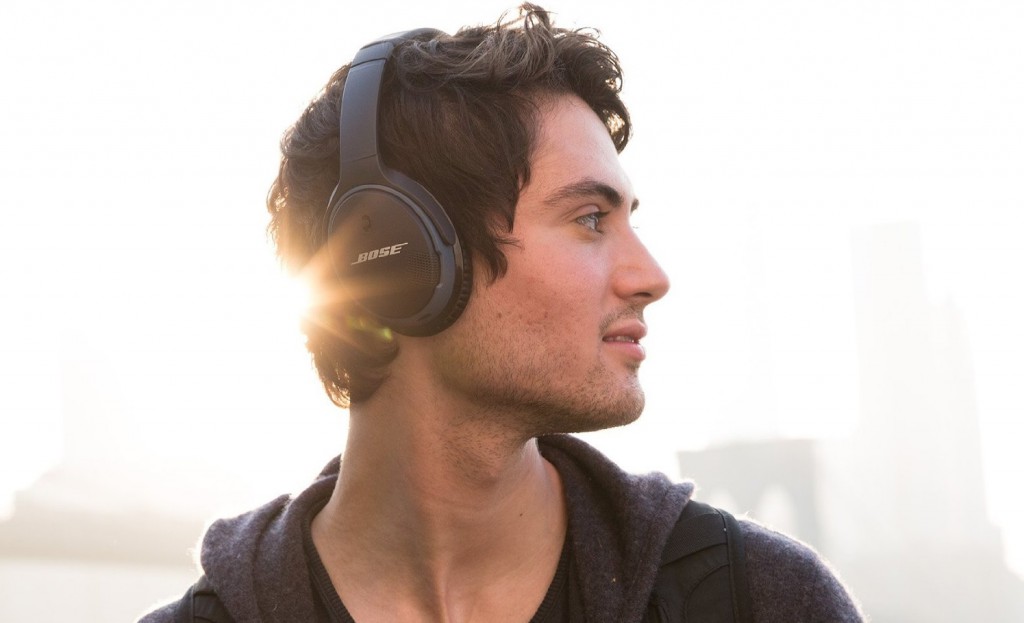
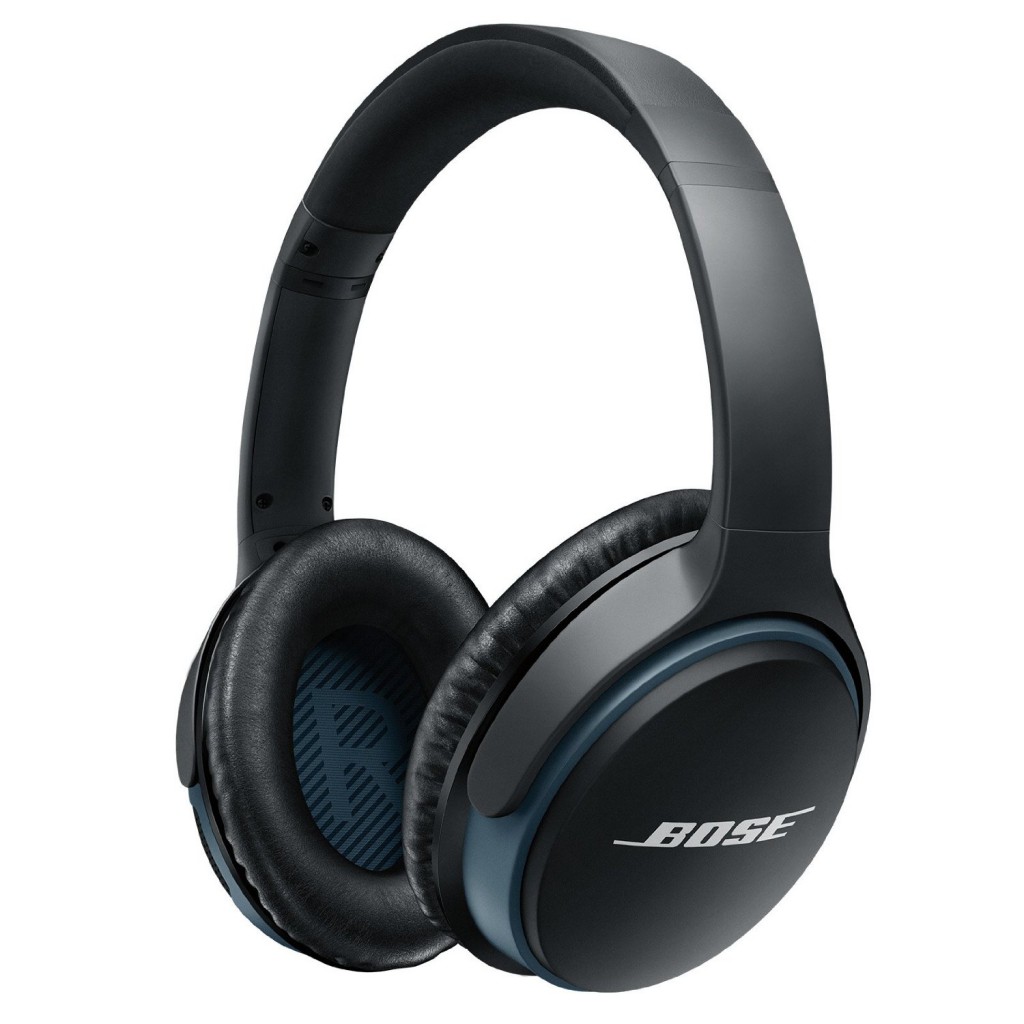
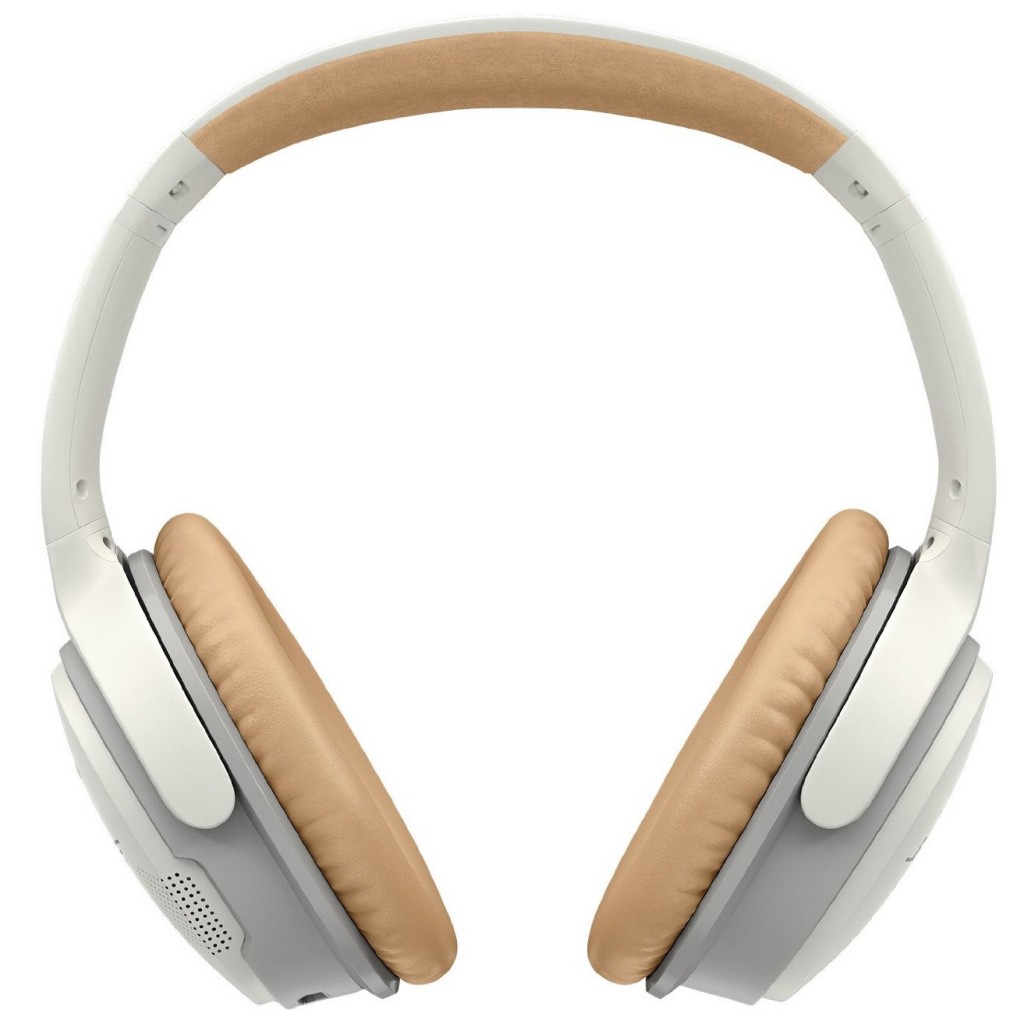
The latest wireless offering from Bose is a pair of headphones that wrap around the ear. The Bose Soundlink around-ear wireless headphones 2. It’s a bit of a mouthful but given the solid performance of all Bose products I think this can easily be forgiven.
In this Bose Ear Headphones review I’ll be looking at the features, aesthetics and whether the headphones truly live up to the brand’s reputation.
Product Review: Bose SoundLink Around-Ear (AE) Wireless Headphones II Colours Available: Black, White Guarantee: 1-year Limited Warranty Product Rating: 8 out of 10 ★★★★★★★★☆☆
The Soundlink around-ear (AE) 2 is the wireless version of the SoundTrue 2 headphones. Both have been remodeled to look stylish, smaller and lighter than their predecessors.
Bose has done a good job removing the bulk from the earlier models, which looked awkwardly huge if you have a big head like mine.
The headphones are not noise-canceling, however, if it’s active noise cancellation that you’re after then I recommend you check out thewired Bose QC25which are undoubtedly a front runner, if not the best, at canceling out ambient noise.
Quality
As you’d expect from a Bose product the Soundlink AE 2 is built to look and feel similar to premium products in its class and closely resembles the Bose QC25 headphones.
You will find similar quality and craftsmanship such as the foam band’s lining which is Alcantara and leather, the handles that support the earcups are strengthened by aluminum rails. I’m sold already…
The ear cups rotate 90 degrees and can pivot to comfortably fit on most heads. Each side of the ear cups is labelled accordingly to identify left from right. They can be worn comfortably for long periods (more details below).
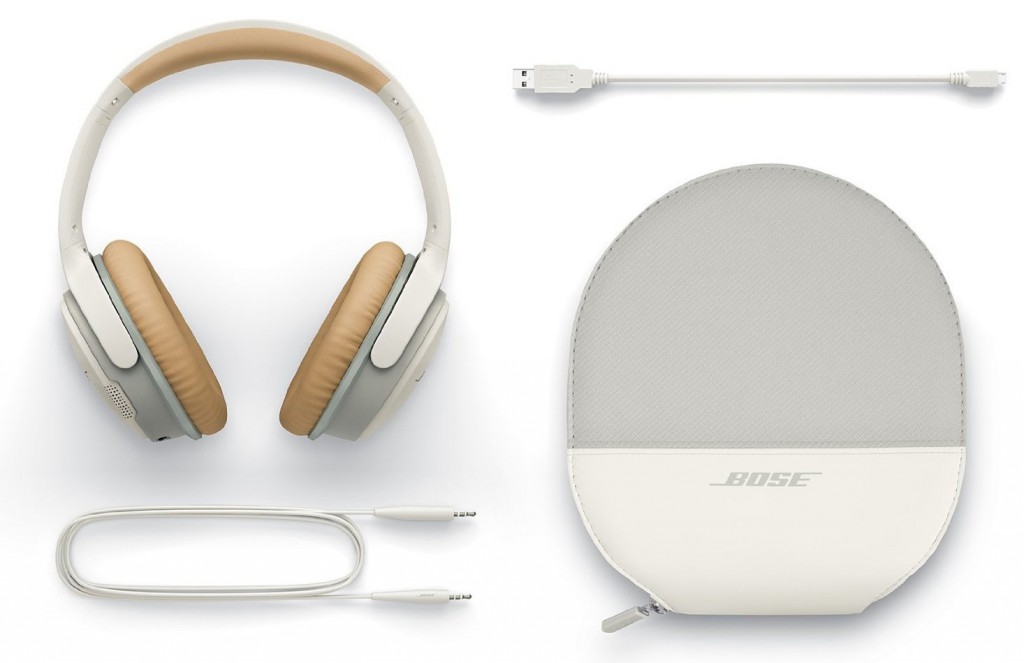
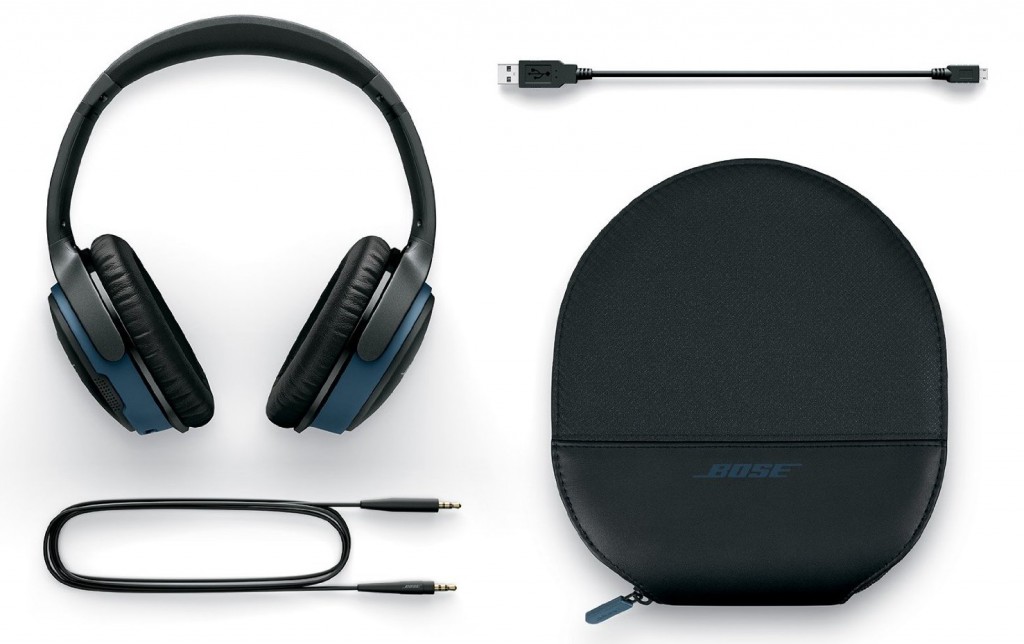
If you are on the move, a case is provided although the case itself isn’t that large, but it’s nothing major to get worried about. The outer material of the case is half soft leather and half fabric.
The inner material is felt-lined with a neoprene pouch for the cables that come with the package.
Cables
Even though these are wireless headphones, you will find a 2.5mm input on the left earcup which allows you to insert the supplied cable for a wired connection.
The cable is about 1m 16cm in length and is long enough to put your phone in your jacket pocket. Bose has made sure that the cable can’t easily be pulled out once secured in its input.
A USB charging cable, to juice up the headphones, is also included.
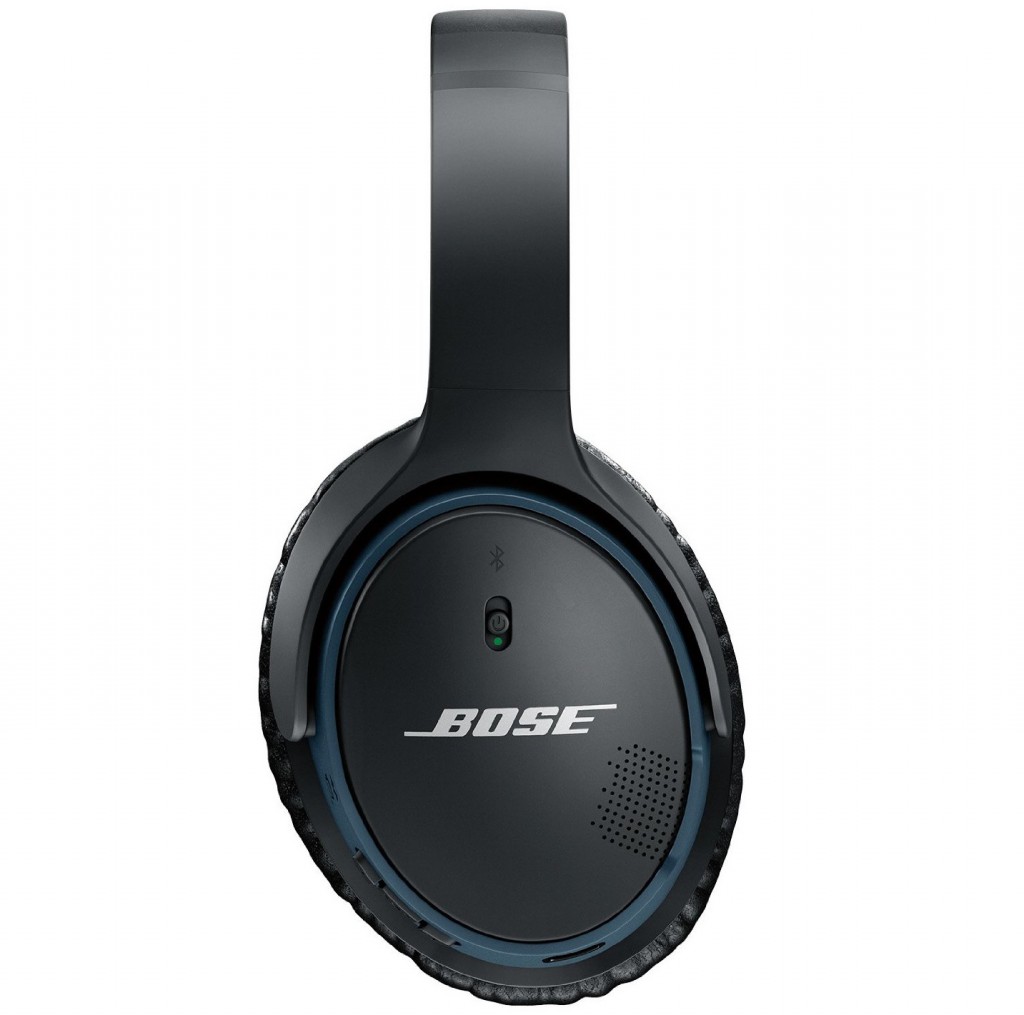
Functional Buttons
The right ear cup houses the volume button with a play and pause feature in the center that can be identified and accessed very easily. Cleverly, the central play/pause button can be used to answer and end phone calls.
There’s also an on / off switch that also gives voice prompts of the current connected device and remaining battery life. How smart is that?
Battery life
A micro-USB can be found at the bottom of the right earcup for a convenient way to charge the headphones using the USB cable mentioned earlier. Bose has done a brilliant job by incorporating a quick charging system into the Soundlink AE 2.
A quick 15-minute charge will give you an impressive 2 hours use. A full charge will take 3 hours and give you 15 hours usage. Battery life is on par with rival headphones which range between 12-15 hours of battery use.
Weight and Comfort
Soundlink AE 2 is extremely comfortable and surprisingly lighter than they look. Similar to the Bose QC25 they weigh 192 grams / 6.9 Ounces.
The light design complements the minimalist cushions perfectly. You would have no discomfort wearing the headphones for more than 3 hours as they don’t clamp too much on your head.
All in all, I would say that these are one of the most comfortable headphones I’ve tried. A slight drawback is that there is a bit of sound leakage at louder volumes compared to other headphones.
Most Importantly, How Do They Sound?
Bose has traditionally stuck to a relatively flat sound which I prefer because it’s not too overwhelming on the Bass (like Beats Headphones) or the high notes, but at the same time it remains rich and you never feel underwhelmed.
The Soundlink AE II headphones offer a neutral tone that caters to a spectrum of genres including but not limited to rock, classical and string music.
The headphones work well with Hip-hop, Reggae, Rap, EMD, Drum and Bass genres although I would suggest fine-tuning the sound with your mobile device equalizer if you require the bass to stand out more, personally I thought the bass was sufficient enough to enjoy these genres.
The Soundlink AE II provides clarity and a distortion-free listening experience. Bose has provided a good balance of bass that’s enough to enjoy, the vocals and highs don’t cause your ears to ring!
For premium headphones, the Soundlink does well with audio separation and distinguishing different sounds.
True to Bose’s reputation the AE 2 is a statement of simplified luxury with no compromise on quality. The headphones are sturdy and well put together.
Overall, if you’re after a pair of headphones that will provide you with a rich, balanced audio quality, a sturdy premium build that’s lighter than any other headphones you’ve tried, then the Soundlink AE II’s are definitely worth considering.
Thanks for dropping by to scope out the Bose ear headphones review and if you are considering purchasing the Soundlink AE 2 or already own a pair, please let me know what you think in the comments section below.
Further headphone details and specs are also provided below.



 300mAh battery (1.5 Days)