by Jay Mulban | May 2, 2018 | FITNESS TRACKERS
Get The Best Exercise Benefits With A Fitness Tracker
Getting fit and improving fitness can often be a difficult task especially when trying to keep track of progress. It would be nearly impossible to manually log details like diet information, active calories, step count, time spent exercising and so on.
There’s a lot of activity happening simultaneously and this is where a fitness tracker steps in to keep a track of everything going on throughout the day including your sleep! They are a lot of advantages of using an activity tracker and I’ll go through a few of the benefits below.
Fitness trackers have risen in popularity over the past few years and if you’re not familiar with how they work I’ll explain. In laymen terms, an activity tracker calculates your movement and motion and translates this into readable data.
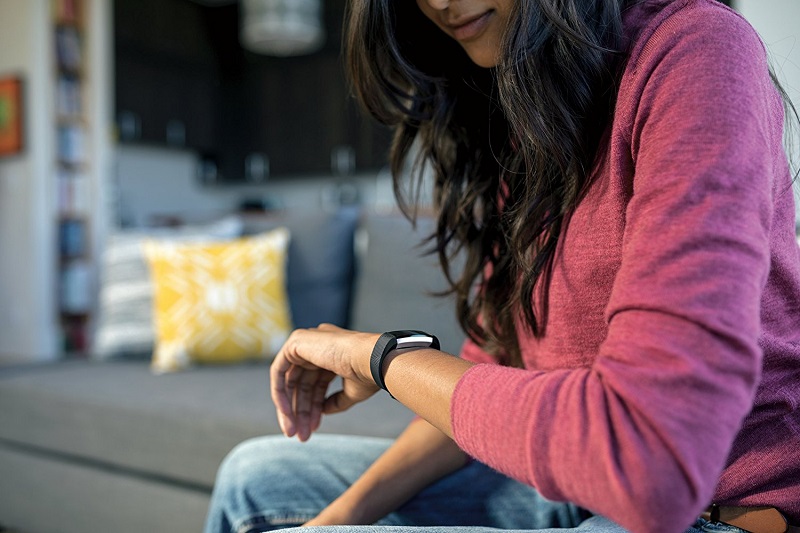
How does a fitness tracker measure all these movements? By using inbuilt sensors that measure direction, movement and rotation. The tracker will gather all this data and translate it into useful information such as calories burnt, step count, time spent standing, the quality of your sleep and any form of exercise that you might undertake.
The sensors are quite sophisticated depending on the type of fitness tracker you buy. Modern trackers will even include an altimeter sensor that measures inclines so that you can know how many flights of stairs you’ve gone up during the day.
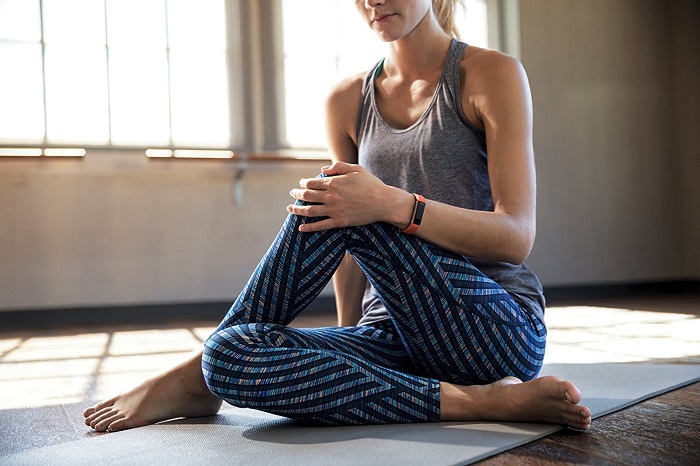
More sensors inside the tracker will improve the accuracy of logging activities, the tracker will be able to distinguish whether you’re cycling, running, swimming or simply taking a stroll.
Given that there’s a wealth of data that the fitness tracker can interpret how can you access the information easily? Most trackers will display data such as step count, heart rate BPM, calories burnt on their screens. Depending on the brand you decide on, they are also apps that can be downloaded to your phone for a more detailed view of your activities, fitness goals and progress.
They are lots of fun ways to see your progress, fitness data and set goals through apps. The activity tracker will sync your data with the app and help you stay motivated with your fitness. Okay, now that we know how an activity works let’s look at the advantages of using one.
Fitness Trackers Motivate You to Achieve Your Goals
By default a fitness tracker will motivate you to keep active, if it notices that you’ve been sedentary for too long it will prompt you to get up and get moving (depending on the type of tracker). You will become more aware of your active times and lazy periods throughout the day, this is a great way of reminding yourself to do some activity, even if it’s just a short walk to stretch your legs. You can also set yourself some targets and push yourself to surpass any previous goals.

For example, you might initially set a goal to reach 8000 steps per day and gradually increase this by 500 steps every few days. Certain fitness trackers also encourage a community spirit by linking with your friends, provided that they have a similar tracker or app. You can then challenge each other in a fun way, stay motivated and be accountable for reaching your goals. This is a huge motivator.
It Never Stops Tracking (Sleep Included).
A good night’s rest is important for good health and wEllbeing. Sleep affects body functions such as energy levels, metabolism, mental health and muscle recovery post-workout. Without a tracker, it’s difficult to measure the quality of your sleep. It can measure light sleep versus deep sleep and general sleep patterns.
In addition to measuring the length of time that you are asleep, your fitness tracker will show you how many times you wake up throughout the night and your level of restlessness. This type of information can help you to adjust your sleeping habits and form a good bedtime routine so that you can get the best possible sleep.
Heart Rate Monitoring To Optimise Your Workouts
In addition to measuring your various body movements, most modern fitness trackers can observe your heart rate (beats per minute). How does the tracker measure your heart rate without a monitor strapped to your chest? It does so by illuminating your wrist so that it can see and measure your pulse.

The light shines into your blood vessels within your wrist and the tracker then distinguishes changes in the blood’s capacity that happen when your heart pumps blood around your body. The tracker will measure the difference in volume when the sensors measure the amount of light reflected back- if less light is reflected back this means that an increased amount of blood is traveling through the body.
So what is all the fuss about measuring heart rate? Not everyone burns calories at the same rate- by using your other body measurements, such as height and weight together with heart rate, the tracker can accurately measure the number of calories you’ve burned based on your specific body.
If you’re just starting out on your fitness journey, measuring heart rate will allow you to observe your body’s limits so that you can train at the correct intensity. Working out in your correct heart rate zone will ensure that you’re expending the correct amount of calories whilst avoiding injury.

Knowing your heart rate gives the advantage of getting the maximum benefit from your exercise, as not all workouts and fitness goals are equal. For example, if you want to burn fat then you should aim to achieve between 50-75% of your maximum heart rate. Without a tracker it would be impossible to know whether you’re above or below your targeted heart rate zone.
Bottom Line
They’re plenty of exercise benefits with a fitness tracker and I’ve explained just a few of these. We all train differently and the range of exercises that we perform are vast, but what’s important is that you can tailor your activity tracker to suit your fitness lifestyle whilst it also monitors your daily movement in the background.
Keeping track of fitness progress is hard enough but this can be simplified hugely with an activity tracker. Choosing the correct tracker for your activities can be difficult since there are literally hundreds to choose from. I’ve included various links throughout this article to help you find the best fitness tracker suitable for your lifestyle.
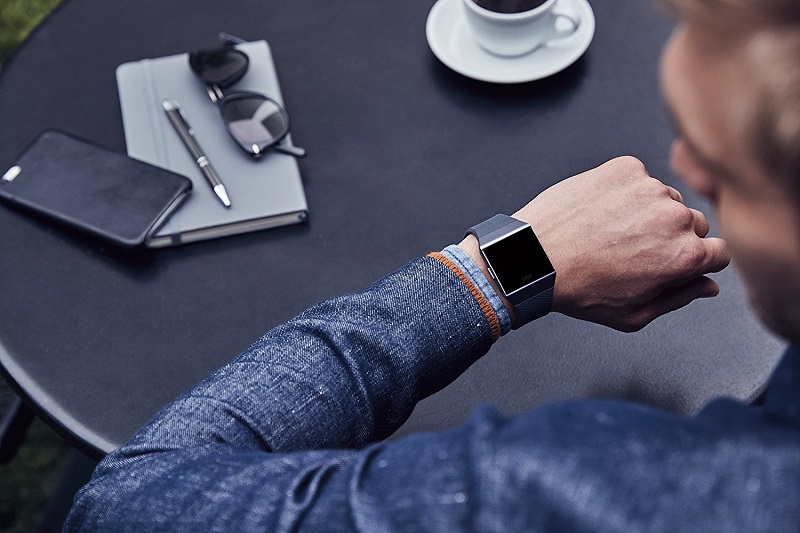
Within each link, you will find detailed reviews of the type of tracker that you need for specific activities and exercises. I’ve done the research and all that’s left is for you to pick out an ideal tracker. Good luck and here’s to you achieving your fitness targets!
by Jay Mulban | Apr 25, 2018 | FITNESS TRACKERS
Best Activity Tracker for HIIT, Crossfit and Weights: Improve Your Fitness
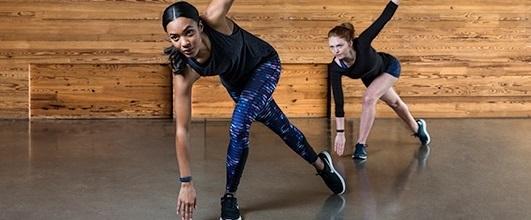
Fitness tracking is now a part of everyday life, Garmin recently introduced the Vivosmart 3 activity tracker to take things a step further. The device is equipped with an integrated heart rate monitor for all-day beats per minute (bpm) metrics, VO2 Max testing is included for Crossfit training and other HIIT exercises.
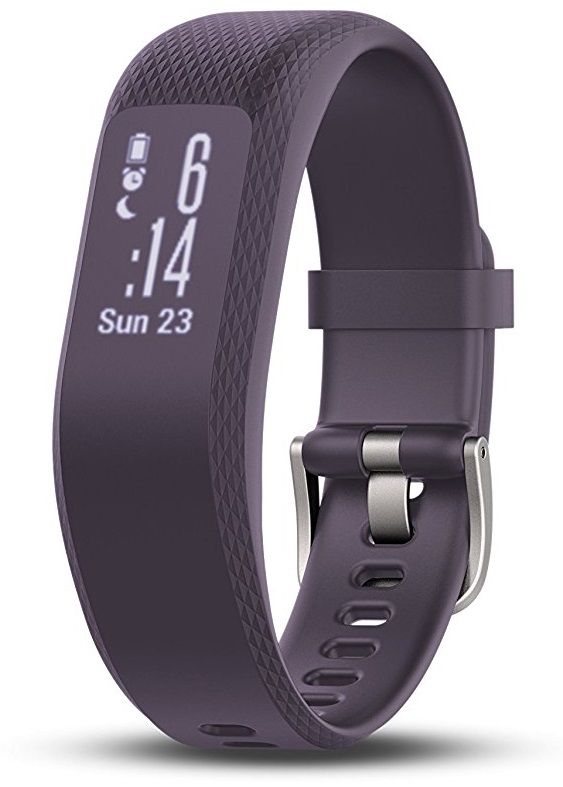 The tracker can also automatically distinguish the type of exercise you are doing even if you forget to begin tracking a fitness session. And if you want to push yourself to the limit, the heart rate variability (HRV) stress scores will tell you when you need to take a break.
The Vivosmart 3 fitness tracker also includes Garmin’s Move IQ software with a clever feature that enables the tracking of weightlifting data. It is rare to find a tracker that can record weight training reps and when this is combined with HIIT and Crossfit, it makes this device truly adaptable.
The Vivosmart 3 tracker doesn’t include GPS but the onboard accelerometer makes up for this by tracking distance data for running, jogging, walking and other outdoor activities.
Garmin Vivosmart 3 Design
The Vivosmart 3 is made from a textured rubber material that wraps around the tracker to give it a uniform look around the wrist. It looks better than previous models and the rubber texture is flush with the display that runs down the centre of the strip to give the illusion that it’s not there. The monochrome screen is completely hidden when turned off and it stretches between the curves of the tracker.
It is not the most stylish tracker out there but it feels great around the wrist and the waterproofing is robust enough to take it with you for a swim. They are 2 sizes to choose from- small/large or large. Make sure you choose carefully because the uni-body design means that you can’t adjust the size once you buy one. Colour choices are either purple or black, but purple is only available in the smaller size.
Unlike previous Vivosmart trackers, the display doesn’t stay on constantly, you’ll need to raise your wrist towards your face or tap the screen to wake it up. I like that the display is remarkably bright, especially in the direct sunshine to reduce screen glare. The screen isn’t the most responsive that I’ve tried but it is still good enough to keep up with workouts and daily activities.
Simply swipe or down if you need to change to a different screen and then tap for detailed data of the current screen. A good example is with your steps data and elevation (stairs), tapping this screen will reveal the previous day’s step count to compare progress. If you tap the heart rate screen the tracker will provide a HR reading from the past hour together with your maximum and minimum readings.
Vivosmart 3 Heart Rate Tracking
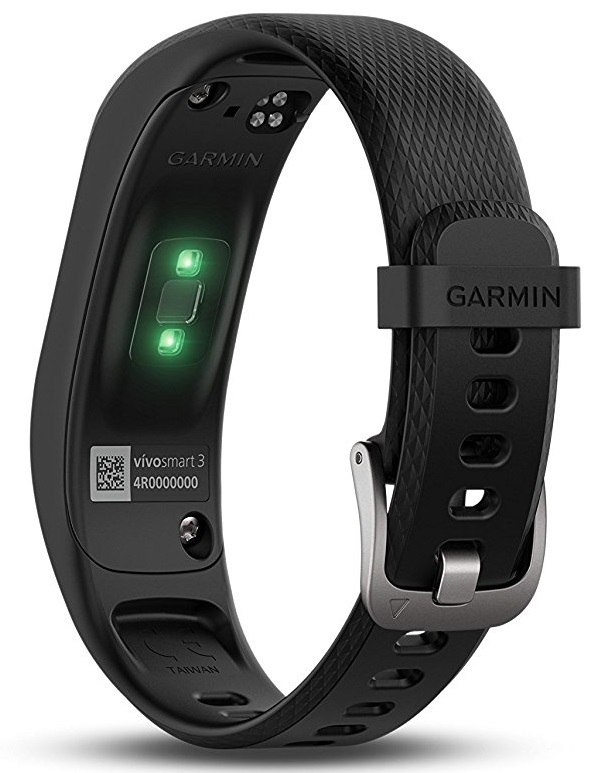 At the very minimum, the Vivosmart 3 will record your step count and heart rate data at all times, whilst it’s around your wrist. It will display beats for the past hour.
Optical heart rate monitors are better suited for steady heart rate tracking through the day but readings are less accurate when monitoring intense exercises.
The Garmin Vivosmart 3 provides reliable optical heart rate tracking throughout the day, which I found to be very accurate. It gave precise resting heart rate data that was comparable to the readings displayed on the Fitbit Alta HR which I wore on the other wrist for comparison.
I also compared the heart data with my Polar RC3 (with a heart rate sensor strapped to the chest). Both readings for the Polar and Vivosmart 3 were within 2 BPM of each other which I found to be acceptable.
The Garmin tracker is also considered to be a wellness device, it will track HR to monitor stress and provide an overall measurement of your heart rate variability to work out your stress levels, with a score between 0 and 100.
Vivosmart 3 Step Tracking
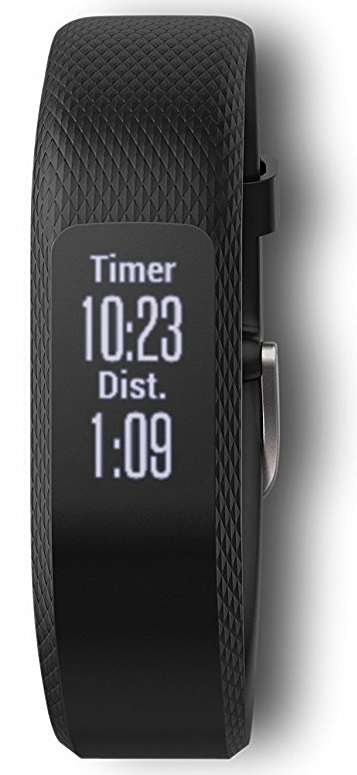
Step count data is generally quite good when compared to Fitbit Alta HR, at no point did I get a reading that was off track. Overall the step tracking was almost identical between both trackers with the Alta recording slightly fewer steps when looking at a day’s worth of data.
I took the Vivosmart 3 for a 4-Hour hike and also used a different app on my iPhone to track steps using the phone’s inbuilt motion processor and GPS. I was pleasantly surprised to see that the step count on the Garmin tracker and my phone were pretty much identical. Even without onboard GPS, the Vivosmart 3 accurately records the distance travelled and step count.
Vivosmart 3 Wrist Comfort
I’m a male measuring 6’1″ in height and 182 lb weight. It is advised that the tracker should fit comfortably about 1-1.5″ above your wrist for accurate tracking. I used the larger sized tracker and it fit just fine with no issues. It is incredibly light and you can often forget that it’s there.
Vivosmart 3 Sleep Tracking
The tracker summarises your sleep data by light and deep sleep, with the option to adjust your sleeping sessions. On rare occasions, the Vivosmart can mistake idle time (just before bed) for sleep, for example, if you’re laying on the couch watching TV. The tracker might record this as sleep but you can change this within the app to reflect the time that you actually went to bed.
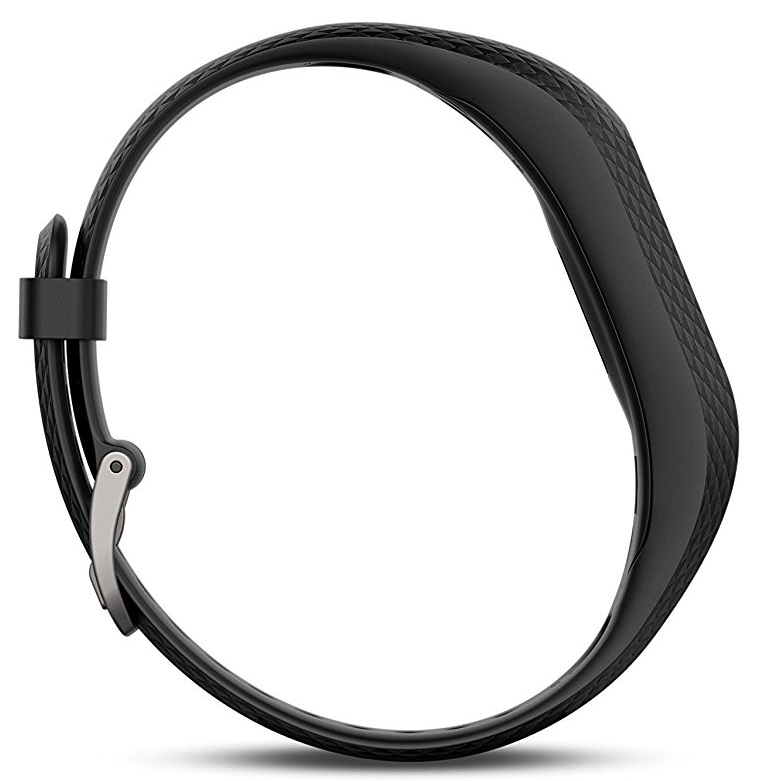 The sleep tracking feature is not as advanced as what’s found on Fitbit devices. On most occasions, the Vivosmart 3’s automatic sleep detection figured out when I had dozed off and when I woke up but didn’t really provide much else. In comparison, Fitbit trackers can gauge REM sleep using your heart rate whereas Garmin is somewhat lacking in this area.
Overall the sleeping is accurate and the device will provide a basic overview of sleeping time in hours and minutes. If you’d prefer a fitness tracker with detailed tracking of sleep patterns then you might be better off with the Fitbit Alta HR.
Vivosmart 3 Battery Life
The battery life on the Vivosmart 3 will typically last between 4-5 days on a single charge. The charging time is quite fast as well- it takes under an hour to fully charge.
Vivosmart 3 Multi-functional Tracking
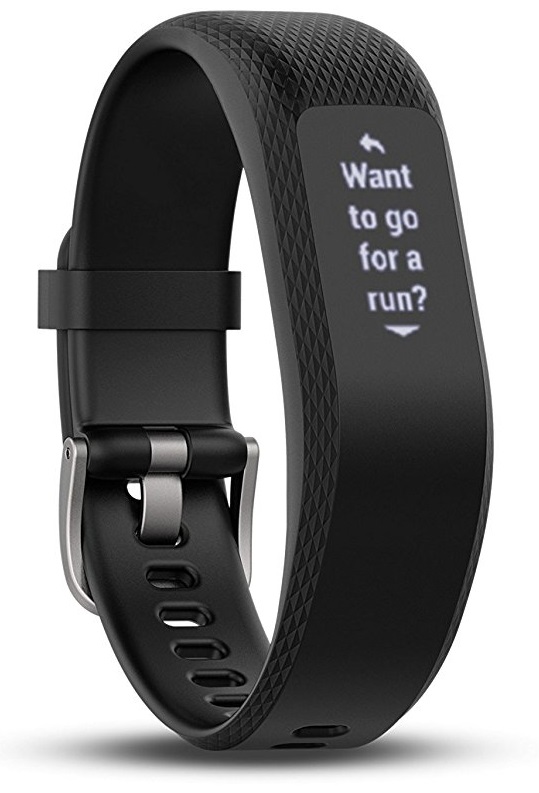 Starting up an activity session is fast. Simply tap the screen twice, then press and hold to access the tracking section, from here you can select a standard category such as running, cycling, weight training, cardio and so on. If the required activity is not listed, simply select cardio then categorize this later on within the app and you’ll still get all the valuable activity data.
The tracker will also monitor general activity that isn’t necessarily a focused workout. It will track heart rate and other data for activities like walking the dog or strolling in the park so that you get a full picture of your overall health.
Vivosmart 3 Strength Training
As mentioned earlier, one of the main advantages of the Vivosmart 3 is its ability to track weight training exercises which most of the other fitness devices cannot. When put to the test it works well as long as you are using good form during your reps. If you slack with your reps the tracker might fail to log them.
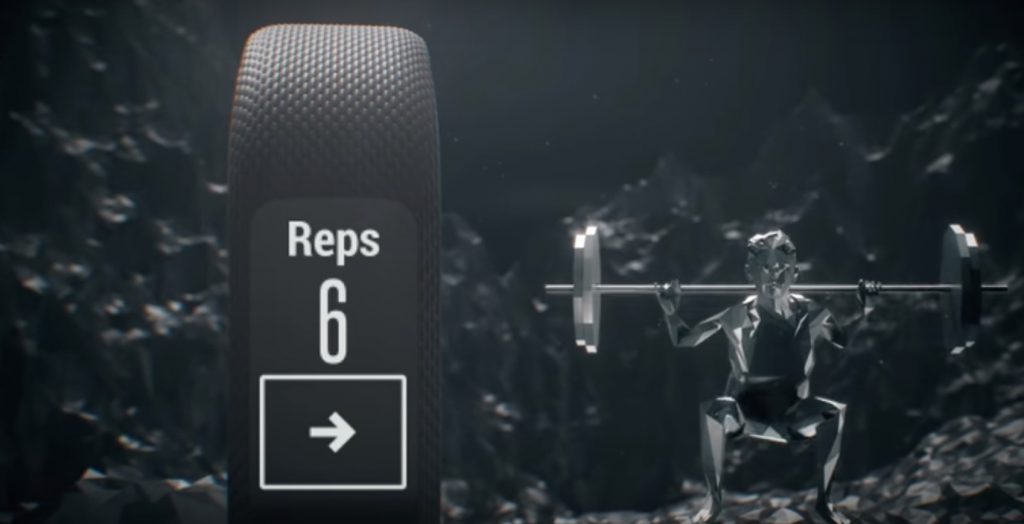
You can tap the screen between sets to notify the tracker that you’re taking a break. Simply tap the screen again when you’re ready for your next set.
The Garmin Connect App
Garmin’s connect app provides thorough activity metrics that give a greater level of insight into exercise and activities. Although the app is universally built for all Garmin trackers it still provides an experience that is personal to the Vivosmart 3. Whether it is general daily activities or a detailed analysis of your HIIT session, you will be provided with the desired info.
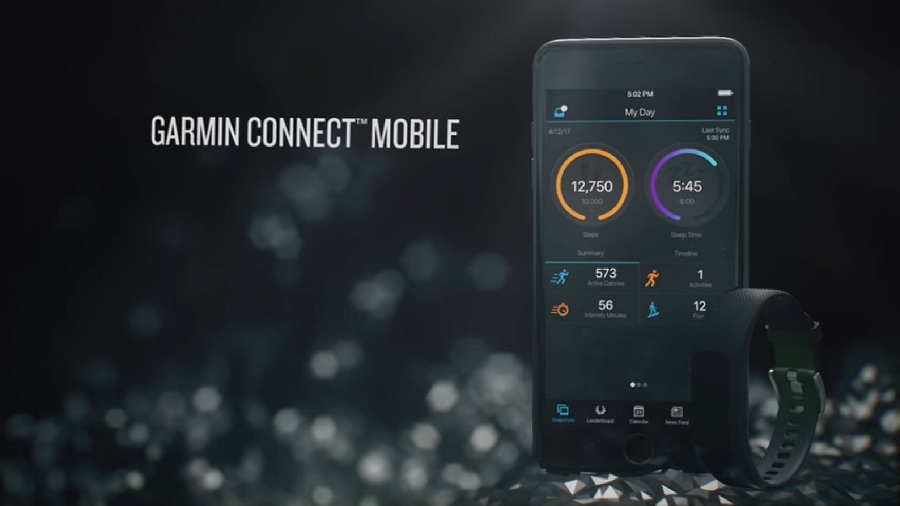
Similar to Fitbit’s app, Garmin connect is user-friendly and incredibly easy to use. Syncing data between the Garmin device and the app is very fast taking under 30 seconds to fully transfer the data.
Garmin Vivosmart 3 Product Rating
Strong reliable performance, accurate step counting and the added bonus of counting reps during weight training makes the Vivosmart 3 a popular device for gym buffs and those partial to a HIIT class or 2. This Garmin device scores highly.
Product Rating: 7/10 

Where Can You Buy The Garmin Vivosmart 3?
Find the best prices for the Garmin Vivosmart 3 By Clicking Here
The Bottom Line
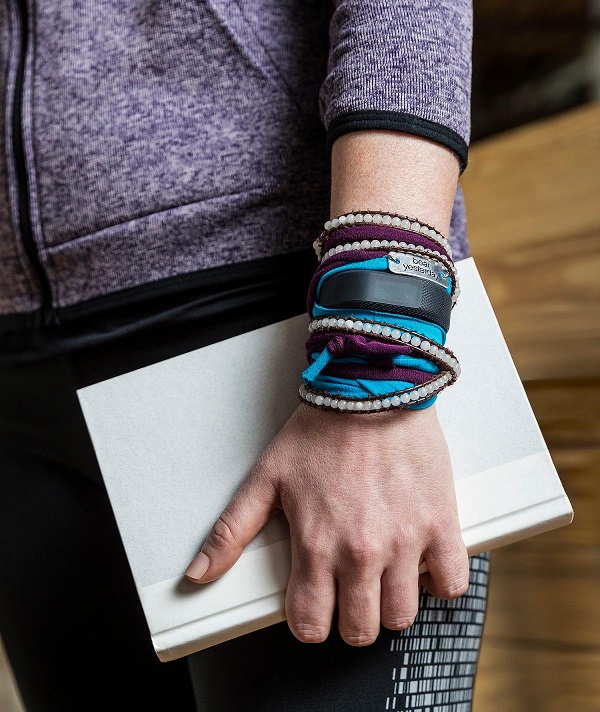 The Vivosmart 3 is currently the best activity tracker for HIIT, CrossFit and weights. Garmin has updated the device to fiercely rival Fitbit Alta HR. Even without onboard GPS, I had no issues tracking distance and the results where comparable to GPS enabled trackers.
Vivosmart 3 is perfect for everyday usage, strength training and HIIT sessions plus it has the added advantage of stress monitoring. The slim Garmin tracker is priced competitively and you can take it swimming without fear of damage thanks to extensive waterproofing.
Are you considering buying the Garmin Vivosmart 3 or do you already own one? Please leave your comments in the section below. I’d love to see your opinions.
by Jay Mulban | Apr 18, 2018 | WIRELESS HEADPHONES
What Is The Best Bluetooth Earphone: Welcome To Advanced Wireless
The latest Apple AirPods have changed the way I connect to my music. I must admit that when I first heard about the Apple wireless earphones I wasn’t sure what all the hype was about. That all changed when my pair of AirPods arrived. I took them out of the case and they automatically switched on and immediately linked to my iPhone and iPad Pro.
They are remarkably clever and will automatically start playing audio the moment you place them in your ears. They will also stop the music when you remove them from your ears. If you need to rewind or skip a track, lower or raise the volume, make a phone call or get route guidance, simply tap twice to access Siri and tell her what you want to do.
What Technology Is Inside The AirPods?
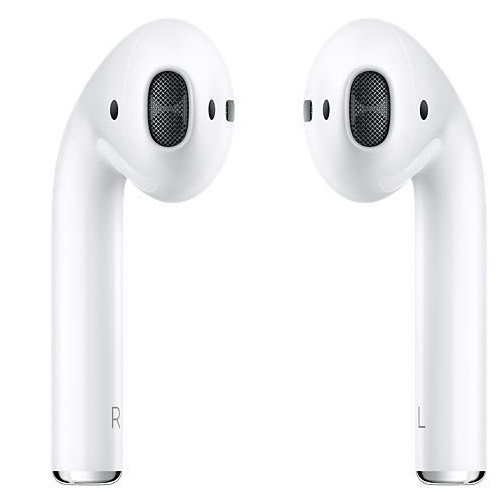 The AirPods are powered by a customised Apple W1 chip together with optical sensors and a motion accelerometer to sense when you put them on. The tiny W1 chip will direct the audio and microphone to tailor audio within the AirPods, whether you’ve got both of them on or just one.
If you’re taking a call or prompting Siri, the AirPods will trigger an extra accelerometer with beamforming microphones to tune out surrounding noise and emphasise your voice so that the caller on the other end or Siri can hear you clearly.
Efficient Battery Gives You More Time To Play Music
Power conservation is a key priority and the W1 chip distributes battery life efficiently so that the AirPods can last up to a pleasant 5 hours on a single charge. In addition to this, the charging case will reserve extra charges so that you can top up your AirPods and not worry about battery life throughout the day.
A fast 15-minute charge will provide 3 hours runtime plus the carry case will hold enough charge to extend the battery life performance for 24 hours. If you need to see the remaining battery life, simply position the AirPods near your iPhone or you can ask Siri to tell you how much battery is left on your AirPods.
AirPods Are The Best Wireless headphones
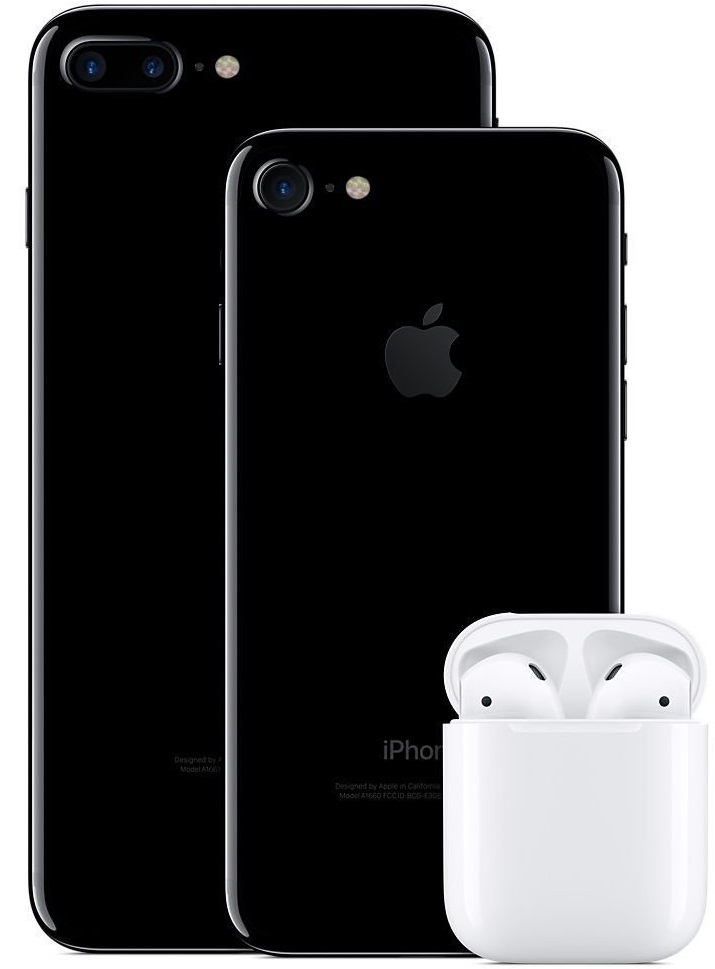 First time set up is easy and takes just one tap. After this, your AirPods will link to your Apple devices automatically and always stay connected.
They work great on whatever device whether it’s the Apple watch, iPad, Mac or iPhone.
Audio Quality is Outstanding.
Apple W1 chip delivers ultra-efficient wireless so that your audio is better connected with rich sound.
Your music will sound better and movies will be given extra depth thanks to the clear, high-quality AAC audio that streams straight to your ears.
Using the Apple AirPods (My Experience)
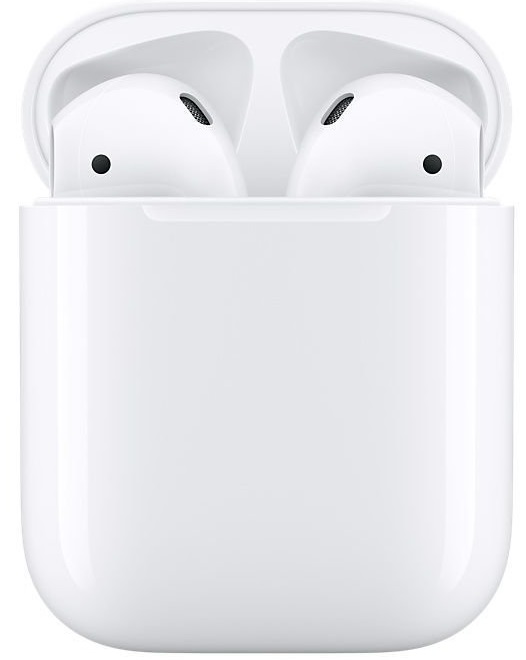
From the moment I placed the AirPods into my ears, I knew they were a game-changer. The charging case is cleverly moulded with curved edges for comfortable handling and transportation in your bag or pocket. The case provides a safe place to store and charge the AirPods.
Opening the lid reveals the AirPods resting snug inside, waiting to be placed in your ears. Pairing is immediate and by the time you put on the AirPods they are already connected to your iPhone, iPad and other Apple devices. There are no annoying settings to tweak or pairing codes to fiddle with, the earphones work straight away.
My ear canal is quite small and I wasn’t sure how well the AirPods would fit. I was worried that they’d get uncomfortable with extended use, but they fit perfectly and I’m even using them right now as I write this article. They don’t fall out and are now my best companion for long typing sessions and watching movies. The AirPods stay comfortably inside my ear for hours.
 Given the size of the AirPods, I wasn’t expecting the audio to come anywhere close to full-sized headphones. In fact, the tiny Apple W1 chip refines and produces better sounding audio than a lot of headphones that I’ve tested. With this level of depth and audio clarity, you could easily forget that it’s being transmitted wirelessly.
The main issue with former Bluetooth earphones that I’ve tried is the audio quality which often lacked the richness offered by the AirPods, plus there was a tendency of losing connection which resulted in needing to disconnect and pair the earphones again.
You should be aware that the AirPods are not noise-cancelling earphones, they do not have rubber seals to keep out surrounding noise. If you are going to be using them during noisy commutes on the train or plane, expect them to let in a bit of background noise.
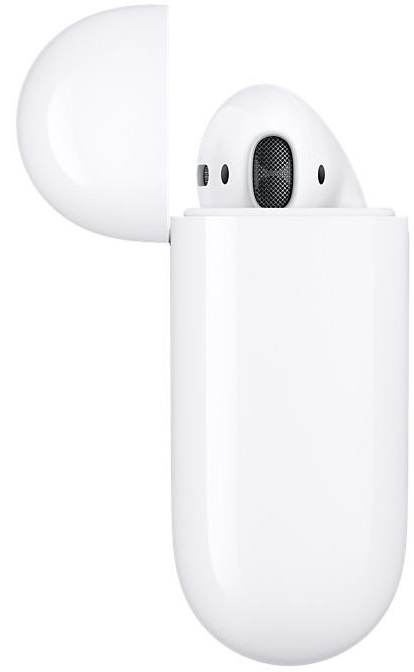 Wireless is the way forward. I like that there are no wires that get caught onto my clothes and yanks out the earphones or those annoying moments when wires get tangled up. My head can move freely without worrying about wires.
Another neat feature is the auto-pause function which pauses the music momentarily when I remove one of the AirPods from my ear to talk to someone (in person). The music resumes as soon as I place the AirPod back into my ear. If the music is stopped for an extended period, simply tap twice and ask Siri to resume playing. It’s as simple as that.
For Siri to activate, you will need to use the AirPods over WiFi or through your iPhone signal. To be honest, I rarely spoke to Siri prior to using the AirPods. I now engage with Siri a lot more especially to make calls, I simply tap and say “Call wife” and the call goes straight through.
Apple AirPods Product Rating
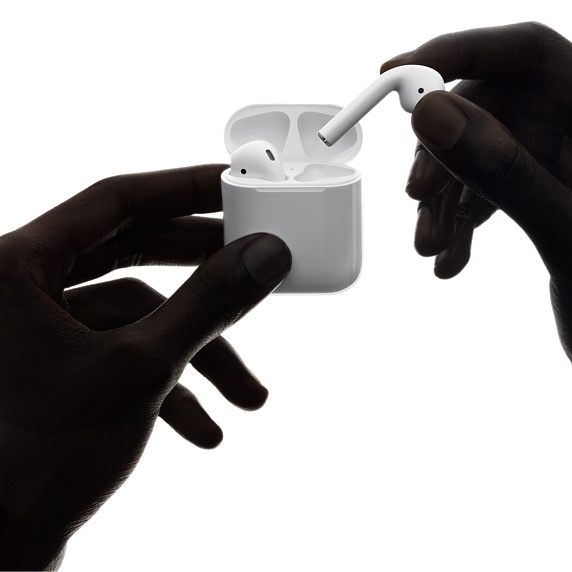 Apple AirPods are the most advanced wireless earphones that I’ve used to date. Customer feedback has been very strong with most users praising the Airpods for rich, clear audio and an easier platform to enjoy music without interruptions or connectivity issues.
Product Rating: 9/10
Where Can You Buy The Apple AirPods?
Find the best prices for the Apple AirPods By Clicking Here
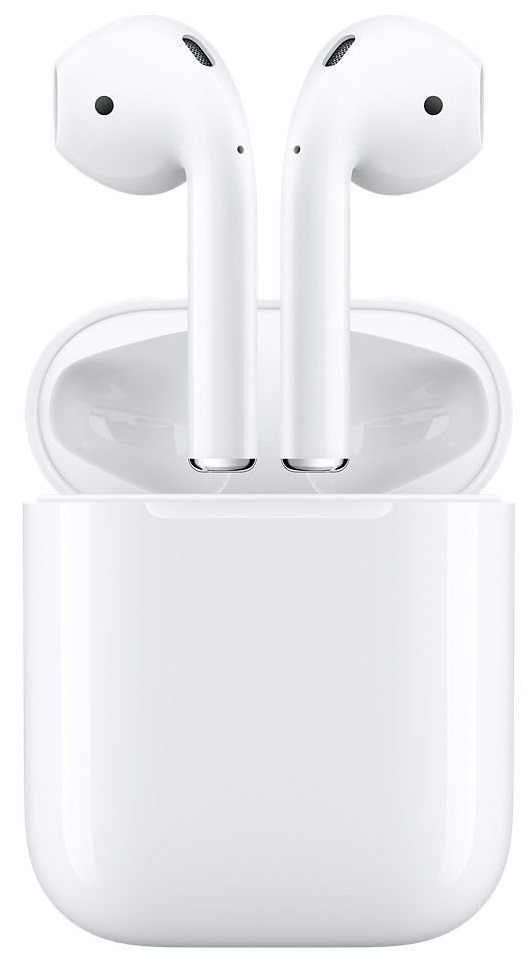 Product Specs
- Bluetooth / Wireless
- Weight: AirPods (each): 4 g (0.14 ounces)
- Weight: Charging Case: 38 g (1.34 ounces).
Dimensions
- AirPods (each): 16.5×18.0x40.5 mm (0.65×0.71×1.59 inches).
- Charging Case: 44.3×21.3×53.5 mm (1.74×0.84 by 2.11 inches).
Connections
- AirPods: Bluetooth.
- Charging Case: Lightning connector.
AirPods Sensors (each):
- Dual beam-forming microphones.
- Motion-detecting accelerometer.
- Speech-detecting accelerometer.
- Dual optical sensors.
Power and Battery
 AirPods Power with Charging / Carrying Case:
- More than 24 hours of listening time.
- Up to 11 hours of talk time.
- 15 minutes in the case gives 3 hours listening time or over an hour of talk time.
AirPods Power (on a single charge):
- Up to 5 hours of listening time.
- Up to 2 hours of talking time.
System Requirements
- iPad, iPhone and iPod touch models with iOS 10 or later.
- Mac models with macOS Sierra or later.
- Apple Watch models with watchOS 3 or later.
The Bottom Line
Apple has designed a great pair of earphones that take advantage of the best wireless capabilities to stream clear audio without the need to mess around with settings. The AirPods are remarkably better than the standard wired EarPods and it’s worth investing in a pair.
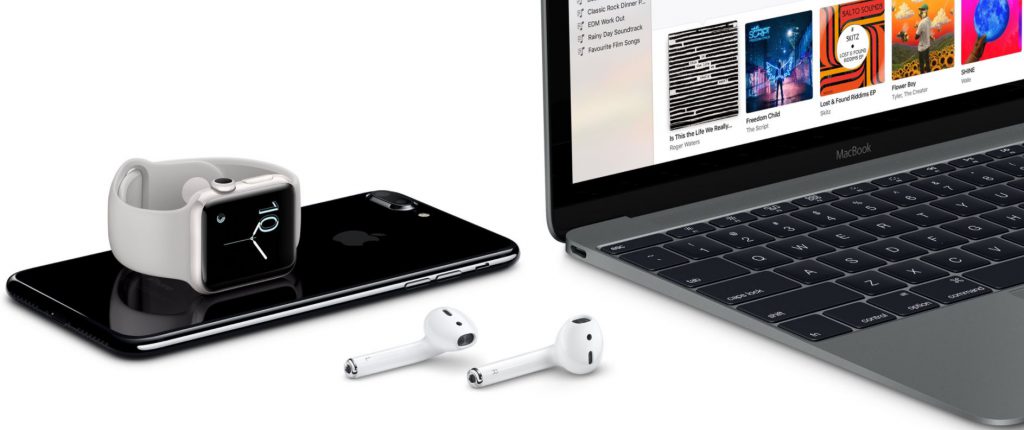
Are the AirPods the best Bluetooth earphone currently available? Absolutely. They are extremely advanced and the pairing technology is cutting edge, but what stands out the most is the dynamic powerful audio which I didn’t expect from a set of wireless earphones so small. Once again, Apple has designed a user-friendly product that compliments other Apple devices and makes the most of existing technologies like Siri.
Are you considering buying the Apple AirPods or do you already own a pair? Please leave your comments in the section below. I’d love to see your opinions.
Recommended Reading: Best Wireless Headphones For Running
by Jay Mulban | Apr 10, 2018 | FITNESS TRACKERS
Best Activity Tracker For Women: Turbo-Charge Your Fitness
Activity Trackers are evolving at a fast pace to keep up with our growing list of fitness needs. Whether you’re a busy lady or hardworking mum at some stage you will want to make time for your fitness and a hassle-free way to keep track of progress amid your busy lifestyle.
Thankfully this is possible and requires little effort with a modern activity tracker that will keep a log of active calories burnt, the number of steps you’ve taken throughout the day and even your sleeping patterns to keep your body functioning with optimum vigour.
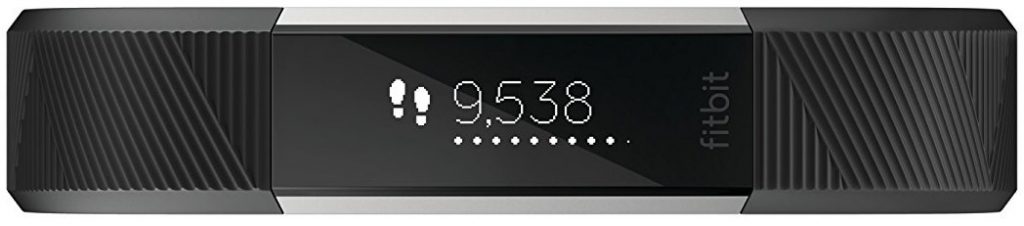
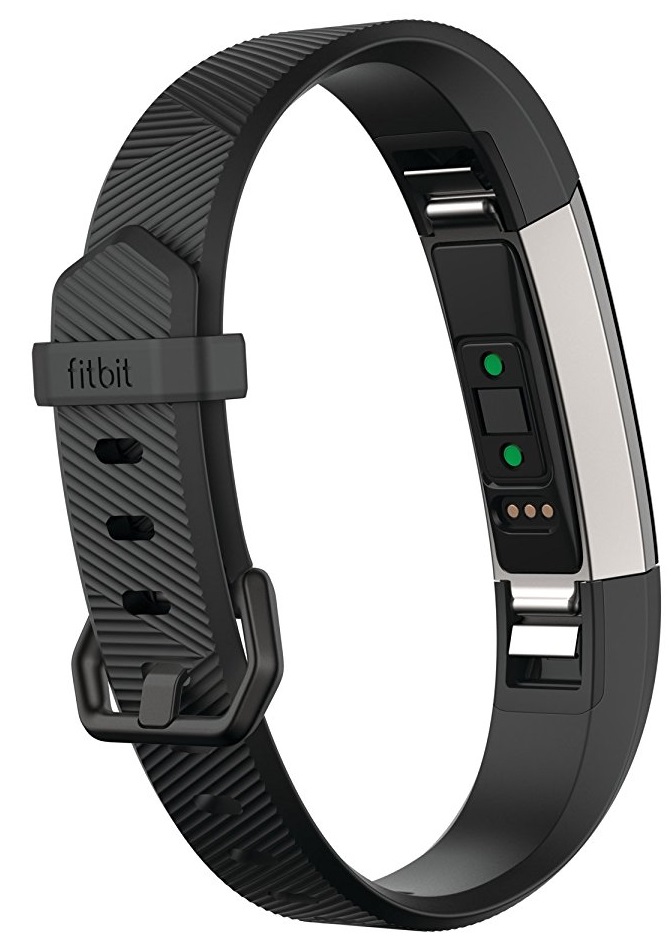
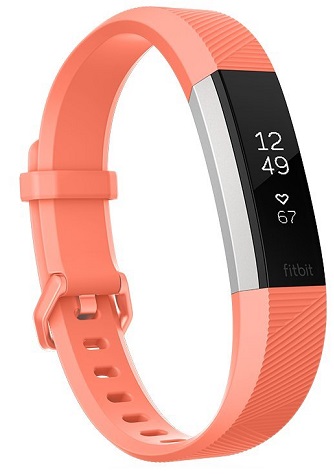 The Fitbit Alta HR is a slender fitness accessory to monitor your activity without getting in the way. The Alta tracker has a slim profile to fit even the smallest wrist and you will hardly notice that it’s there.
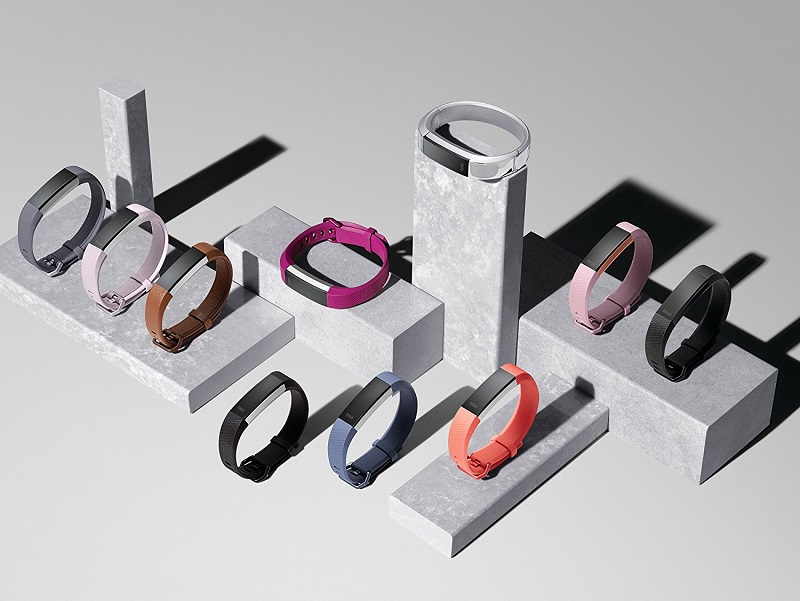
There’s a good choice of colours including plum, teal and silver to compliment your outfits and fitness gear without it looking brash. If you’re searching for a stylish tracker that doesn’t add much bulk to your wrist then this is it.
Fitbit has ensured that the Alta HR is unaffected by rain, sweat and the outdoor elements. It is splash-proof and can be worn whilst showering.
The Alta HR is discreet yet highly functional. It might be small but it doesn’t compromise on meeting your fitness demands. In addition to daily activity tracking, this Fitbit will display texts, calls and calendar notifications on its touchscreen.
Fitbit Alta HR combines a minimalist design, great functionality and budget-friendliness which makes it a popular choice for women who want a high-quality fitness tracker that doesn’t cost the earth.
Syncing your activity data to a mobile device or computer couldn’t be any easier. Fitbit Alta HR uses the latest Bluetooth 4.0 wireless standard to transfer your fitness information between iOS, Android and Windows gadgets. Don’t worry if your current computer does not have inbuilt Bluetooth, you can sync your data via USB. The furthest wireless syncing proximity is 20 feet.
What Can You Expect from The Fitbit Alta HR?
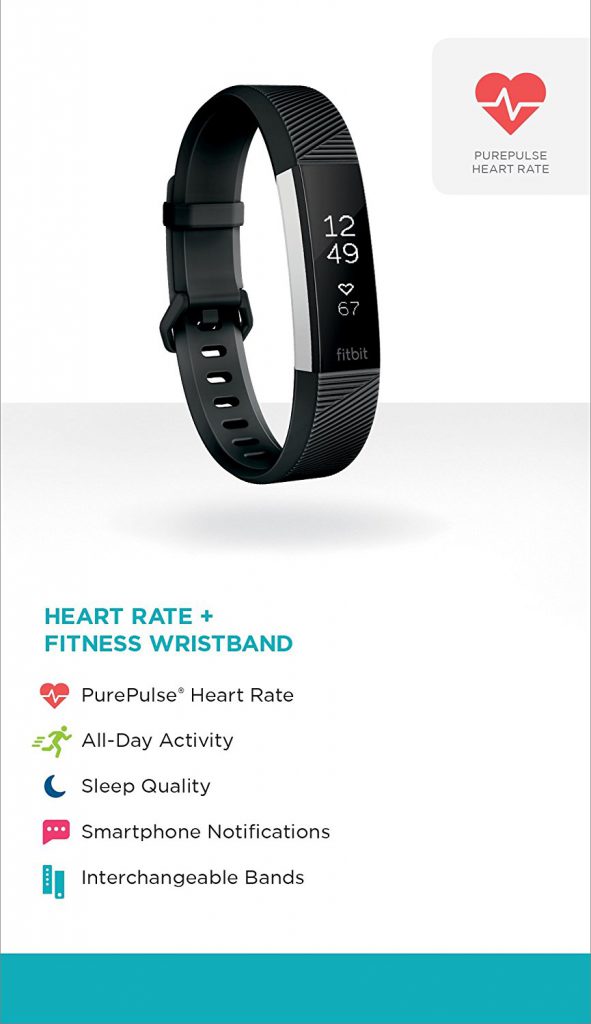 Here are some of the features you can enjoy when using the Fitbit Alta HR:
- Constant heart rate tracking throughout the day for accurate results whilst exercising or any other form of activity.
- Heart rate monitoring gives improved measurements of calorie expenditure and can categorize this by Cardio, Fat Burn and Peak to seek out the best exercise intensity for your body.
- The Fitbit Alta HR will fit wrist sizes between 5.5″ – 6.7″ in circumference.
- The Alta HR will even measure how much time you spend in light, deep and REM sleep using PurePulse heart rate technology and will recommend actions to improve your sleep.
- You can observe how increasing your exercise can make you healthier by monitoring your resting heart rate against your activity over time.
- Your steps, calories burned, distance and active times are recorded automatically and continuously without compromising the long battery life which lasts up to 7 days.
- The Fitbit Alta’s OLED display will provide instant access to your daily stats and alerts and a customizable watch face.
- If you decide to go climbing mountains, the maximum functioning altitude is 30,000 feet. The Alta will work between 14 degrees to 113 degrees Fahrenheit.
When comparing the Fitbit Alta HR to the Charge HR (a bigger device) the tracking of steps and heart rate was identical. I wore both trackers at the same time, one on each wrist and the readings were similar despite the Alta’s miniature size.
Fitbit Alta Battery Life:
I tested the battery using 2 different modes to see if operating time would last as stated on the tin. Firstly I started with ‘All-Day Sync’ mode constantly switched on and I turned off ‘Always Connected’ mode. The battery lasted a solid 8 days on this setting. The tracker alerted me of a low battery after 6 days when the power dropped below 25%.
After this, I switched on ‘Always Connected’ mode together with ‘All-Day Sync’ mode and the battery lasted for a full 7 days on this setting with the low battery alerting me on day 6. At the very minimum, you will get a week’s worth of usage with whichever mode you decide to use.
Fitbit Alta HR Alarm Function:
In a nutshell, the alarm is effective- when activated it will give out between 4-5 vibrations. If it fails to wake you up, which is highly unlikely, it will snooze and try again after 9 minutes. To turn off the alarm you will need to tap the display several times otherwise it will snooze infinitely. If you decide you want to stay in bed a bit longer you can just leave the Alta HR to snooze without worrying that you will oversleep and be late for work.
Fitbit Alta HR Sleep Tracking:
 I’m a bad sleeper and sleep tracking is one of my favourite features on the Fitbit Alta HR. I’d recommend leaving the sleep setting at ‘Normal’ rather than ‘sensitive’. The ‘sensitive’ mode was temperamental and skewed the data by only counting my relaxed sleep, the data looked as though I was sleeping for fewer hours.
The data is much more accurate when set to ‘Normal’ and things get exciting after the Alta HR has recorded 5 nights worth of data, at which point it will start tracking ‘sleep stages’.
Through the use of helpful charts, you can see different stages of your sleep and an explanation of each stage. The chart will also measure what proportion of your sleep each stage represents. Useful stuff.
Fitbit Alta HR Hourly Activity:
The Alta tracker encourages you to take a minimum of 250 steps each hour throughout the day. It will alert you 10 minutes before the next hour if you’ve not achieved this target. Obviously it isn’t always possible to reach this goal every day as things like meetings or other distractions can get in the way. But it is still a good way of encouraging you to get up if you’ve been sat down for too long.
The tracker motivates me to achieve the 100% step target as much as possible every day throughout the week and the reminders serve as a good way to stay active during the day. I now walk a lot more with the Alta HR.
Fitbit Alta HR Call & Text Notifications:
The notification feature is useful and works really well when taking into account how slim the Alta HR actually is. It will vibrate to alert you that a call is coming through. It will also display a shortened bit of text from your messages, and is enough to indicate whether it is urgent or if it can wait (minimises distractions during exercise).
Fitbit Alta HR Exercise Tracking:
I saved the best function for last. The Fitbit Alta HR automatically adapts to the type of exercise and can distinguish if you’re running, cycling and so on. It will track steps, calories expended, heart rate and record this data to be viewed on the display or for detailed scrutiny through the Fitbit App should you feel the need.
Unfortunately, there isn’t built-in GPS for the Alta to track distance but this can be easily overcome by using the GPS on your phone together with the Fitbit App to record distance. When inside the app simply select the stopwatch in the exercise section then select your exercise on the tracking section and you’re good to go. The distance data will then be automatically combined with data from the tracker and displayed as normal.
Fitbit Alta HR Activity Tracker Product Rating
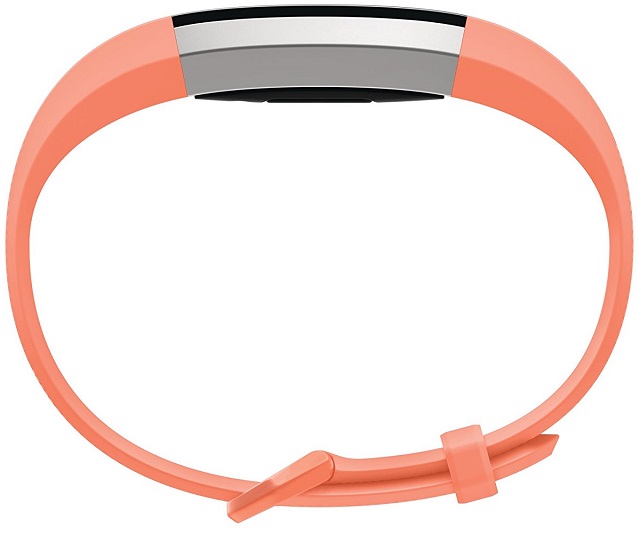
The Fitbit Alta HR tracker is a highly functional, hardwearing and practical fitness device for an active lifestyle. As a result, it is a highly favoured Fitness tracker for women.
Product Rating: 8.2/10
Where Can You Buy The Fitbit Alta HR Activity Tracker?
Find the best prices for the Fitbit Alta HR Fitness Tracker By Clicking Here
The Bottom Line
Is Fitbit Alta HR the best activity tracker for women? I would highly recommend this tracker if you want to buy a sleek activity device that doesn’t take up too much real estate around your wrist but provides useful fitness stats and instant activity monitoring.
Fitbit ensures that their devices are user-friendly and work alongside the Fitbit app which is one of the best ways to see your fitness data and how you are progressing over time. There is also an active Fitbit community that you can engage with and stay motivated. All of this great functionality is at your disposal at a small cost.
Are you considering buying the Fitbit Alta or do you already use one? Please leave a quick comment in the section below with your thoughts.
Recommended Reading: Top Rated Fitness Trackers
by Jay Mulban | Apr 3, 2018 | WIRELESS HEADPHONES
Running is tough at the best of times but it’s much easier with the right accessories to keep you motivated. Today I’ve summed up a quick review of the best wireless headphone for running. If you’re searching for a pair of Bluetooth earphones strong enough to withstand the outdoor elements and powerful enough to enrich your running playlist you won’t find anything better whether you’re a beginner or a pro runner.
The Bose Sound Sport wireless headphones are a wireless and stylish piece of kit with rich audio quality accustomed to Bose. You can concentrate on running without the distraction of wires and enjoy the best uninterrupted wireless technology.
The ear tips are designed to stay fixed for stability and provide a better running experience. They are made from a comfortable silicone material with a distinctive outline that provides a snug fit and ensures that the earphones don’t fall out during your workout.
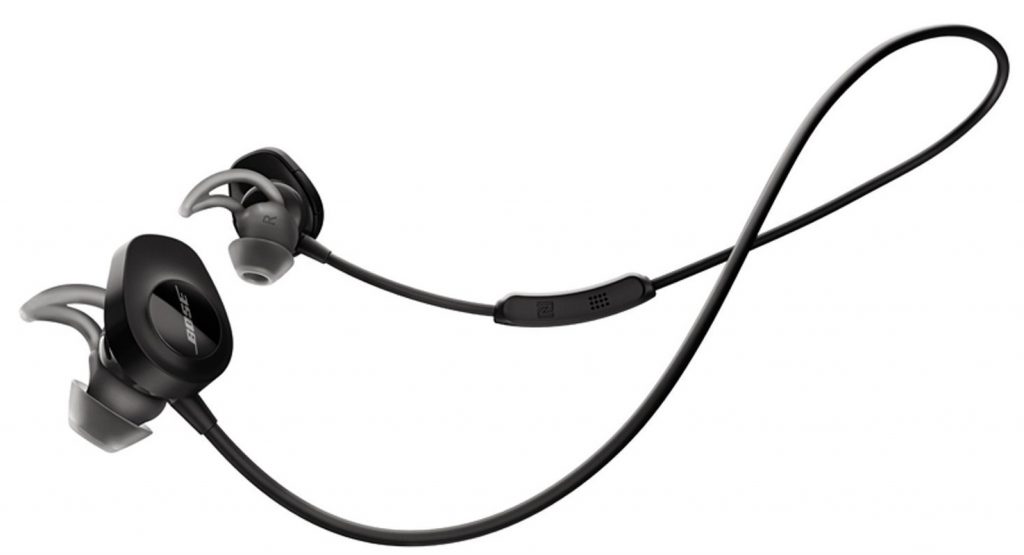
Pairing your earphones to your music player or phone is made simple thanks to the latest Bluetooth and NFC technology with assisted voice prompts. You can use the onboard mic and remote to adjust volume, skip through songs and answer phone calls (if you really need to).
Bose Sound Sport wireless earphones can withstand sweat and weather and are fitted with a lithium-ion battery that keeps the earphones pumping your tunes for 6 hours on a full charge.
If you’ve ever owned a cheap pair of wireless earphones you’ll immediately notice the improvement in sound superiority and build quality from the Bose Sound Sport. Below is a detailed breakdown and ratings based on my user experience:
How Do The Bose Wireless Earphones Sound?
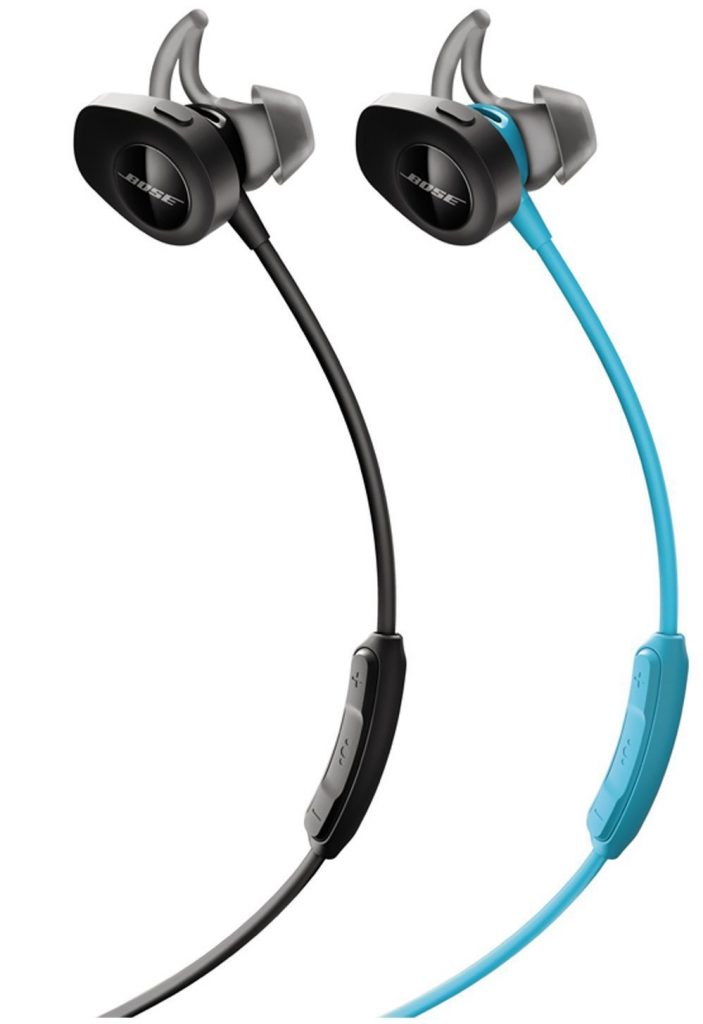 Given the portable size of these earphones, there is no compromise with audio quality. The low end delivers warm rich bass and the mids are crystal clear. I was expecting a slight loss of quality when comparing the Sound Sport to wired headphones but personally, I’d say these are among the best earphones I’ve listened to (wired or wireless).
I would even go as far as using these headphones for everyday usage, my daily commutes and when travelling. They are much more than just headphones for sport and I’m pleasantly happy about this.
Sound Score: 10/10
Do The Bose Sound Sport Earphones Fit Nicely inside the ear?
Yes. My ear canals are quite small and I struggle to use standard-sized earbuds. The housing which contains the battery and electronics is a medium size but this doesn’t compromise the fit for the inner earpieces. They are several sizes provided in the package to accommodate ears of all sizes (including my small ears).
Ear Fit Score: 8/10
Charging Your Sound Sport Earphones
There is a charging port conveniently located on one side of the earphones which smoothly connects to the USB cable without any risk of damaging the earphones. I have no complaints here.
Ease of Charging Score: 9/10
Are the Sound Sport Earphones Comfortable During Exercise?
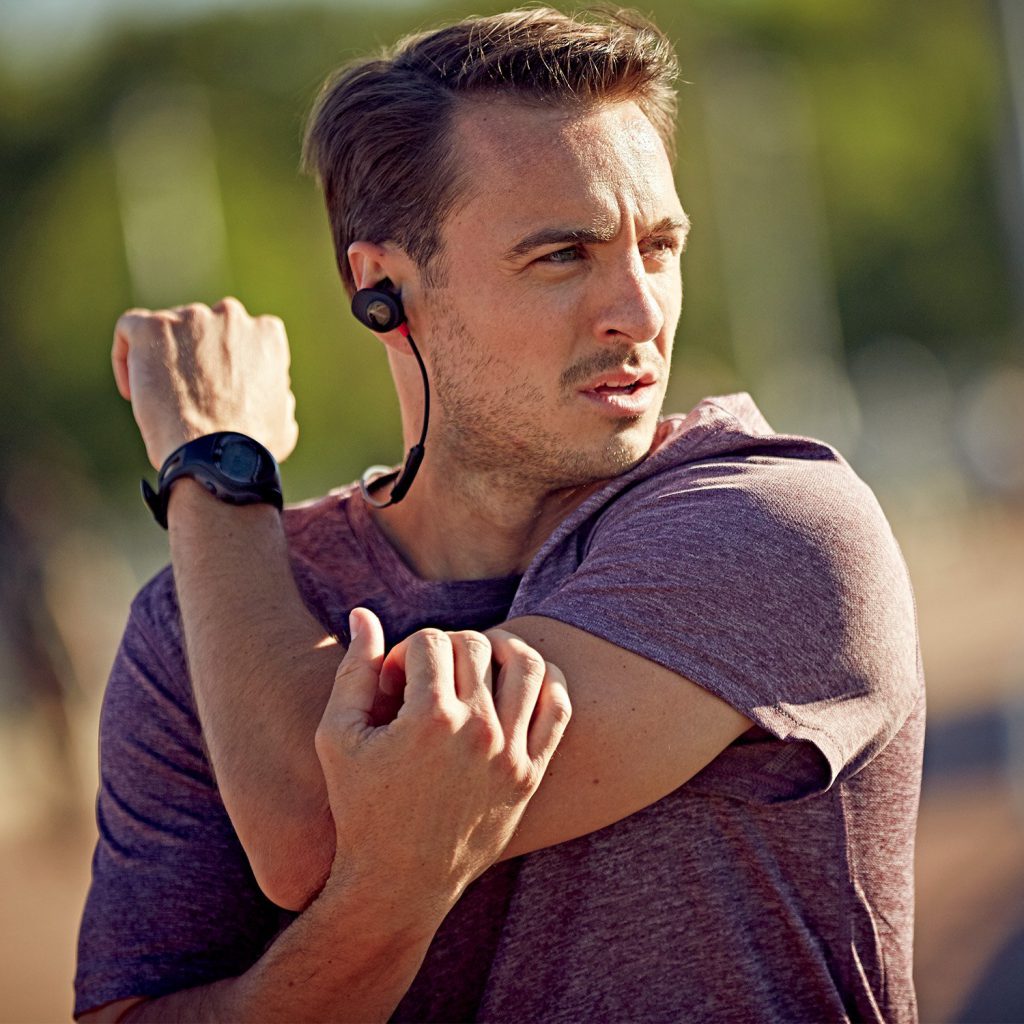 Depending on the size of your ears you could argue that the Sound Sport earphones are larger than standard-sized earphones but even so, this does not take away from how comfortable they feel during usage.
Once you’ve placed them on, they will stay fixed to your ears regardless of how fast you run.
Bose Sound Sport Comfort Score: 10/10
Bose Sound Sport Pricing
Bose is a premium brand and you could say that these are premium wireless sports earphones. You might pay slightly more for the Sound Sport but you will get the reassurance that they will last much longer than anything else you will buy.
The headphones are priced around $149, at the time of writing, but the long lifespan and reliable Bose customer service will save you money in the long term.
Bose Sound Sport Pricing Score: 7/10
Bose Connect app
The Bose Connect app ensures that you can get to your workout playlist quickly without delaying your running or exercise. The app is free to download and enables you to easily link and change between your devices.
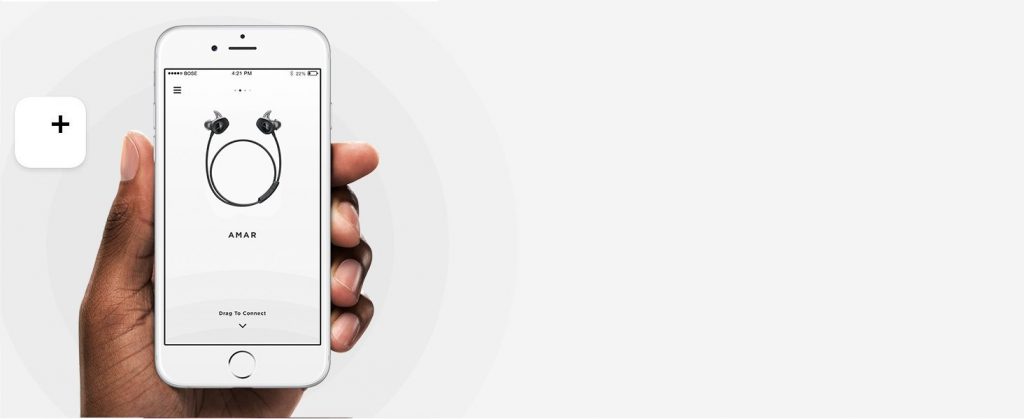
The app is user-friendly and offers clever ways to use your headphones and customise your settings so that you can connect to the music you need to keep you motivated.
Another useful hidden feature is the ability for the Bose app to read your pulse through the earbuds. This is a beneficial feature not just for running but for other types of exercise like cycling, aerobics and weight training.
What Else Should You Know About The Sound Sport?
- The control buttons take some getting used to but are easy to use. The buttons are big and require a bit of pressure when pressed but this didn’t distract me from my running.
- Bose states that the battery life lasts up to 6 hours but I managed to squeeze out a decent 7 hours from the Sound Sport, which is a nice bonus.
- The carry case is strong and incredibly useful for keeping the headphones and spare earbuds safe.
What is included with the Sound Sport wireless headphones?
- Sound Sport wireless headphones.
- Stay Hear+ tips.
- USB charging cable.
- Carry Case.
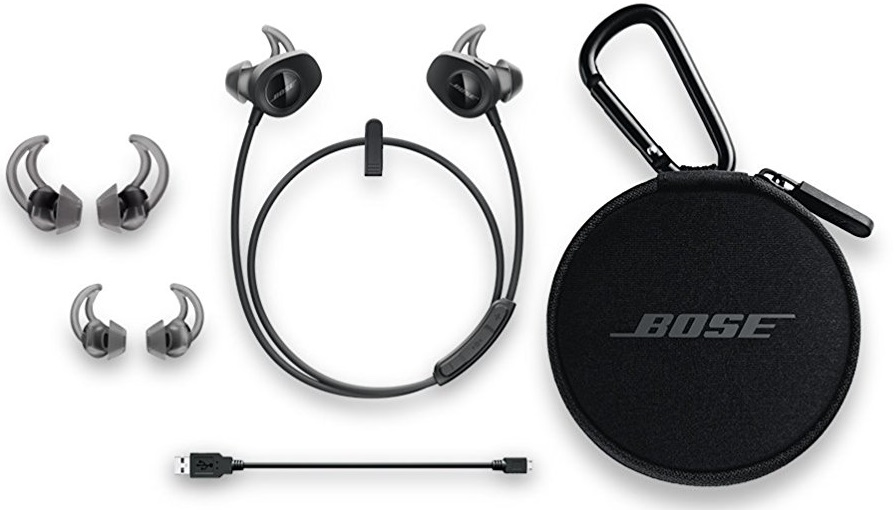
Bose SoundSport Wireless Headphones Product Rating
The Bose SoundSport Headphones are robust and practical for an active lifestyle that extends beyond running. The earphones are the preferred choice for runners and athletes owing to the balance between rich sound, good battery life and premium materials that are resilient to the rigours of demanding exercise. Sound Sport scores very high.
Product Rating: 8/10
Where Can You Buy The Bose SoundSport Wireless Headphones
Find the best prices for the Bose SoundSport Headphones By Clicking Here

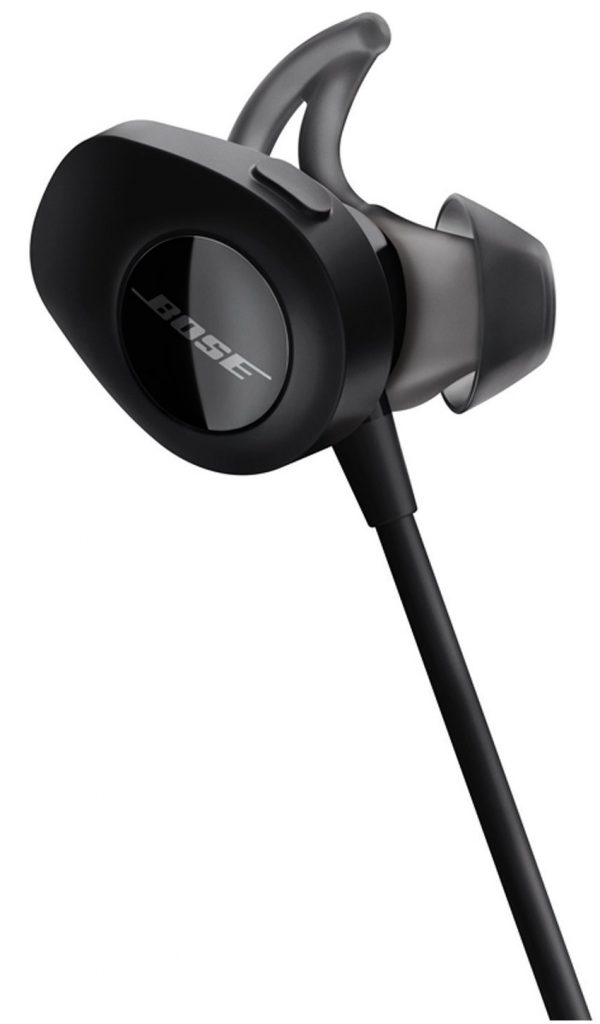 Conclusion
In summary, the Bose Sound Sport earphones are highly recommended and are the best wireless headphone for running. Bose are the connoisseurs of superior sound reproduction and this is evident when using the Sound Sport.
Bose SoundSport Wireless is incredibly comfortable to wear for long periods and sounds amazing. I can go out for my run knowing that the battery won’t die midway through training (I’ll never run for more than 6 hours in a single session). Bose is still a frontrunner for delivering high-quality sound to your ears through Bluetooth.
Are you considering buying the Bose SoundSport Wireless Headphones or do you already own a pair? Please leave your comments in the section below. I’d love to hear from you.
Recommended Reading: The Best Fitness Trackers For Runners