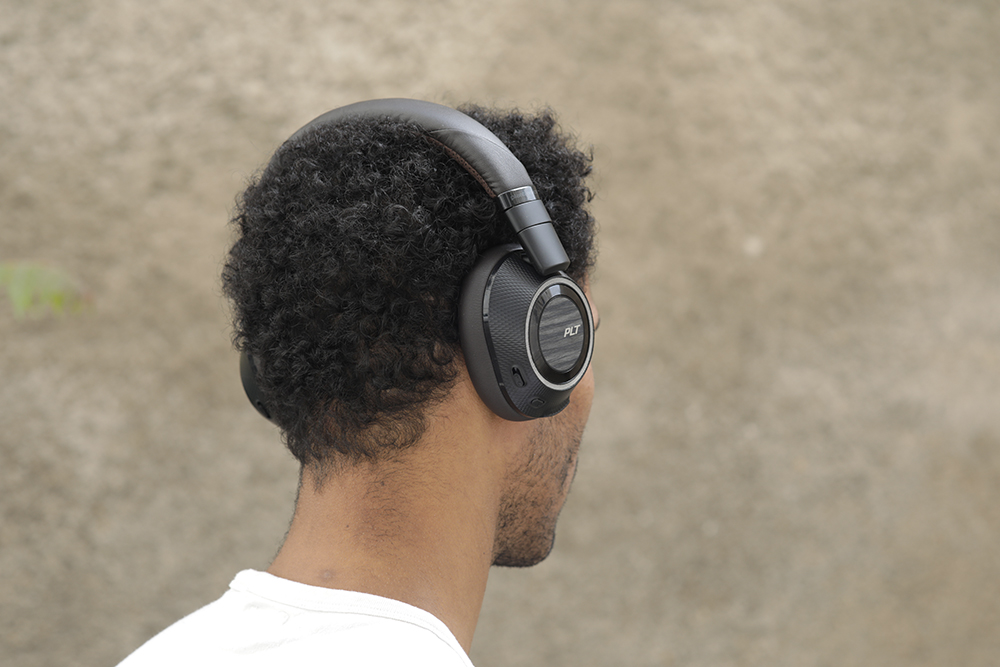
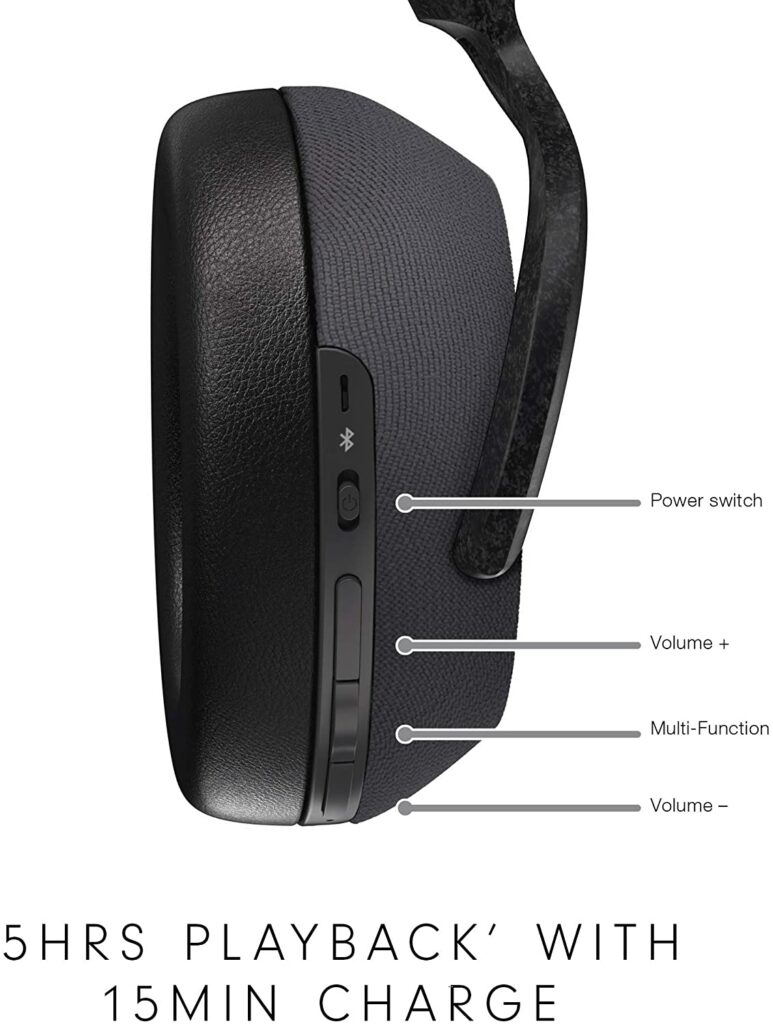
As you might already know, noise-canceling headphones are the crème of the crop in the world of headphones. They’re highly sought after because they’re able to filter out any unwanted external noise and allow you to enjoy your audio content without distractions. However, the best wireless noise-canceling headphones from the most popular and well-known brands like Bose and Sony to name a few tend to be quite pricy. Not everyone is willing to drop a couple of hundred dollars on a pair of headphones, which is where the Plantronics BackBeat Pro 2 comes in. To find out more about this budget-friendly Bluetooth headphones, just keep scrolling to read our review below.
For its price, the Plantronics BackBeat Pro 2 Wireless (2016) is one of the best Bluetooth headphones we’ve seen on the market. While many Bluetooth headphones have difficulties with audio lag and latency, this particular pair supports the aptX-LL codec.
This enables these headphones to deliver low latency and a steady connection, especially when used for viewing TV. However, in order to fully exploit this function, you’ll need a Bluetooth adapter or transmitter that supports the codec.
The original Plantronics BackBeat Pro garnered a lot of high praise when it was first released. They weren’t perfect, but they featured a lot of cool features, sounded excellent, and had decent active noise cancellation (ANC). Plantronics, on the other hand, has enhanced the BackBeat Pro 2 by keeping what works and improving what doesn’t, such as its size and weight.
The sound profile of the BackBeat Pro 2 is well-balanced, with just enough bass and thumps to ensure that you hear the colorful sound effects as well as every beat of your favorite programs or music. With 30 hours of continuous playback, you won’t be disappointed when it comes to battery life. If you’re planning on binge-watching a TV show or a certain podcast, these are the headphones for you.
Overall, the Plantronics BackBeat Pro 2 offers exceptional battery life, superb sound quality, and effective active noise cancellation for a reasonable price. They are undoubtedly amazing value for money, despite not having the best noise-canceling on the market. If you’re still on the fence, let’s dive into this device’s specifics below.
Features & Specifications
Brand: Plantronics
Dimensions: 8.1 x 7.8 x 9 inches
Item Weight: 0.63 lbs
Type: Over-Ear
Noise Cancelling: Yes
Built-In Mic: Yes
Battery Life: 24 hours
Color: Black and Tan
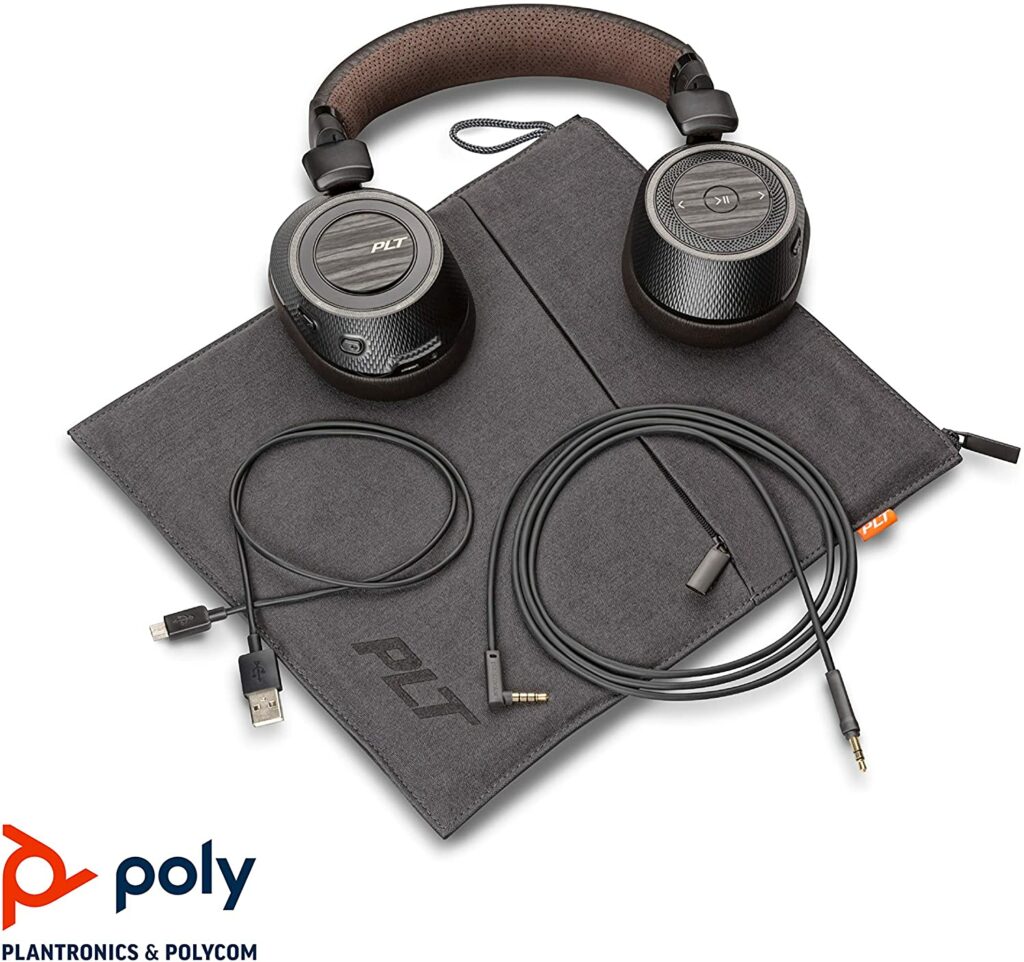
What’s In The Box
Plantronics BackBeat Pro 2 Headphones
3.5mm Simple Inline Cable
USB to Micro-USB Charge Cable
Zipper Soft Pouch
Safety Booklet
Quick Start Guide
Warranty Insert
Check Out The Product Preview Of The BackBeat Pro 2 Below.
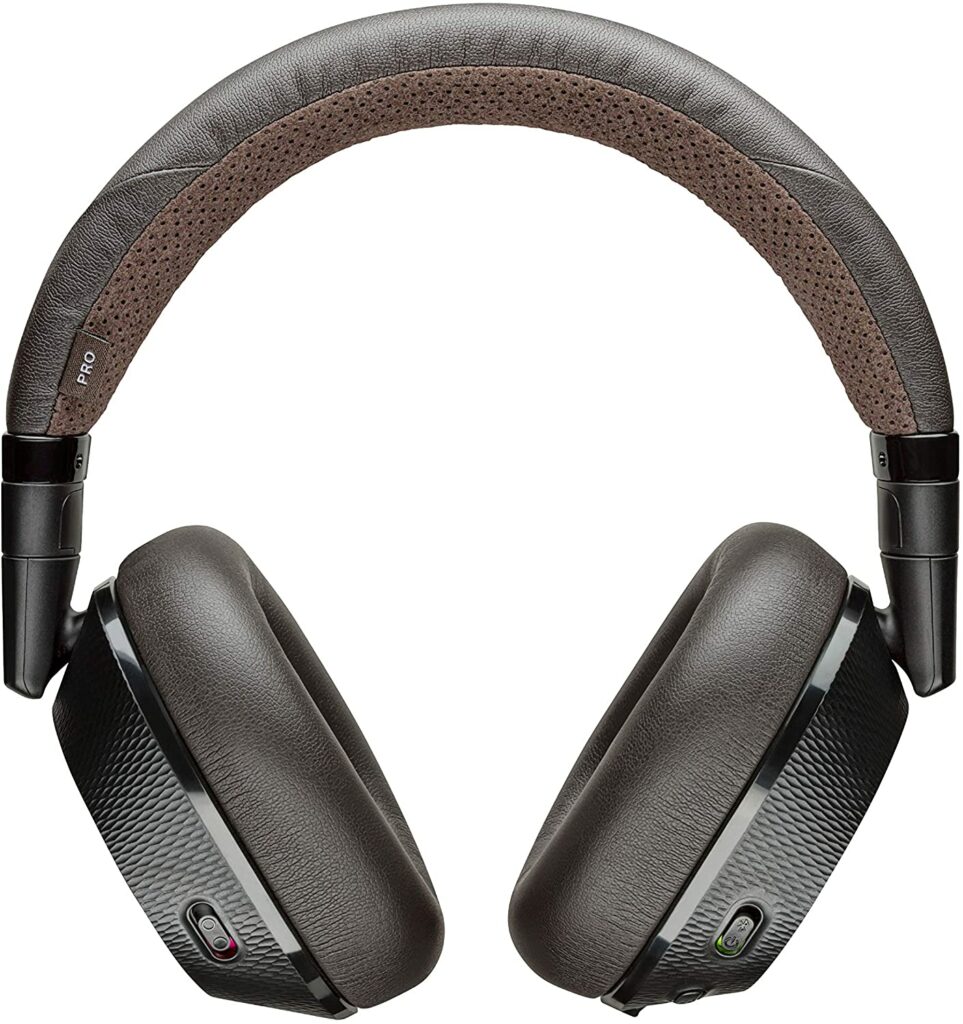
Thanks to the large protein leather pads and matching synthetic leather-topped headband, it’s easy to tell that the Plantronics BackBeat Pro 2 is a pair of full-size headphones up close and even from a few feet away.
You’ll either love or loathe the Plantronics BackBeat Pro 2 design because of its relatively unique and somewhat awkward nature. Personally, I find the design appealing and fresh. The headphones have a dark brown color scheme and unfortunately, that’s the only option available. This particular choice of color can result in dividing opinions regarding aesthetics but to each their own.
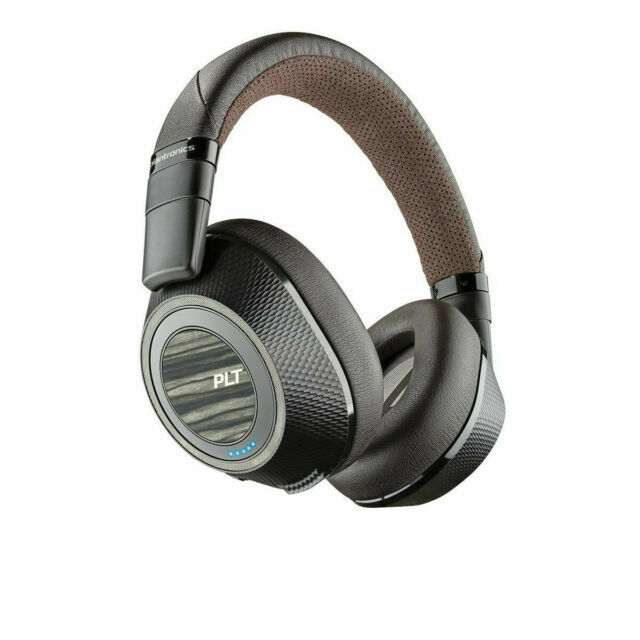
Then there’s the faux wood accent, which some may find cheap and out of place, but it does at least make the headphones stand out from other, more generic-looking Bluetooth headphones on the market. And for the effort alone, Plantronics gets a couple of bonus points from me.
Build
In comparison to its predecessor, the OG BackBeat Pro, this second iteration is significantly thinner and sleeker. The hefty control wheels on either side have been eliminated, and the over-ear earcups are roughly two-thirds the size of the original. Playback and volume controls are now incorporated into the rear of the left earcup, which has a textured ring surrounding a big, smooth circle around a smaller circle.
The huge circle may be clicked left or right to jump ahead or backward in a track, while the ring navigates the volume. Meanwhile, the play/pause button is in the center of the circle. The earcups also include a slew of sensors that identify when you’re using the headphones, the music will automatically stop when you take them off and your incoming calls will be answered when you put them on.
Active noise cancellation is controlled by a tiny three-way toggle switch on the side of the left earcup, which may be switched on, deactivated, or set into an Open Listening mode.
Furthermore, a round button on the rear of the right earcup is used to answer and stop calls and a power switch while a microphone mute button is located on the left side of the right earcup. At the bottom of the right earcup is a micro USB connector for charging with the provided cable, as well as a 3.5mm port if you’d like to use the BackBeat Pro 2 as a wired headphone.
Comfortability
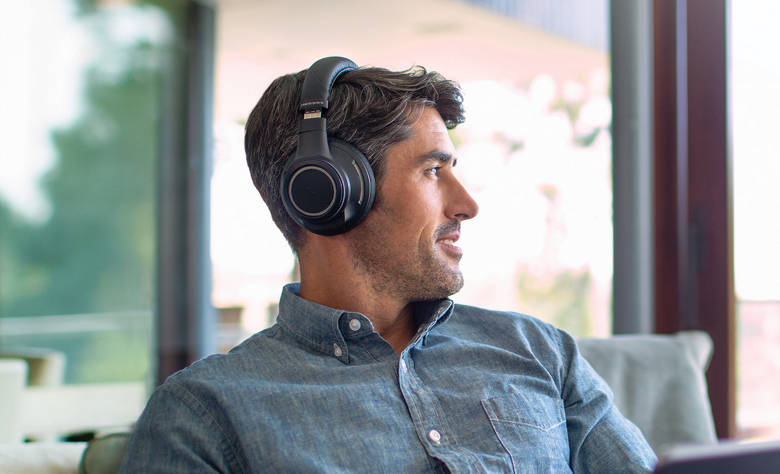
While the design is questionable for some of you, the comfortability this pair of headphones provide is what makes the BackBeat Pro 2 shine. To put it simply, these headphones are a joy to wear. They have a nice, elongated shape for the earpads that will cover most ears than the original BackBeat Pro.
The fake leather earpads are velvety and well-cushioned, and the headband has just enough cushioning to make the headphones comfortable to use for extended periods of time. If you’re someone who often experiences headaches or fatigue when wearing over-ear headphones, then you’ll certainly have none of that with the BackBeat Pro 2 and will enjoy using this pair for hours on end.
Audio Quality
The first BackBeat Pro headphones had a pleasant, slightly bass-heavy sound characteristic when they first came out. A lot of people actually liked this and lucky for us, Plantronics has carried over this particular sound profile to the BackBeat Pro 2.
Certain audiophiles might be a little disappointed by the overpowering bass the BackBeat Pro 2 provides but for fellow bass heads out there, you will really appreciate the bass-heavy sound profile of these headphones. If you’d like to lessen the bass, I found that using the BackBeat Pro 2 in wired mode significantly reduces the bass too.
Furthermore, you’ll also be relieved to learn that ANC still works pretty well in wired mode when listening to music. This means if you don’t mind dealing with a cord for a while, you can save a few hours on the battery life. Because a little extra bass helps filter out distracting external or ambient noise, we can see why Plantronics chose a bass-heavy sound signature.
Our Least Favorite Things
Noise-Cancellation Is Not The Best
For its price, you can’t really complain. While some of you might argue that other headphone models from different manufacturers and brands offer better noise-cancellation capabilities, the BackBeat Pro 2 isn’t half-bad. The noise cancellation in the BackBeat PRO 2 isn’t nearly as good as higher-end models, but it does a decent job of dampening street and subway sounds.
Whereas other headphones effectively eliminate external and ambient noises, the Backbeat Pro 2 only cuts it in half. In other words, it was less intrusive of the listening experience, but you can definitely still hear some of it while using these headphones.
In A Nutshell
Now that we have finished discussing the things we like and dislike about the Plantronics BackBeat Pro 2, here is a narrowed-down list of the pros and cons of this particular pair of Bluetooth headphones.
Pros
Beefy battery life that can last you throughout the day.
Comfortable to wear even after extended periods of time.
Solid sound performance.
Great value for the money.
Cons
Noise cancelation isn’t the best.
Our Final Verdict
All in all, the Plantronics BackBeat Pro 2 headphones are a significant improvement over the original model. Apart from better noise-canceling technology, they’re smaller, sleeker, and sound better. You may argue that there are better alternatives on the market (which is correct) but in terms of price and value? This is a great option for anyone looking for a good set of Bluetooth headphones that’s comfy and lasts throughout the day without spending a lot of money.
Do you already own the Plantronics BackBeat Pro 2? How was the experience for you? Was our review helpful? Let me know in the comments section below if you have any suggestions, questions, or insights to share regarding our review of the Plantronics BackBeat Pro 2. I would love to hear all your thoughts!
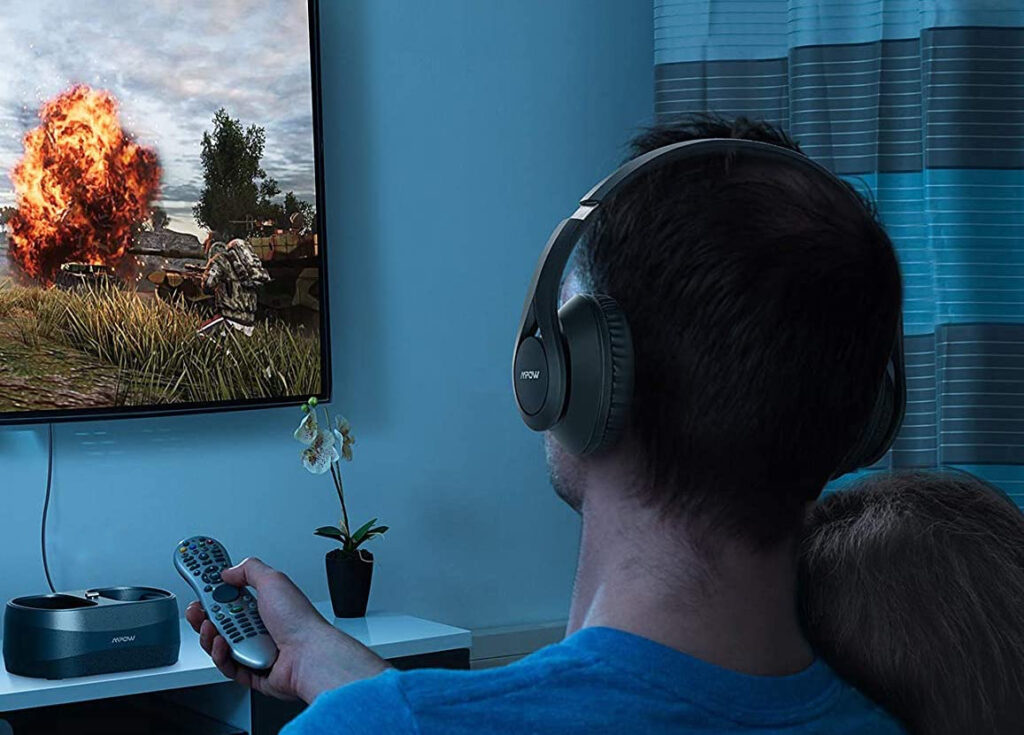
A pair of Bluetooth headphones are a terrific addition to your home theater. They can easily elevate your TV watching experience to new levels with their high-quality audio as well as letting you enjoy your favorite TV shows and movies without bothering other people in the house. Apart from that, dedicated headphones made specifically for TV use typically have a plethora of audio options that will help you get the most out of your media. We’ll be getting into more of its specifics shortly, so if you’d like to find out more, just keep scrolling to read our top picks for the best Bluetooth headphones for TV this 2021.
Affiliate Disclosure: I am grateful to be of service and to bring you content free of charge. In order to do this, please note that when you click links and purchase items, in most cases I receive referral commissions. Eventually, I may earn enough to buy a beer or two.
Why Get Bluetooth Headphones For TV?
Sometimes, a good home theatre isn’t always about filling your living room space with the biggest speakers, amplifiers, or subwoofers to get the best audio possible. Not everyone can afford them or have the space available. Some of you might also be living in a shared apartment or house with thin walls and you don’t want to disrupt the people around you while streaming action-packed movies.
A great solution to still having great audio quality without bothering others with your noise is investing in a pair of Bluetooth headphones designed specifically for TV use. This is an awesome way to watch your favorite shows in your living room late at night without anyone having to tell you to keep your volume down. Plus, you’ll also be able to fully enjoy the soundtracks and scoring your show has to offer.
However, it’s also very important to note that not all headphones you see in the market are suitable for watching TV shows and movies, so choose your selection carefully. One significant and bothersome issue when opting for wireless headphones to use with a TV is the slight delay between what you see on screen and what you hear.
This is because of latency, which is the amount of time it takes for sound to travel from the source to the headphones. The good news is that Bluetooth codecs have improved upon this issue in recent years and have progressively reduced latency and eliminated the majority of the problems.
In particular, Bluetooth 5.0, which has a 40-meter indoor range compared to Bluetooth 4.2’s 10-meter range, should assure an excellent match between audio and visuals. Overall, there should be no problems using the best Bluetooth headphones for watching TV on our list.
Bluetooth vs RF vs IR Headphones
Radio Frequency (RF), Bluetooth (BT), and infrared (IR) headphones are the three types of wireless headphones you’ll come across in the market that’s designed for TV viewing. But which of these wireless technologies should you choose? To help you out, I’ll explain below the distinctions between RF, BT, and IR headphones.
Radio Frequency TV Headphones (RF)
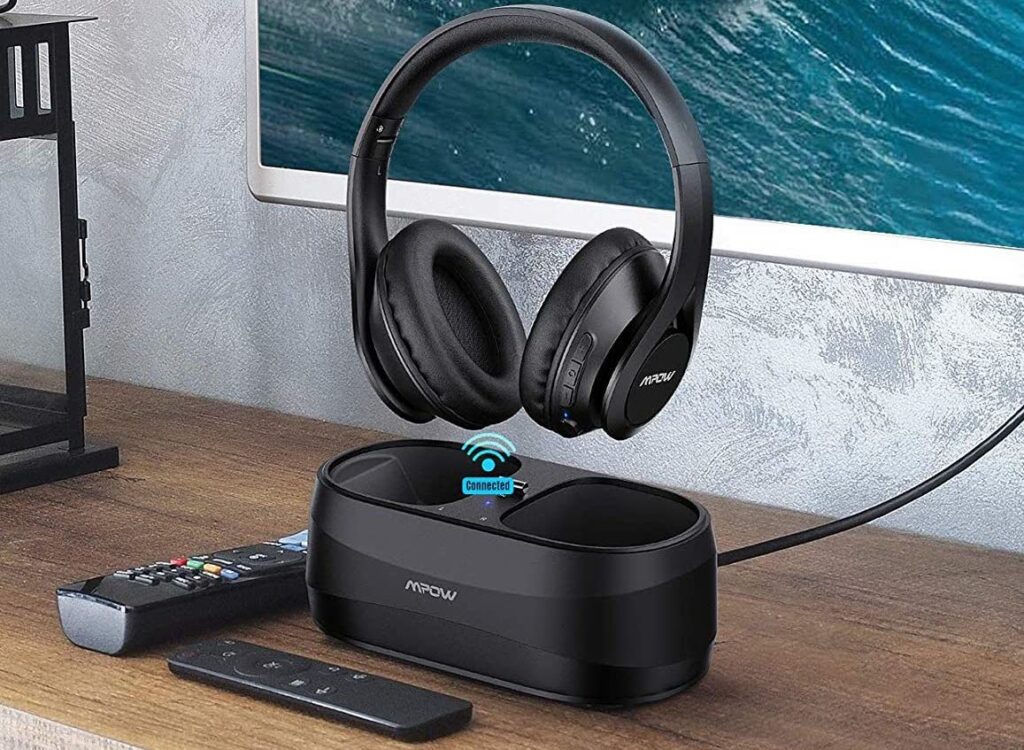
An electromagnetic field is formed when a radiofrequency (or RF) alternating current is sent to an antenna. Wireless communication is thus enabled by this electromagnetic field. Two types of equipment are required to connect RF headphones to your television. One is the transmitter, which will be the docking station in this scenario, and the other is the receiver, which is normally in the headphones.
RF headphones also offer a longer transmission line than other wireless technologies like Bluetooth and Infrared. They have a transmission range of over 100 meters. Radio frequencies, in addition to having a great transmission distance, are not obstructed by obstacles and may pass through walls with no loss of audio or connection quality. RF headphones are the greatest choice for a group audio experience because of these qualities.
Bluetooth Headphones
Bluetooth is a radiofrequency technology that is most widely used in wireless headphone technology in the market. Bluetooth connection is built into the majority of products these days which is why it’s so popular and the most commonly used.
Bluetooth’s popularity stems from the fact that it is a standardized protocol. The ranges vary based on the Bluetooth version and operate at a lower radio frequency of 2.4 GHz. Bluetooth versions 4.0 and below have a range of around 10 meters, whereas Bluetooth 5.0 has a range of approximately 30 meters.
With that in mind, your audio device or TV must also be Bluetooth capable to establish a connection, as well as switched on and discoverable, in order for Bluetooth to operate with your headphones. Bluetooth also has the advantage of being able to connect to any Bluetooth-enabled device without the use of a transmitter.
Bluetooth headphones also have certain drawbacks as well. First, because Bluetooth is a radio frequency technology, Bluetooth headphones often face interference, which comes in the form of popping and hissing sounds. Usage of Bluetooth also tends to drain the battery of your device as well as issues with latency.
Infrared Headphones
Infrared headphones or IR headphones, use infrared signals to connect to audio playback devices. Just like RF headphones, these require a transmitter and a receiver to create a connection. On the other hand, IR headphones function by sending light-emitting diodes (LEDs) from the transmitter to the receiver in the headphones, unlike other wireless headphone technologies.
When you attach the transmitter to your TV, it delivers a pulsing beam of invisible light to the receiver in the headphones. They are converted into audible sound waves once they reach the receiver. This is the same technology that is used in TV remote controls. Because the headphones may be used without interference or overlapping with other signals, IR headphones are suitable for listening in privacy. However, because sunshine reduces infrared wavelengths, they are not suitable for outdoor use.
Our Top Recommendations
1. Plantronics BackBeat Pro 2 Wireless (2016)
Overview
The Plantronics BackBeat Pro 2 Wireless (2016) is one of the best Bluetooth headphones for TV we’ve come across in the market. While Bluetooth headphones often suffer from high audio lag and latency issues, this particular pair supports the aptX-LL codec.
This allows these headphones to provide a low latency connection that’s stable enough for watching TV. But keep in mind that you are going to need a Bluetooth adapter or transmitter that supports the codec to fully utilize this feature.
When the original Plantronics BackBeat Pro was launched, they received a lot of positive feedback from the community. They were by no means perfect, but they had a lot of features to enjoy, sounded amazing, and had pretty great active noise cancellation (ANC). However, Plantronics has improved the BackBeat Pro 2 by preserving what works and addressing what doesn’t, such as its size and weight.
The BackBeat Pro 2’s sound profile is well-balanced, adding just enough bass and thumps to make sure you’re hearing the vibrant sound effects of your shows and films. When it comes to battery life, you certainly won’t be disappointed with its 30 hours of continuous playback. So if you have any plans of binging your favorite shows, these are the perfect headphones for you.
All in all, for the price, the Plantronics BackBeat Pro 2 has outstanding battery life, excellent sound quality, and effective active noise cancellation without breaking the bank. Although they don’t have the finest noise cancellation on the market, they are unquestionably fantastic value for the money.
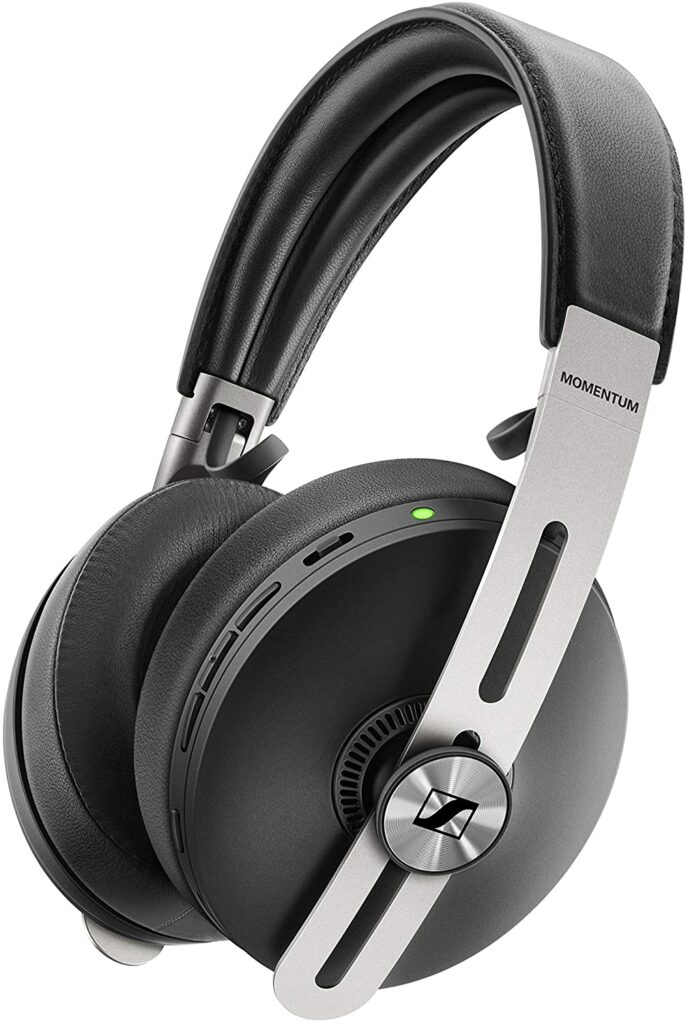
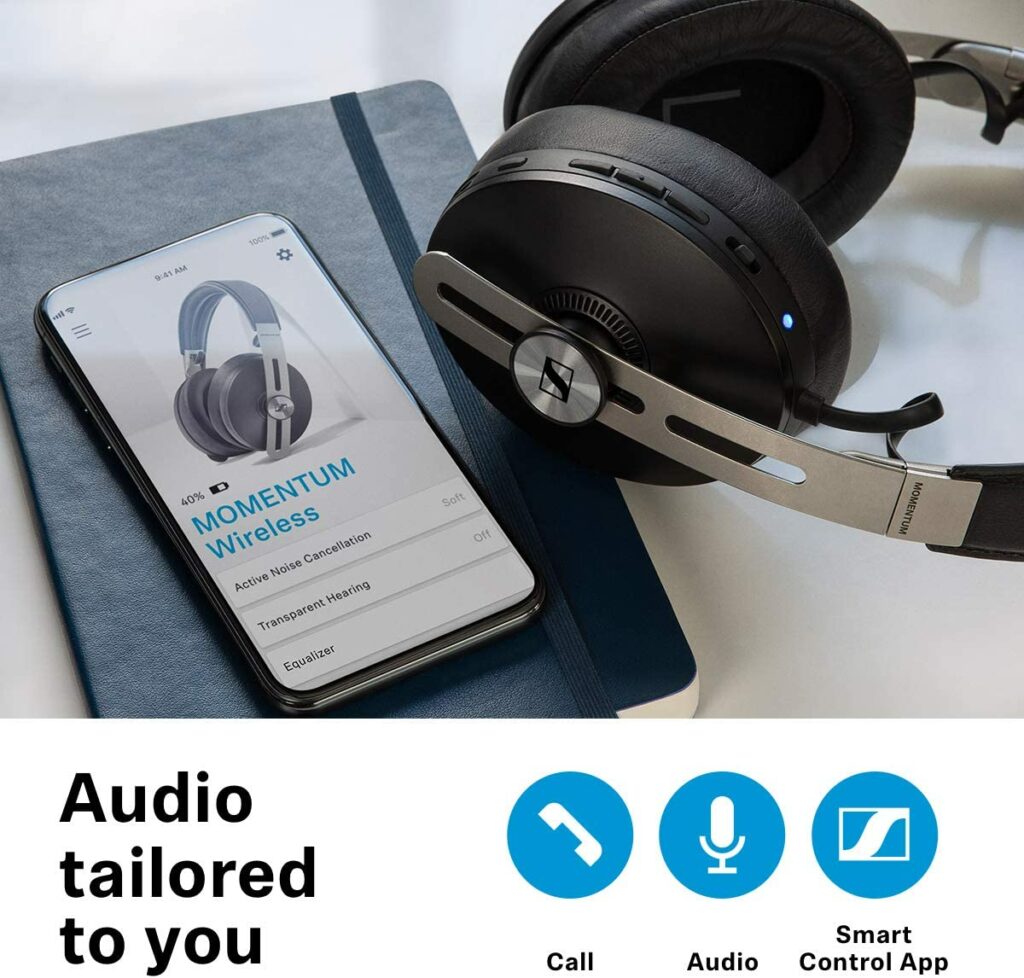
When the first and second generations of the Sennheiser Momentum came, they were instant hits, and the newest iteration is no exception. Sennheiser’s Momentum Wireless headphones are well-known in the wireless headphone market, and the third generation of the popular series does not disappoint.
Along with their vast family of wired, over-ear, one-ear, in-ear, and true wireless siblings, the flagship pairs in the now-iconic Momentum line and have perfectly represented the series’ lineup. There are three noise-canceling modes to choose from as well as several features to experiment and tinker around with.
The Sennheiser Momentum 3 Wireless also supports aptX, AAC, SBC Bluetooth, and aptX Low Latency. This aids in enhancing the synchronization of audio in your headphones and the visual material from your TV screen whether you’re gaming or doing a movie marathon of your favorite films.
On top of that, performance is also better than it has ever been. Given the Momentum family’s background and reputation, this is no small claim. The clarity and rhythm on the Momentum 3 are simply exceptional while also giving you all-day comfort, making this pair of headphones an excellent choice for any TV viewer.
Honestly, it can be quite tempting to use a set of Bluetooth headphones to watch TV if your smart TV supports this function. For the most part, that can work, but there’s usually some latency issue, which can result in a lip-sync problem. As a result, the audio you’re hearing from your headphones might not match what you’re seeing on your TV screen.
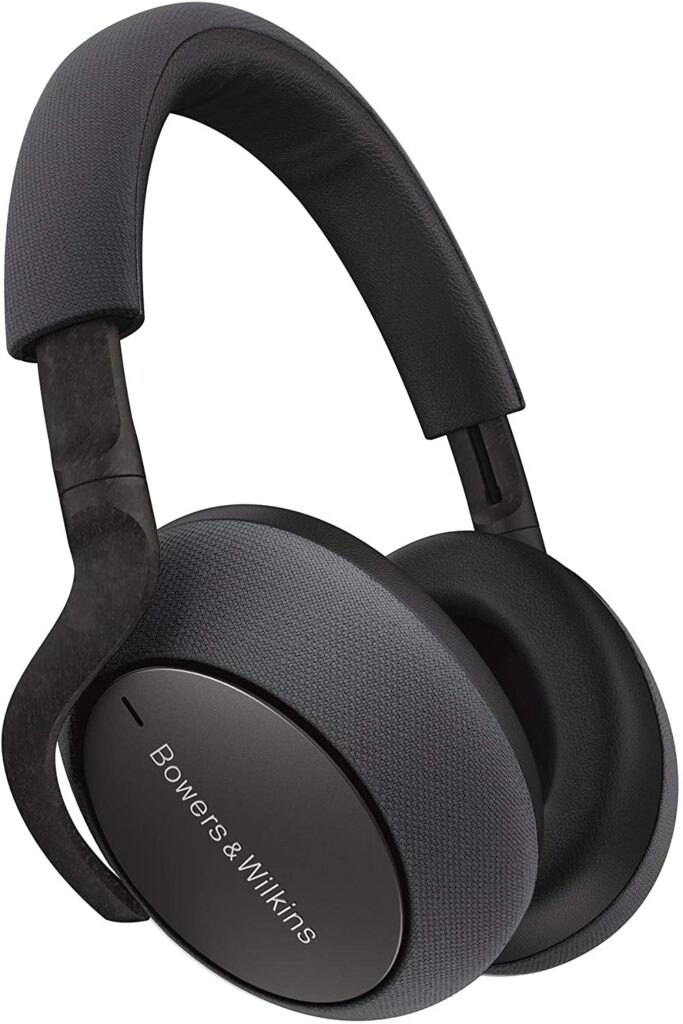
However, if you’re planning to listen to music instead, this shouldn’t be a big deal. Enter the Bowers & Wilkins PX7. This particular pair of Bluetooth headphones uses Qualcomm’s aptX Adaptive codec to minimize Bluetooth latency even more.
The PX7 is also especially useful in noisy areas, as they include three levels of noise reduction and can play audio through a USB connection from a computer or any phone or tablet you have on hand.
However, keep in mind that in order to use the Low Latency codec, you’ll need to connect an aptX Adaptive Bluetooth transmitter to a compatible device, such as a PS5. As far as I know, there aren’t any TVs that support it natively right now.
All in all, Bowers & Wilkins has created a world-class set of headphones that give even the market’s finest a run for their money by bringing more advanced noise-canceling, much-improved sound quality, and a polished aesthetic to the table.
Features & Specifications
Brand: Bowers & Wilkins
Dimensions: 3.15 x 6.89 x 8.66 inches
Item Weight: 0.67 lbs
Type: Over-Ear
Noise Cancelling: Yes.
Built-In Mic: Yes.
Battery Life: Up to 30 hours.
Pros
Long battery life.
Terrific active noise cancellation (ANC).
Sleek design.
Amazing sound quality.
Cons
A little pricy than most of the Bluetooth headphones in this list.
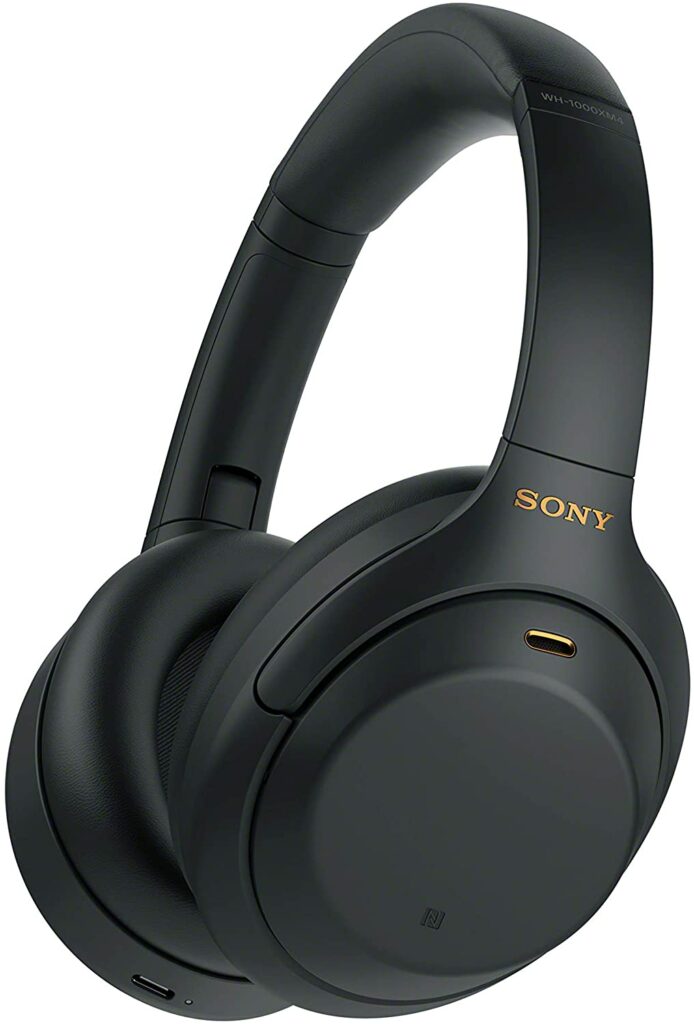
The Sony WH-1000XM4 wireless headphones are a lovely pair of headphones that make an excellent TV option. They deliver outstanding audio quality with no latency concerns in a design that isn’t too heavy or unwieldy to use for a full movie or TV show marathon.
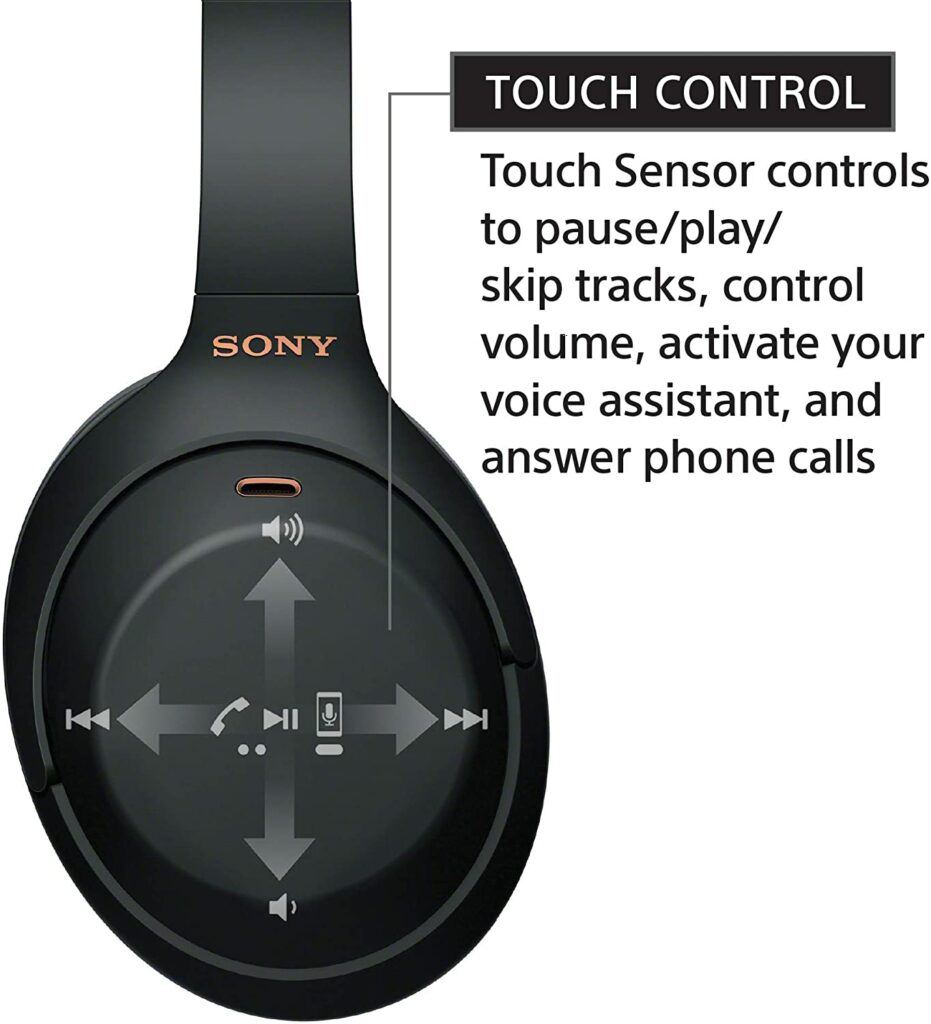
They also have a number of useful customization features, including adaptive sound management and active noise cancellation, all of which are backed up by great onboard controls and app compatibility for simple tweaks. The frequency response range of the neodymium drivers is 4Hz to 40,000Hz.
The Sony WH-100XM4 can also handle several devices at once while being compatible with Amazon Alexa, allowing you to swiftly switch to your phone or other mobile devices without needing to move your hands.
This also pairs nicely with the wearing detection feature, which can automatically halt playing when you remove your headphones, as well as with the speaking detection feature, which reduces the volume of your audio when you start conversing with someone else.
The major selling point, though, is the Sony WH-100XM4’s sound quality. Since the XM3 model, the low-end has been fine-tuned, and dynamic changes are handled with delicacy. And since latency issues are not a concern here, the timing is perfect. The performers’ lips will not be out of rhythm with the outgoing phrases. Without a doubt, the Sony WH-100XM4 is a solid pair of Bluetooth headphones to consider.
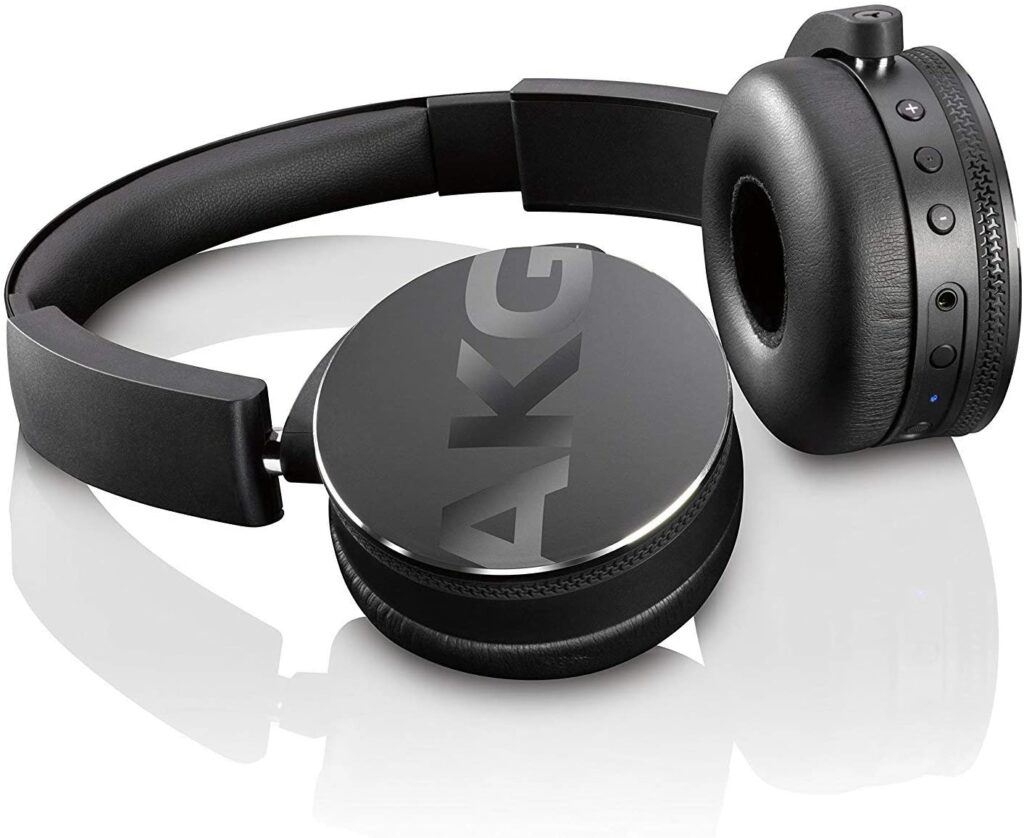
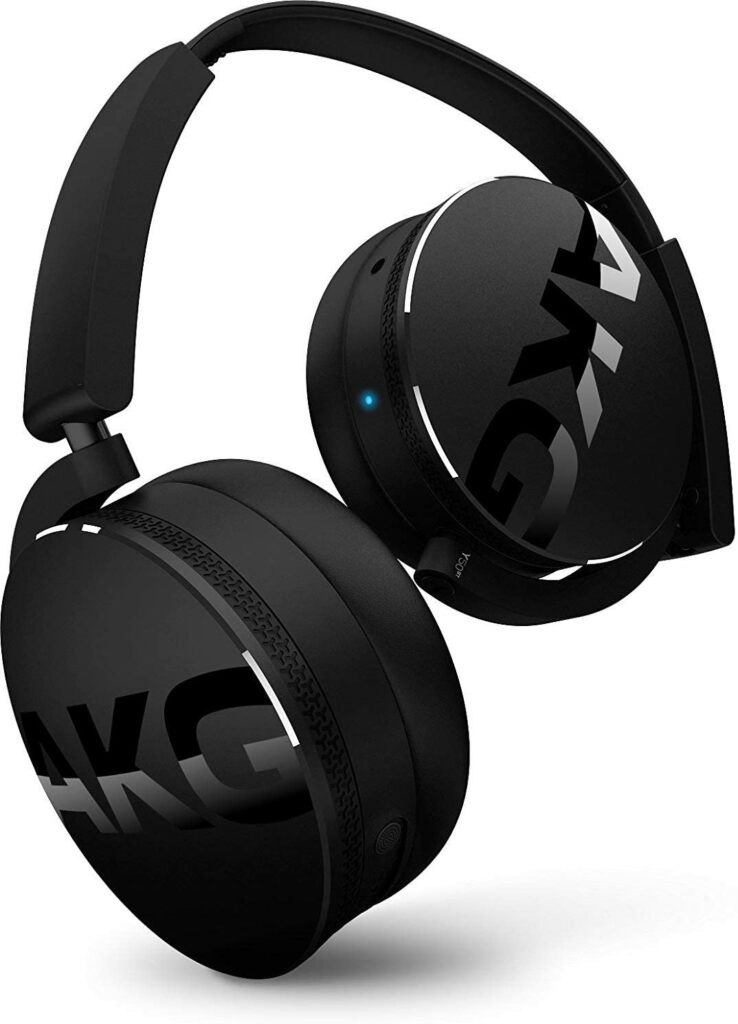
You’ll be ecstatic to learn that the AKG Y50BTBLK is an excellent pair of on-ear headphones that provide amazing wireless audio quality for the money. The features, design, and build quality are all dynamic and exceptional. They have an uncanny sense of timing and are capable of replicating a breathtaking amount of detail. So if you’re planning to do a movie marathon in your free time, this pair is a solid choice.
Although over-ears provide a somewhat tighter seal compared to their over-ear counterparts, the soft ear cushions are quite pleasant to wear even after long periods of time. This is a rare example of headphones that are equally good in terms of audio quality, features, design, and build quality.
By wireless standards, the sound is exceptional, easily passing for a respectable corded performance. It’s quite clear, providing the kind of knowledge that makes judging the caliber of the talent on hand a breeze. There’s also no sign of the hiss and whine that indicates that these headphones aren’t wireless.
That clarity is accompanied by a plethora of details. Instruments and voices have a variety of textures, which are organized well enough for you to notice the feeling of space and separation, but not so regulated to appear clinical. With a splash of panache thrown in for good measure, the result is a show that’s as enjoyable as it is professional.
Aside from its superb sound quality, this pair of on-ear headphones can last you a good 20 hours of continuous playback on a single charge and are also very affordable, making it ideal for budget-conscious people.
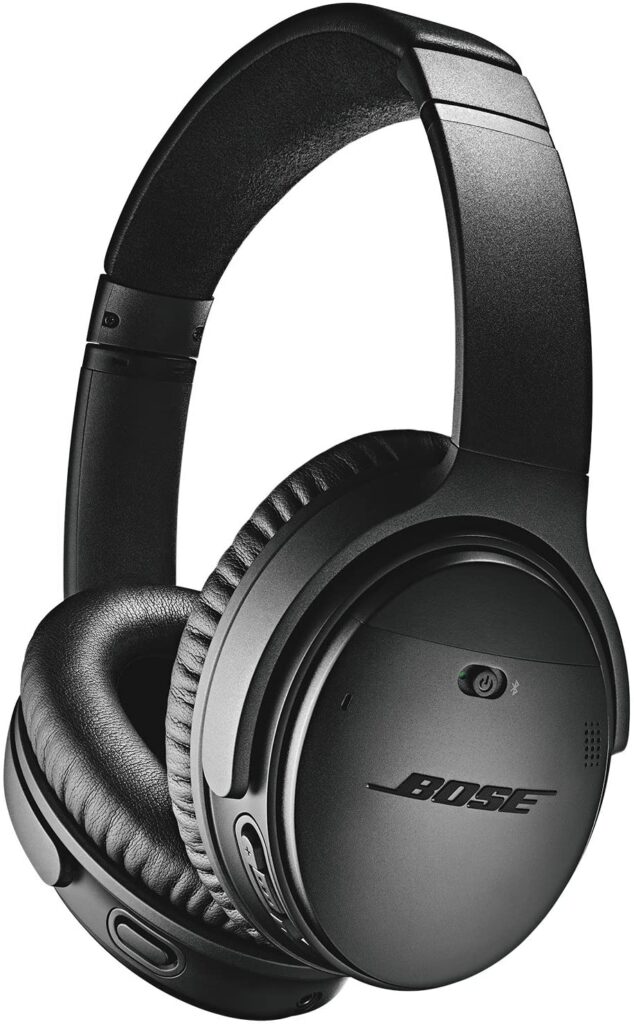
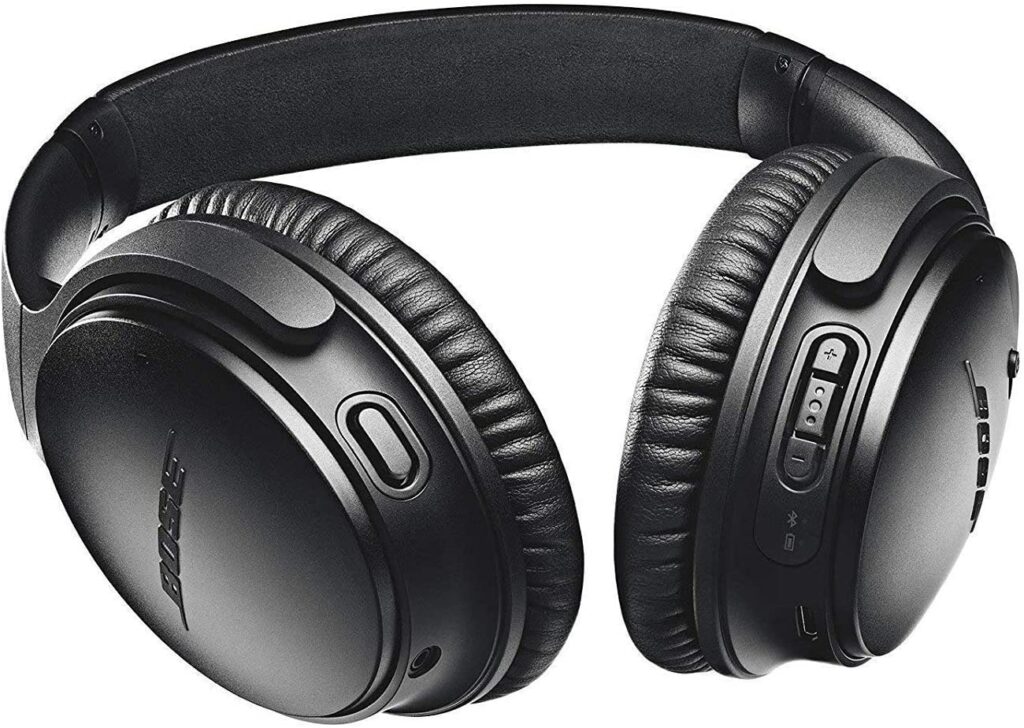
Bose is no stranger when it comes to wireless headphones. They’re one of the best and most well-known brands in the market. With that said, the Bose QuietComfort 35 II has a lot going for it. It’s packed with awesome features including world-class noise cancellation, rich and detailed audio performance, as well as a light and ultra-comfy design, thanks to Bose’s design for long-haul travel.
This pair of Bluetooth headphones may not be able to support the latest Bluetooth version, but they do more than make up for it with its other capabilities. Not only are these great for traveling and commuting, but they’re also pretty compatible with any TV setup that has support for Bluetooth.
These headphones also include a dedicated button for activating Google Assistant and Amazon Alexa, which will allow you to play music, answer trivia questions, and read your smartphone alerts at your command hands-free. As for battery life, you can easily get 20 hours of playback on a single charge with this model.
When you combine all of that with the QuietComfort 35 II’s excellent audio quality and noise-canceling features, you have a pair of headphones that will appeal to a wide range of people.
Sennheiser headphones don’t require flashy looks or gimmicky features to get your attention. After all, the company’s reliable reputation and products speak for themselves.
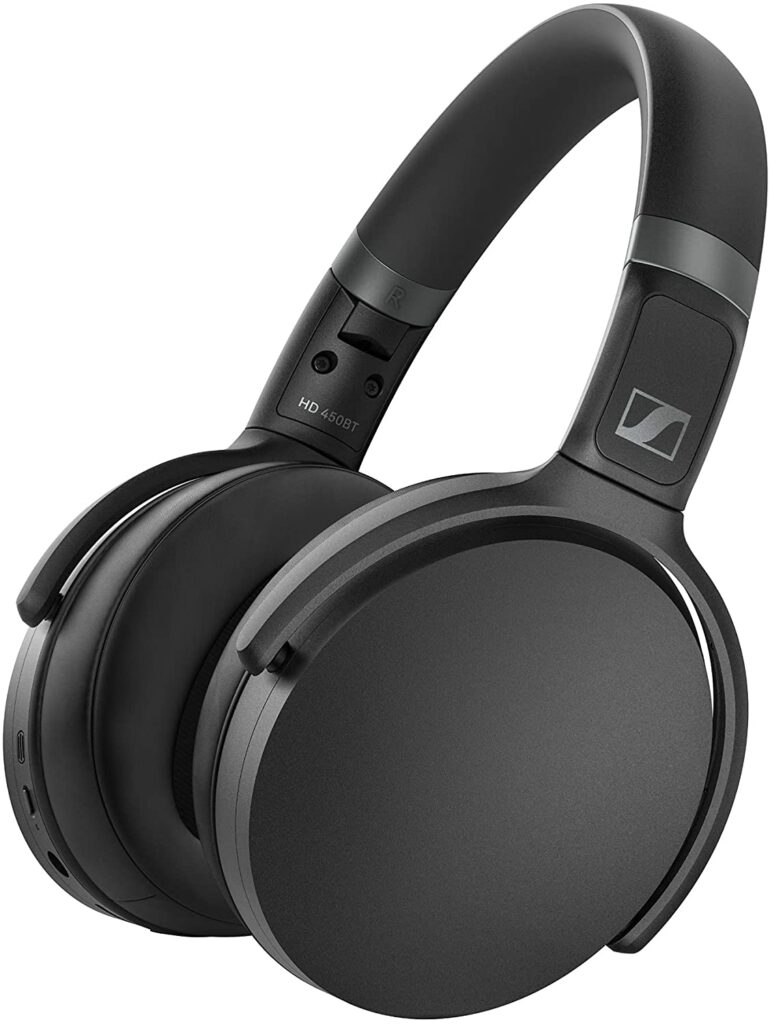
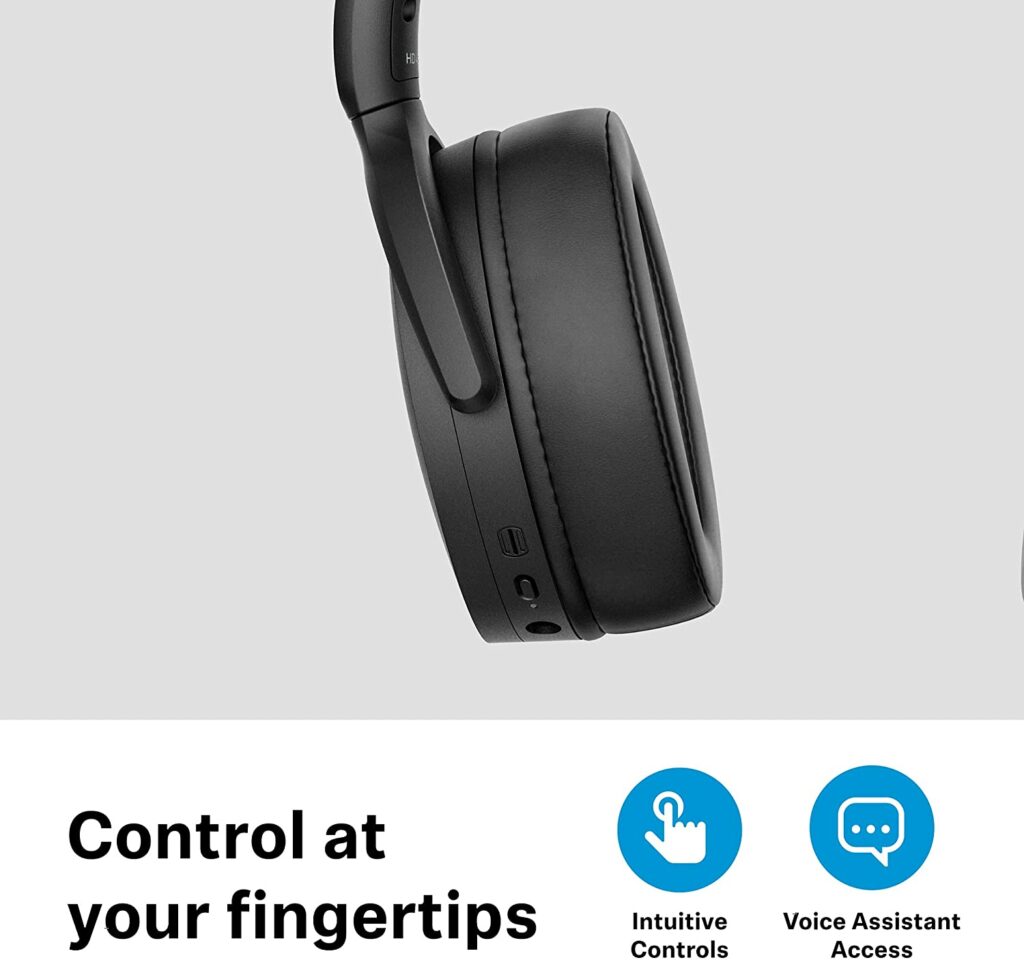
Since the invention of wireless and noise-canceling headphones, this particular German manufacturer has created great wireless and noise-canceling headphones, most notably the models in its legendary Momentum collection which already took a spot on this list previously. With that being said, don’t be fooled by the all-too-simple design of the Sennheiser HD 450BT.
While they lack the obvious transparency and simplicity of some of the most excellent noise-canceling pairs on the market, the HD 450BT headphones have a lot to offer you. Its top-notch features, such as remarkable 30-hour battery life and aptX Low Latency support, are far from standard in headphones at this price point. So you’re really getting a lot of value at such an incredibly low price.
Features & Specifications
Brand: Sennheiser
Dimensions: 6.1 x 2.6 x 7.6 inches
Item Weight: 0.52 lbs
Type: Over-Ear
Noise Cancelling: Yes
Built-In Mic: Yes
Battery Life: Up to 30 hours of battery life.
Pros
Amazing battery life that can last you for more than a day.
Whatever your reason for purchasing Bluetooth headphones for your TV, a little knowledge can go a long way when it comes to selecting the best pair for a home cinema-like experience. This will also help you avoid making any costly or unnecessary purchases. Trust me, returning or exchanging products is a type of stress you would want to avoid. So, if you’re looking for the best headphones for watching TV, here’s what you should know.
Form Factor
As you may be aware, headphones come in a variety of designs and sizes. Over-ear, in-ear, and on-ear headphones are among the most common and widely used varieties. I’ll go over the different sorts of headphones to help you decide which is best for you and make buying for your next pair less of a hassle.
Over-Ear
Because of their snug form, over-ear headphones are the best options when it comes to noise-canceling features. They have a high noise-dampening capability, allowing you to hear what you want while allowing outside noise to escape. They’re also incredibly pleasant to wear. Although this varies depending on the model and doesn’t pressure your ears the way in-ear and on-ear headphones do.
Because there is very little air circulation in or out of these headphones, you may sweat while wearing them. As a result, keep this in mind. This is also the heaviest pair of headphones in the group. This might not be the best solution for you if you’re searching for something more portable.
In-Ear
In-ear headphones are the most popular among the general population, and they have instantly become the go-to models on the market due to their simplicity of use and portability. Aside from that, these headphones travel further into your ear canal, allowing them to rest inside your ears. They go closer to your eardrums than other types of headphones, which normally rest on the ridge of your ears.
This type of design also allows for very minimal sound leakage. This implies that the sound is preserved in your ear while outside sounds are blocked. In-ear headphones usually come with a silicone or foam ear tip for added comfort and protection.
On-Ear
When compared to over-ear headphones, which are substantially better at filtering out external disturbances if noise cancellation is necessary, on-ear headphones are similar to open-back headphones in that they allow some sound from the surroundings to enter and exit.
This sort of headset is usually fairly comfy and does not make you sweat as much as over-ear headphones do. Because they sit on your ears, choosing a pair that is both comfortable and doesn’t put too much strain on your ears is essential. Otherwise, you may develop ear fatigue as a result of using them for long periods of time.
Noise Cancellation
Headphones that can isolate and reduce unwanted sound, whether active or passive, are quite popular. While some of you are being thoughtful of roommates or neighbors who may be disturbed by your television, others of you may desire headphones so you can enjoy your movie or show without being distracted by outside noises.
Not only that, but noise-canceling headphones benefit commuters, travelers, and even other sorts of professionals since they allow you to concentrate on what counts most: the sound. So, if you’re going to use your headphones for commuting or work aside from watching TV, make sure they have good ANC capabilities.
Additionally, certain headphones on the market may include an Adaptive Noise Reduction function. The noise-canceling intensity of your headphones is adjusted depending on the level of ambient noise. Take note, however, that this function is more commonly found in higher-end brands and models. If you have the money to spare, I highly suggest getting one that offers this.
Battery Life
The battery life of your Bluetooth headphones is another important fact to consider and something that shouldn’t be overlooked. When you’re doing a whole marathon of your favorite shows and films, the last thing you want is for your headphones to die in the middle of an important scene and cut your binge-watching short so you can charge the device.
To avoid such situations from happening, make sure that your device is always fully charged before the marathon and get a pair of headphones that has a beefy battery life to last you throughout the day.
Usage Outside Of TV Watching
Last but not least thing to consider is whether you’re going to exclusively use your Bluetooth headphones for watching TV or if you’re planning to use them for other activities as well. Such activities can include your usual music listening sessions, working out, gaming, or even for work and commuting to your office.
If that is the case, then finding a pair of Bluetooth headphones that can hold up well to those activities is pretty important. Now you’ll also have to consider the weight and size of your headphones for portability and comfort of use, opt for longer battery life so you won’t have to worry about plugging in your device when you’re outdoors, and so on and so on. Whichever activity it is, it’s best to not overlook this factor.
Conclusion
So that makes up our top picks for the best Bluetooth headphones for TV this 2021. To sum it all up, it’s best not to get engrossed in the smallest of details. There is no such thing as the “perfect” pair of headphones for viewing movies or TV shows. Everything comes down to your own personal criteria and what you’re looking to use it for. Personal preference, budget, media content, home setting, and listening habits will all play a role in your decision, so it’s best to prioritize which are most important to you and you can go from there.
Do you already own any of the listed headphones above? Did your favorite make it into our list? Let me know in the comments section below if you have any suggestions, questions, or insights to share regarding our list of the best Bluetooth headphones for TV this 2021. I would love to hear all your thoughts!
As technology continues to advance every day, finding the best gaming monitors now involve wading through a plethora of numbers and benchmark tests. In turn, this can make the process of purchasing and setting up your gaming PC incredibly difficult from time to time. While some gamers are more tech-savvy than the rest of us, gaming monitors and their technology have become increasingly difficult over time and can be stressful for the average user. With that said, a 1440p gaming monitor is a good place to start. They offer a higher resolution than a 1080p display and it’s also lighter on the wallet and less power-hungry compared to a 4K panel.
To help you out, I’ve written a guide today that will teach you how to pick the best 1440p gaming monitors for you in the market.
Before 1440p monitors appeared on the scene and quickly gained popularity as consumers discovered the higher image quality they can give, the most common display resolution in the gaming world was 1080p or Full HD. However, because of the significant boost in picture quality a 1440p screen can provide, more and more gamers are leaning towards this type of panel.
Keep in mind that not everyone has the same expectations or standards when it comes to gaming. Some of you may want to prioritize your games’ graphics so you can play them in their max settings. Others merely want displays that will help them to perform at their best with fast refresh rates and response time.
As a result, the discussion over the appropriate gaming display resolution becomes even more complicated. To make the 1080p vs. 1440p debate easier to understand, it’s better to look at individual components representing different resolutions. Running modern AAA games at 1080p is, for example, achievable even with lower-tier current-gen equipment. However, the resolution will be a little lower than a 1440p.
Meanwhile, a 1440p screen will obviously offer better and significantly crisper graphics. But keep in mind, the higher the resolution, the more power it’s going to need from your GPU. It won’t be as demanding as running games on 4K but this is something to keep in mind if you’re on a very tight budget.
With that in mind, if you’re still undecided about which of these displays to acquire for your PC, I’ve compared the two below in various categories to aid you in your selection.
Price Differences
When it comes to choosing between 1080p and 1440p resolutions, the price difference is usually the first thing that most people consider. And you should too. Especially if you’re being mindful of your budget. As you may be already aware, 1440p monitors are generally more expensive than their 1080p equivalents.
There are exceptions, of course. But when we compare the identical specifications and criteria between these two resolutions, 1440p displays are just generally more expensive. When higher refresh rates, like a 144Hz display or higher, are added to the mix, the price goes up. The same can be said about panel technology too.
The most expensive panels are OLEDs. These types of screens will usually hit the thousand-dollar mark. Then, this is followed by IPS and VA panels, and finally TN panels. However, if you’re aiming for an OLED display to get those gorgeous deep blacks, you might be disappointed to know that there is currently no 1440p display on the market that employs an OLED panel.
Anyway, if you’re on a strict budget and want to save money, 1080p displays can be the way to go. If you’re ready to spend a little more, 1440p monitors with a quick refresh rate and low latency are your best options.
A 60Hz 1440p TN panel that performs well can easily outperform a 1080p 60Hz TN panel. For competitive gaming, though, regardless of resolution, it makes more sense for you to have the monitor with the highest refresh rates and response times you can get your hands on.
Gaming Performance
I’m pretty sure you don’t need me to tell you that the higher the resolution, the more power your PC’s GPU and CPU will be required to support it. As a result, your 1440p display may have a negative influence on performance. Unless you have the requisite hardware, games on your 1440p display will not run as smoothly as games on a 1080p panel.
Simply put, running games at 1440p resolution will result in lower frame rates. When compared to a 1080p display, the GPU will have to do a lot more work to drive a 2K display. Maintaining 60 frames per second at 1440p is more challenging than maintaining 60 frames per second at 1080p for your GPU.
But if you have a graphics card that can push 2560 x 1440 resolution at decent frame rates, then you have nothing to worry about. In any case, don’t let this discourage you. While 1080p may be good enough for some of you, once you get a taste of what a 1440p display can deliver, there’s no going back and I promise you, it’s all worth it.
A display’s pixel density is the number of pixels per inch (PPI). It indicates how many pixels are visible on each square inch of the display. The image will be more detailed if this number is higher.
As a result, boosting the resolution to 1440p greatly increases the PPI, resulting in crisper details and sharper images. The primary difference between 1080p and 1440p monitors is this. If the display size remains constant, 1440p will always be crisper. With this in mind, 1440p allows you to increase the size of your display without losing any clarity.
On the other side, smaller screens look best with 1080p. If you go any bigger than 24 inches, you’re going to start noticing some pixelation, which degrades the clarity of the stuff you’re watching or playing. However, 1440p panels allow you to use a much larger monitor while preserving its appropriate sharpness.
In competitive gaming, having better graphics can sometimes be crucial so you can see clearly even the smallest of details so you don’t miss out on anything. The same thing can also be said if you play a lot of open-world games. A monitor with a higher resolution will provide better immersion, picture quality, and an overall better gaming experience.
So if you want to maximize the graphics of your game and appreciate every tiny detail with a bigger display, then a 1440p monitor would be best suited for you.
If you’ve already decided that a 1440p monitor is for you, here are some things to keep in mind before you make a purchase.
Screen Size
Taking into account your available space and gaming desk is usually important when choosing the size of your monitor. Furthermore, when weighed against the potential benefits of larger screens and greater resolutions, gaming on a 27-inch or 32-inch screen with 1440p resolution is ideal for a variety of reasons. Not only are these screen sizes suitable for the majority of setups, but 1440p is crisper than Full HD and places less strain on graphics than 4K panels.
Refresh Rate
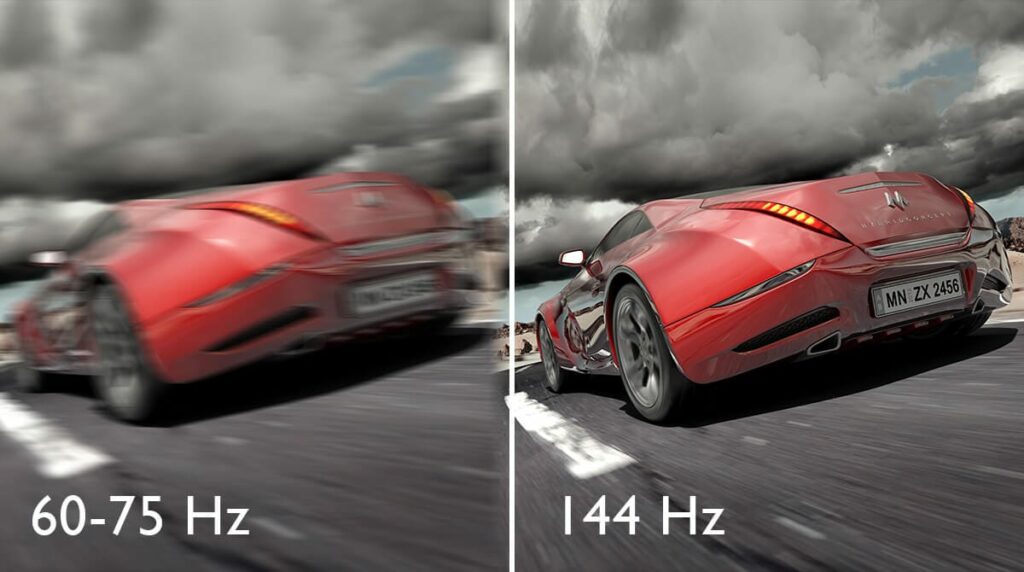
The refresh rate is the number of times the monitor will refresh the screen every second, in case you didn’t know. It’s better if the number is higher. Higher refresh rates benefit gamers by guaranteeing that what you see on the screen is in real-time with what is happening on the computer.
For gaming, a minimum of 60 Hz is suggested. If you’re competitive or primarily play first-person shooters, a 144Hz monitor may be worth considering. Although 60 Hz is widely considered to be the absolute minimum, some 144 Hz displays are now available and highly recommended. If you can go even higher than 144Hz, then that’s even better.
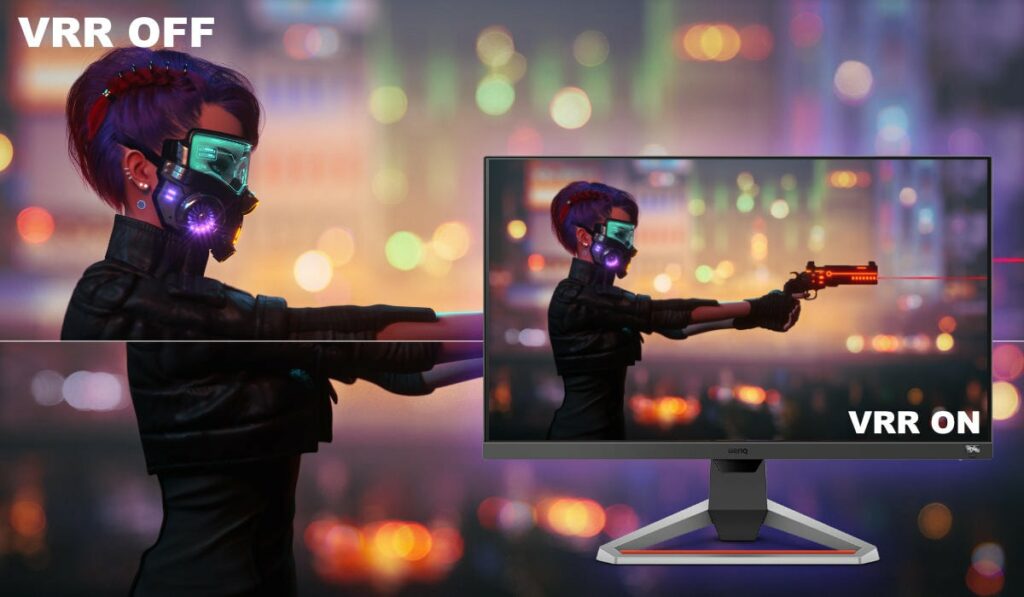
The screen tearing occurs when the monitor displays a piece of one frame and the following frame at the same time. When the sync is disrupted, the image looks to be split, which you’ll notice. This happens because displays are configured to run at a given refresh rate and aren’t always clear what to do when the frame data they receive changes from the specifications they’ve set.
Fortunately for us, AMD and NVIDIA developed adaptive sync, or variable refresh rate solutions. This allows monitors to maintain smooth playback even when graphics cards produce non-standard frame rates. G-Sync is NVIDIA’s technology, while FreeSync is AMD’s. Both are good in preventing tearing, but only when used with suitable gear.
Response Time
The response time in a gaming monitor is the time it takes for each pixel to transition from one image to the next. The time it takes to go from one shade of gray to the next is usually measured in milliseconds (ms). For gaming, sub-5 milliseconds is excellent, but 2 milliseconds or perhaps 1 millisecond is much better.
A slower response time can cause motion blur or ghosting since the monitor can’t keep up with the game amid high action. At all times, a high refresh rate combined with a short response time will offer a nice, crisp image. These are the features that set a gaming monitor apart from a non-gaming panel.
Conclusion
Now that we’ve finished discussing the basics of what you should know when buying a 1440p gaming monitor, you’re now ready to go shop for your next display. I hope my buyer’s guide was able to help you out and you find one that works for your setup well.
Have you already bought your own 1440p monitor for gaming? Was our buyer’s guide on the best 1440p gaming monitors helpful? Let me know in the comments section below if you have any suggestions, insights, or questions to ask. I would love to hear all your thoughts!
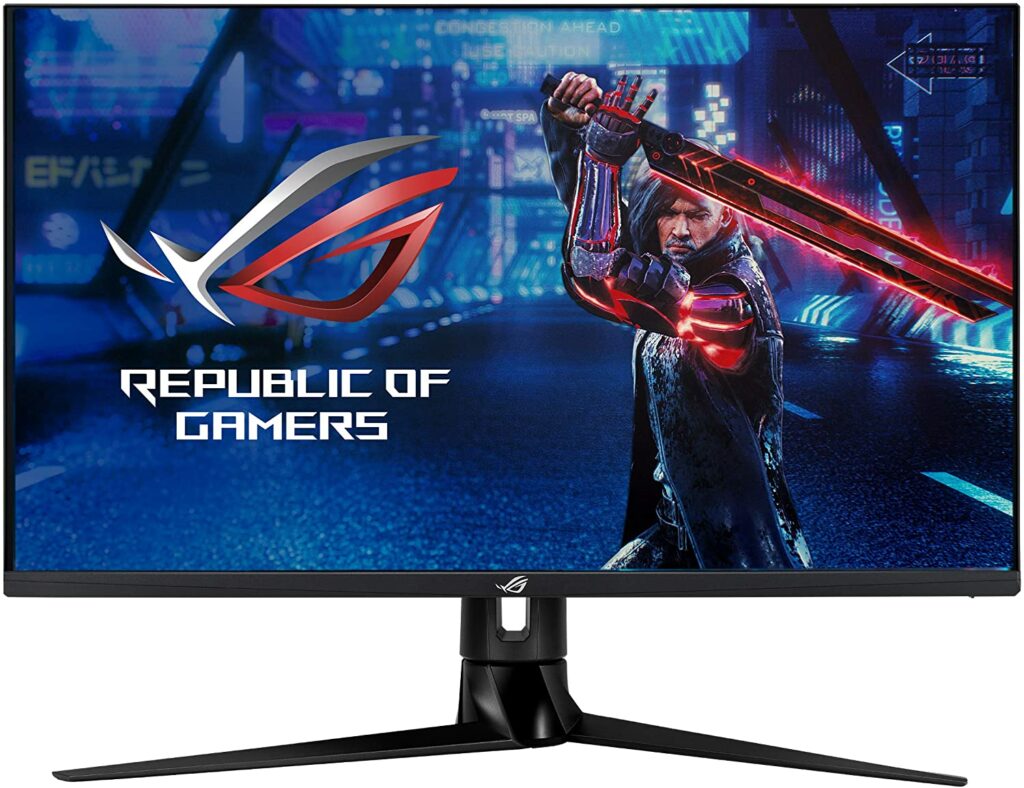
With more and more people aiming for a higher resolution than 1080p for gaming, 1440p displays slowly dominate the market. As manufacturers continue to pump out their best 1440p monitors, finding the one that will suit your gaming setup the best can be a struggle. To help you out, let me introduce to you the Asus ROG Swift PG329Q.
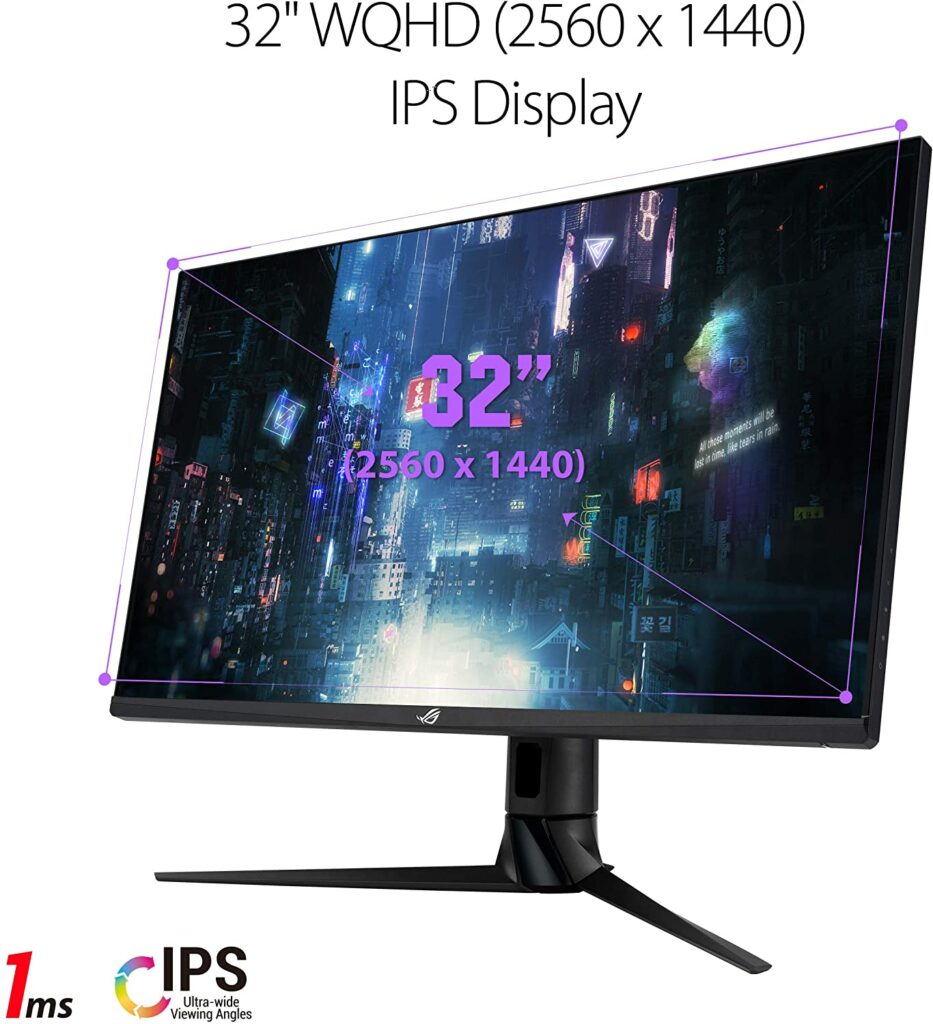
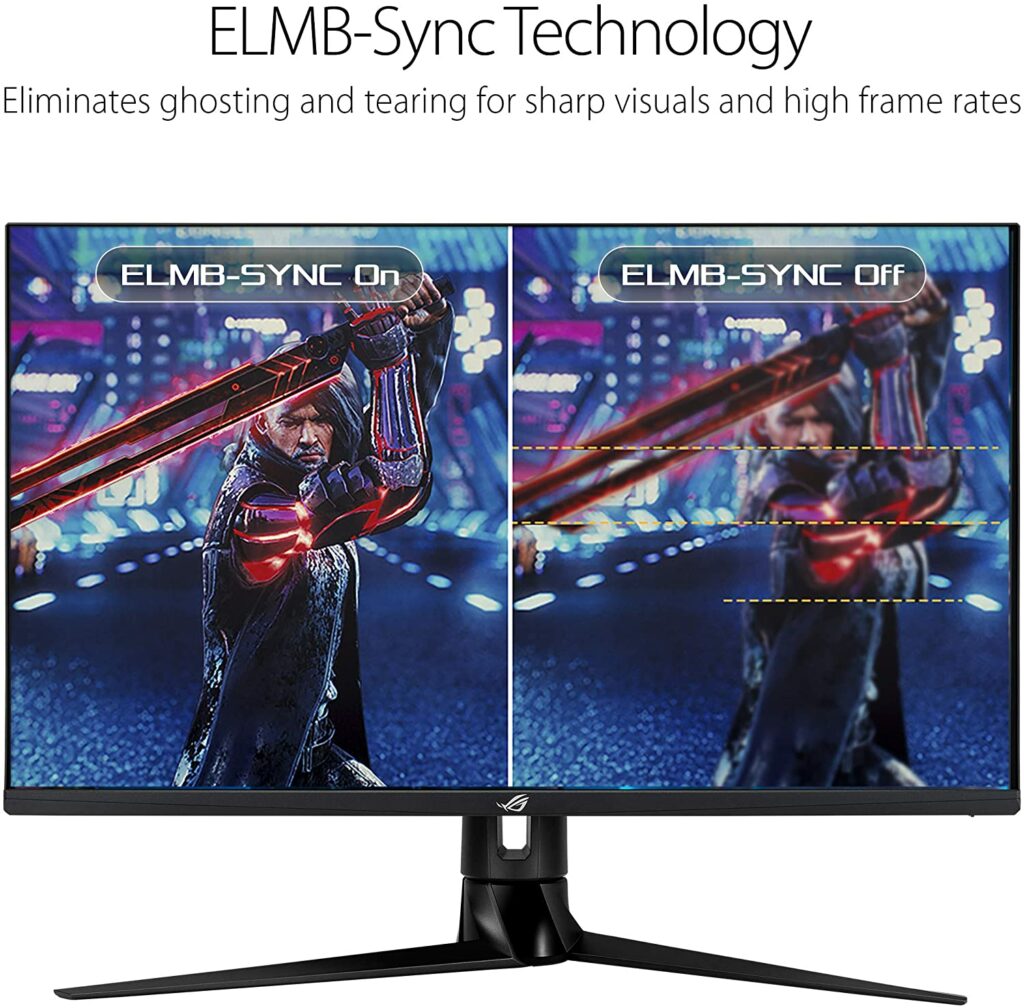
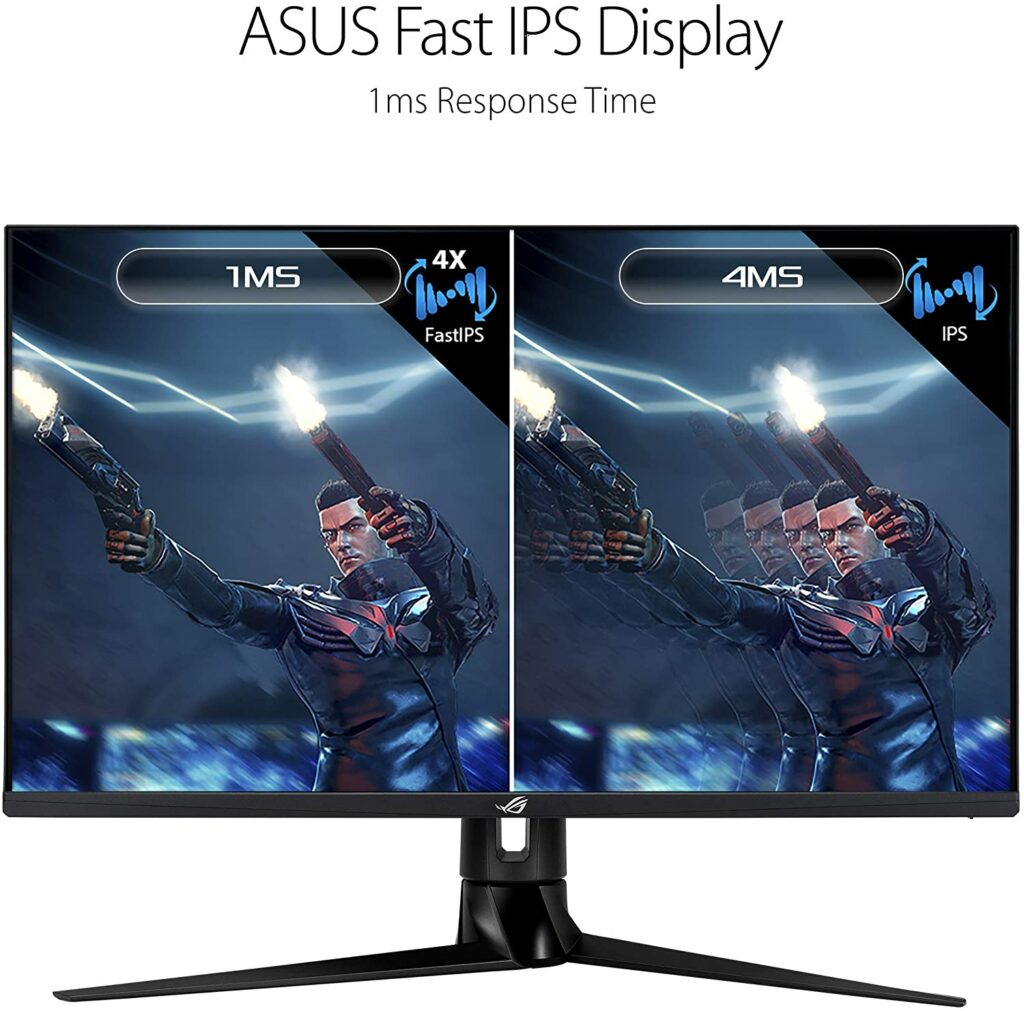
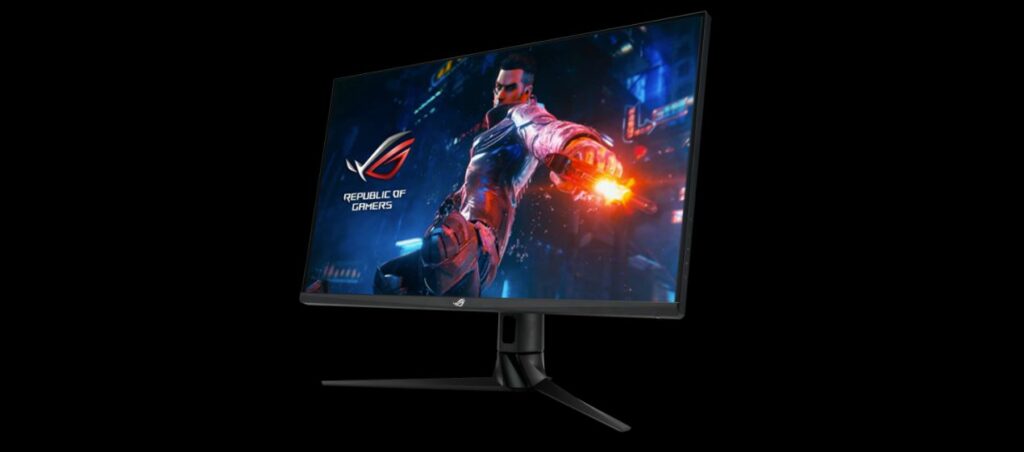
This particular gaming monitor is one of the newest gaming displays from ASUS’ Republic Of Gamers lineup. It boasts a 1440p 32-inch display with lightning-fast 1ms response times, as well as ASUS’ unique ELMB-sync, which enables simultaneous Motion Blur Reduction and Variable Refresh Rate usage. With that being said, is the Asus ROG Swift PG329Q what you’re looking for? Find out in our review below.
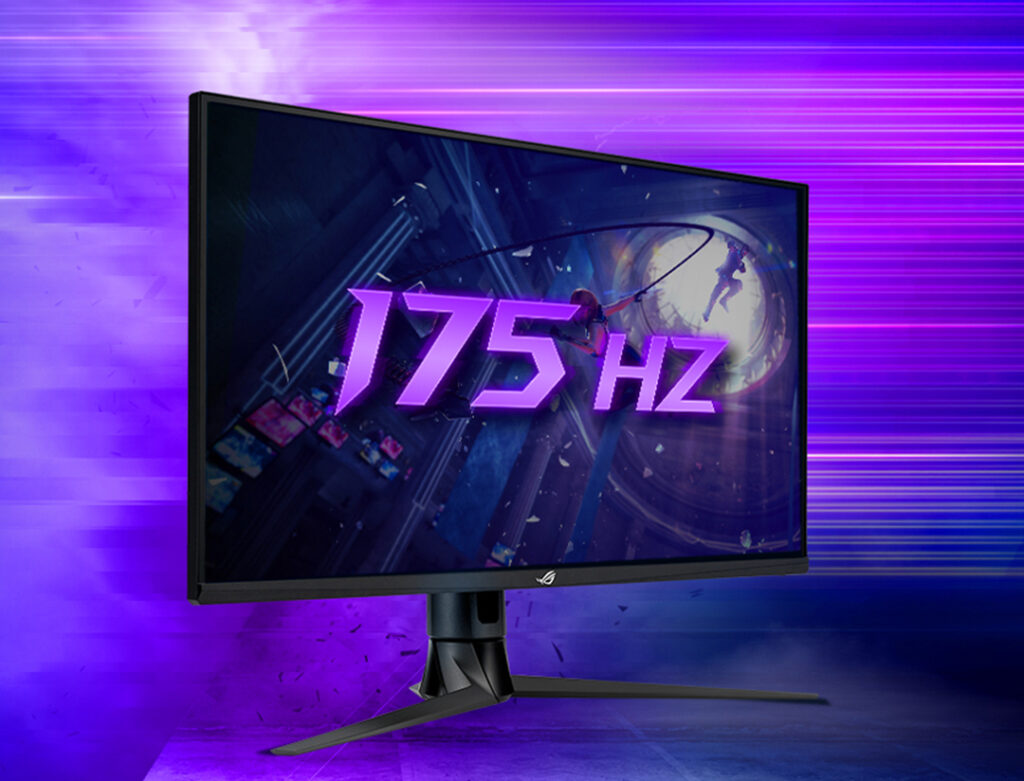
The Asus ROG Swift PG329Q, which has an AU Optronics screen, is without a doubt one of the best 1440p gaming monitors available. It’s a 32-inch 1440p 175Hz monitor with G-SYNC compatibility and handles most tasks admirably.
Response times at 175Hz are less than 5ms on average, leading to exceptional motion clarity. Meanwhile, the availability of variable overdrive ensures that gaming performance remains stable across the refresh range.
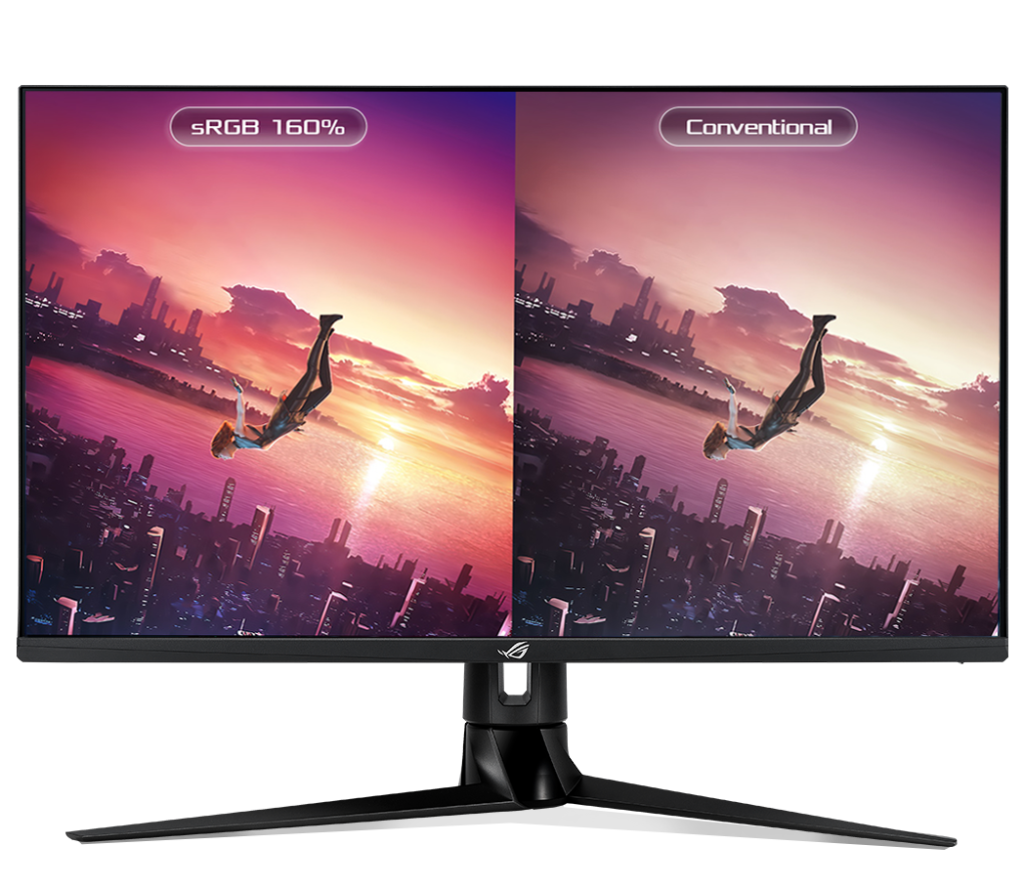
For a clean image, Asus includes backlight strobing in this single overdrive setting, and it even works with adaptive sync enabled, but not always with the best results when compared to a static refresh rate. In terms of visual quality, we also get all of the advantages of AU Optronics’ current generation IPS panels. An extraordinarily wide color range, as well as great viewing angles and uniformity, are among the features.
Because the contrast ratio isn’t as good as some of the other gaming monitors on the market, it’s not as good for gaming in low-light circumstances. However, the Asus ROG Swift PG329Q is a fantastic choice with a wide range of features and performance that will surely satisfy a lot of gamers.
Unsurprisingly, just like with any ROG product, the Swift PG329Q is the type of gaming monitor that screams the usual “gamer” aesthetic. The overall design has a lot going on. It sports a really chunky stand that has a dramatic twist at the bottom as well as asymmetric legs. The monitor boasts a brilliant RGB illumination and is compatible with Asus’ Aura Sync for synchronization with other compatible peripherals.
From the asymmetric legs of the stand to the bezels that frame the screen, everything is matte black. It’s a couple of centimeters thick on the bottom and a couple of millimeters thin on the sides. But the real highlight of this gaming monitor’s design is what you’ll find on the back.
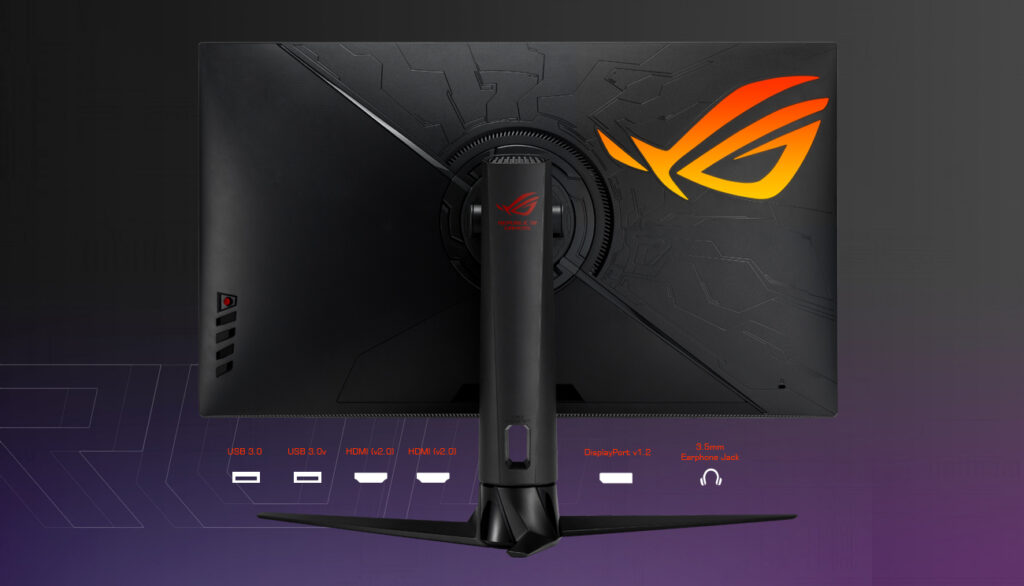
The two sections of the monitor’s back are separated by a sweeping diagonal, with one side having textured diagonal lines and the other filled with intricate lines to give it a futuristic effect with the huge, glowing ROG logo sitting on the upper right corner of the monitor.
Whether this is a good or bad thing is completely up to you. Some gamers like a very bold and unique design to their gaming setups to dazzle anyone nearby, while others love a more toned-down or minimalistic approach.
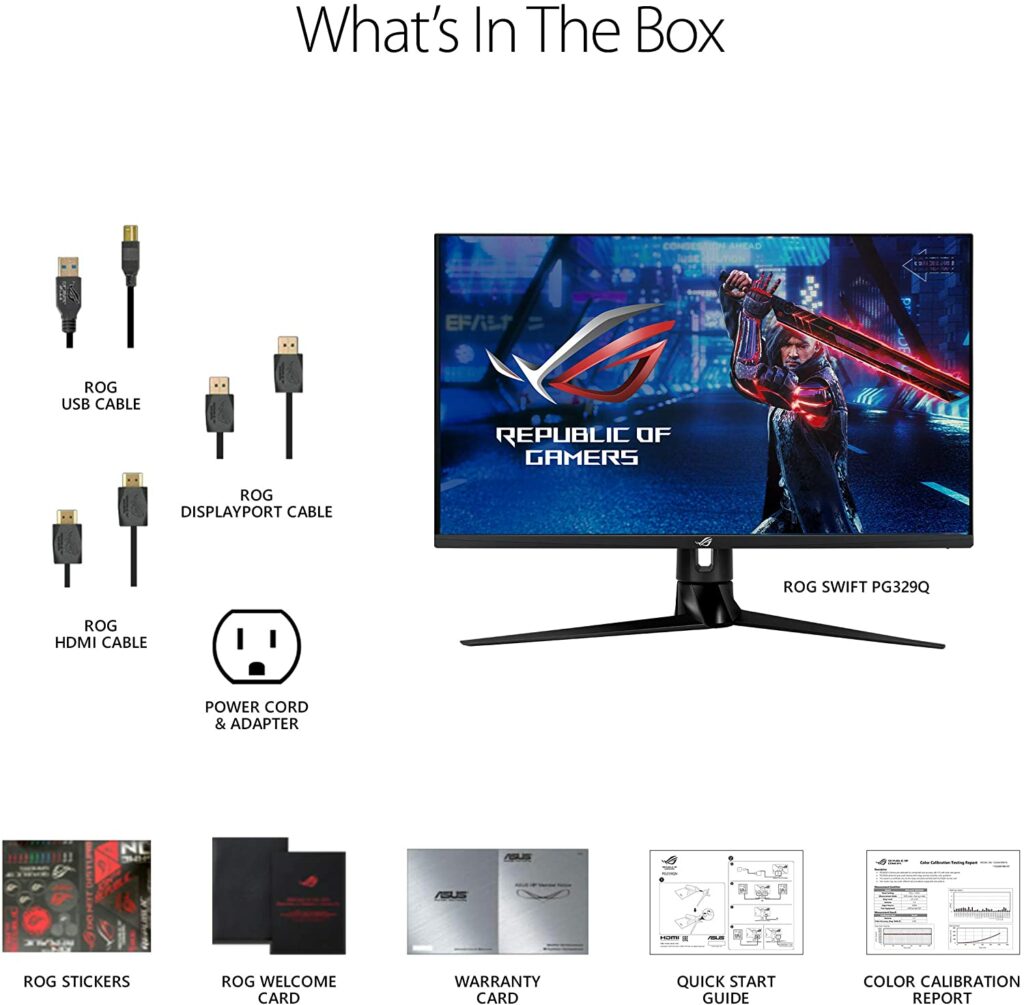
However, if you’re the latter and you really want this model, the bold design on the back will easily be covered anyway if you place this against the wall. The glowing light from the logo is barely noticeable too. When it comes to cable ports, the ASUS ROG Swift PG329Q features a good selection. There’s one DisplayPort 1.2, two HDMI 2.0 inputs, two USB 3.0 ports, and a headphone jack.
That’s not too shabby and should satisfy most gamers. However, knowing that more people will use these displays as USB hubs, USB-C inputs would have been greatly appreciated if it was included in the hardware. Not to mention, seeing a DisplayPort 1.4 adapted to this monitor will also be a really good addition.
Features
Asus is quite known for packing a lot of features into its products, and the ROG Swift PG329Q is no exception. A built-in crosshair and time, an FPS counter, a sniper mode (which zooms to a tiny area of the display), a plethora of genre-specific image quality preset, Shadow Boost, and Aura RGB backlighting are just among the many gaming-focused features this gaming monitor offers.
Of course, this isn’t a bad thing at all. Lots of gamers will surely appreciate this fact and benefit from it as well. Especially gamers who are very into competitive shooter games, you’ll certainly enjoy these features. If you want to enhance visibility and situational awareness, a crosshair, zoom, timer, and black equalization make for a great configuration.
The PG329Q also offers a number of fine-tuned image quality options. Three particular gamma settings, three hazy color temperature presets, and the ability to adjust RGB color and overall color saturation are all included. This is fine for a gaming monitor, but if you’re a content creator who’s looking to use this for both work and gaming, this might not be enough for you.
Furthermore, the on-screen menu of the monitor is controlled via a joystick. It’s accompanied by four tactile buttons tucked away on the right flank. Apart from the on-screen menu, the buttons aren’t labeled, but they’re large enough that I rarely press the wrong one.
The Asus settings are also pretty simple to follow and configure despite the sheer number of options that may be overwhelming to certain gamers. For most games, the default settings are sufficient, so casual gamers won’t need to spend a lot of time navigating and customizing the menus.
Performance
When it comes to gaming performance, Asus ROG has definitely knocked it out of the park with the PG329Q. It produces a bright image that mainly relies on the wide color range and excellent color accuracy of its sensor. In games like Genshin Impact, which relies largely on bold color and dazzling presentation, you’ll surely appreciate the quality this gaming display provides.
The monitor’s resolution of 2,560 x 1,440 which is ideal for PC gaming. It delivers a higher resolution than your regular 1080p, but it also doesn’t have the ultra-sharp image of a 4K gaming monitor. However, 4k gaming on a PC is not really necessary especially with a 32-inch monitor and you’re going to need a very powerful GPU that can handle that much load anyway.
Apart from that, you might not really notice the difference in the most recent games. Especially if the display is more than three feet away from you if the game has a good anti-aliasing feature. So if you’re on a limited budget, this 1440p display is a good balance between 1080p and 4K.
The color performance of the Asus ROG Swift PG329Q is also very good. It’s a wide color gamut display and it can compete with some of the best professional monitors in terms of color accuracy, and it even offers real 10-bit color.
Our Least Favorite Things
Contrast Ratio
While the ROG Swift PG329Q is quite excellent in its own feat, the contrast ratio on this display was pretty disappointing. IPS monitors are notoriously bad at this, but the PG329Q is particularly foggy and bright when rendering situations that should be dark and ominous. This is bad news for games that strive for very realistic visuals. Depending on the game, some scenes may appear blurry and foggy as well.
The PG329Q relies on brightness to convey a sense of contrast and depth because of its weak black levels. It looks fantastic in bright outside scenes, such as those featured in many open-world games, but it falls short once the environment gets darker.
In A Nutshell
Now that we’ve discussed what we liked and disliked about the Asus ROG Swift PG329Q, here’s a narrowed-down list of the good and the bad with this 1440p gaming monitor.
Pros
Incredibly low latency.
Fast response time.
Overall excellent gaming performnce.
Cons
Contrast ratio is just average.
Not the best gaming monitor to use for dark room gaming.
Our Final Verdict
All in all, the Asus ROG Swift PG329Q is a terrific gaming monitor with a lot of pros and one major con. Games that rely on shadows for depth or have a lot of dark scenes may be suffocated by this display’s weak black levels. However, if graphics aren’t that important to you and you would rather prioritize a monitor’s responsiveness, fast refresh rates, and intuitive gaming features, then this is a solid display to consider for your PC setup.
Have you already bought your own 1440p monitor for gaming? Did you get the Asus ROG Swift PG329Q? Was our review on this monitor helpful? Let me know in the comments section below if you have any suggestions, insights, or questions to ask. I would love to hear all your thoughts!
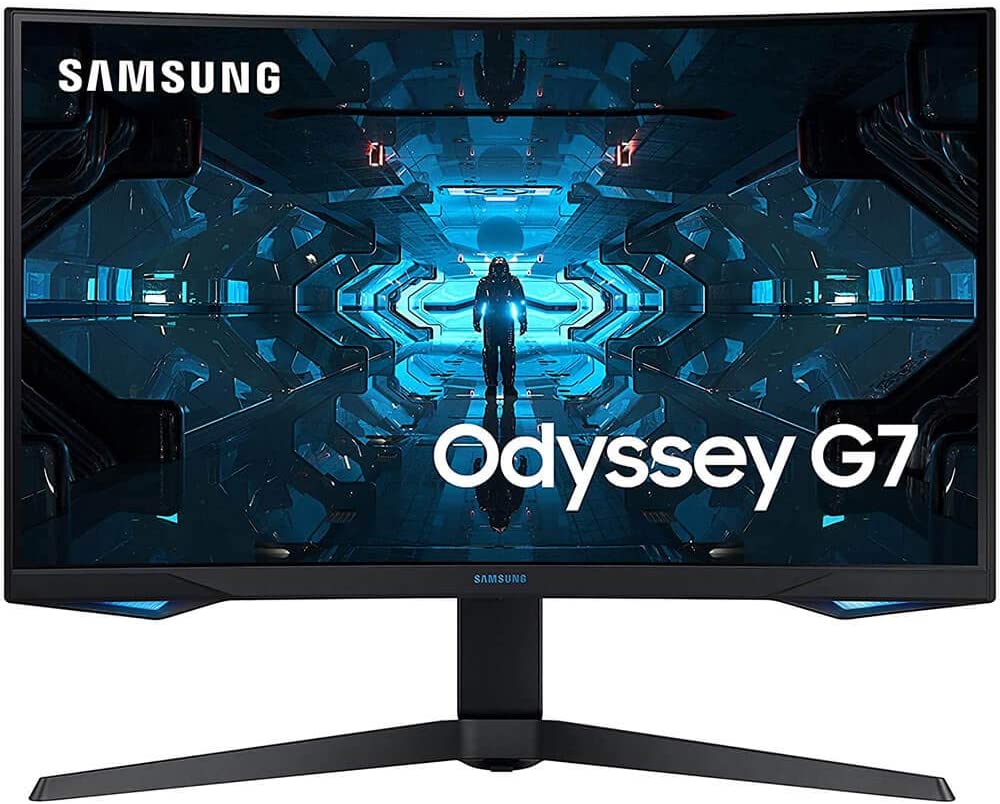
Whether you’re looking to upgrade from your 1080p monitor or shopping for the first time for your gaming PC setup, it can be quite difficult to find a model that’s going to check all the right boxes in your criteria. A high refresh rate usually means a lesser resolution of 1080p, sometimes the model you want is out of your budget, or you might have to settle with a smaller screen, or even a cheaper TN panel. Enter the Samsung Odyssey G7. This amazing gaming monitor voids all of these tradeoffs by running at 240Hz on a 32-inch curved 1440p VA panel. If you’d like to find out more, just keep scrolling to read our full review below.
The Samsung Odyssey G7 is without a doubt the best 1440p gaming monitor with native FreeSync compatibility on the market. It comes in three sizes: 27″, 28″, and 32″, so you may choose the one that best meets your gaming demands. Although all three sizes operate similarly, they all have the same native resolution. So you can expect the larger units to have lower pixel density and sharpness.
Its refresh rate is lightning fast, resulting in incredibly crisp motions; it’s also incredibly consistent, delivering nearly identical results at lower refresh rates, which is ideal for console gamers; and it has very little input lag, resulting in a very smooth gaming experience. This model supports variable refresh rate technology out of the box, but it’s also G-SYNC compatible, making it a versatile monitor.
While the high contrast ratio is excellent and makes this model perform well even in darker environments, it comes at the expense of limited viewing angles. When viewed from the side, this may cause images to appear washed out. This is something to keep in mind if you play a lot of co-op games.
On the plus side, it has a number of extra features, such as two USB 3.0 ports and a Picture-in-Picture mode that allows you to display data from two different input sources at once. Overall, this is an excellent gaming monitor that will appeal to both casual and hardcore gamers.
Features & Specifications
Brand: Samsung
Available Sizes: 27, 28, 32 inches.
Dimensions: 7.37 x 27.96 x 17.29 inches
Screen Size: 31.5 inches
Screen Resolution: 2560 x 1440 pixels
Max Refresh Rate: 240Hz
Response Time: 1ms
Variable Refresh Rate: FreeSync
Pixel Type: VA
Screen Surface: Curved
Inputs: 2 DisplayPort 1.4, 1 HDMI 2.0, 2 USB 3.0, 1 Analog Audio Out 3.5mm
What’s In The Box
Power brick and cable
DisplayPort cable
HDMI cable
Cable management clip
VESA-mount adapter
Manuals
Check Out Samsung’s Preview Of The Odyssey G7 Below.
In terms of looks and design, the Samsung Odyssey G7 certainly nailed it out of the park. It’s nothing new from Samsung and if you’ve been keeping up with their recent releases of monitors, this appears to sport a similar aesthetic. But that doesn’t mean it’s not worth appreciating.
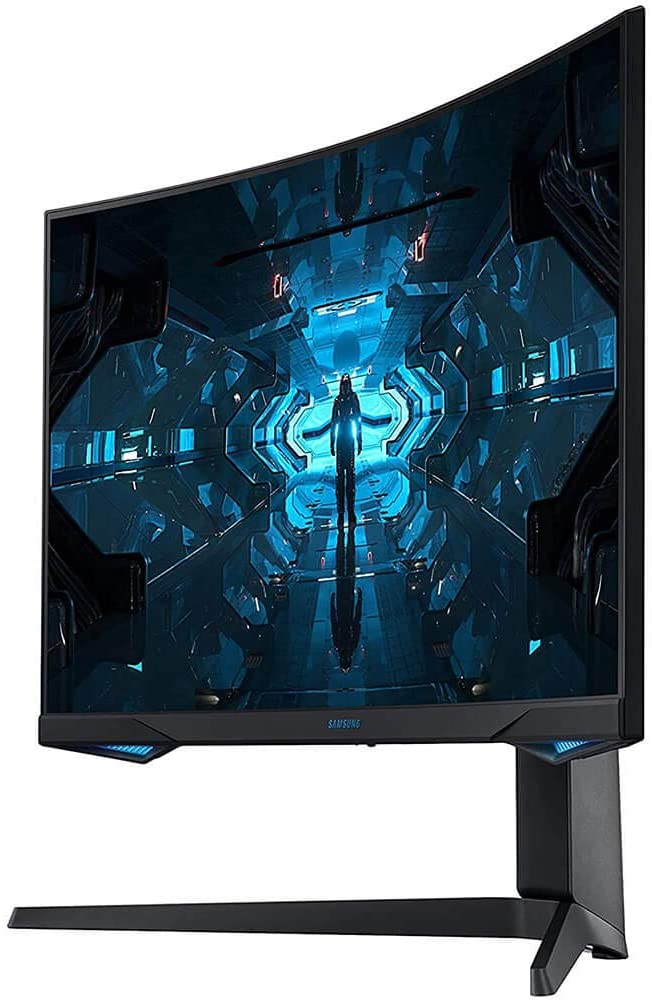
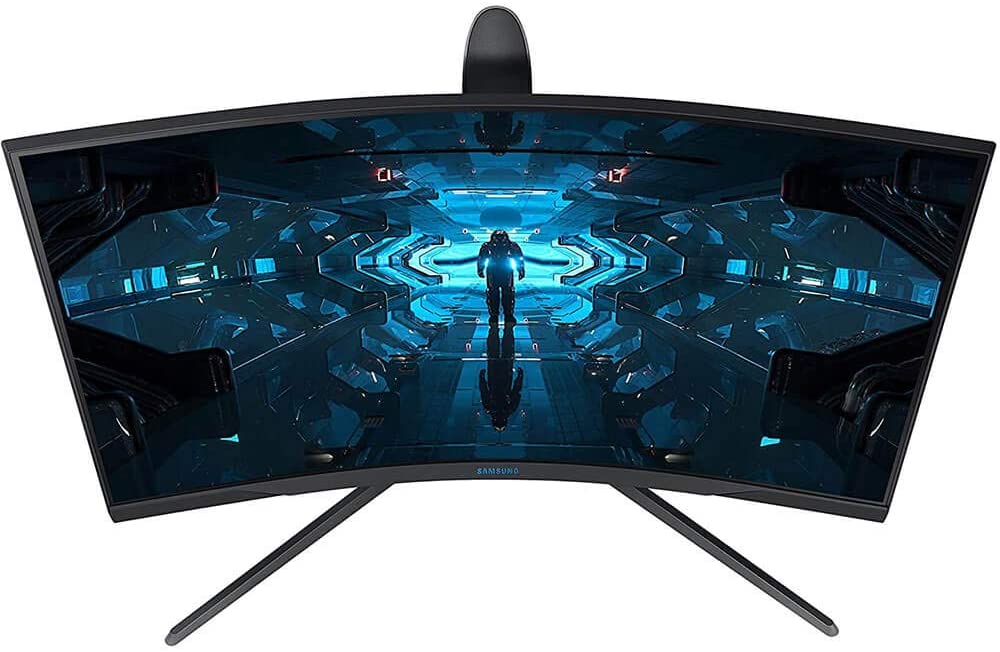
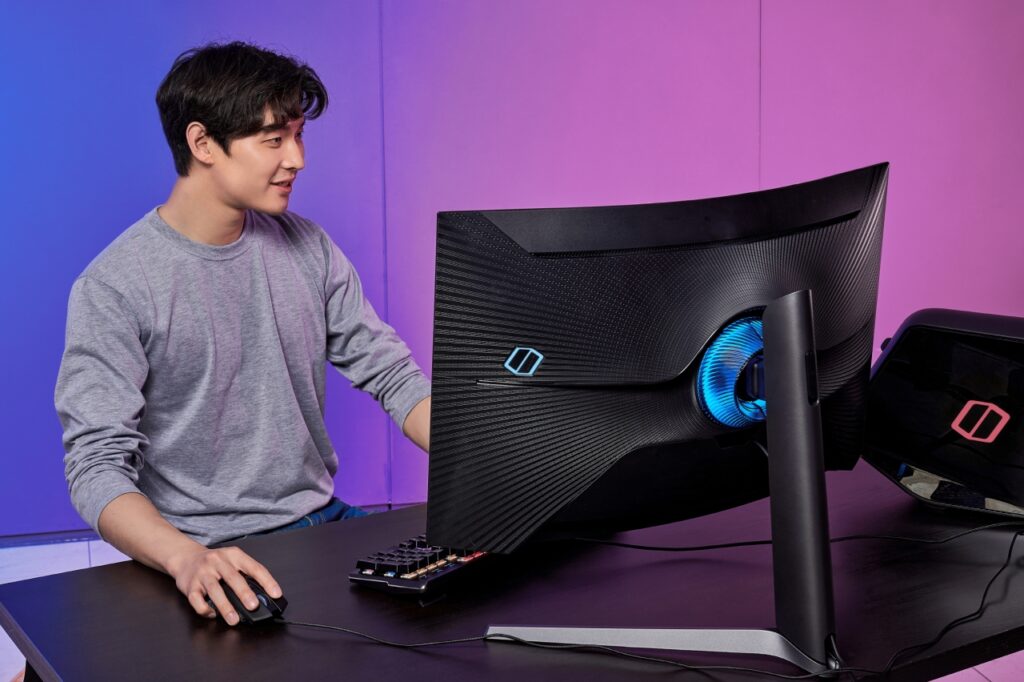
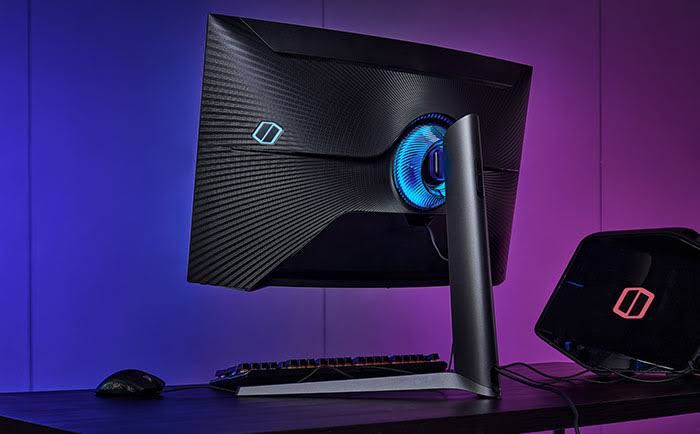
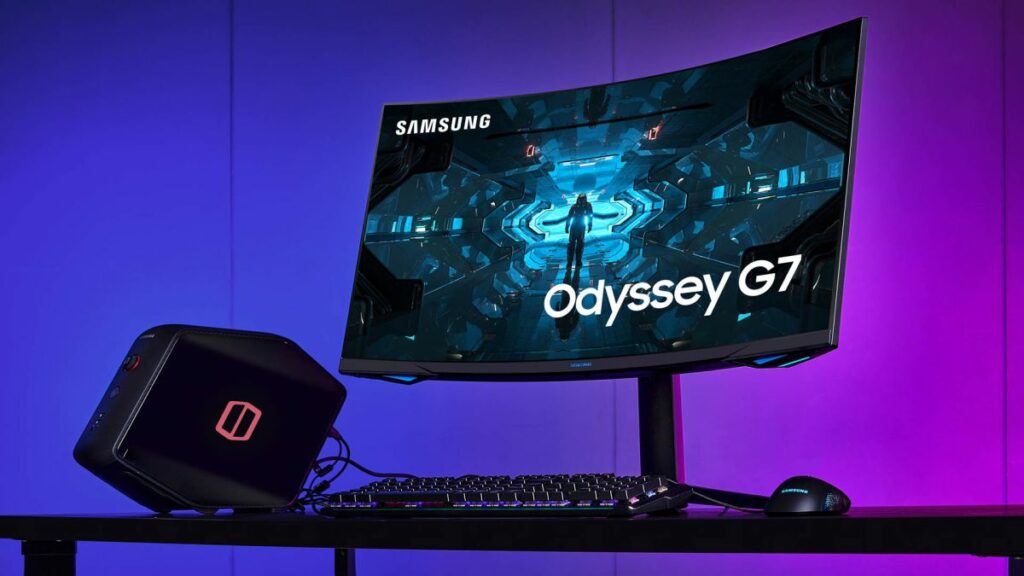
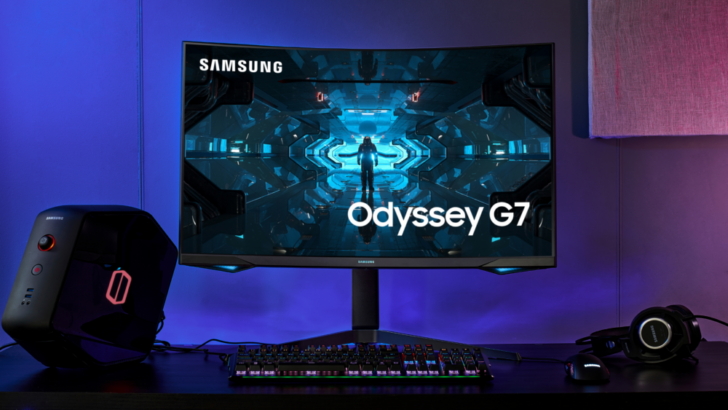
This model has almost frameless bezels with an extremely curved surface that just adds to the clean and sleek aesthetic while you can also see a two-legged stand that allows for height, tilt, and swivel adjustments as well as some front-facing LED lighting at the pivot point to protect you from any glare.
It also has a touch of lighting along with the bottom bezel, which gives it a bit more of a gamer vibe than other Samsung monitors you might come across. However, keep in mind that doesn’t have as many color options as your traditional RGB gear, and it won’t sync with your PC’s lighting, but it has enough colors for you to mix and match.
Aside from that, the style continues around the back with a variety of elegantly flowing lines that nicely highlight the curve of the panels. There isn’t a single straight edge insight. With its turbine-like texture, the pivot ring looks to be moving. The monitor looks super-clean if you attach the input cover and route your cables through the upright.
While the Odyssey G7 is definitely a good-looking piece of hardware, take note that this is also a pretty bulky product. So make sure that you have an ample amount of space on your desk to set this up. The two-legged stand takes up quite a bit of real estate so it’s best to keep this in mind too before buying this.
Performance
When it comes to its overall capabilities, the Samsung Odyssey G7 is as good as it gets in the 1440p market. The extreme curvature of the Odyssey G7 is a huge plus, not only for gaming but also for your everyday use. While the screen ratio might cover more of your peripheral vision, the perfect height of a 32-inch monitor will really draw you in and provide a more familiar shape for your daily duties.
Documents can be positioned in the center of the screen, with utilities to the sides to help you multitask easier. In a word processor, you may view the entire page, or have as many as 60 rows in a single spreadsheet. If you’re worried about image distortion of any kind, the G7 didn’t have any issues at all with that.
With most games, frame rates were adequate, and when combined with the quick panel response, motion and input latency were completely absent. Even if you sat 2 feet away, you won’t be able to see the pixel structure. The image details, such as textures, were improved by Samsung’s superb contrast and perfectly saturated color.
The HDR was also a unique experience. With efficient selective dimming, Samsung’s ultra-curved monitor performs admirably in HDR. It’s a wonderful monitor for playing games late at night in a dark room because it features a VA panel, which has deeper black levels than IPS displays. It did, however, fall short when it came to its contrast ratio. But because of the 600-nit peak brightness, blacks were deep and well-detailed.
Our Least Favorite Things
Viewing Angles
The viewing angles, like those of most VA panels, were not great, which can be a pain depending on how big your monitor is. Despite the extraordinarily deep curve, it was difficult to get the top and bottom of the screen to look the same on this 32-inch unit, and the sides never exactly aligned up.
However, if you’re only intending to use this monitor for your regular work chores or some casual gaming, this shouldn’t be an issue or a deal-breaker. If you play a lot of co-op games, though, you should look for a 1440p display with better viewing angles.
In A Nutshell
Pros
Incredibly low input lag.
Fast response times.
Terrific contrast ratio, providing deep blacks.
Picture quality is decent even for dark room gaming.
Supports FreeSync and is GSYNC compatible as well.
Cons
Viewing angles could be better, not the best for co-op gaming.
Our Final Verdict
Overall, the Samsung Odyssey G7 finds the sweet spot for gamers who are looking for the best gaming monitor they can get their hands on without having to settle for a lower 1080p resolution and at the same time, not having to break the bank by splurging on a 4K display with lower refresh rates.
This boasts a native 240Hz refresh rate, FreeSync support, while also being G-SYNC compatible. The response time at its maximum refresh rate and at 60Hz are both excellent, resulting in little to no blurring. Because of its restricted viewing angles, it’s not ideal for co-op gaming, although the picture quality does provide deep blacks, making this ideal for some darkroom gaming.
Have you already bought the Samsung Odyssey G7? Or are you still contemplating it? Was our review helpful? Let me know in the comments section below if you have any suggestions, insights, or questions to ask. I would love to hear all your thoughts!