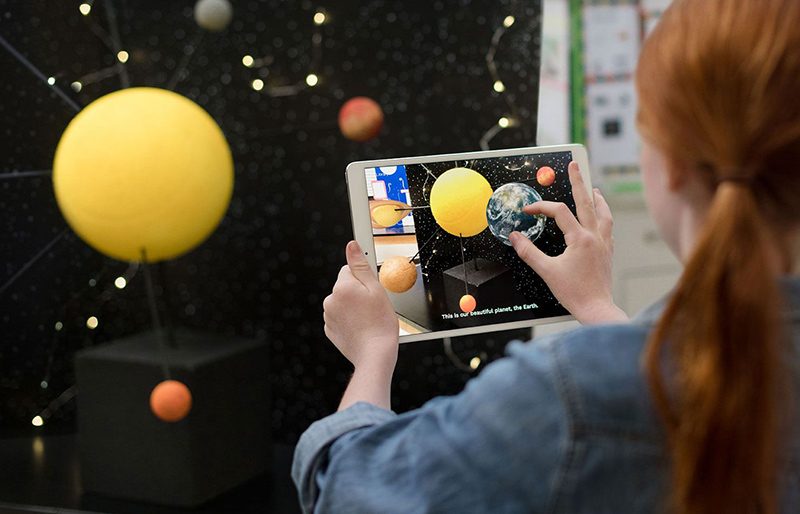
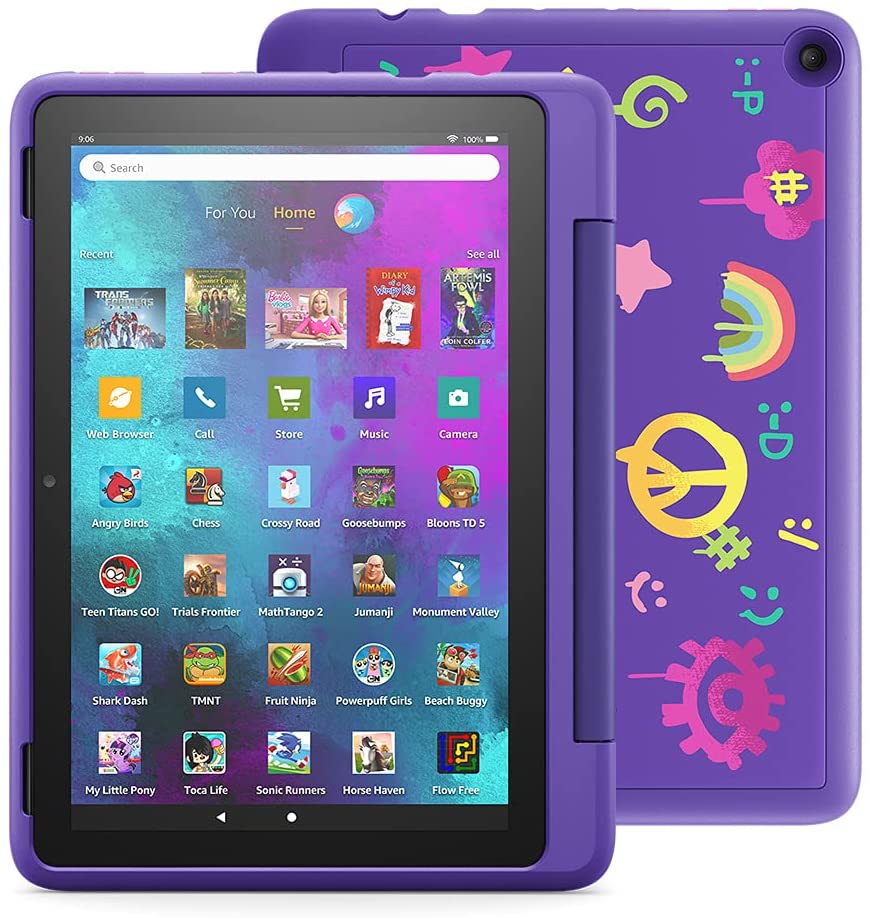
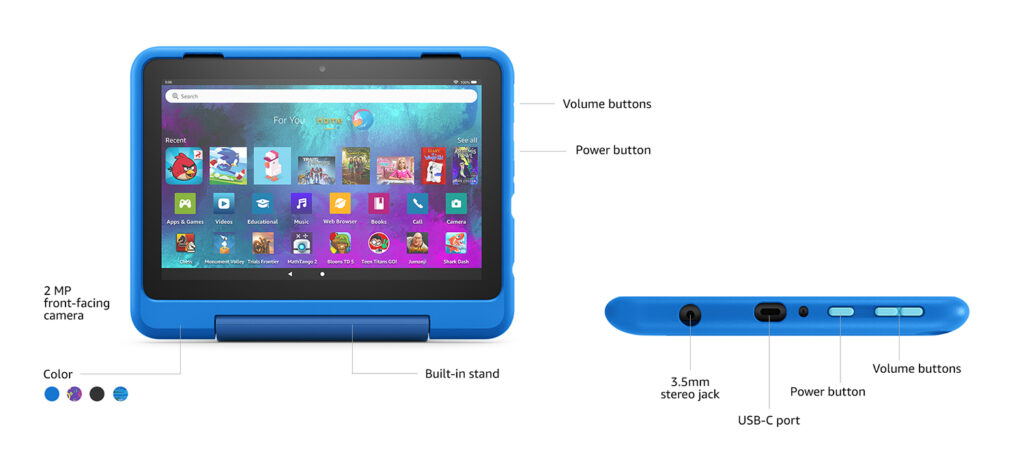
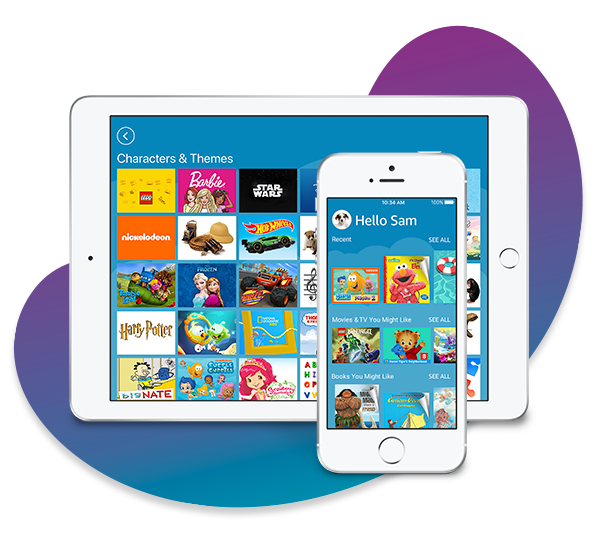
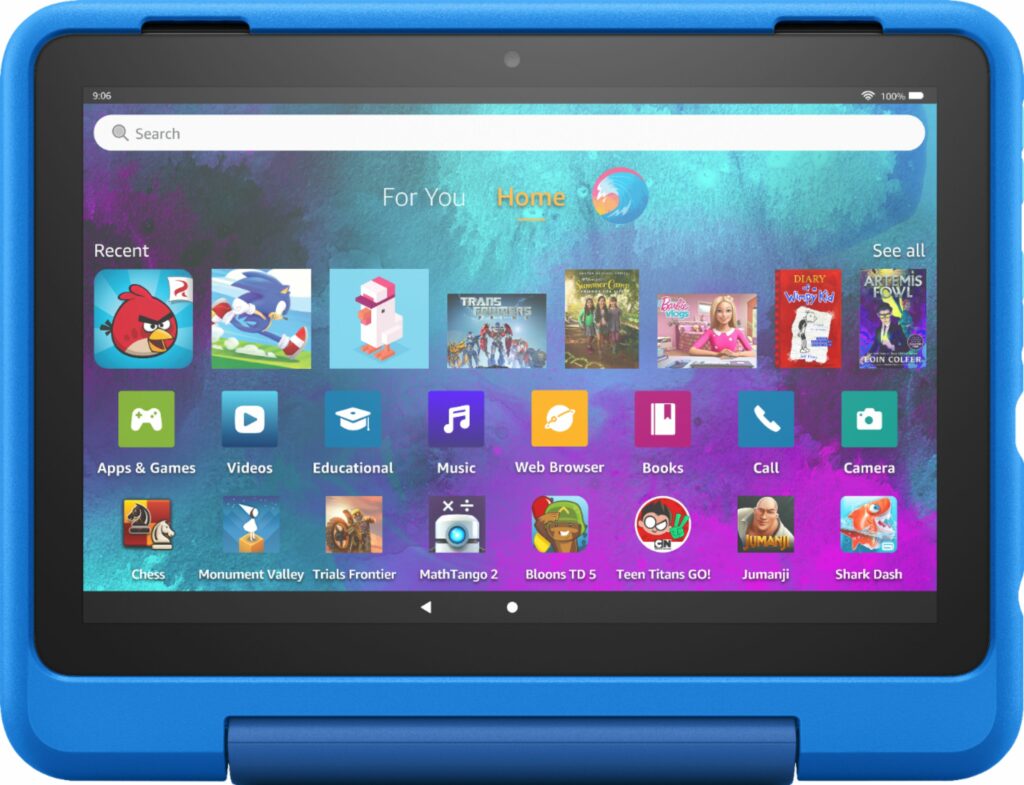
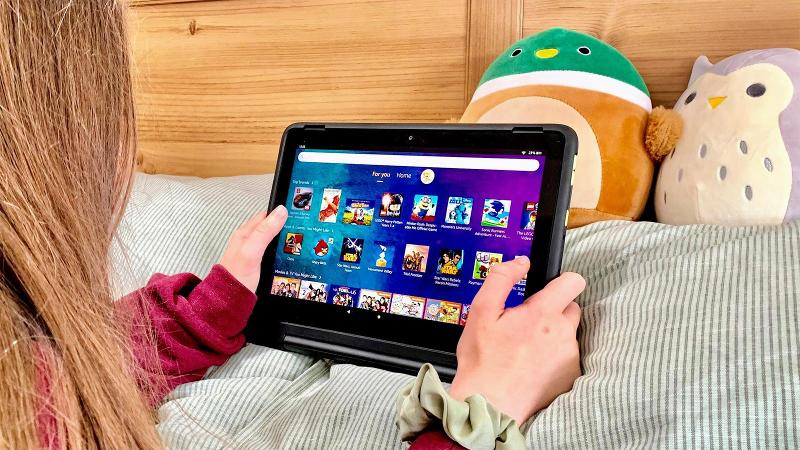
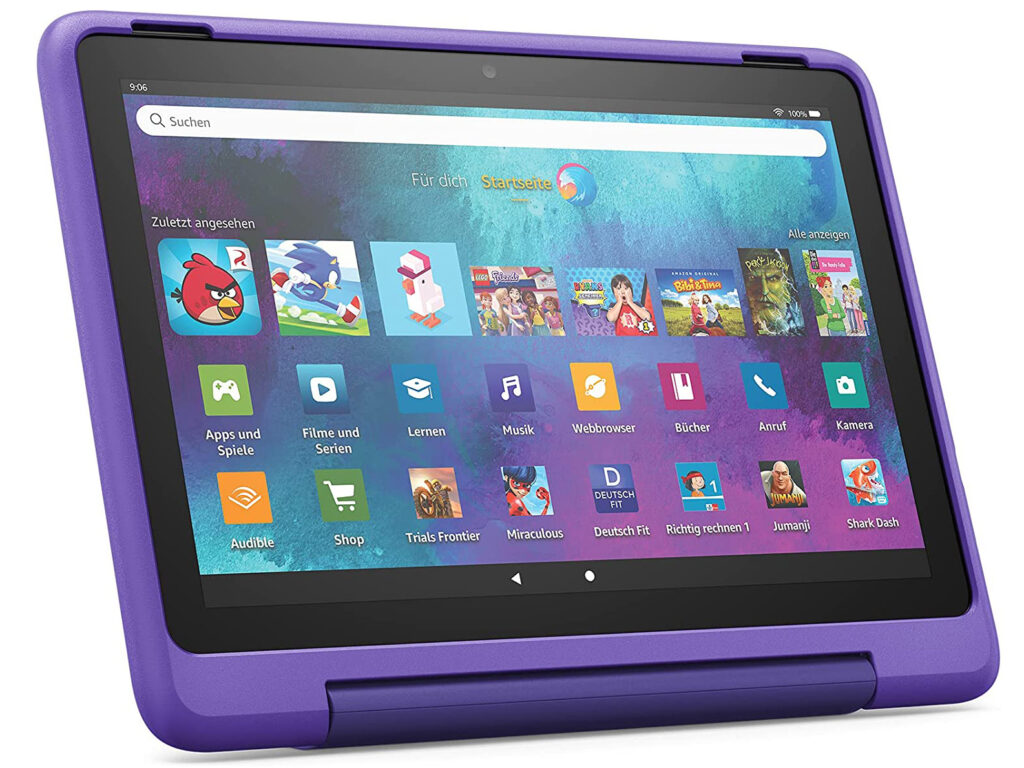
In the 90s, most of us would be lucky enough to get our hands on the latest Gameboy device. It was the gadget all the kids raved about and played games in. But with technology’s significant advancement throughout the years, kids of today have moved on to using tablets. So if you’ve been in the market for a kid-friendly tablet, here’s a buyer’s guide on how to choose the best tablet for kids this 2021.
Nowadays, kids learn and understand technology at a pretty young age. Some of them even get exposed to these high-tech devices much earlier than the time they learn how to walk on two feet. And who could blame these parents? Tablets that are made especially for children are such versatile devices that can keep your child from boredom and keep them entertained for days on end.
So whether you’re looking for a device that can keep your kid occupied during lockdowns or school holidays or want to use this as a tool for their learning and education, this buyer’s guide will surely help you out.
Now whether you’re buying from a physical store or through shopping sites like Amazon, here are some friendly shopping tips you might want to consider before making any final purchases.
Why Should You Get A Kid-Friendly Tablet And Not One Made For Adults
To be fair, I’m not saying tablets that are targeted at adults are bad or anything. It’s just these tablets are generally more complex to learn for a kid. Especially for kids who are still toddlers or in preschool. Obviously, they will offer better hardware and faster processors as well as having impressive tools and apps for productivity.
However, these premium specs and features also come in with more expensive prices that I feel shouldn’t be spent if you’re just looking for a device for your kid.
Aside from that, turning on parental controls on these grown-up tablets can often be complicated and are not as strict as you would like. Sometimes, kids can even manage to make in-app purchases without your permission or be exposed to inappropriate content or sites. And that’s where tablets that are made specifically for kids shine.
So What’s The Difference?
Tablets for kids and grown-ups differ so much in terms of features, specifications, durability, and the apps you can access. First off, tablets for kids are usually encased with chunky protective casings and are built to be more durable to withstand even the clumsiest children.
When it comes to price, they’re usually much cheaper in comparison to grown-up tablets. Most of them don’t really go over more than $200 which is a huge steal in my opinion. These devices also are most likely sporting a rugged design to make them well-protected from accidental drops and bumps.
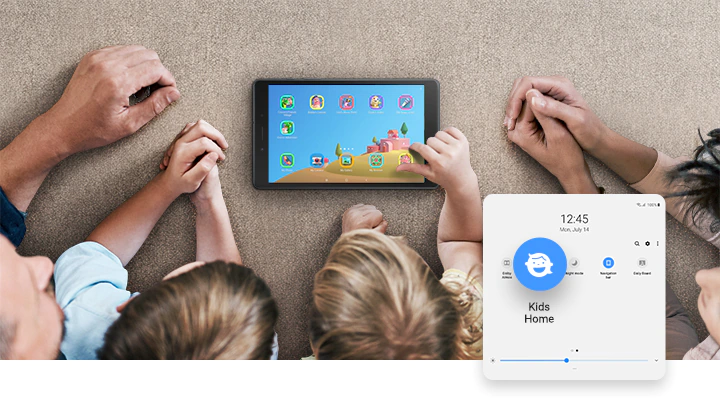
In addition to that, tablets made specifically for children also offer a lot of parental controls. This makes sure you can monitor what your child is watching or doing on their tablets and for how long. Some even allow you to filter certain content you don’t want your child to be exposed to.
But what’s great about kid-friendly tablets is the amount of age-appropriate content that your child can enjoy to their heart’s content. Though keep in mind that not all of them are built equally. Some give you limited access to content you can only fully view for a monthly subscription. But they’re usually pretty cheap like the Amazon Kids+.
Know The Purpose Of Buying A Tablet For Your Kids
When it comes to kid-friendly tablets, a lot of models in the market are limited to streaming content and playing games. However, some also offer tools for productivity to help them with their school.
But keep in mind, these additional features can oftentimes come at an added cost. Apart from that, knowing the purpose of why you’re getting a tablet for your kid can also narrow down your options to avoid getting overwhelmed by the number of tablets you can choose from.
One way to help you in deciding and making things easier for you is to list down the features and things you want your kid’s tablet to do for them. Ask yourself questions like, will it be mainly used for school purposes? Maybe a source of entertainment for your kid to keep them occupied? Or both? Knowing these things can point you in the right direction as well as lessening your shopping stress.
Below are some differences between a tablet made for entertainment and educational purposes:
For Entertainment
This is usually the main reason why parents like to invest in tablets for their kids.
Most of them buy tablets to help keep their kids entertained and behaved in one spot. Sometimes, these kid-friendly content and apps are either pre-installed in the system or you can manually install streaming apps and games on these devices so they can play and watch learning shows dedicated to kids.
Not to mention, it’s just a great way to keep your kid’s attention focused on one thing while enjoying themselves. Just don’t forget to turn on the parental controls!
If you’re a working parent who’s often stressed or tired from your job and has difficulty keeping up with your child’s energy, a tablet can be your saving grace. Just turn it on for them and let them stream and play games to their heart’s content. After that, you can just sit back and relax as you keep an eye out on your kid from a distance.
With that being said, tablets are a lot of fun for kids and they will surely enjoy spending their time learning new things and watching fun shows on these kid-friendly devices.
If you’re planning on buying a tablet for your kid for their school, most tablets that are marketed for kids might not be enough. As you might already know, most of these kid-friendly tablets are highly focused on providing games and entertainment that can be educational. While on the other hand, features for productivity might be a bit lacking or sometimes, completely non-existent.
The thing is, tablets for kids are very limited in the things they can do outside of streaming and playing games. Some of them don’t even have access to Google Playstore or any App libraries that can offer productivity.
So oftentimes, you’ll be stuck with the apps pre-installed on your kid’s tablet with no way to customize them. Most of these apps aren’t also the most helpful when it comes to managing school works and assignments. Especially if your kid is attending online classes, you’ll want a device that can multitask for them.
In these cases, you might want to look for tablets that offer better features and specs along with powerful enough hardware. This is when you might also want to start considering the tablet series of Apple or Samsung. But it’s not necessary to get the latest high-end models for your kid. Previous generations of the iPad or the Galaxy Tab are amazing bargains and would save you a lot of money.
Tablets for kids are more than just toys for them to play with. Just because it’s meant for your child’s use, doesn’t mean that the hardware has to be an afterthought. Sometimes, you have to really consider the specifications as well as the hardware these devices offer to make sure that they can last your kid up to a certain age.
This way, you can also avoid easily outdated devices and you can ensure that you’re getting your money’s worth. Not to mention, it can be quite nice if the tablet has expandable storage and can handle apps like Netflix or games like Roblox so your kid has more options for streaming his favorite shows and playing games.
Apart from that, when your kid’s tablet has decent hardware, random meltdowns and the device shutting off after a certain amount of use can be avoided. Nothing is more frustrating than having your child’s source of entertainment suddenly cut off while your kid is in the middle of enjoying themselves. Sometimes, these scenarios might even lead to sudden outbursts and lots of crying until the device is fixed.
Most tablets for kids already have plenty of apps pre-installed into their system. But adding a few more apps so your kid has more options to choose from is always a nice thing to have. Some of the most popular apps kids use are streaming apps. So here are the most popular apps you can install on your child’s tablet:
Youtube Kids is an app that has tons of curated selection that are marketed for kids along with parental features you can adjust to filter content depending on the age group you have chosen for your kids.
Amazon Kids+ is a monthly subscription that allows access to almost endless kid-friendly content for your children ranging from shows, audiobooks, and so much more.
Netflix Kids is pretty similar with Youtube Kids. It’s a separate account that’s built into your main account made specifically for kids. It also has parental controls you can customize.
Conclusion
Overall, kid-friendly tablets are great devices that can offer support for your children’s learning and growing process through both educational and entertaining content. They offer a lot of versatility for an affordable price that can help your child’s intellectual, emotional, and social development as they age.
Does your child already have a tablet? Which one did you get? Or are you still thinking of investing in one? Let me know in the comments section below if you have any questions, suggestions, or insights to share. I would love to hear all your thoughts!
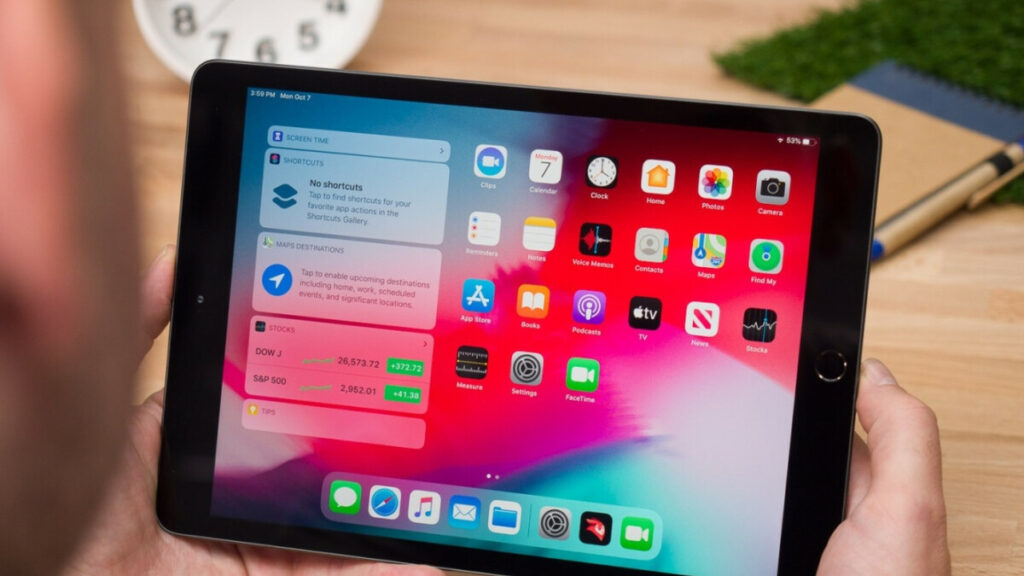
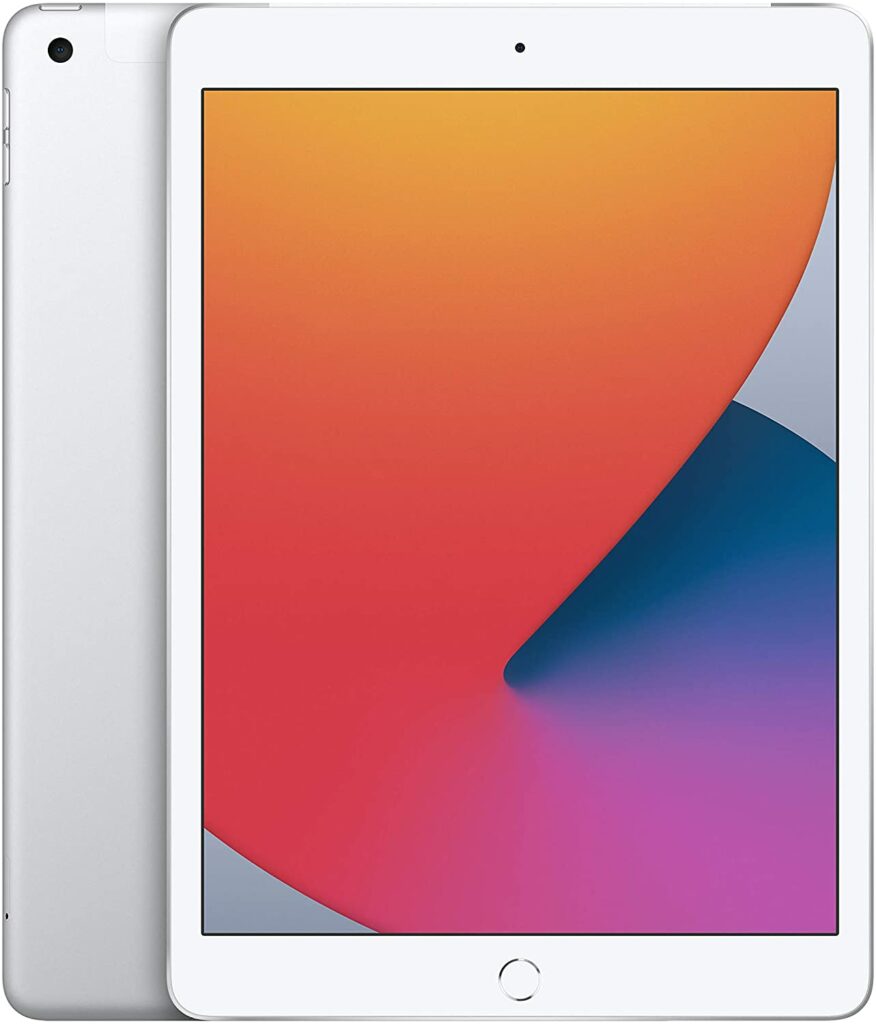
If you have an older child who’s already going to school, investing in a tablet that can both serve as a tool for their learning process and entertainment needs might be a pretty wise thing to do. And what’s a better tablet to do that kind other than the Apple iPad 8th Gen? If you’re still on the fence about it, come read our dedicated review of the 2020 iteration of Apple’s popular device right here.
When you compare the iPad to tablets that are targeted at kids in the market, the first thing you notice is that it definitely gives you a huge price jump. Especially if you have been heavily considering or checking out the Amazon Fire tablets up until now.
However, Apple’s iPads have been successful and popular to the vast majority for plenty of good reasons. While they’re not technically targeted towards kids, this particular model will be more than great if you’re also planning on using this tablet for your kid’s school works.
Most tablets for kids are inferior when it comes to the hardware and processor Apple uses alone. This is understandable because most tablets for kids are mainly used for streaming and gaming. Not so much for productivity. And this is exactly where the Apple iPad shines.
As you might already know, Apple reigns supreme when it comes to tablets in general in the market. Apple offers a lot of amazing tablet apps to choose from thanks to their amazing app library, great customer support, and it will surely last you and your kid for a long time. So you won’t feel the need to upgrade to a newer model every year.
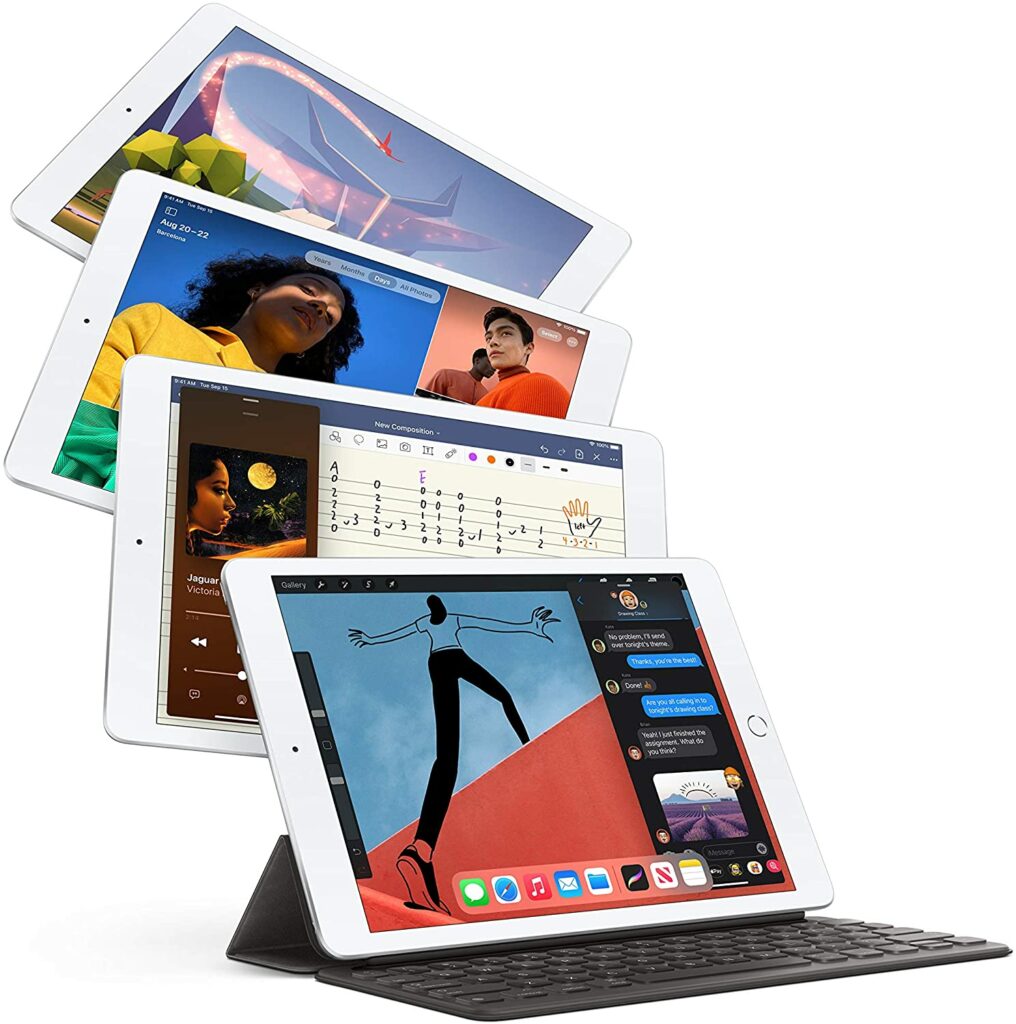
So even if your kid reaches a certain age, the iPad will still be pretty usable and can even double as a pseudo-laptop for your kid’s school.
Is The Apple iPad Appropriate For Kids?
This might be a question lingering on every parent’s mind. Because unlike the Amazon Fire HD tablets for kids, the parental controls might not be as robust.
But not to worry, the 2020 Apple iPad does have a decent amount of tools and setting options that act as parental controls and will allow you to monitor your kid’s overall tablet use as well as keep an eye on what applications they’re accessing, using, and for how long.
These same settings also let you filter and block content that you might not want your kid to view or have access to. In addition to that, parental controls also help you avoid incidents wherein your kid might purchase stuff online without your consent or permission.
Not to mention, compared to the Amazon Fire tablets dedicated to kids, the Apple iPad has easily the more powerful processor and hardware that can take on even the most demanding games your kids might want to play. The better screen resolution thanks to the Retina Display also means your kid can watch their shows on the most vibrant and colorful screen.
And if you’re worried about the price, fortunately for you, iPads have lowered in price tremendously since this model’s release. Because currently, a more updated version has been released this 2021. And honestly, you don’t really need all the updated features the 2021 iPad has if your kid will be the only one using it. You definitely don’t need to spend that much money unless you can afford it.
So all in all, you’ll get even more bang for your buck with this model in terms of overall performance and value.
Features & Specifications
Product Dimensions: 9.8 x 6.8 x 0.29 inches
Manufacturer / Brand: Apple
Item Weight: 1.09 pounds
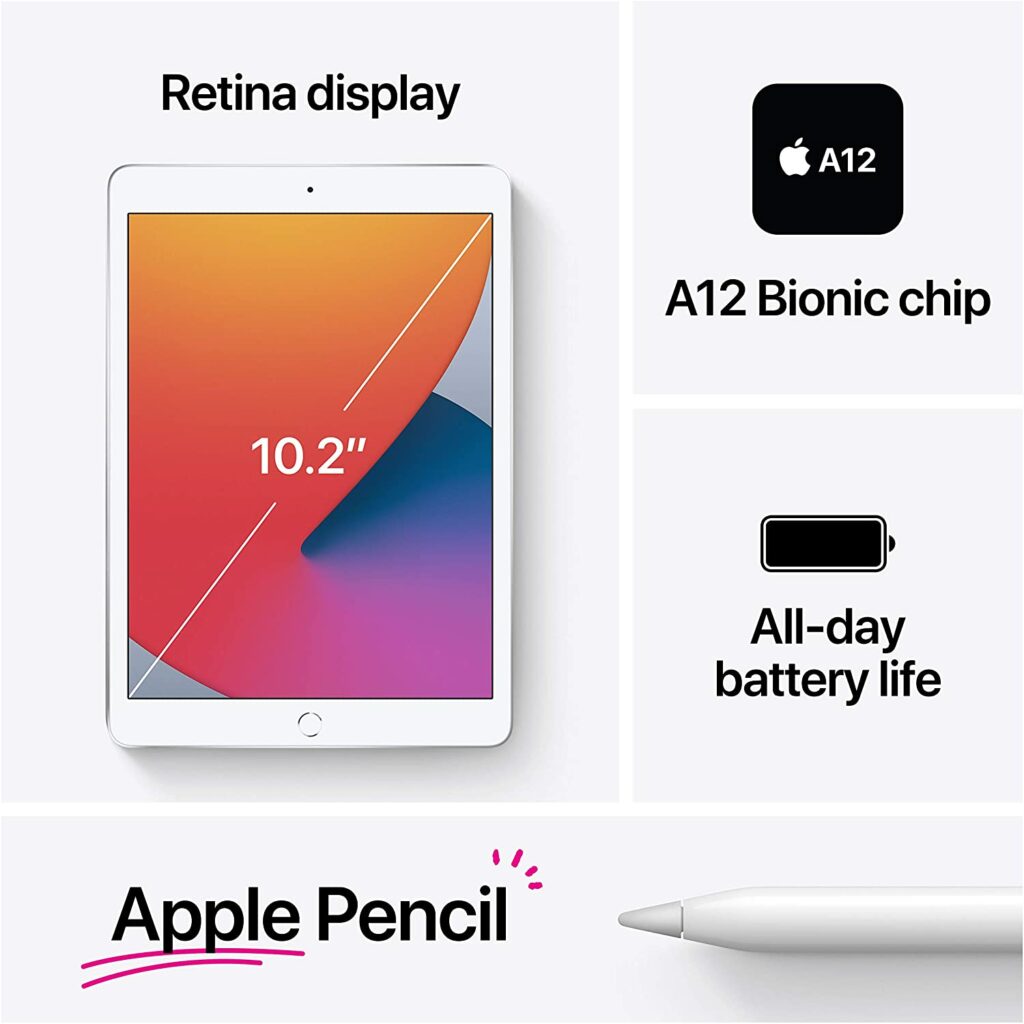
Screen Size: 10.2-inch Retina display
Screen Resolution: 2,160 × 1,620 px (264 ppi) with a 4:3 aspect ratio, 500 nits max brightness.
Operating System: iPadOS
Wireless Communication Technology: Bluetooth, Wi-Fi
CPU: A12 Bionic chip with 64-bit architecture Neural Engine
RAM: 3 GB.
Storage: 32GB and 128GB variants.
Battery Life: Up to 10 hours.
Front Camera: 1.2MP FaceTime HD front camera with HDR
Rear Camera: 8MP camera with HDR and 1080p HD video
Colors: Silver, Space Gray, and Gold.
Accessories: Lightning to USB-C Cable, USB-C Power Adapter, Apple Pencil, and Smart Keyboard (bought separately).
Extra Special Features: Touch ID, access to Apple’s app store, Retina Display, and A12 Bionic Chip.
Here’s a preview of the 2020 Apple iPad 8th Gen that you can watch below.
A huge advantage Apple has with their iPads is their powerful and fast processor built into their devices. And things got even bigger when the 8th generation of Apple iPads last 2020 received a major upgrade. Now, it has an A12 Bionic Chip processor built into its system.
Apps made for kids usually don’t require a lot of power, but the A12 Bionic Chip means the apps your kids will use will now run a lot smoother and faster.
Great For School
Personally, if you’re only planning to make your kids watch shows and play games on their tablet, it’s best to stick with more affordable tablets like the Amazon Fire HD series. They offer plenty enough content that will surely keep your children happy and satisfied. However, when it comes to productivity and school purposes, the Apple iPad has no competition at all.
Younger kids usually don’t need a lot of demanding tools or apps to keep up with their school work, but the iPad is amazing in terms of providing productivity tools to help your child’s education and learning process a lot easier. As you might now know, Apple is the best when it comes to tablet apps, thanks to their excessive app library that offers you access to endless apps you and your child can use.
Our Least Favorite Things
Storage Is Not Expandable
A huge letdown with the Apple iPad is that its storage is not expandable. That’s actually a running theme with all of Apple’s devices. Some of you might be used to its if you’re an avid Apple user, but sometimes sticking to the built-in storage might just not be enough. And getting the one with a larger storage capacity can make you spend a whole lot more money than you can afford.
The Price Point Might Be Too High For A Kid’s Device
While I have previously stated that the Apple iPad has great value since you’re getting a lot from its faster and stronger performance, to some parents, paying over $400 for a kid’s tablet might just be too much.
Though it’s not Apple’s fault entirely. After all, the iPad is not meant solely for children’s use.
However, Apple products, in general, have always been fairly expensive. Their premium and high-end devices after all.
So overall, that’s a huge downside since that means not anyone can get their hands on Apple’s products. So if you’re a parent on a budget, you might want to look for more affordable tablets to get for your kids.
In A Nutshell
Now that we have covered the things we liked and disliked about the Apple iPad, here’s a narrowed-down list of the good and the bad with this impressive tablet.
Pros
The best ecosystem of tablet apps for your kids.
More powerful processor and hardware compared to actual tablets for kids.
Versatile functions.
Decent amount of parental controls.
Can last you a good handful of years before you can upgrade to a newer model.
Cons
Not the most durable tablet for kids. You will need to buy a separate protective casing.
Storage is not expandable.
Expensive.
Our Final Verdict
Overall, the Apple iPad 8th Gen is an impressive and versatile tablet that your kid can use both for educational and entertainment purposes. They’ll last you a long time before you need to upgrade to a more recent model and it has a very powerful processor that will surely make your kid’s playtime a breeze.
Already own the Apple iPad 8th Gen? Or are you still deciding? Let me know in the comments section below if you have any questions, suggestions, experiences, or insights to share. I would love to hear all your thoughts!
When it comes to investing in a tablet for your kids, you are going to want a device that has a robust option for parental controls, tons of kid-friendly content, and so much more. A dedicated gadget for your kid should be more than just a toy. That’s why for today, we’ll be reviewing what we think is the best tablet for your kids, the Amazon Fire HD 10 Kids Pro.
Amazon’s Fire HD lineup of tablets can be quite the hit and miss. Some people like it, and some find them pretty mediocre in terms of performance. This is especially when you’re someone who’s been spoiled to seeing the likes of Apple’s iPads.
However, when it comes to the kid-friendly variants of their Fire HD Series, a lot of them are quite popular with the kids and are pretty much parent-approved. One of the best models in their lineup is the Amazon Fire HD 10 Kids Pro. A lot of parents have raved about this particular tablet due to its easy and user-friendly interface, amazing options for parental controls, expandable storage, and so much more.
So if you’ve been on the hunt for the best tablet to buy for your kid, just keep on reading to see if this is the one you’re looking for.
Without a doubt, the Amazon Fire HD 10 Kids Pro is one of the best tablets you can get for your child in the market. If you’re looking for a no-frills and fuss-free tablet that’s going to keep your child occupied and entertained, this is it. This is especially perfect if your kids are from ages 6 to 12.
Not to mention, this particular tablet for kids also comes at a pretty budget-friendly price point if you take into account the number of kid-friendly features it comes with.
The Fire HD 10 Kids Pro includes a 1-year free subscription to Amazon Kids+ along with robust parental controls, a slim protective case, and a 2-year worry-free guarantee. This means you don’t have to buy these additional features and accessories separately.
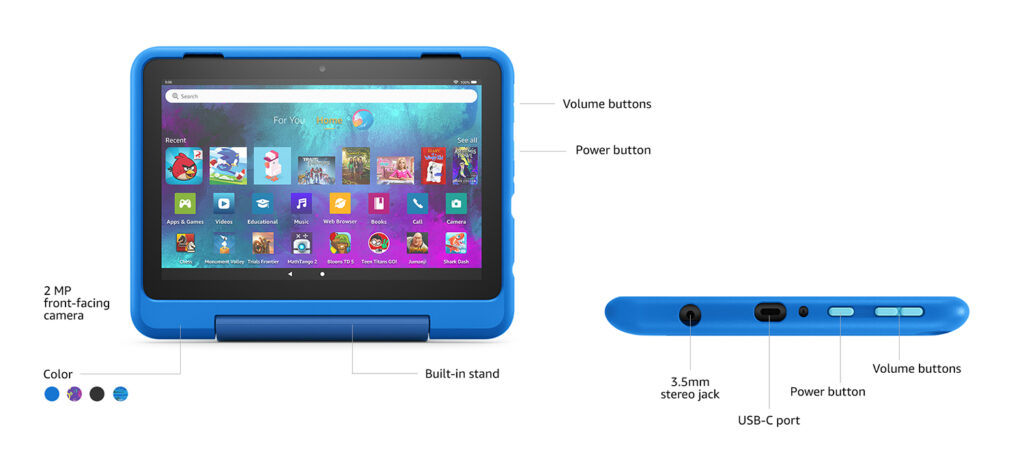
The Fire HD 10 Kids Pro also features an octa-core processor, 3 GB of RAM, 10.1-inch Full HD display, dual cameras, a 12-hour battery life, USB-C (2.0) port, and you can also get up to 1 TB of expandable storage through a Micro SD slot.
While it’s definitely no iPad, the onboard specs and features along with the free one-year subscription to Amazon Kids+, this tablet has should be more than enough to keep your kid satisfied and happy.
Amazon Kids+
One of the biggest selling points of the Fire HD 10 Kids Pro is the free one-year subscription you get to Amazon Kids+ upon purchasing this device. This allows your kid access to a wide library of age-appropriate content ranging from educational to fun children’s shows.
In addition to Amazon Kids+, you can also access a digital store on this tablet if you would like to purchase more apps for your kids. Such apps include Minecraft and plenty more titles. If that’s not enough, this tablet also has a web browser that comes with built-in controls designed to help filter out inappropriate sites and lets you add or block specific websites at any time.
When it comes to durability, Amazon has you covered with its inclusion of a rubber casing and a screen made of strengthened aluminosilicate glass. And if this tablet does break, the 2-year worry-free guarantee will allow you to get it replaced by Amazon.
Features & Specifications
Product Dimensions: 7.4 x 10.1 x 0.7 inches.
Manufacturer / Brand: Amazon
Item Weight: 25.3 ounces (718 grams)
Screen Size: 10.1 inches
Screen Resolution: 1080p full HD
Operating System: Fire OS 7.3
Wireless Communication Technology: Wi-Fi
CPU: Octa-core 2.0 GHz
RAM: 3 GB
Storage: 32 GB (expandable by up to 1 TB)
Battery Life: Up to 12 hours.
Ports: USB-C (2.0) for charging and a microSD slot for external storage.
Front Camera: 2 MP
Rear Camera: 5 MP
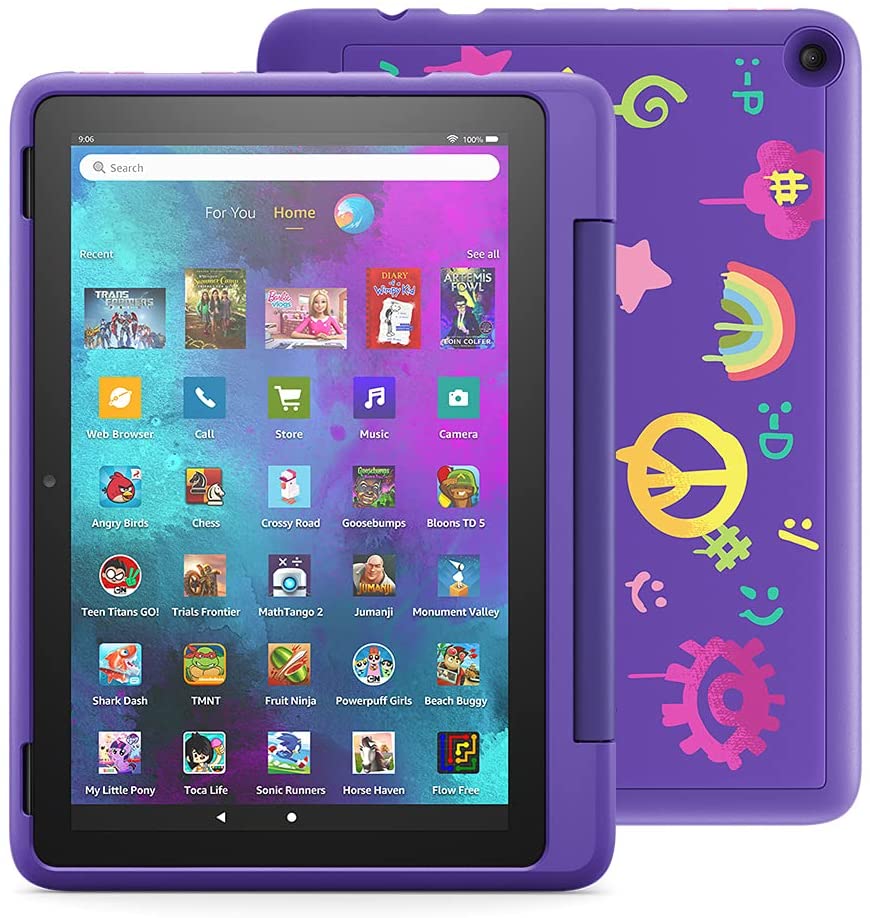
Colors: Black, Sky Blue, Doodle, and Intergalactic.
Accessories: Amazon Kid-Friendly Case with stand/handle, Amazon power adapter, USB-C (2.0) charging cable, built-in rechargeable battery, and 1-year Amazon Kids+ subscription (auto-renews at an applicable rate).
Extra Special Features: Accelerometer, ambient light sensors, and 2 built in microphones.
Warranty: 2-year worry-free guarantee
What We Love About The Amazon Fire HD 10 Kids Pro
Here’s a breakdown of the things we love about this kid-friendly tablet.
Free Access To Amazon Kids+ For A Year
As I have already previously mentioned, one of the best things about the Fire HD 10 Kids Pro is the free 1-year subscription to Amazon Kids+. This subscription unlocks over 20,000 apps, games, books, videos, songs, and Audible books that your kid can freely access. This is also a consistent feature in all of their Fire HD Kids Edition tablets.
Your kids will surely be satisfied with the endless options of content for both educational and entertainment purposes. From National Geographic, Rabbids Coding, LEGO, Nickelodeon, and a whole lot more, including more than 9,000 other titles to choose from.
Not to mention, the monthly subscription fee is pretty affordable as well once your free subscription has expired.
Bigger Display & Better Design
Another great thing about the Fire HD 10 Kids Pro is its bigger and brighter display thanks to its slimmer bezels as well as an overall better design compared to the other Fire HD Kids tablets. In comparison to the latter, the Fire HD 10 Kids Pro is a lot less chunky, making it pretty lightweight and more compact for your children to carry.
And just like the other Fire HD Kids tablets, this one also comes in with a colorful case that keeps the device well-protected from any accidental bumps or drops. Just in case that the tablet does break, Amazon has you covered with their 2-year worry-free warranty that lets you get the device replaced without a fuss.
Robust Parental Controls
An important feature that all parents should look out for when it comes to buying tablets for their kids is how good the parental controls are. Fortunately for you, the Amazon Fire HD 10 Pro has terrific parental controls that are very easy to customize according to what you want your kids to see and access freely on their devices.
These parental controls allow you to customize or toggle specific settings to ensure that everything your kid is seeing is filtered, safe from any inappropriate content, and blocking in-app purchases without your permission. In addition to that, Amazon has recently redesigned the interface of their Fire HD 10 Pro tablet, making it more visually easy to the eyes.
What’s more, your can now also check the applications your kid is viewing as well as how much time they spent on using them.
Now that we have covered the things we liked about the Fire HD 10 Kids Pro, here are some features in this tablet that could use some improvement.
The Amazon App Store Is Very Limited
When it comes to tablet applications, Amazon has a long way to go and needs a lot of improvement if they have any plans of rivalling the likes of Apple’s iPads or even Samsung’s Galaxy Tab series. Which is a bummer, because sometimes your kids might feel like trying something new like playing a new game that’s been recently released.
In any case, you are stuck with the content Amazon Kids+ offer for your children. This can also pose a problem when you don’t feel like renewing your subscription after the free one year. Overall, Amazon’s app store just feels very limited and mediocre. So don’t expect a lot from their app library.
In A Nutshell
Now that we finished discussing the things we liked and disliked about the Fire HD 10 Kids Pro, here’s a narrowed-down list of the good and the bad with this tablet for kids.
Pros
Budget-friendly.
Free 1-year subscription to Amazon Kids+.
Durable and rugged design that’s compact and slim.
Up to 12 hours of batteyr life.
Generous amount of storage. Can be expandable up to 1 TB.
Bigger and brighter display.
Cons
No Google PlayStore and very limited onboard app library.
Final Verdict
All in all, the Amazon Fire HD 10 Kids Pro is an amazing tablet you can get for your kid for a fairly budget-friendly price. It offers free access to a ton of kid-friendly content that can both be a source of entertainment and learning for them while giving you a decent amount of parental control options. It also has a protective casing that ensures long-term durability along with a generous 2-year warranty.
Already own the Amazon Fire HD 10 Kids Pro? Or are you still deciding? Let me know in the comments section below if you have any questions, suggestions, experiences, or insights to share. I would love to hear all your thoughts!
Affiliate Disclosure: I am grateful to be of service and to bring you content free of charge. In order to do this, please note that when you click links and purchase items, in most cases I receive referral commissions. Eventually, I may earn enough to buy a beer or two.
A tablet for your kid is a great source of entertainment and learning for them. But not all tablets are built equally. Not to mention, these devices are also quite fragile and can be pretty expensive. So how do you know which ones will best suit your children? Well not to worry! Our top picks for the best tablets for kids in 2021 are here.
The chosen tablets in this list were specifically picked for their affordability, durability, as well as inclusion of parental controls and age-appropriate features. Trust me, the last thing you want is making the mistake of investing in an expensive iPad only for your kid to accidentally shatter it onto the floor.
So whether you’re buying a tablet for a toddler, a baby, or an older child, I hope you find a well-suited tablet for your kid on our list.
What’s The Difference Between A Kid-Friendly Tablet Vs. A Tablet For Adults?
Tablets for kids and adults differ so much in terms of features and specifications. First off, tablets for kids are made to be robust and more durable to withstand clumsy children. They’re usually much cheaper in comparison to adult tablets and are most likely sporting a rugged design to make them well-protected from accidental drops.
Not to mention, tablets made specifically for children also offer a lot of parental controls to make sure you can monitor what your child is watching or doing in their tablets, some even allow you to filter certain content you don’t want your child to be exposed to, as well as a lot of age-appropriate content that your child can enjoy to their heart’s content.
However, one big downside of tablets for kids is the fact that they don’t really offer a lot of features aside from keeping your kids happy. They’re quite limited. By that, I mean if you want to use the tablet to download a lot of games or productivity apps, it might not be powerful enough to handle all of those. Most of the time, these tablets are limited to mediocre or decent hardware that is just enough for children.
Meanwhile, tablets that are for everyone, they’re a lot more versatile and can offer plenty of features for both you and your children. Instilling parental controls on the device is possible as well but it takes more effort. Not to mention, they have a lot more access to all sorts of content on the internet, both age-appropriate and not. Plus, these types of tablets are just a lot more expensive in comparison.
Decide The Purpose Of Your Kid’s Tablet
Knowing the main reason why you want to invest in a tablet for your kid can really be helpful in narrowing down your options. The market is pretty saturated with so many different sorts of units and models of tablets, the choices are practically endless. And oftentimes, it can be overwhelming. Especially if you’re not that knowledgeable when it comes to the techy aspects of these devices.
So to make things easier for you, try to make a list of what you want your kid’s tablet to do. Will it be mainly used for school purposes? Or maybe a source of entertainment for your kid? Knowing these things can point you in the right direction as well as lessening your shopping stress.
For Games & Entertainment
Most parents buy tablets to help keep their kids entertained and behaved in one spot. Sometimes, you can even install streaming apps on these devices so they can watch learning shows dedicated to kids. Not to mention, it’s just a great way to keep your kid’s attention focused on one thing. Plus, they get to learn and enjoy themselves at the same time! Just don’t forget to turn on the parental controls!
If you’re a parent who’s stressed and has difficulty keeping up with your child’s energy, a tablet can also be your saving grace. Just turn it on for them and let them stream and play games to their heart’s content. Now you can just sit back and relax as you keep an eye out on your kid.
With that being said, tablets are a lot of fun for kids and they will surely enjoy spending their time learning new things and watching fun shows on these kid-friendly devices.
If you’re planning to buy a tablet for your kid for their school, most tablets that are marketed for kids might not be enough. Especially when most of these models are mostly focused on providing games and entertainment. While on the other hand, features for productivity might be a bit lacking.
The thing is, tablets for kids are very limited in the things they can do outside of entertainment and games. Some of them don’t even have access to Google Playstore or any App libraries. So you’ll be stuck with the apps pre-installed on your kid’s tablet. And most of these apps are not very helpful when it comes to school works and assignments.
In these cases, you might want to look for tablets that offer better features and specs along with powerful enough hardware. This is when you might also want to start considering the tablet series of Apple or Samsung. But it’s not necessary to get the latest high-end models for your kid. Previous generations of the iPad or the Galaxy Tab should suffice and would save you a lot of money.
To know more about which ones you can look out for, just keep scrolling and reading to see our top recommendations!
Our Top Recommendations
1. Amazon Fire HD 10 Kids Pro
Overview
Coming in at the top of our list is the Amazon Fire HD 10 Kids Pro. If you’re looking for a no-frills and fuss-free tablet made especially for your kids, this is it. This is perfect for kids from ages 6 to 12. Aside from that, this particular tablet for kids comes at a pretty affordable price if you take into account the number of features it comes with.
It includes 1 year of Amazon Kids+ along with parental controls, a slim case, and a 2-year worry-free guarantee, which means you don’t have to buy them separately. The Fire HD 10 Kids Pro also features an octa-core processor, 3 GB of RAM, 10.1-inch Full HD display, dual cameras, USB-C (2.0) port, and you can also get up to 1 TB of expandable storage.
Amazon Kids+
But what’s really great about the Fire HD 10 Kids Pro is the free 1-year subscription to Amazon Kids+. This subscription unlocks over 20,000 apps, games, books, videos, songs, and Audible books your kid can freely access. Your kids will find educational content from National Geographic, Rabbids Coding, LEGO, and others, including more than 9,000 other titles.
In addition to Amazon Kids+, you can also access a digital store on this tablet if you would like to purchase more apps for your kids. Such apps include Minecraft and plenty more titles. If that’s not enough, this tablet also has a web browser that comes with built-in controls designed to help filter out inappropriate sites and lets you add or block specific websites at any time.
When it comes to durability, Amazon has you covered with its inclusion of a rubber casing and a screen made of strengthened aluminosilicate glass. And if this tablet does break, the 2-year worry-free guarantee will allow you to get it replaced by Amazon.
Ports: USB-C (2.0) for charging and a microSD slot for external storage.
Front Camera: 2 MP
Rear Camera: 5 MP
Colors: Black, Sky Blue, Doodle, and Intergalactic.
Accessories: Amazon Kid-Friendly Case with stand/handle, Amazon power adapter, USB-C (2.0) charging cable, built-in rechargeable battery, and 1-year Amazon Kids+ subscription (auto-renews at an applicable rate).
Extra Special Features: Accelerometer, ambient light sensors, and 2 built in microphones.
Warranty: 2-year worry-free guarantee
Pros
Budget-friendly.
Free 1-year subscription to Amazon Kids+.
Durable and rugged design.
Up to 12 hours of batteyr life.
Generous amount of storage. Can be expandable up to 1 TB.
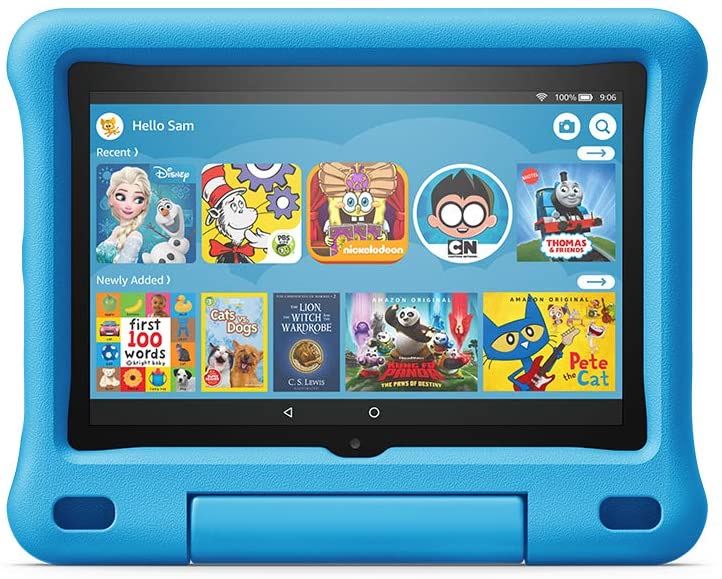
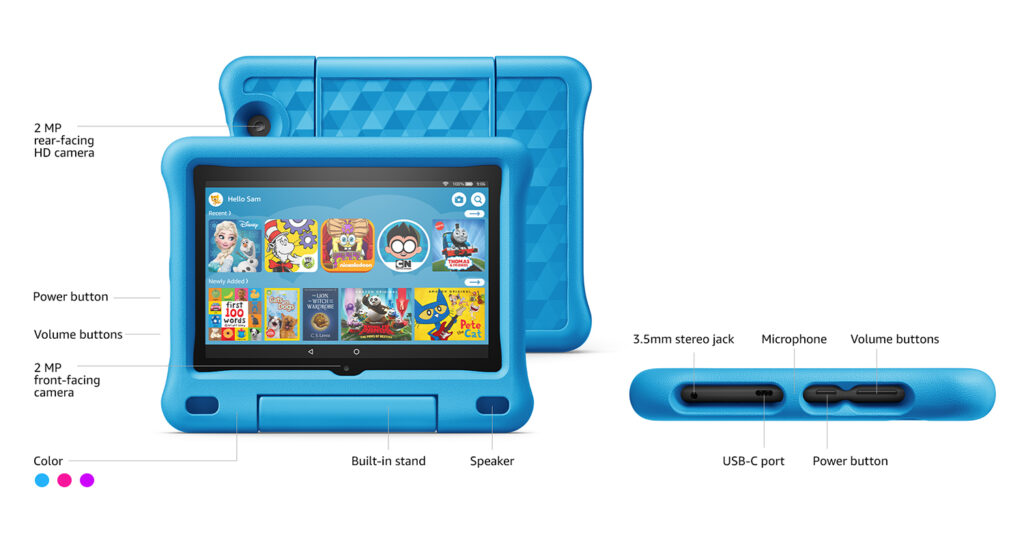
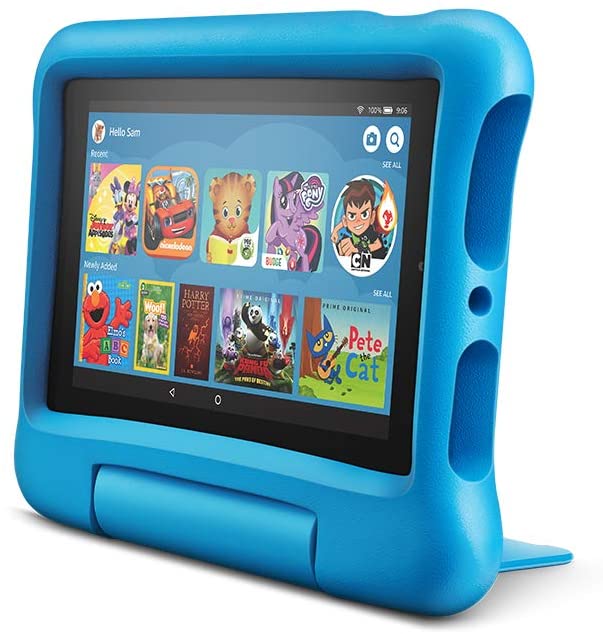
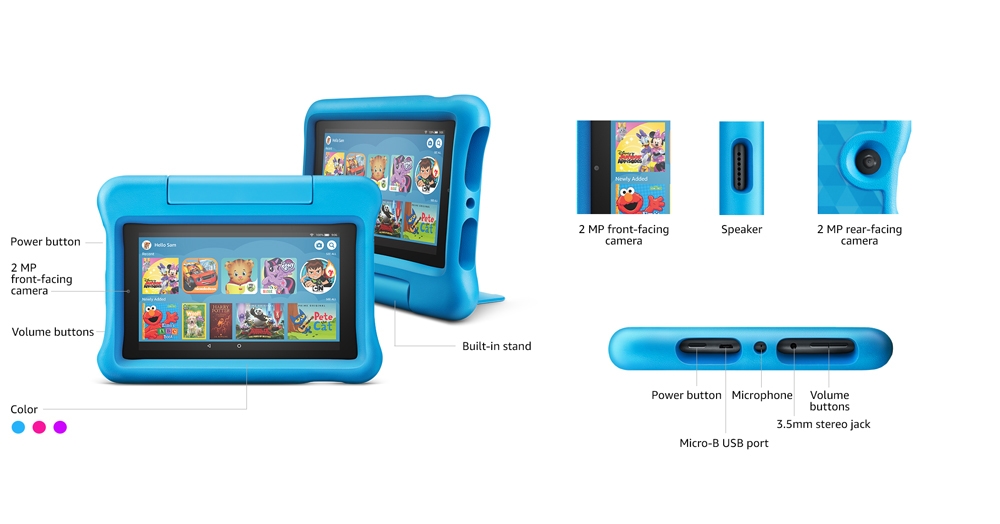
Another tablet from Amazon that is made especially for kids is the Fire HD 8 Kids Edition. This tablet has some similar qualities to the Fire HD 10 Kids Pro but the design is a little chunkier compared to the latter’s slimmer case.
But just like the Fire HD 10 Kids Pro, the Fire HD 8 Kids Edition also offers your kids a 1-year free subscription to Amazon Kids+, an impressive bundle of parental controls, a kid-proof case with a built-in stand, as well as a 2-year worry-free guarantee that lets you replace the tablet to Amazon in case it breaks.
When it comes to design, it’s 2 inches smaller than the Fire HD 10 Kids Pro but it’s definitely a lot cheaper too. So if you find the latter a little out of your budget, this is the next best thing.
Amazon Kids+ also provides parental controls which allow you to set educational goals, create time limits, and filter content for your child. The Fire HD 8 Kids Edition also comes in with 32 GB of internal storage and a micro SD slot for additional storage up to 1 TB.
Not to mention, you can also give your kids access to more apps like Netflix, Minecraft, and Zoom via the Amazon Parent Dashboard.
Features & Specifications
Product Dimensions: 9.2 x 7.2 x 1.0 inches
Manufacturer / Brand: Amazon
Item Weight: 19.4 ounces (550 grams)
Screen Size: 8 inches
Screen Resolution: 1280 x 800 (189 ppi)
Wireless Communication Technology: Wi-Fi
CPU: Quad-core 2.0 GHz
RAM: 2 GB
Storage: 32 GB with up to 1 TB of expandable storage.
Battery Life: Up to 12 hours.
Ports: USB-C (2.0) connector for charging and a microSD slot for external storage.
Front Camera: 2 MP
Rear Camera: 2 MP
Colors: Pink, Blue, and Purple.
Accessories: Amazon Kid-Proof Case, USB-C (2.0) cable, 5W power adapter, and a Quick Start Guide.
Extra Special Features: VoiceView screen screen reader enables access to the vast majority of Fire tablet features for users who are blind or visually impaired using text-to-speech or a connected refreshable braille display, accelerometer, and ambient light sensors.
Warranty: 2-year worry-free guarantee
Pros
Impressive kid-proof case.
Great amount of parental controls.
Generous amount of storage with an option to expand it up to 1 TB.
Decent battery life to keep your kids entertained.
Cons
Lacks a dedicated app for Youtube Kids.
Rating: 9.5 out of 10
Where Can I Buy The Amazon Fire HD 8 Kids Edition?
The Apple iPad is definitely a huge price jump if you have been heavily considering the Amazon Fire tablets up until now. However, Apple’s iPads have been successful and popular for plenty of good reasons. While they’re not technically targeted towards kids, this particular model will be great if you’re also planning on using this tablet for your kid’s school works.
Fortunately for you, iPads have lowered in price tremendously since this model’s release and you’ll get even more bang for your buck with this gadget. As you might already know, Apple reigns supreme when it comes to tablets in general in the market. Apple offers a lot of amazing tablet apps to choose from and it will surely last you and your kid for a long time.
So even if your kid reaches a certain age, the iPad will still be pretty usable and can even double as a pseudo-laptop for your kid’s school.
Is The Apple iPad Good Enough For Kids?
The short answer is yes! Compared to the Amazon Fire tablets for kids, the Apple iPad has easily the more powerful processor and hardware that can take on even the most demanding games your kids might want to play.
As I have previously mentioned, the iPad isn’t necessarily targeted specifically for kids but it does have a decent amount of tools and setting options that will allow you to monitor your kid’s overall tablet use as well as keep an eye on what applications they’re accessing, using, and for how long.
Apple also has robust parental controls which let you filter and block content that you might not want your kid to see. In addition to that, parental controls also help you avoid incidents wherein your kid might purchase stuff online without your consent or permission.
Overall, the iPad is a solid and versatile choice. Personally, if you have the money to splurge on this tablet or if have an older kid, I would suggest opting for this one. Apple definitely has one (if not the best) of the best ecosystems for applications that encourage productivity, entertainment, and creativity.
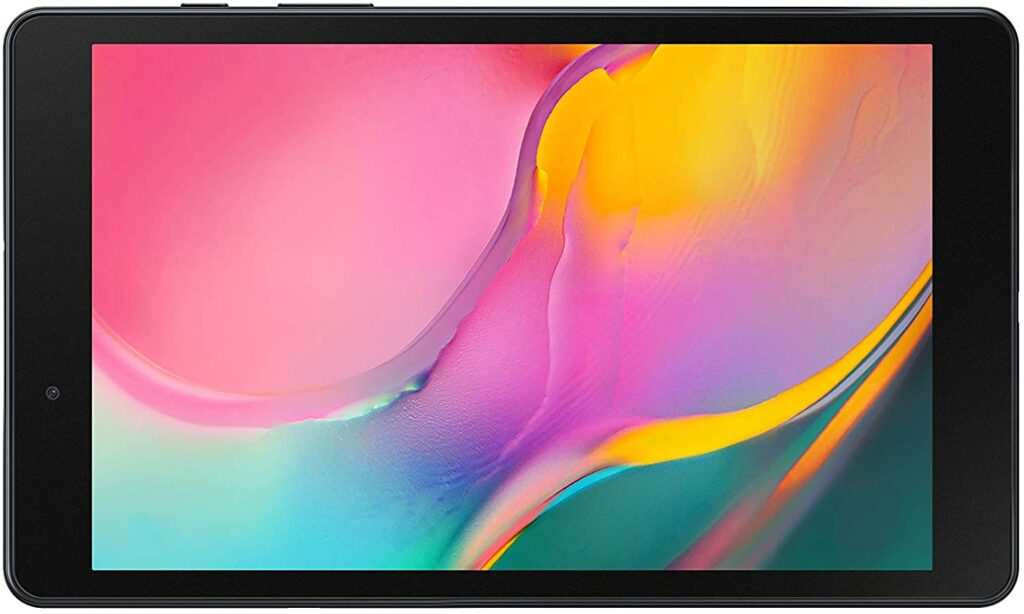
Just like the iPad, the Samsung Galaxy Tab is also a tablet not specifically meant for kids. But it can definitely be more than enough to keep your kid satisfied with its decent amount of specs and features. Not to mention, if you have an older kid, they might appreciate the more “grown-up” and sleek look of this particular tablet.
If the Apple iPad’s price point is still a little too much for you, but you still want the versatility this adult tablets offer, then you might want to set your eyes on the Samsung Galaxy Tab A8. It’s not as affordable as the Amazon Fire HD series but this one is a lot more affordable than the tablets Apple has to offer.
The Samsung Galaxy Tab A8 sports a more mature and sophisticated design that comes in with an option to add parental controls for your child to transform this tablet into a more kid-friendly device.
One of the best things about getting an adult tablet is that when your kid grows much older, they won’t feel the need to discard their gadgets. All you have to do is to remove the parental controls so they can have more access to their desired apps and content.
Features & Specifications
Product Dimensions: 0.31 x 4.9 x 8.27 inches
Manufacturer / Brand: Samsung
Item Weight: .76 lbs. (12.2 ounces)
Screen Size: 8.0 inches
Screen Resolution: 1280 x 800
Operating System: Android
Wireless Communication Technology: Bluetooth, Wi-Fi
CPU: Quad 2.0 GHz
RAM: 1.5 GB
Storage: 64GB (expandable up to 1512 GB)
Battery Life: 13 hours
Front Camera: 2 MP
Rear Camera: 8 MP
Colors: White, black.
Accessories: S Pen, Book Cover (all sold separately)
Extra Special Features: Free Youtube Premium, YouTube Music Premium, YouTube Red and Google Play Music subscription for 2 months for new users.
Pros
Lightweight and compact design.
Versatile.
Access to Google PlayStore.
Free 2-month subscription to Youtube Premium, YouTube Music Premium, YouTube Red and Google Play Music for new users.
Great amount of storage for plenty of kid-friendly apps.
Cons
No keyboard support.
No protective case, you’ll need to buy one separately.
Last but not least in our list is the Amazon Fire 7. It’s cheap, it’s durable, it’s kid-friendly, and it’s just overall been a reliable tablet for kids to use. It comes in a wide range of fun colors for your kid to choose from as well as a terrific range of age-appropriate apps that will surely keep your kids entertained. This is an ideal choice if you have a kid from ages 3 to 7.
As usual with the Amazon Fire Tablets for kids, this also has parental controls that you can toggle before handing it over to your kid as well as a 1-year free subscription to Amazon Kids+. However, because this is solely made for children’s use, don’t expect any cutting-edge specs or performance. But it’s definitely enough for a toddler.
Features & Specifications
Product Dimensions: 8.7 x 6.3 x 1.0 inches
Manufacturer / Brand: Amazon
Item Weight: 16.1 ounces (456 grams)
Screen Size: 7 inches
Screen Resolution: 1024 x 600 resolution at 171 ppi
CPU: Quad-Core 1.3 GHz
RAM: 1 GB
Storage: 16 GB (expandable up to 512 GB with a micro SD)
Battery Life: 7 hours
Front Camera: 2 MP
Rear Camera: 2 MP
Colors: Pink, Blue, and Purple
Accessories: Amazon Kid-Proof Case, USB 2.0 cable, 5W power adapter, and a Quick Start Guide.
Extra Special Features: External volume controls, built-in Bluetooth with support for A2DP compatible stereo headphones, speakers, microphone, and LE accessories support.
Pros
Very affordable.
Great amount of content and apps for your kids to choose from.
Now that we have covered our top recommendations for the best tablets for your kids, here are some friendly quick shopping tips for you before you finally invest in a tablet.
Consider Prices Wisely
When it comes to gadgets for your kids, you don’t always have to go all out and buy the most expensive ones out there. As long as the tablet does its job in keeping your kid entertained for a great amount of time, then that should be more than enough. You can invest in more expensive devices for them when they grow much older.
So unless you have a lot of money to spare, it’s best to consider kid-friendly tablets that are no more than a few hundred dollars. However, if you’re planning to use the tablet to help your kid in their school works, then investing in tablets like the Samsung Galaxy Tab or Apple iPad might be very worth the money.
Specs Still Matter
Tablets for kids are more than a piece of tech junk for your children to tinker around with. Just because it’s meant for your child’s use, doesn’t mean that the hardware has to be an afterthought or overlooked. Sometimes, you have to really consider the specifications as well as the hardware these devices offer.
This is to avoid the device from breaking easily and to ensure that you’re getting your money’s worth. Not to mention, it can be quite nice if the tablet can handle apps like Netflix so your kid has more options for streaming his favorite shows.
Apart from that, when your kid’s tablet has decent hardware, random meltdowns and the device shutting off after a certain amount of use can be avoided. Nothing is more frustrating than having your child’s source of entertainment suddenly cut off while your kid is in the middle of enjoying themselves. Sometimes, these scenarios might even lead to sudden outbursts and lots of crying.
However, while a decent amount of specs are great in the long run, these are not the ones (except maybe for the storage capacity) you should prioritize. When it comes to purchasing a tablet for your kids, warranty, parental controls, and its durability are the more practical features you need to consider first. The more technical aspects should come second.
Streaming Apps For Kids You Might Like
Most tablets for kids already have plenty of apps pre-installed into their system. But adding a few more apps so your kid has more options to choose from is always nice. As long as they’re age-appropriate and filtered. Some of the most popular apps you can install are streaming apps.
You can let your kid watch their favorite shows or you can join in and watch with them for some family bonding. Here are a few of them you might want to check out:
Youtube has a separate site and app called Youtube Kids that is oriented towards children. It has tons of curated selections of content along with parental control features, as well as filtering of videos deemed inappropriate viewing for children aged under 13, 9, or 5 depending on the age group you have chosen for your kid.
Aside from Youtube Kids, if you have a Netflix account, you might have already come across their “kids” option. This allows your child access to skim through all sorts of kid-friendly content that they might want to watch.
Avoid “Toy” Tablets At All Cost
If you want to get a tablet that you can get the most bang out of your buck, avoid toy tablets. Trust me, you’ll end up wasting more money purchasing these kinds of tablets than getting one that has better hardware and provides access to the internet.
A lot of these toy tablets are highly restricted and limited to the apps that are built-in and preloaded into their “kid-friendly” system. So you won’t be getting a lot of versatility from these devices as well as having very limited choices for your kids.
What’s worse, most of these tablets’ software is pretty outdated and has not been updated for years now. This means they’re running older and slower versions of Android’s operating system that we do not recommend for anyone.
Durability
Tablets that are made specifically for children’s use are mostly known for their amazing durability. Most of them sport a rugged design along with a thick, rubber case intact to ensure maximum protection in case your kid drops the device. As you already know, kids can be clumsy sometimes. They drop objects, they like to run around and do all sorts of exciting activities.
So if your kid does these things, it’s best to look out for tablets that offer good cases to protect the actual device from any potential damage or accidents. This is especially so if you invested in an iPad for your kid. Those units are quite fragile and getting them fixed might cost you more than it took you to buy them. You wouldn’t want to see your hundreds of dollars shatter into a million pieces, right?
Conclusion
Now we have finally reached the conclusion of our article on the best tablets for kids in 2021. I hope our selection was able to help you decide on which tablet you should get for your child.
Do you already own any of the devices listed in this article? Did your favorite make it into our list? Let me know in the comments section below if this article helped you in deciding which tablet is best suited for your kid. Any suggestions or insights would also be greatly appreciated. I would love to hear all your thoughts!
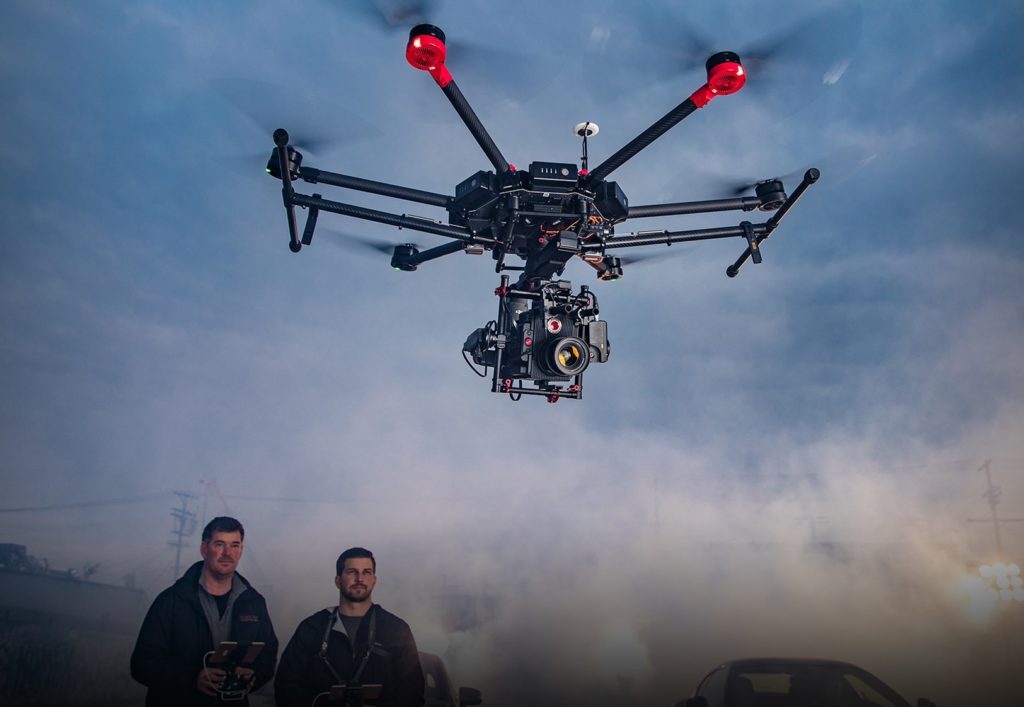
Drones, in general, have been a great source of excitement for different kinds of people. UAV pilots, gadgets and tech enthusiasts, aviators, and photographers all belong in this category. But a popular way to fully enjoy your drone is through capturing those breathtaking aerial shots. So for today, I’ll be giving you my 2021 guide on how to buy a camera drone.
While I’ll be focusing mainly on the specifics of camera drones in this article, I figured to might as well cover the basics for our newbie UAV pilots out there. To start off, here are the most common types of drones you will come across in the market:
Beginner & Toy Drones
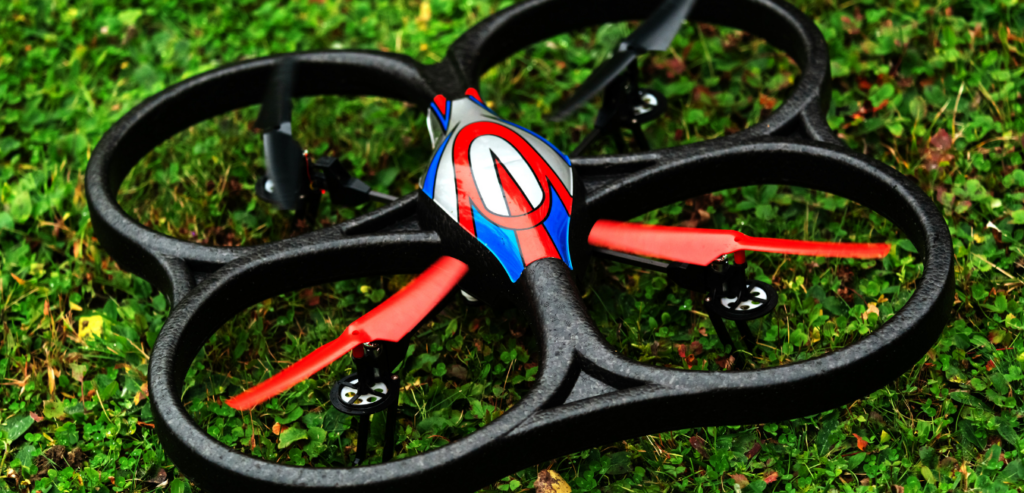
The terms “beginner drones” and “toy drones” aren’t always necessarily mutual. Though for some brands, their beginner or entry models feel a lot like your average high-tech toys. These types of drones usually come in at around a hundred dollars, more or less. They’re typically inexpensive and perfect for practicing your piloting skills.
However, it’s also worth noting that there are some entry-level drones that can instantly make you feel like a pro. Though keep in mind those usually cost a lot more.
But as a rule of thumb, when you’re just starting out in flying your first drone, it’s always recommended to start small. So beginner or toy drones are something that you should definitely look out for. That way, it won’t hurt too much for your bank account in case the drone crashes against an obstacle or gets damaged as you practice with it.
Racing drones are usually what they call FPV drones. This type of drone is typically used either for leisure with your friends or for joining drone racing competitions. Racing drones also tend to be lightweight and compact to make up for their speed and agility so they can easily fly around obstacle courses.
Pilots who indulge in drone racing also sport a specific type of headset that allows them to see a first-person view of what their drone is seeing through its camera lens.
Camera Drones
Now moving on to the star of the show, camera drones are exactly what their name claims to be. They’re drones with built-in cameras on them. Though most drones are equipped with cameras, these specific types of UAVs are miles ahead in terms of camera and video resolution.
Some will offer 4k resolutions while allowing you to shoot at 60 frames per second, while also delivering 48 MP Raw images. But the quality of your footage and stills can go much farther than that if you’re willing to pay the hefty costs. The sky is literally the limit.
With that being said, camera drones also tend to be heavier compared to other types of drones. This is due to the amount of equipment packed into one device. Because of this, a lot of camera drones in the market require registration to the Federal Aviation Administration or FAA.
Overall, Camera drones are usually a lot more sophisticated in overall build quality and the onboard features they have to offer. The most popular camera drone models from DJI, Autel Robotics, or Potensic tend to range anywhere between $500 or even up to more than a thousand bucks.
In addition to that, commercial-grade drones also usually fall into this category of drones as they are mainly used for news coverage, filmmaking, event shoots, and other professional activities.
If you have already started shopping and looking for which drones to buy for your aerial photography needs, most likely you already have come across a ton of brands that manufactures these type of drones. And one that will surely stand out the most is the brand, DJI.
In case you’re unaware, DJI is one of the leading brands for drones in the entire UAV industry. They have some of the best premium drone models that are highly sought after by many drone enthusiasts and both amateur and professional photographers alike.
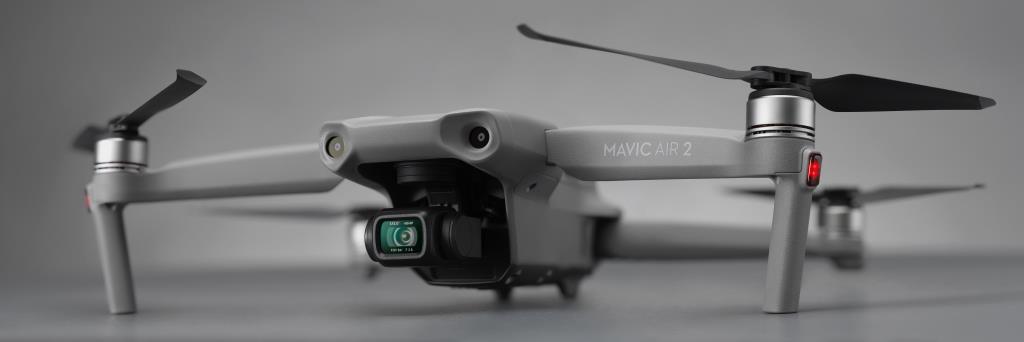
Year after year, they always manage to bring out the most innovative camera drones just when you think their models can’t get any better. Their Mavic series is one of their most successful lineups yet and is something really worth considering if you’re intent on investing in a camera drone for your aerial photography.
However, that doesn’t mean you should solely focus on DJI drones. After all, I don’t think I have to remind you that DJI camera drones are not really the most budget-friendly options out there. If you’re a beginner, then it would be best to find a drone that’s cheaper and expendable. You can check out Ryze Tech‘s entry-level drones for that.
But if you’re a pro photographer who has experience in piloting UAVs but you’re not someone who’s looking for a camera drone that will cost you an arm and a leg, don’t worry!
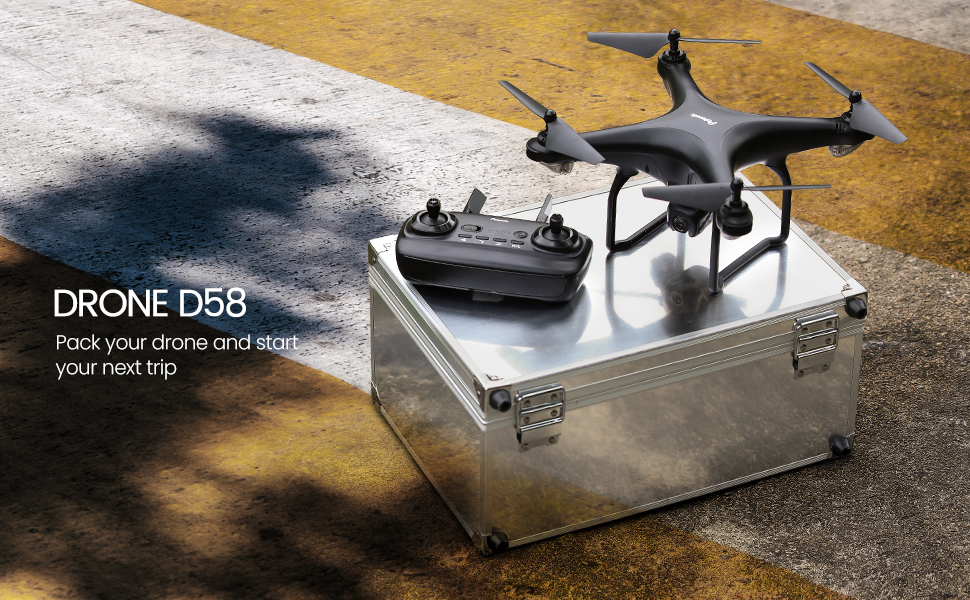
Brands like Potensic with their D58 model offer a solid drone with amazing camera resolutions and other impressive features that will surely satisfy your aerial photography needs without burning a hole through your wallet.
Now that we have discussed the most common types of drones as well as the best go-to brands in the market, here are some features you should consider before making a purchase.
Camera Resolution
Whether you’re an amateur or a professional photographer, a drone’s camera and video resolution always need to be of the highest quality. Just imagine the stunning and gorgeous stills and footage you’ll be capturing in every shoot. Not to mention, it’s already 2021 and the ongoing standard nowadays is at least being able to shoot at 4K.
While camera drones that offer this resolution can be quite pricy, it’s definitely worth the investment. This way, you won’t have to worry about upgrading your drones for at least a few handfuls of years since 4K will most likely be the norm by then. Think of it as future-proofing your device.
But in case you’re not ready for that kind of commitment yet, there are also plenty of camera drones that offer 720-p and 1080-p resolutions which might be more suitable for your criteria.
Safety Sensors
A good camera drone should always have safety modes onboard especially for people who are still practicing their piloting skills. After all, no one wants to break their shiny, new drone on the first day of flying it.
Such safety modes you should keep an eye out for on drones are “Return To Home” features which allow the drone to go back to its launch point in case it’s getting low in battery. Another one is anti-collision sensors that will help the drone sense incoming obstacles.
There are plenty more other safety modes drones can have in their kit, and it’s up to your preference which ones you want to have in your UAV.
Flight Time
The battery life of drones often drains quickly and that’s something that really should be improved for the future. And in most cases, you are going to need to bring in an extra pair of batteries if you want to extend the fun. For cheaper drone models, you’ll be lucky to get more than 10 minutes of flight time.
Meanwhile, more premium drones from DJI or Autel Robotics can easily offer up to 30-40 minutes of flight time at a single charge with an added cost.
Conclusion
We have finally reached the conclusion of our 2021 guide on how to buy a camera drone. I hope this was able to provide you with some insight and help you make a more informed decision when it comes to investing in these really cool UAVs for your next aerial photo shoot.
Do you already own a camera drone? How was your experience? Let me know in the comments section below if you have any information to share or suggestions to add. I would love to hear all your thoughts!