Best Fitbit Fitness Watch for Cycling, Running, Swimming and Interval training?
Over the years I’ve gone through my fair share of activities trackers ranging from awesome to downright dreadful. Fitbit has remained one of the front-runners at designing fitness tracker and smartwatches that are stylish, easy to use and effortless to sync activity data to the mobile app.
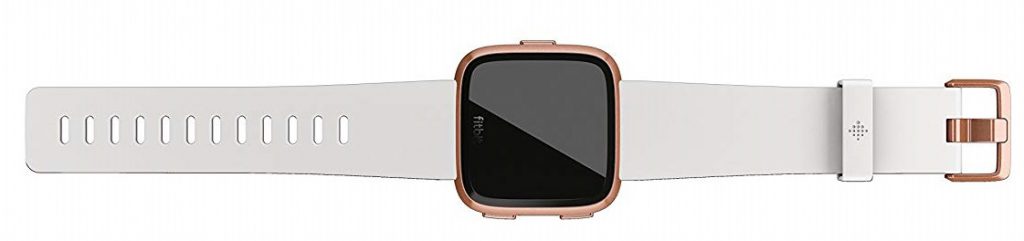
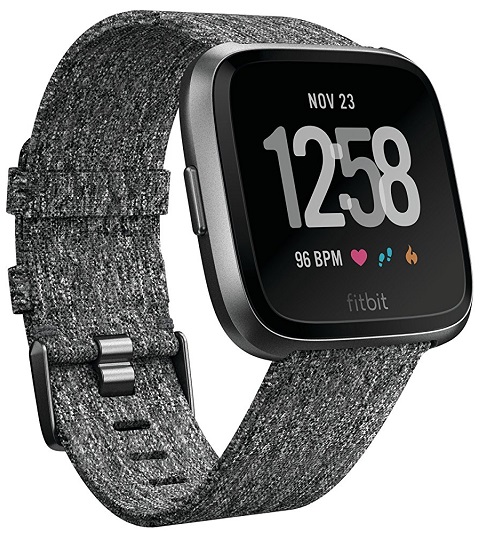
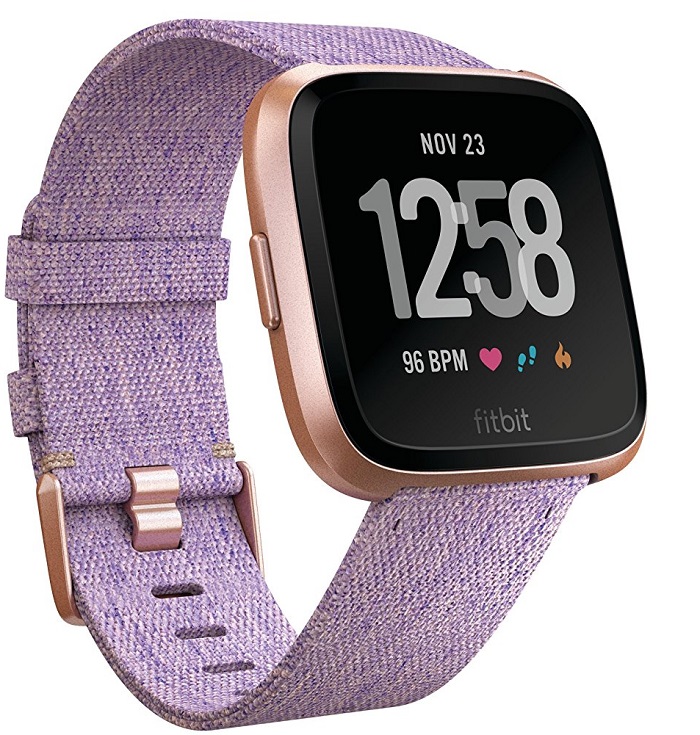
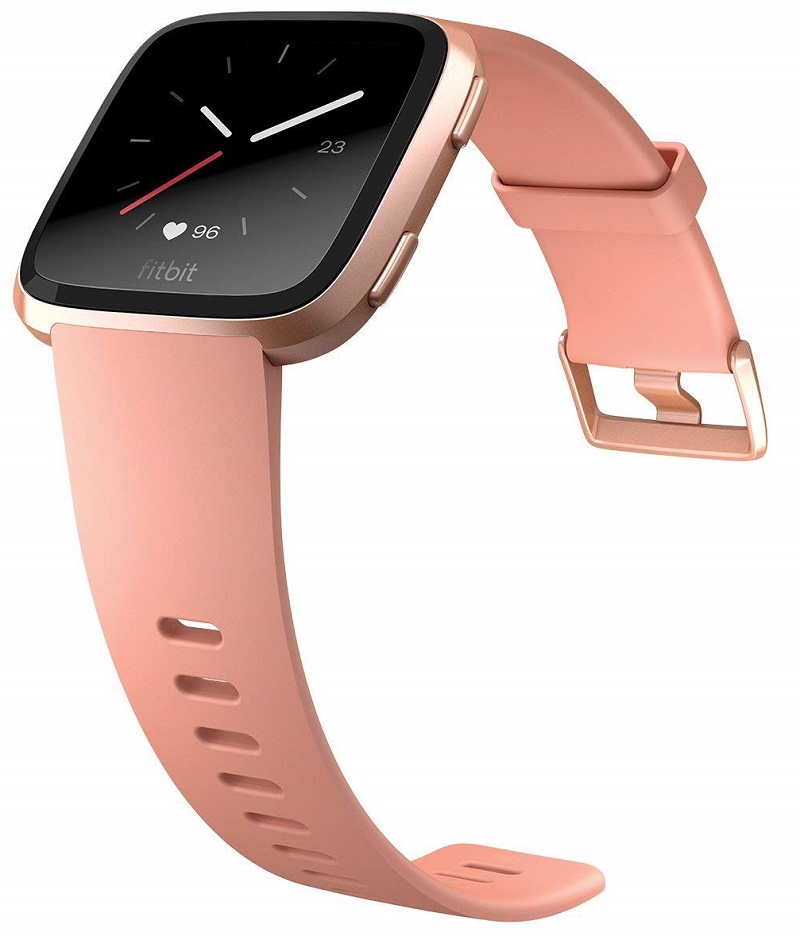
The Fitbit Versa excels at all of the above. It is a lightweight activity watch that tracks a range of activities and workouts including outdoor running, weight training, treadmill, cardio workouts, swimming and so on. It doesn’t come with inbuilt GPS, instead it will piggyback onto your phone’s GPS using a feature called “Connected GPS”, but the plus side of this is a long battery life lasting up to 4 days.
Heart rate monitoring
As with other fitness trackers, wrist-based heart rate tracking is not as accurate as a chest strapped monitor. Having said that I completed a series of outdoor runs and compared the Fitbit Versa data with my Polar RCX3 and the heart rate readings were almost identical. There is definitely a marked improvement over previous Fitbit trackers.
Sleep tracking
If you’ve read any of my previous Fitbit reviews you’ll already be familiar with how highly I rate Fitbit’s sleep tracking feature. It is arguably the best sleep monitoring that I’ve used. We all know that sleep is important for workout recovery and to maintain peak performance.
The Versa breaks down your sleep pattern into 4 different sleep stages i.e. Awake, REM, Light and Deep Sleep. I like that the sleep graphs are easy to understand and show you periods of broken sleep throughout the night. The Fitbit Versa measures sleep stages using a combination of your movement and heart rate patterns.
Battery life
The Fitbit Versa has an impressive battery life that stretches up to 4 days even when it’s used extensively. I recently took part in a 4-week step challenge which meant that I was constantly monitoring my step count and setting myself mini challenges to walk further in addition to my normal workout routine. I thought that this extra activity would cut the Versa’s battery time by half (which would have still been acceptable) but to my surprise, the watch still stuck to its 4-day promise. Awesome!
When the battery is depleted you’ll have to place the Versa into the charging dock to charge it up. Simply press both sides of the cradle base and slide the watch in. The charging time is about 1 hour. Job done.
Living with the Fitbit Versa
When I initially received the Fitbit Versa I was pleasantly surprised how lightweight it was. My strap is plain black and it very minimalist. If you prefer something a bit more vibrant there is a selection of colours including orange, pink and gold. The watch is very comfortable around the wrist and you hardly notice that it’s there. It doesn’t interrupt with sleep and the green sensor light at the rear is very discreet.
The standard bands are made from a durable high-quality plastic that doesn’t irritate my skin. My skin is very sensitive and I’ve always found that the Fitbit bands never cause me any type of irritation.
Setting up the Fitbit Versa for first-time use is quite straightforward and hassle-free. If you don’t already have a Fitbit account the Fitbit app will walk you through the account creation process whilst simultaneously linking your new Versa to your smartphone. It will take about half an hour to set up everything i.e. configure the settings, choose your preferred apps, input your body measurements and weight and choose a suitable clock face. Apps can be repositioned directly from the watch depending on the ones you consider to be the most important.
I’ll just tell you now that they are millions of clock faces to choose from and after a while of looking through them it can be difficult to select one. It’s not a bad thing, I’d rather be inundated with choice rather than choosing from a limited selection.
I eventually chose the NEON2 clock face which displays a cool colourful stick drawing of a running man with the time and date displayed on the left and various stats on the right including my heart rate, distance, steps, calories burnt and battery life. It’s a vibrant clock face that complements what would otherwise be a dull looking black-on-black watch.
Fitbit Versa Notifications
Calls and texts come through without hassle. The Versa will vibrate when either come through. It will also display calendar notifications and reminders. You can’t respond to messages but its still handy to quickly glance at your wrist and gauge whether a message is important enough to warrant going into your phone to read it. You can also set up various alarms which vibrate on the wrist.
Fitbit Versa Apps
There are various apps to choose from including the Strava running app, Fitbit propriety apps include a personal coaching app, alarm clock, music app, weather, news, a leaderboard (to set various challenges with friends and family), timer, relaxation app and a music app that lets you wirelessly sync 300+songs onto the watch.
Sadly there is no Spotify integration and this is something I would like to see in future updates. I recently found out a quick workaround to control the music playing on your phone with the Versa, including Spotify. Hold the back button down, swipe to Music, press the three dots, then pair Versa Classic via Bluetooth, and you should be able to control music when it starts playing on the phone.
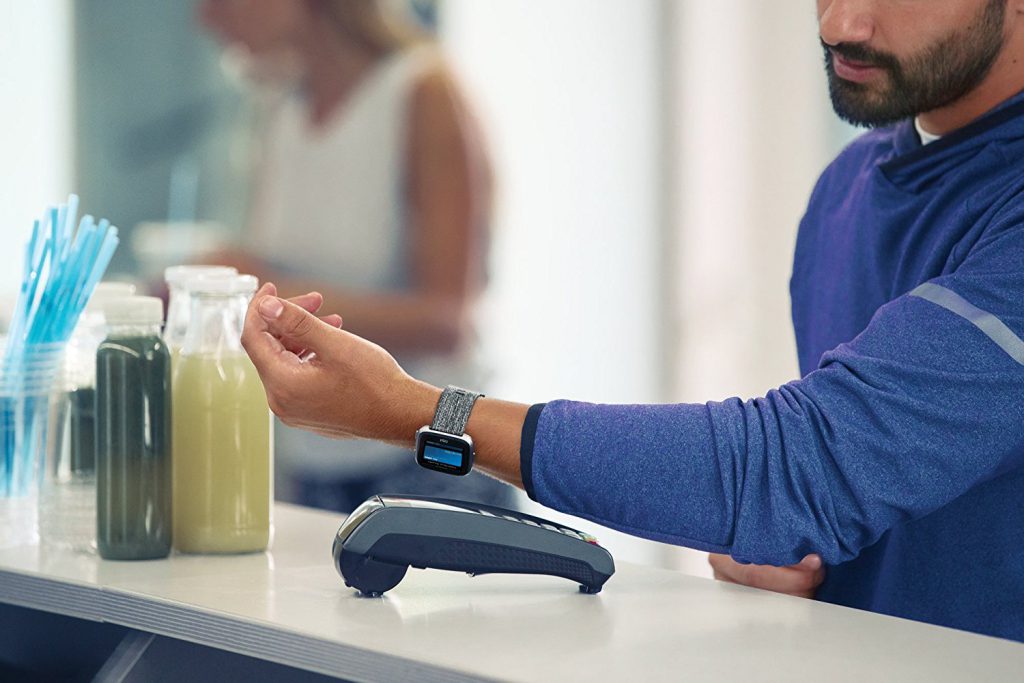
There is a Fitbit pay app that lets you use the watch to make payments but it is not as robust as Apple pay and is limited to a few banks.
Fitbit Versa for Swimming
Fitbit Versa is waterproof which has the obvious benefit that you can take it swimming. Wrist-based tracking isn’t as accurate underwater but it’s still nice to have all the other statistics such as calories burned and the distance covered doing lengths in the pool.
Fitbit Versa for Cycling
The Versa watch uses the GPS data from your phone to determine your route and provide a more accurate breakdown of the distance covered whilst cycling. You can choose what data you prefer to see whilst cycling including your heart rate reading and calories.
Fitbit Versa for Running
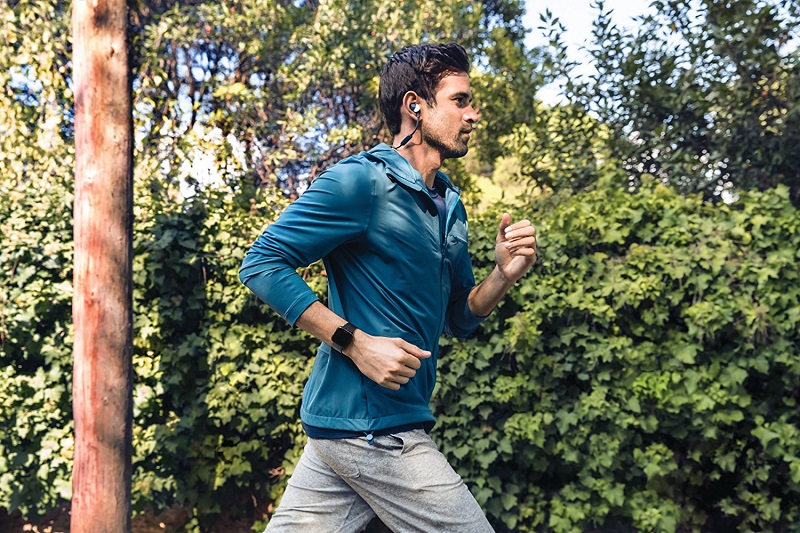
Similar to cycling the Fitbit watch will use your phones GPS for route and distance data and it will use your body measurements i.e. height to determine your stride and pace. You can toggle between different stats using the left button. I’ve found that the heart rate data is a lot more accurate when running than other forms of exercise.
Pros
This is a versatile fitness watch that not only tracks activities but also motivates you to stay fit and keep moving.
You can play music directly from the watch and link a pair of Bluetooth headphones.
Fitbit Versa is extremely lightweight! It looks stylish and doesn’t overcrowd tiny wrists.
There are millions of watch faces to choose from!! It’s super easy to switch between faces via the Fitbit app.
The 4-day battery life is impressive and it actually lasts for 4 days.
A huge selection of watch straps are readily available online including high-quality third-party straps that are cheaper. Click here to see one of my favourites.
A highly functional fitness watch that gives access to a huge Fitbit community where you can get involved in various challenges and stay motivated to exercise.
Cons
Spotify integration is currently not available, but this is one of the biggest request from Fitbit users and should be sorted soon.
You can’t have 2 Fitbits linked to the Fitbit app at any one time. The old Fitbit device has to be removed before installing the Versa. Thankfully the app retains all your previous exercise data from your older Fitbit.
The app selection isn’t great but I’m sure this will get better over time.
Payment is via Fitbit Pay is not as robust as Apple pay.
Product Rating
The Versa is Fitbit’s leading device and has enjoyed a strong positive reception from its users. It is beautiful and comfortable around the wrist. This is a true competitor to the Apple watch.
Is Versa the best Fitbit fitness watch for cycling, running, swimming and interval training? It sure is. The Fitbit brand prides itself on giving its users useful fitness data that is easy to understand. My grandmother uses the Versa and she gets along with the thing just fine.
With the Versa your daily activity is covered from the moment you wake up and throughout the night whilst sleeping. The Fitbit app is beautifully designed and breaks up the data into neat sections that you can tap into for a detailed analysis. You can also log your food intake directly into the app for a fuller picture of your overall health.
Data syncing has come in leaps and bounds since the early days of the fitness tracker. Fitbit has improved data syncing to the point that you hardly notice it happening, my data is always up to date by the time I’ve tapped into the app.
Are you considering buying the Fitbit Versa or do you already own one? Please leave your thoughts in the comment section below. I’d love to hear from you. Thanks for stopping by.
The Garmin Forerunner 235 is a GPS running watch with wrist-based heart rate designed for runners. The elevate wrist heart rate technology makes it easier to analyse your pace and see it improve over time. The watch is equipped with smart features to set personal goals and smash through them.
In addition to run tracking the forerunner 235 is a capable activity tracker with advanced features to stay connected and it automatically syncs activity data to the Garmin app. Notifications are displayed on the watch screen without distracting you from your workouts and widgets can be customised. Download apps and additional watch faces from the Connect IQ store.
Forerunner 235 Features Elevate Wrist Heart Rate Technology
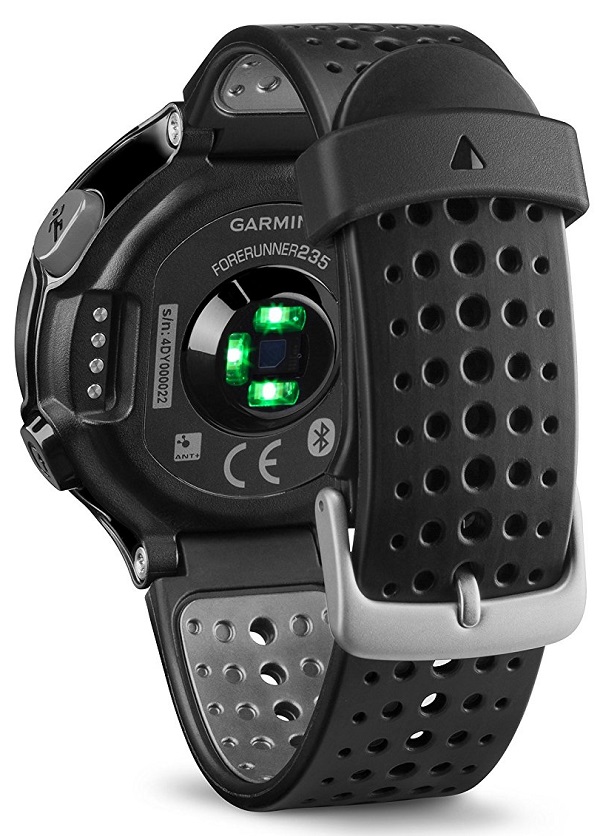
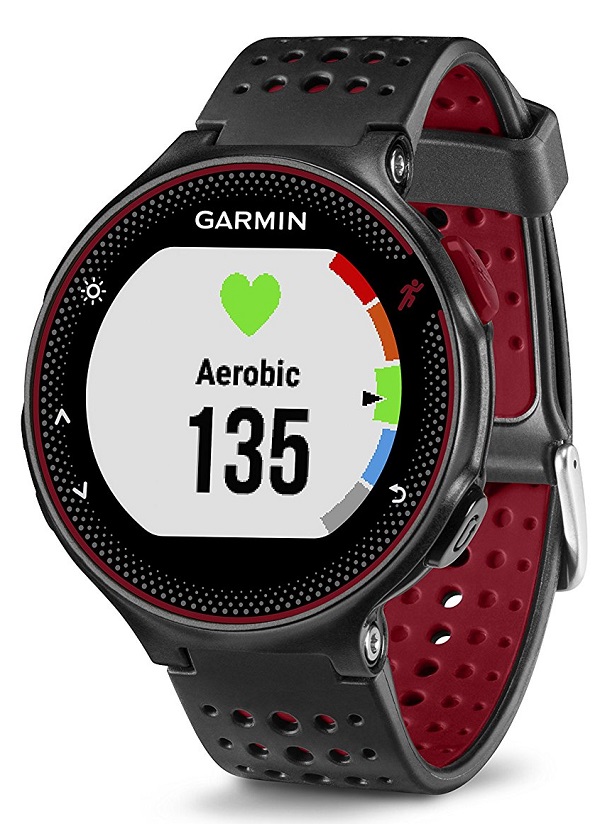
The Garmin 235 watch uses the Elevate heart rate system to record wrist-based heart rate continuously so that you don’t need to run with a chest strap HR monitor. The heart rate zones and beats per minute BPM are displayed on a colourful gauge. You can easily monitor your best heart rate zones for optimum performance.
Garmin Forerunner 235 Practicality
Forerunner 235 is very comfortable to wear throughout the day and is a lightweight device. It’s amazing to see how much technology is fitted inside the watch including GPS for navigation, audio for alerts, haptics, an accelerometer, a rechargeable battery and all of this is enclosed within a 5ATM water-resistant shell.
Forerunner uses a customised charging cable with a unique clamp design on one end and USB on the other end. The display is beautiful to look at and big enough to show the vibrancy of the colourful graphs and customisable watch faces that can be download from the Connect IQ store.
The straps are interchangeable and the colour options include black grey, frost green, marsala and an exclusive black/volt Nike strap. The straps can stretch and provide adequate ventilation to keep your wrist comfortable. Unlike other activity trackers, the Forerunner 235 watch looks great even when worn recreationally. The colourful straps give the Garmin activity tracker some character and make it look more like a stylish watch instead of a fitness tracker.
Garmin Forerunner 235 HR Recording
I’m a regular Polar device user and thought that this would be the perfect opportunity to compare the Forerunner 235 HR recording against another reputable brand like Polar.
For this, I used the Polar H7 heart rate monitor and the results were comparable except for a few peaks in the HR readings for the Garmin Forerunner.
The 235 watch provides great estimates when switched to smart recording, which means that the GPS and heart rate data is recorded in 6-second intervals instead of every second. The resulting data file takes up less storage space and the recorded data is enough to meet the needs of most users.
When data tracking is switched to every second, the forerunner 235 provided great stats. The data was almost as good as the Polar H7 heart rate readings when considering that Optical heart rate sensors are not as accurate as chest strap HR monitors
Garmin Forerunner 235 Training Profiles
Garmin Forerunner 235 can be toggled between 4 different activity profiles which include:
Each of the above profiles can be customised to show specific metrics depending on the information you would like to prioritise.
A good example would be when running outdoors you might want the GPS function to be visible and accessible but for alerts to be switched off. But when running on a treadmill, you might want the GPS to be switched off and notifications turned on. The Forerunner 235 is highly customisable so that your preferences are remembered when you switch between the different activity profiles.
In addition to the activity profiles, the watch features various training features to help you improve your fitness level including:
1. Training calendar
2. Intervals
3. My workouts
4. Finishing time
The “training calendar” and “my workouts” features let you go onto Garmin Connect web and your plan your training in advance. The Garmin 235 watch lets you set a duration, interval distance and time directly from the device. It will then calculate an estimated finish time based on the set distance and your current pace.
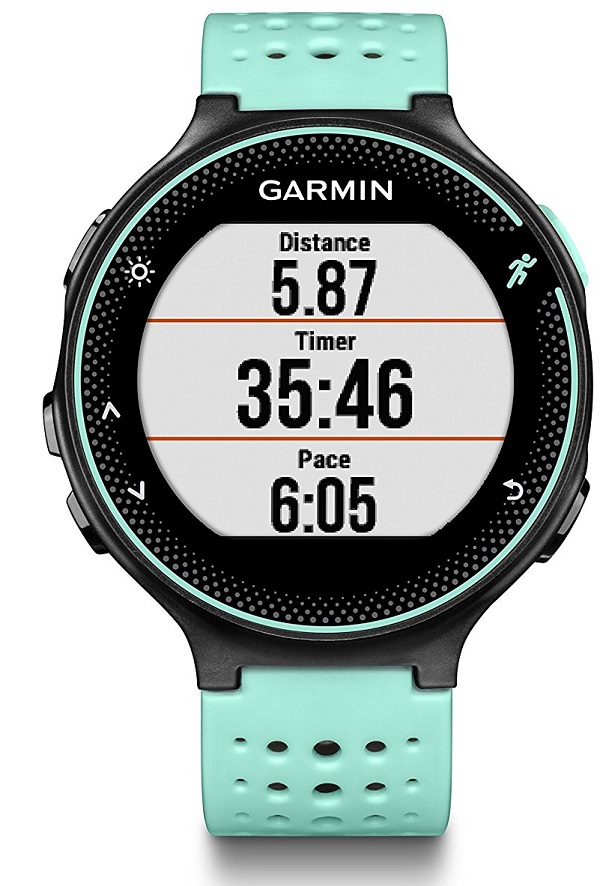
Whilst activity tracking, the display can be customised to show 5 screens in total and 2 of those can each be divided into 4 data fields. The screens can be customised differently for each activity profile.
Garmin Forerunner 235 Smart notifications
Smartphone notifications that are sent to the Forerunner 235 can be expanded and read directly from the watch. You can customise how you would like to be alerted of notification whether its vibration, audio or both.
Garmin Forerunner 235 Physiological stats
When you’ve been running for longer than 10 minutes the Forerunner 235 will estimate your VO2 Max (numerical measurement of your body’s ability to consume oxygen). The recover advisor will also provide you with details of the rest time you should take between intense workouts. The data is assessed for accuracy by First Beat, a Finnish company that does the same for other brands like Suunto, Sony, Samsung and so on.
The watch will also estimate a finish time for 5k runs, 10k runs, half and full marathons by measuring your performance at 10 minutes intervals.
235 All Day Activity Tracking
The forerunner is predominantly a sports watch for runners but it is also a fully-fledged fitness tracker that tracks 24/7 heart rate, sleep, steps, distance, calories burned and the minutes spent in each intensity zones. Sadly it doesn’t track incline measurements for stairs climbed as it does not have a barometer. If you remain stationary for long periods of time the Forerunner 235 will remind you to get up and move, either through a buzz or audio alert.
Pros
This is a 24/7 fitness tracker. Similar to a Fitbit it tracks distance, steps, sleep and calories burned.
All-day heart rate measurement and during fitness activity sessions.
It features GPS+Glonass for smart tracking or second-on-second tracking.
Vibration and audio are built in to aid with alarms, smart notifications, movement alerts.
Read your messages and notification on the large watch display.
It can measure your VO2 Max score (numerical measurement of your body’s ability to consume oxygen), race time predictor and it provides post-workout recovery advice.
The watch automatically records laps at 1km/1 mile intervals or the distance can be customised.
Automatic pausing for track running.
Interval training is entirely possible thanks to the interval run features.
Large display for easier control and reading of data.
Anti-glare display that can be read in direct sunlight. There’s also a backlight.
The watch is compatible with Connect IQ to download apps like Strava and watch faces.
The Forerunner reads the number of laps and time using the Garmin Connect app on your smartphone.
It displays weather and calendar events from your smartphone.
It is water resistant up to 5 ATM.
Answer phone calls directly from the forerunner 235 watch.
Cons
There’s a bit of a learning curve to get used to the navigation.
It doesn’t include virtual pacer functionality
Where Can You Buy The Garmin Forerunner 235 Activity Tracker?
The Garmin Forerunner 235 activity tracker is a comfortable and stylish device for both indoor and outdoor running.
The Forerunner 235 is one of the best activity tracker for runners and is equipped with smart features including VO2 Max score, accelerometer, GPS functionality to analyse routes and distance for beginners and serious runners.
Best Fitness Tracker For Swimming- Stay in Your Lane & Own It
Are you an avid swimmer or triathlete looking for the best way to track your training or take it to the next level? The Polar V800 waterproof sports watch is a serious piece of kit for expert athletes that want to improve fitness results.
The Polar device offers intelligent coaching that is specific to your body and training level so that you always perform at your best. You can seamlessly sync your data to the Polar Flow app to delve deeper into your stats, analyze them, and also become a part of the bustling Polar training community.
The Polar activity tracker is equipped with GPS and is waterproof to a depth of 30 meters (3 ATM). Use it to track the following:
Swimming stroke rate (SWOLF) and stroke style.
Step count, distance and speed.
Heart Rate (BPM) with the chest strap.
Total activity time and intensity levels achieved.
The number of calories burned.
Temperature.
Sleep analysis.
Although the Polar V800 is for serious swimmers it can be used for additional sporting activities such as running and cycling, it’s the perfect accessory for triathletes. The Polar watch is nothing short of impressive and it tracks everything under the sun.
Swimming with the Polar V800
The Waterproof Polar V800 watch can track your heart underwater whilst swimming with the use of a sensor (chest strap) that can measure your pulse underwater. I would recommend buying the version that includes the Polar H7 belt to track heart rate. It is suitable for open-water and pool swimming. If open-water swimming is your thing, the watch will track your progress and distance using the built-in GPS.
During lane swimming, the V800 will observe your swimming technique and measure this using the pool length or your stroke rate. In addition to this, the watch employs a SWOLF score (sum of time and strokes per pool length) for an overall precise measurement of your strength and swimming style.
The Polar V800 can distinguish 4 different swimming strokes including Breaststroke, Backstroke, Front Crawl and Butterfly. You can customize different training profiles depending on your exercise requirements.
Polar V800 Feature Summary
V800 is one of the leading sports watches for any level of fitness training from beginner to advanced athletes that are looking to step up to the next level. Integrated GPS ensures that your distance, routes and speeds are calculated accurately.
Set up different profiles for various training activities and specific metrics depending on the sport or exercise.
The Polar V800 combines sports watch functionality with fitness tracker features. It will provide all-day activity monitoring and sync your data to the Polar Flow app.
The watch comes with the Polar H7 heart rate monitor (chest strap) for the most accurate BPM readings during exercise and whilst swimming.
Train for your upcoming triathlon with the Polar V800, it can link to running and cycling sensors via Bluetooth to give a detailed analysis of your training.
Polar V800 GPS Sports Watch Review
It’s hard to find something that the Polar V800 can’t do. This is a fitness device with a huge set of features that are best mastered using the step-by-step guides provided so you can get the most out of it. It’s important to input your details i.e. age, weight, height, etc for a more personalized experience. You can also change the different settings to view specific metrics for each sport mode e.g. your weekly mountain run could include altitude readings.
Each sport mode has a list of settings that can be recorded and paused automatically. You can choose settings such as cadence speed, average cadence speed, top cadence speed, barometric pressure, altitude sensor climb and descent. The chest strap will enable heart rate readings including your top HR, average HR and sustained training HR.
The Polar watch can be configured to deliver notifications, you can sync the fitness device with your Google calendar for reminders and to set up exercise alerts that will sync with Polar Flow. There are more apps that can be synced within Polar Flow.
The initial set up with your smartphone is quite simple. Just be sure that your phone is close enough to the watch so that data can be synced without interruptions. Some users have complained about losing sync communication between their phone and watch but this is mainly because the proximity between the two is far.
The Polar V800 is a superior sports watch in every respect, it trumps other Polar devices for reliability, advanced features, battery life and display. It is Polar’s best fitness device yet and it’s compact, comfortable and lighter than its predecessors.
Whilst swimming, I alternated my strokes after each length and the V800 picked up all the data and was able to tell me the number of lengths I did for each stroke along with my best and worst performance.
The battery life will last up to 13 hours with constant training and standard GPS & heart rate enabled.
There is a power-saving mode with low energy GPS and heart rate that stretches the battery to last up to 50 hours. The Polar V800 can last up to 30 days in time mode with daily activity monitoring.
Polar V800 Product Rating
The Polar V800 is a feature-rich fitness tracker and sports watch that will provide all the stats you could possibly need. It is the perfect swimming companion to measure your SWOLF score (sum of time and strokes per pool length) and can also be used to train for triathlons.
The device is suitable for advanced training and sporting professionals. It is a popular tracker for underwater heart rate monitoring.
Is the Polar V800 the best fitness tracker for swimming? Yes, this is an advanced device with robust functionality. If your aim is to improve your training and view accurate stats of your swimming performance, I would highly recommend V800.
There’s the added bonus of the H7 heart rate sensor that’s included for underwater BPM monitoring. The stride sensor will unleash a deeper analysis of your running and cycling stats should you wish to extend your training to those areas. Naturally, it will take some time to truly learn the watch’s capabilities and the extent to which you can train with it.
The Polar V800 is a serious piece of kit and a worthy purchase for expert fitness tracking. Are you considering buying the Polar V800 or do you already own one? Please leave your comments in the section below. I’d love to see your opinions.
The Best Tomtom Multi Sport GPS Watch (Heart Rate Monitor)
If you’re aiming to turbocharge your fitness you can benefit hugely with an activity tracker. TomTom Spark 3 (or the Runner 3) is a highly rated GPS fitness tracker. There’s the big advantage of tapping into TomTom’s mapping system for the best route tracking and guidance. As a result, this tracker is popular with runners and cyclists.
Advantages of TomTom Spark 3 Activity Tracker
Great running features for interval exercise and you can add your favourite music playlists straight to the tracker and leave your phone at home.
The GPS functionality lets you load a route to the tracker and follow it, or if you want to be spontaneous you can use random routes and let the Spark 3 guide you back home.
The battery life lasts for an impressive 3 weeks (without GPS) or 11 hours with GPS switched on.
You can take the tracker swimming as it’s fully waterproof.
Accurate heart rate tracking whilst exercising.
Disadvantages of TomTom Spark 3 Activity Tracker
The TomTom app isn’t as intuitive as alternative brands like Fitbit or Garmin.
Sleep tracking could be better, especially since the tracker is comfortable enough to sleep with in bed.
TomTom Spark 3 Review
This is the third version of TomTom’s Spark range and it is their best tracker yet. GPS tracking is brilliant for cyclists, outdoor runners and you get 4 different choices of the Spark 3 which include:
The standard GPS version.
Cardio + Music version- this includes heart rate monitoring and storage for 500 songs.
Spark 3 with just music.
Spark 3 with just heart rate tracking.
TomTom Spark 3 Heart Rate Monitoring
Wrist-based optical heart rate tracking is often slow and inaccurate, but thankfully this isn’t the case with the Spark 3. I tested it against my Polar H7 chest strap and was impressed to see that the readings were similar even during intense exercise (where optical sensors fall behind). The average heart rate reading for the Spark 3 was just a few beats per minute different to the Polar H7.
Whilst working out you can view your heart rate and the relevant intensity zone which ranges from 1 “Easy” to 5 “sprint”. You can customize the tracker so that it knows your preferred intensity zone and the device will motivate you to stay in your zone by vibrating against your wrist if you drop below your desired zone.
The TomTom activity tracker will also monitor your heart rate throughout the day and provide resting heart rate metrics through the app. This is very useful as it helps you to gauge if your physical activity and exercise are at the correct level.
Heart rate tracking isn’t included with the entry-level version of the Spark 3 but we think that it is worth having.
TomTom Spark 3 Activity Tracking
Spark 3 tracks a variety of activities including gym, cycling (indoor & outdoor), swimming, running (indoor & outdoor) and freestyle. I tested the tracker for outdoor running and cycling, and in the gym. It tracked everything commendably, but I noticed that it didn’t automatically detect exercises like competing trackers- you need to manually start an exercise.
The onboard GPS ensures that all outdoor pursuits are accurately recorded. A minor issue is the amount of time it took the tracker to sync activities to the TomTom app, I felt that it could have been quicker. It can take up to an extra 60 seconds to sync when compared to alternative trackers.
Is the TomTom Spark 3 Good for Running?
In addition to the Spark 3 range, TomTom has also introduced the Runner 3, especially for runners. The device is similar to the Spark 3 and available in running stores, the straps are available in different colours. It is essentially the same tracker and an ideal running companion.
What sets the Spark 3 from other trackers is the Route Exploration features that allows you to upload routes to the tracker via the app and then use them for your runs, and if you diverge from your route the Spark 3 will guide you back- this means you can explore without the worry of getting lost. The screen shows an easy-to-use map that you can magnify and navigate with.
The map feature is hugely beneficial in unfamiliar areas, but it’s also handy in areas that you usually run so that you can experiment with different routes without worrying about how to get back home. Brilliant route guidance eliminates the need to bring your phone with you.
The Spark 3 also locates GPS signals very quickly, usually between 45 to 90 seconds, so that you’re not waiting for long periods to begin your run or cycle. During your outdoor activity, you’ve got fast access to your metrics including distance, average pace, time, current pace and beats per minute.
You can customize the Spark 3 to display different modes depending on how you want to view your run. You can set it up for interval running, or vibrate whenever you slow down from your preferred pace or fall below your desired heart rate zone.
After you’ve completed your run you can review stats using the TomTom Sports App or transfer the data to other running apps such as Runkeeper or Strava, this is helpful given that the TomTom App isn’t as refined yet.
If you prefer running on a treadmill, the Spark 3 will accurately mirror the stats shown on the equipment, then you can easily add the distance later on. It will provide similar options for indoor running as it does for outdoors. Over the colder months, you can still use the watch for interval running in a warm gym.
Two of the Spark 3 versions are bundled with onboard storage for 500 songs on the music model, which can be played via a good pair of Bluetooth headphones that are included with these variants (which are also compatible with any Bluetooth earphones).
The upgrade costs slightly more but I feel it is worth it because a good set of Bluetooth headphones will cost more than this.
Is TomTom Spark 3 Good for Cycling?
Although running is the main feature on the TomTom Spark 3, it functions exceptionally well for bike riding whether it’s outdoors or inside. You can customize the settings in a similar fashion to your running or other exercises.
The tracker doesn’t provide metrics that are specific to cycling such as power or cadence but GPS makes sure that speed, splits, elevation and distance are tracked. If you’d rather take a spinning class indoors, the Spark 3 tracker will record calories burned and heart rate, and it allows you to do interval training.
Is TomTom Spark 3 Good for swimming?
The TomTom tracker is surprisingly good to use during swimming. Simply enter the pool length measurement and the device will count lengths, strokes, total distance, calories burned and strokes per minute.
The Spark 3 doesn’t distinguish between different swimming strokes but it will provide metrics that are specific to your swimming such as a SWOLF (Swim Golf) score which measures the number of strokes for each length and the time it takes to complete a length.
The Spark 3 tracker is geared more towards tracking specific sports instead of activity tracking, but it’s completely capable of doing both and it does a great job at keeping your step count. There’s quick access to your daily and weekly step stats either through the tracker itself or the TomTom app.
The watch’s long 3-week battery life is ideal for daily tracking and minimizes the risk of it running out when you’re not at home during the day. The tracker will vibrate and congratulate you when you achieve any of your set goals.
Calorie Counting on the TomTom Spark 3
Just like with steps, the stats for calories burned are quickly accessible on the Spark 3. You can view the calorie count for all your exercises. Calories totals are not the device’s main focus but the stats are always available whenever you want to review them. If you’d prefer a tracker that focuses on calories burned and weight loss then I’d recommend the Fitbit Alta HR.
The TomTom app has undergone an extensive revamp over the past several months and the upgrade was long overdue. The new improved app provides a detailed summary of your daily activities, routes taken, splits and an amendable graph that gives heart rate data, pace and elevation.
The app’s features are not as robust as other apps like Fitbit or Garmin. I like that the TomTom app can link to Nike+, Runkeeper and Strava, so that you can view a detailed analysis of your activity using your favourite apps instead of the TomTom Sports app.
An improvement that I would like to see would be the ability to create a fitness program through the app, whether its a one-off or a series of sessions, then transfer it over to the device.
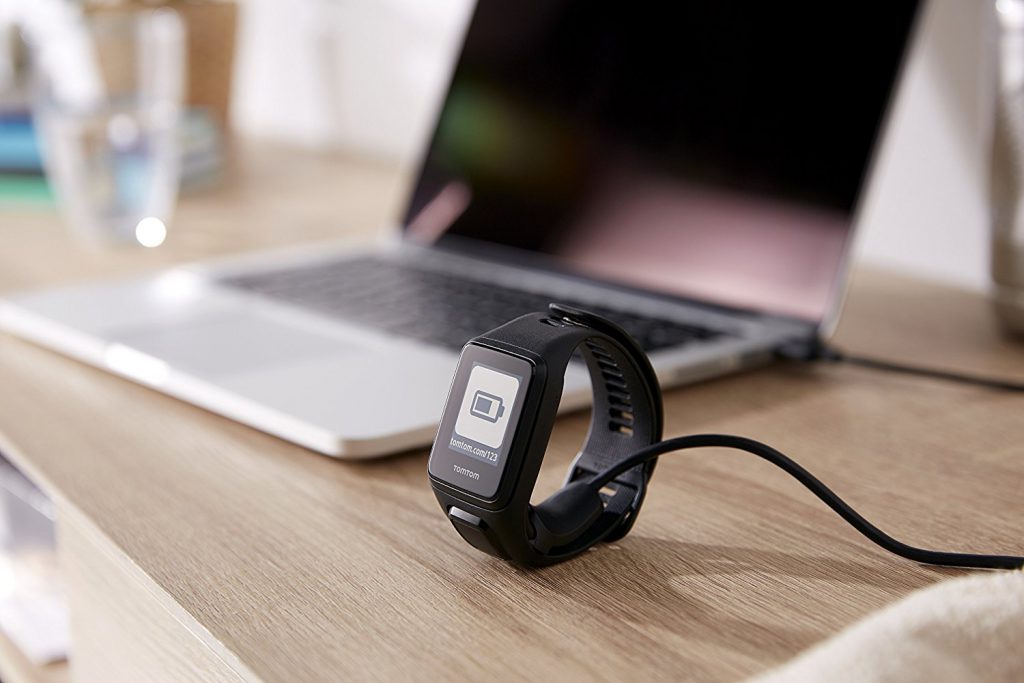
Charging the TomTom Spark 3?
The TomTom activity tracker lasts for 11 hours with the GPS turned on and 3 weeks if GPS is disabled. If you run regularly the tracker should last for a week with the GPS on. If you commute to and from work on your bike every day then you might need to recharge the device halfway through the week. Overall, the battery lasts long enough to see you through all your activities without worries.
TomTom Spark 3 Activity Tracker Product Rating
The Tomtom Spark 3 fitness tracker is a comfortable and reliable device that is a great companion for your exercise program and general daily tracking. Waterproofing, SWOLF functionality and advanced route mapping has seen the device become the activity tracker of choice among runners, cyclists and swimmers.
Product Rating: 7/10
Where Can You Buy The TomTom Spark 3 Activity Tracker?
It can be difficult to maintain a regular fitness program, but with a fitness tracker you can stop second-guessing and know exactly where you are with your progress. The Polar Loop 2 is a perfect fitness accessory that can be tailored to your lifestyle and provide you with much-needed motivation when required. Simply tap the screen and the Polar device will reveal your step count, calories burned, time and your progress in achieving your daily movement goals.
The Polar loop 2 activity tracker is ideal for round-the-clock movement tracking and it intelligently helps you to improve physical activity. If you enjoy swimming you’ll be glad to know that the latest version is now waterproof. The soft silicone feels comfier around the wrist and call/text notifications are sent straight to the tracker and shown on the display.
The loop 2 is unique from other trackers in that it categorizes your physical exertion at 5 different intensity levels i.e. resting, sitting, low, medium and high. This makes it easier to identify areas that you are excelling and those that need improvement.
Leave the tracker on whilst sleeping and it will track your sleep patterns so you can gauge whether you’re getting enough rest. Simply log in to the Polar flow app through your phone to assess your sleep health. The tracker is also equipped with a clever wake-up alarm that sends light vibrations to your wrist to wake you up gently.
Customized Calorie Count
I’ve used Polar devices before and know that their method of measuring calories burned is one of the most accurate. The customized system will take into account your body measurements i.e. height, weight, age, gender and compare this to your physical activity to provide accurate calorie details. It’s good to see that Polar’s algorithm has been included on the Loop 2.
Loop 2 Energy Pointer
Energy pointer is an improved user-friendly, heart rate-based feature that will demonstrate the primary effect of your exercise and show you whether it is torching fat or improving overall fitness.
Activity Appraisal
Loop 2 will track daily movements and provide you with an assessment of your day-to-day, weekly and monthly physical activity. The tracker will show you how your activity and fitness contributes to your overall health.
Loop 2 is Compatible with Heart Rate Sensors
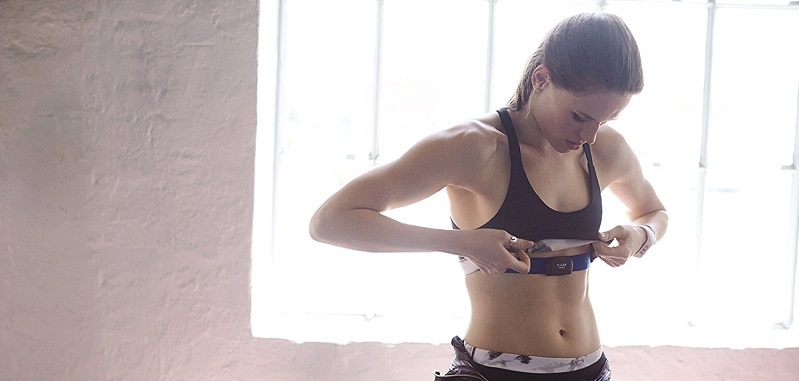
The Loop 2 can be linked with a Polar H7 Bluetooth heart rate sensor to provided precise beats per minute (BPM) during exercise. The sensor is not included but can be bought separately, simply click here
Things get more interesting when you pair up the Loop 2 with the H7 Heart Sensor- your stats couldn’t get more accurate than this. As soon as the Loop 2 is connected to the H7 sensor, fluctuations in your BPM readings are detected instantly and quicker than an optical wrist sensor.
Your training session and heart rate readings from the sensor will be recorded and transferred to the Polar app the next time it is synced. The Loop 2 will also use the heart sensor data to calculate calories burned during your workout and add these to your daily total. Once your workout is complete simply remove the H7 sensor from your chest and the training will stop.
Polar makes some of the best heart rate sensors that strap to your chest. They are durable and I’ve used them hassle-free for many years to link older Polar devices.
Reach Your Activity Goals
The Polar Loop 2 activity tracker will tailor your daily physical goals based on your body measurements, age and gender. The device will then inspire you to achieve your goal and keep you aware of your progress throughout the day.
Polar’s proprietary system tracks your exact level of physical exertion and can distinguish between low and high effort activity such as walking versus sprinting. You can then see a comprehensive snapshot of your day-to-day physical activities
The Polar Flow App
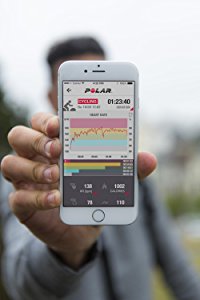
The Polar Flow app is a fitness companion that pushes you to reach fitness milestones. Your activity data can be seamlessly synced between your smartphone and Loop 2 using Bluetooth. Within the app you can view your daily activity details, exercises, sleeping trends and progression.
Syncing data between tracker and app usually takes about 30 seconds depending on the amount of data being transferred. Shorter intervals between syncs speed up the process. The data shown in the app is presented elegantly with colour coded graphs that represent each level of intensity. The app has a great calendar format that lets you view all of your fitness sessions.
Smartphone Notifications Using Loop 2
Similar to other activity trackers, the Loop 2 will vibrate when you receive a text message on your phone and display the message on its screen. If a call comes through, the polar device will vibrate and display the contact’s name or telephone number. It’s a helpful feature, but you can’t actually answer calls or reply to text messages from the Loop 2- the notifications are read-only.
Loop 2 Sends Alerts For Long Periods of Idleness
The tracker motivates you to remain active and helps to minimize idleness by vibrating when it detects long sessions of idleness. If you remain seated or inactive for more than 55 minutes, Loop 2 will nudge you to get up and move around.
Loop 2 Design
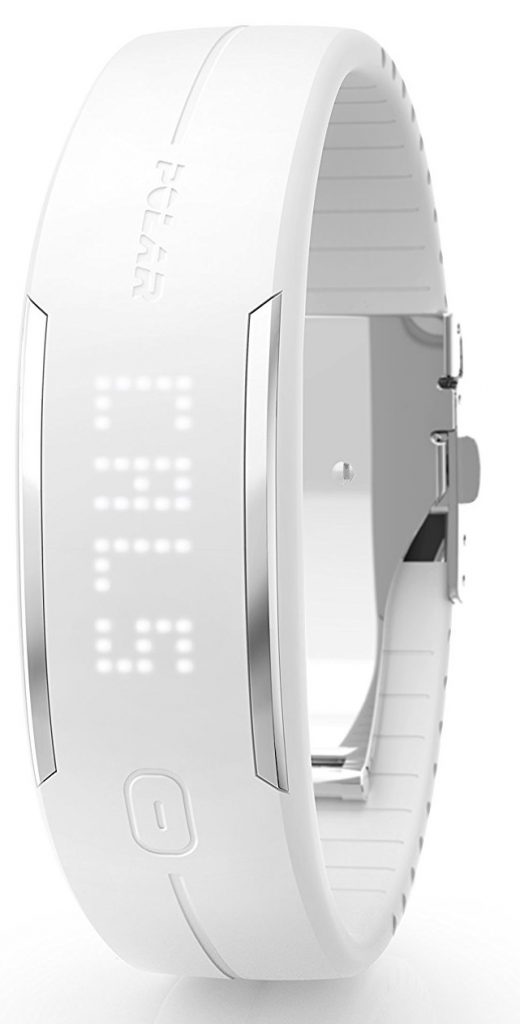
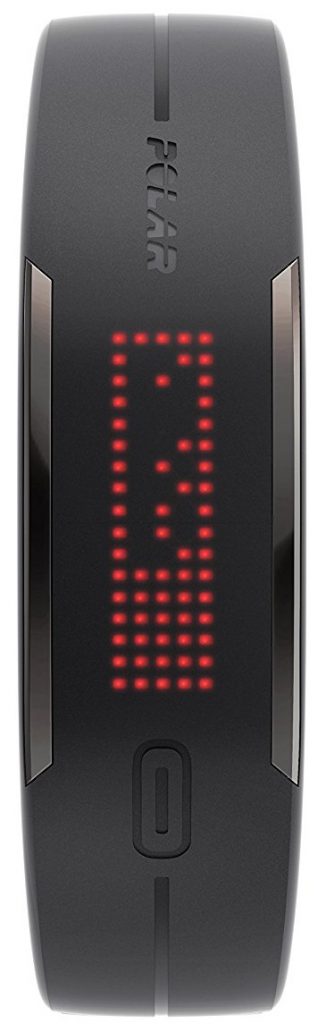
The Loop 2 is designed to resemble a band instead of a fitness watch. It looks similar in design to the Fitbit Alta HR and Garmin Vivosmart. The strap is made from a high-grade soft silicone that wraps around your wrist comfortably so that you hardly notice that its there.
Pros:
The band can be cut to size to fit your wrist. The process is a bit unnerving but a tape measure is provided so that you don’t cut off too much of the band by mistake. Be sure to cut off a section at a time.
High-quality materials are used throughout the device.
Loop 2 can be linked to a Polar heart rate sensor for better BPM readings during intense workouts. The Loop 2 linked to my old Polar chest strap and worked perfectly.
Charging the battery is quick. On some occasions, the tracker has lasted for 8 days on a single charge.
Cons:
The clasp at the base can press into the wrist when leaning on the tracker i.e. whilst typing or using a mouse.
Syncing data is not as quick as other fitness trackers.
The Polar Loop 2 Activity Tracker Product Rating
The Polar Loop 2 activity tracker is a durable fitness tracker that gives huge advantages to daily tracking and how it is assessed. It doesn’t come as a surprise that the device has already experienced a surge in popularity with new and existing polar users thanks to intelligent monitoring and compatibility with chest heart rate sensors.
Product Rating: 7/10
Where Can You Buy The Polar Loop 2 Activity Tracker?
Is the Polar Loop 2 activity tracker worth purchasing? If you’ve ever owned a polar device you’ll be accustomed to the brand’s extensive use of high-quality materials and durability.
The Loop 2 is no exception when it comes to meeting the high standards of Polar. This tracker could easily last for many years even when used for demanding workouts and outdoor pursuits.
I’d recommend this tracker if you want to deep dive into your activity metrics and assess how long you spend at each intensity level. You get access to the popular Polar Flow app which provides plenty of fitness functionality that is customised to your data.
Are you considering buying the Polar Loop 2 fitness tracker or do you already own one? Please leave your comments in the section below. I’d love to hear from you.
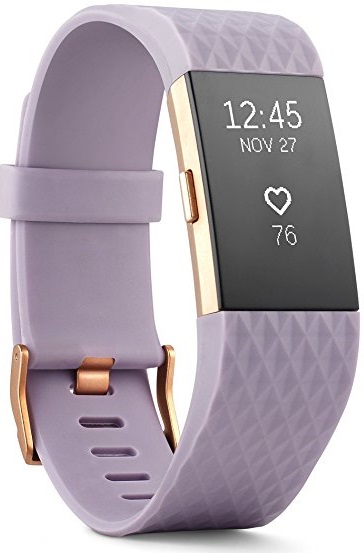
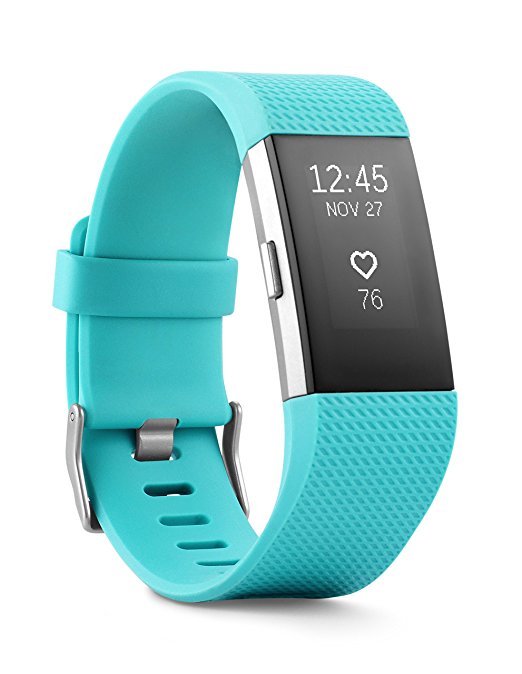
Why not turbocharge your health by getting the best fitness tracker with heart rate monitor. The Fitbit Charge 2 is currently the ultimate tracker to suit most people’s needs because it houses almost every feature you could ever need, it feels great around the wrist even when worn for a long time, and it is very affordable.
Similar to the trackers in the Fitbit range the Charge 2 records steps, calories, sleep and exercise but does this stylishly. It is a great improvement over the previous model and it sports a high-density OLED screen, which is not touchscreen for better control when sweaty or wet.
The heart-rate sensor is always on and gives precise readings but it doesn’t drain the battery and when tested, the battery actually lasted longer than the 5 days that the marketing states.
If you buy a Fitbit tracker you automatically get the benefit of becoming part of its large community and amazing app. Within the app, your data will sync seamlessly and you can log your daily meals, hydration and any other additional activities so can see the complete picture of your fitness.
The Charge 2 can also show incoming calls and message notifications from your phone. It is compatible with iPhone, Android and Windows devices. With this tracker, there is little room to make excuses why you can’t exercise and more motivation to live an active lifestyle and improve on your current fitness goals.
Initial Thoughts about Fitbit Charge 2
The Charge 2 is a midrange device from the Fitbit line-up. It substitutes the highly acclaimed Fitbit Charge and Charge HR. it will track everything including Heart rate, Calories Burned, Steps, Elevation (stairs) and uses your phone’s GPS to show a map of your route after your exercise is complete- you’ll need to have your phone with you for the map and text/ call notifications.
If you’ve never owned a Fitbit tracker then Charge 2 is a great way to immerse yourself in the world of activity tracking. What sets Fitbit apart from rival trackers is their extensive use of user-friendly software and social engagement. The Fitbit app is hard to beat and incredibly easy to use, plus you get access to the biggest community of fitness tracker users which makes it fun to find your friends and take on challenges.
Is it worth upgrading to Fitbit Charge 2?
From the onset, the original Charge has been the primary fitness tracker in the Fitbit range. The device received plenty of raving reviews and contributed to the success of the brand. So is it worth upgrading? Absolutely. It would be difficult for me to sum up the benefits of upgrading in one sentence, so I will split this into a few sections:
Quality of Material
The material used on the Fitbit Charge 2 is higher quality compared to the first model. From the moment you take it out of its packaging you will feel the sturdiness and thickness of the band. Its materials are built to stand the test of time.
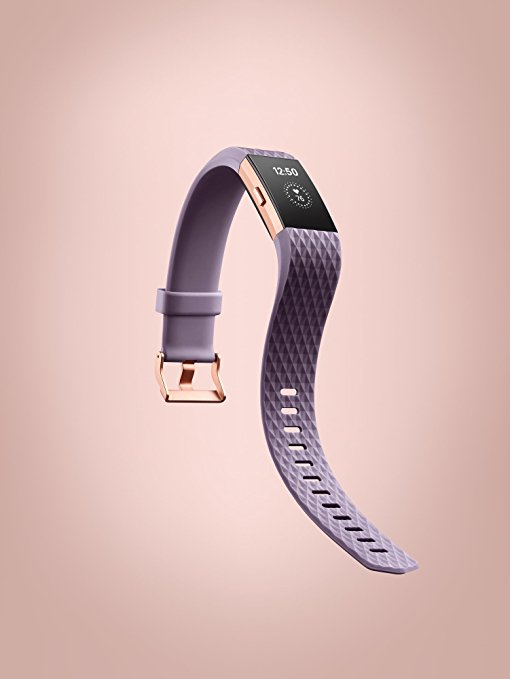
Interchangeable bands
It’s quite simple to swap the bands, all you need to do is press the band no both ends and it will come loose. Unlike the original Charge, which suffered from the band developing bubbles, the band on the Charge 2 feels vastly superior and gives a sense that it will last much longer when put to the test.
When I tested an alternative tracker (Fitbit Alta) it withstood demanding workouts and the outdoor elements. The material found on the Charge 2 feels similar or maybe even better than the Alta so I’m quite confident of the high level of quality.
Fitbit Charge 2 Sizing
The width of the Charge 2 is pretty much the same as the original Charge models. I like that the buttons feel sturdier and are more prominent. When you click the buttons they don’t wiggle or feel inferior.
The band is longer than its predecessors so you might need to get a smaller size for your wrist. I normally wear a medium size but noticed that I had to use the narrowest hole. This didn’t affect comfort or usability but it’s just something to keep a note of.
Fitbit Charge 2 Screen
The screen is crisp and about 4 times larger than earlier models. The display is pleasantly bright and the font is remarkably clear. The screen’s brightness helps to eliminate the sun’s glare when outdoors. The screen is black and white, with the font displayed just off-white, unlike the previous Charge which displayed a blueish font. Notifications scroll across the display when received.
Relaxation
Similar to the Apple watch, the Charge 2 has a relaxation/ breathing feature. The tracker will observe as you breathe in and out and notifies you when to take deep breaths. This is not a feature that I would use often but it’s good to know that its there.
Navigating the Interface
The Charge 2 interface is easy to navigate. When choosing a specific exercise just click the side button to access the workout section, then tap through the various exercises i.e cycling, running, rowing, weight training and so on. Once you get to the desired workout hold the button to begin. Whilst exercising you can select various stats to customisable that activity i.e. distance, calories burned, heart rate and so on.
Menu Selection
The screen displays the clock face by default, when you press the side button you get access to the following options:
Heart Rate
Exercise
Stopwatch
Relax
Alarm
Fitbit Charge 2 Clock Faces
You can choose from 7 different clock faces. Some faces also show the date and day. Most of the faces allow you to tap the screen to access your stats to check things like heart rate, steps, activity progress, etc. Two of the clock faces are a digital clock and the rest are analogue clocks.
Receiving Notifications
The tracker will display standard text without pictures. It will notify you of SMS and iMessages as well. If a call comes through, the tracker will show the name of the contact and/ or phone number, it will also display calendar alerts. Currently, the Charge 2 doesn’t send social media notifications but I’m sure this will be available in the near future.
Moving Motivation
If you stay sat down for long periods the Charge 2 will prompt you to get up. The minimum is 250 steps each hour.
Pros:
Superior build quality over previous models. The materials feel and look premium, the tracker doesn’t look like its encased in tacky rubber.
You can style the Charge 2 for any occasion thanks to the interchangeable bands- choose from metal, leather or different coloured bands.
Heart rate monitoring is extremely accurate and constantly reads your beats per minute without compromising the battery life.
The earlier Charge tracker occasionally had a problem reading heart rate at more intense cardio levels. This doesn’t seem to be the case with the Charge 2.
The charger is a big improvement and features a clip style design that fits around the sides of the device. The tracker comfortably clips in and there’s no risk of it dropping out given the clever design.
Cons:
The vibration on the Charge 2 could be a bit stronger. Personally I don’t have an issue with this but if I was using the tracker as an alarm to get out of bed then I’d maybe like the vibration to be stronger.
Unlike the Fitbit Blaze notifications on the Charge 2 don’t show the full message at once. This is a minor issue because the message does stroll through the screen.
Fitbit Charge 2 Product Rating
Fitbit Charge is an affordable fitness tracker that has all the best technology to keep you active, monitor progress and it simplifies the presentation of your fitness metrics. It goes without saying that Fitbit designs some of the best trackers and the Charge 2 is no exception.
Is Fitbit Charge 2 the best fitness tracker with heart rate monitor? It certainly is and is worth upgrading to from the original Charge. If this is your first Fitbit then get ready to be wowed. The Charge 2 is a step better than the Alta, it’s stylish and built with long-lasting materials.
Why is Charge 2 the best activity tracker? Because it strikes a good balance between a great set of features (that aren’t overly complex) and affordability. You get the best sleep tracking, the best fitness app and access to the biggest community of Fitbit users. All of this for less than $120.
Are you considering buying the Fitbit Charge 2 or do you already own one? Please leave your comments in the section below. I’d love to see your opinions.



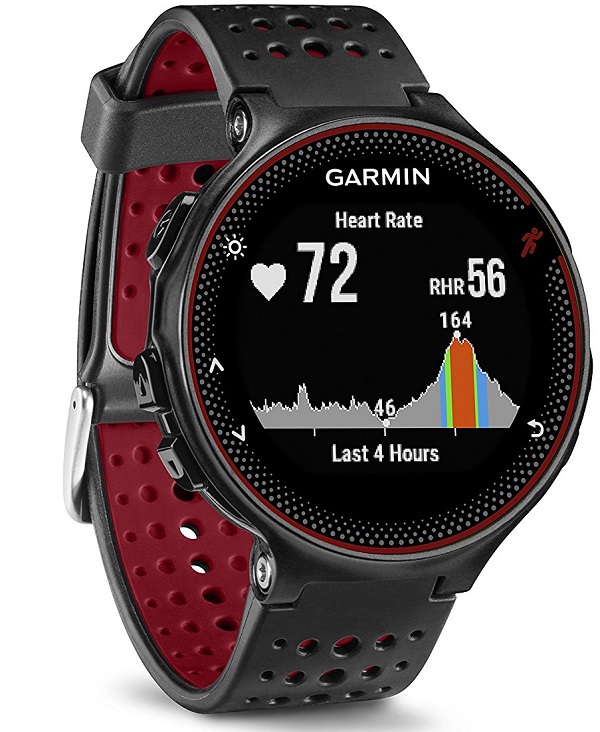 The Garmin 235 watch uses the Elevate heart rate system to record wrist-based heart rate continuously so that you don’t need to run with a chest strap HR monitor. The heart rate zones and beats per minute BPM are displayed on a colourful gauge. You can easily monitor your best heart rate zones for optimum performance.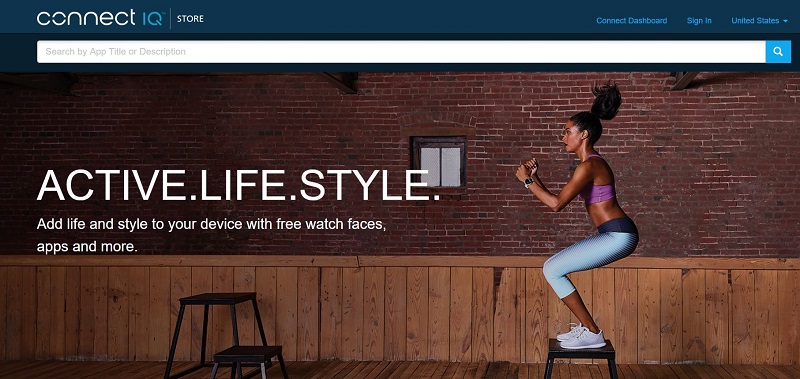
 I’m a regular Polar device user and thought that this would be the perfect opportunity to compare the Forerunner 235 HR recording against another reputable brand like Polar.
 In addition to the activity profiles, the watch features various training features to help you improve your fitness level including:
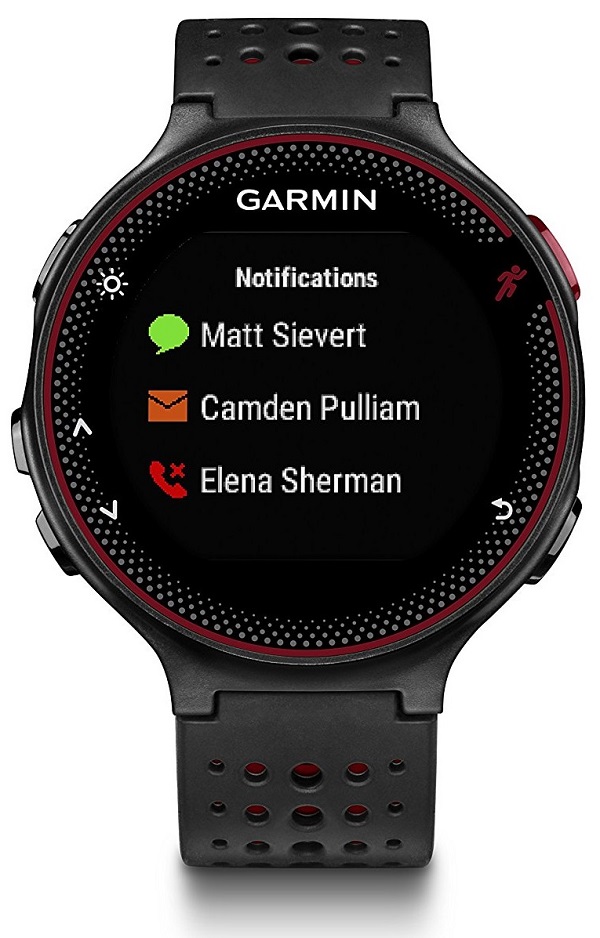 Garmin Forerunner 235 Smart notifications
 The Garmin Forerunner 235 activity tracker is a comfortable and stylish device for both indoor and outdoor running.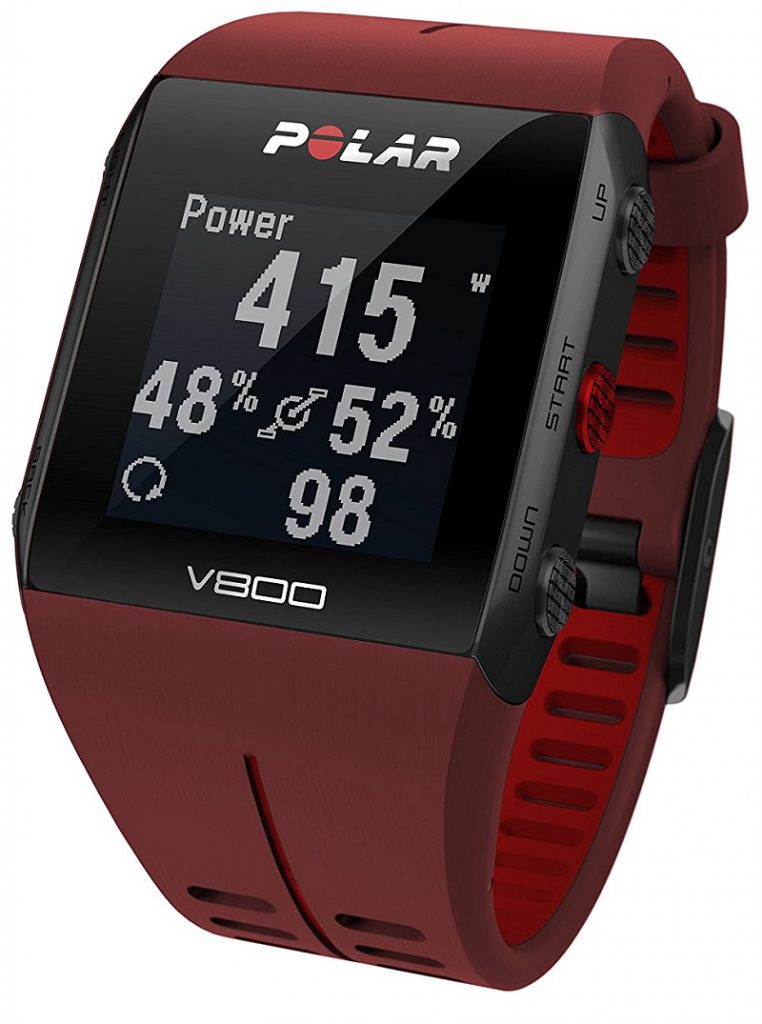
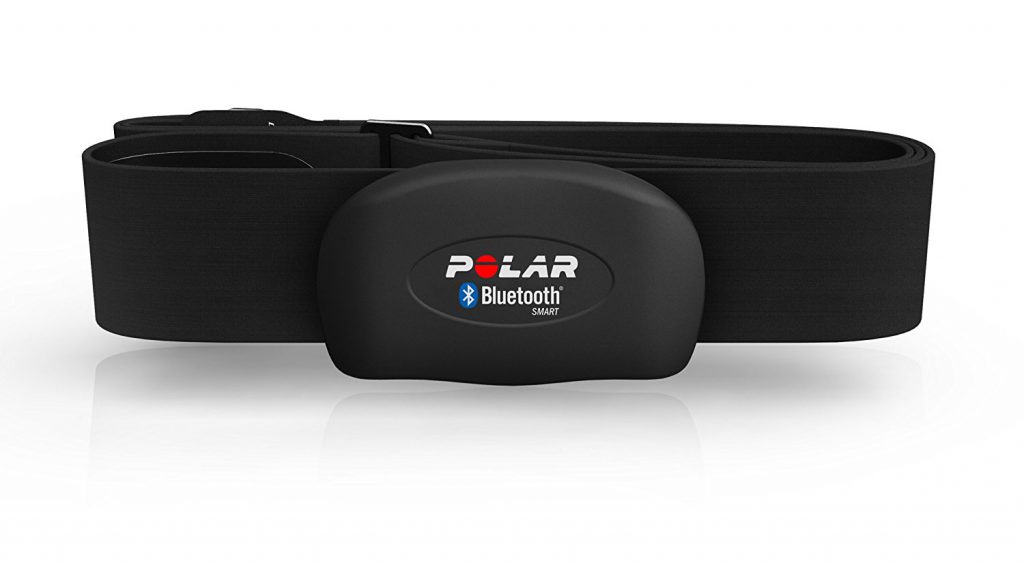 During lane swimming, the V800 will observe your swimming technique and measure this using the pool length or your stroke rate. In addition to this, the watch employs a SWOLF score (sum of time and strokes per pool length) for an overall precise measurement of your strength and swimming style.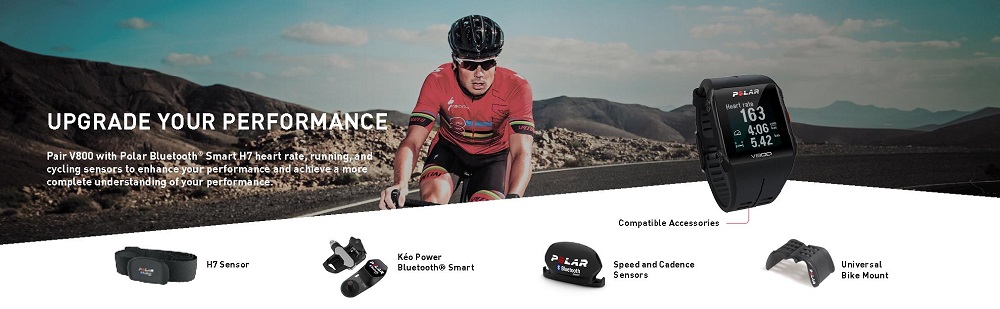
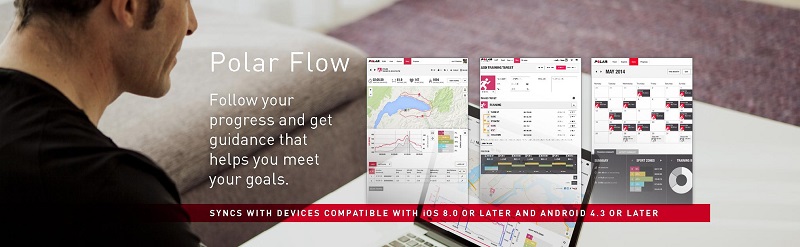
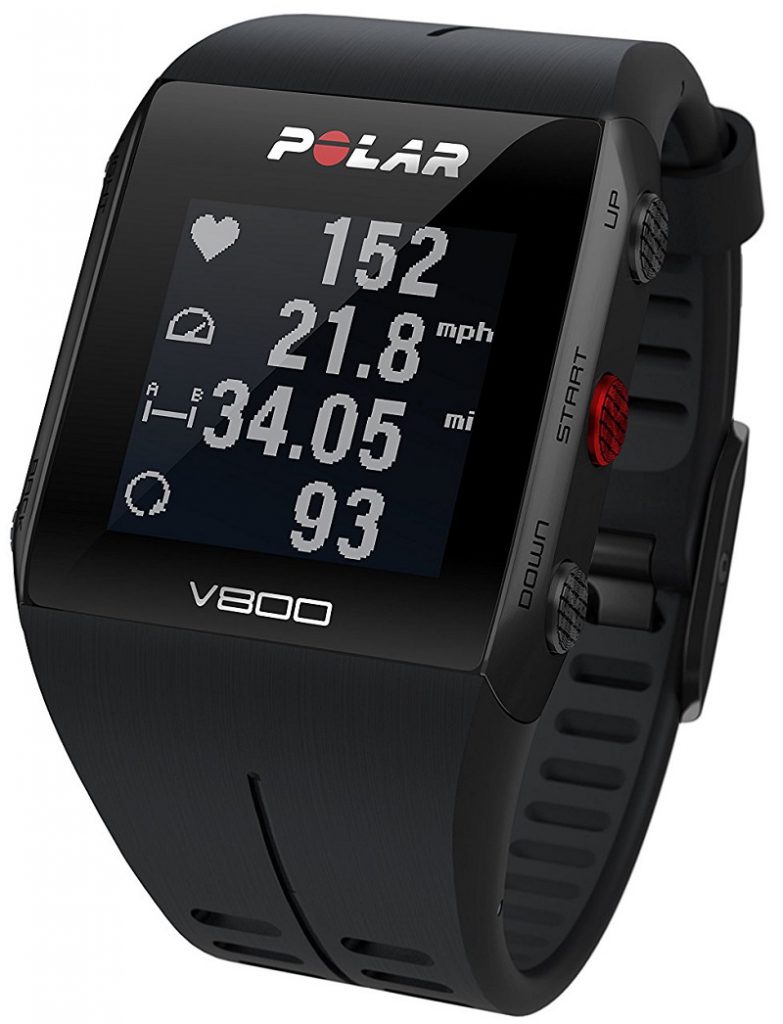 The Polar V800 is a superior sports watch in every respect, it trumps other Polar devices for reliability, advanced features, battery life and display. It is Polar’s best fitness device yet and it’s compact, comfortable and lighter than its predecessors.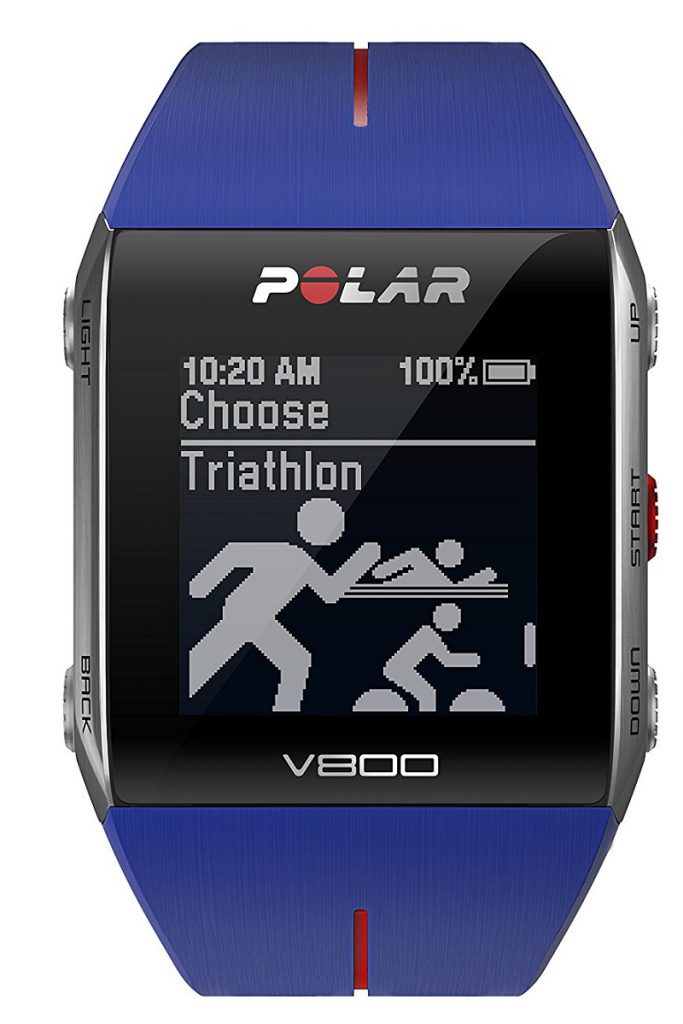
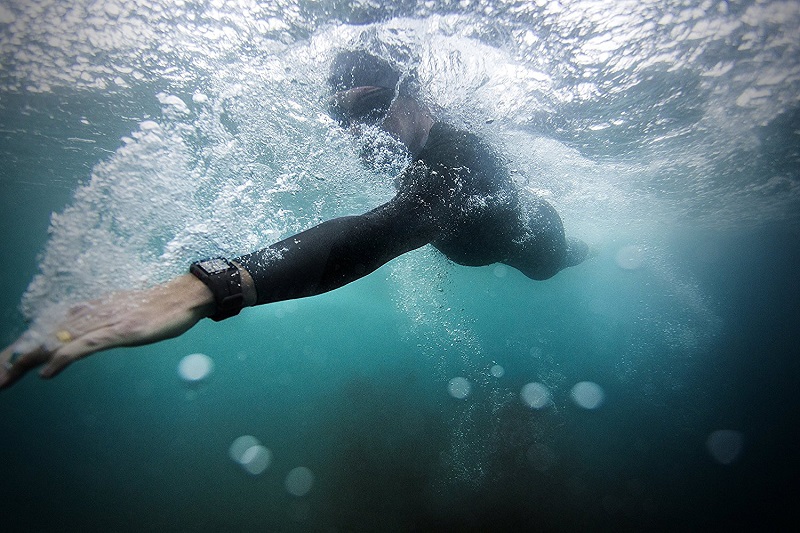

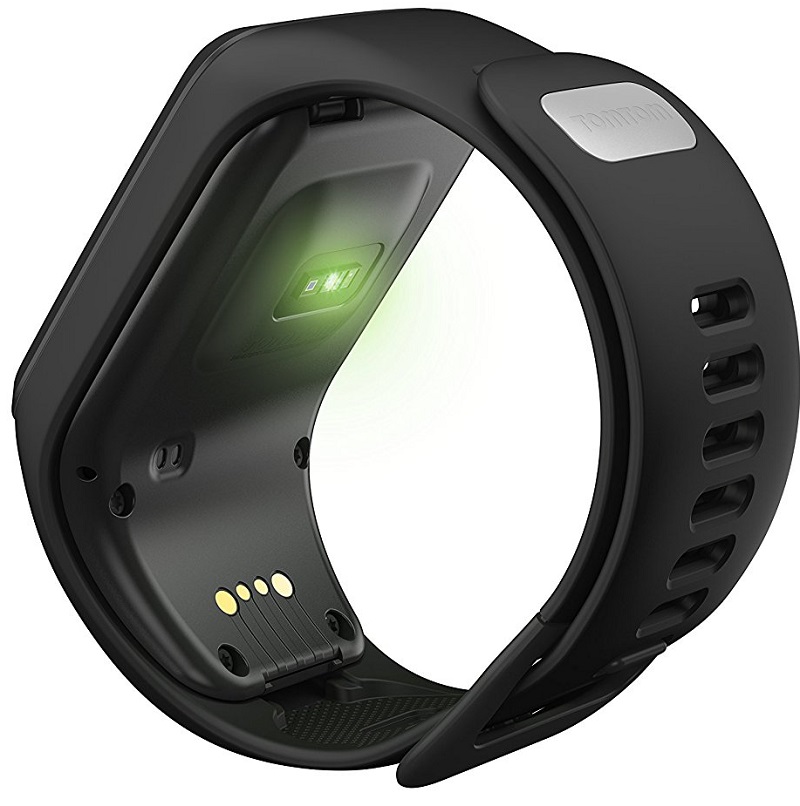 The TomTom activity tracker will also monitor your heart rate throughout the day and provide resting heart rate metrics through the app. This is very useful as it helps you to gauge if your physical activity and exercise are at the correct level.
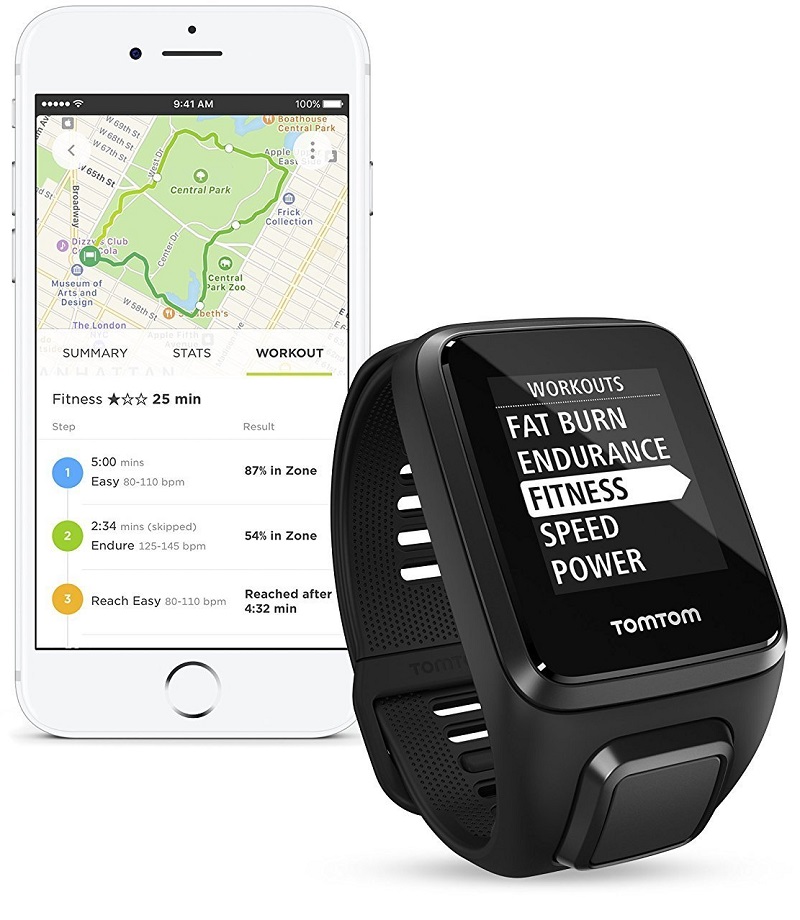 What sets the Spark 3 from other trackers is the Route Exploration features that allows you to upload routes to the tracker via the app and then use them for your runs, and if you diverge from your route the Spark 3 will guide you back- this means you can explore without the worry of getting lost. The screen shows an easy-to-use map that you can magnify and navigate with.
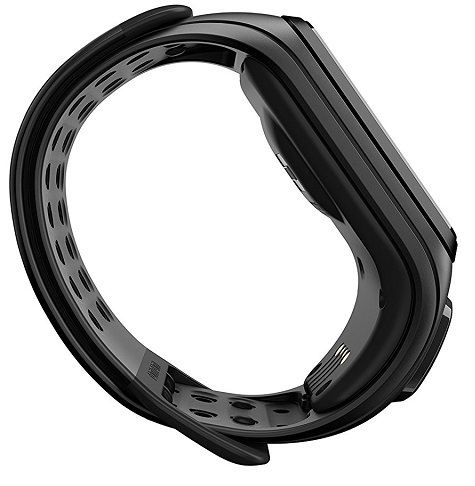 If you prefer running on a treadmill, the Spark 3 will accurately mirror the stats shown on the equipment, then you can easily add the distance later on. It will provide similar options for indoor running as it does for outdoors. Over the colder months, you can still use the watch for interval running in a warm gym.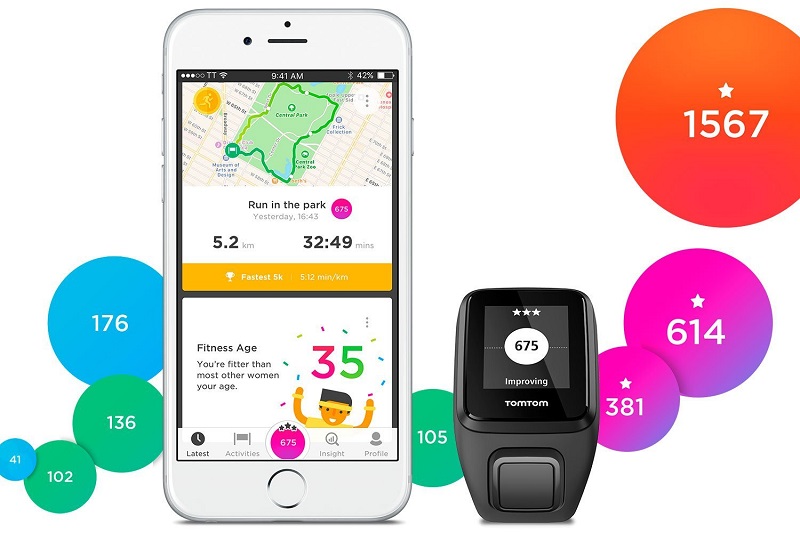
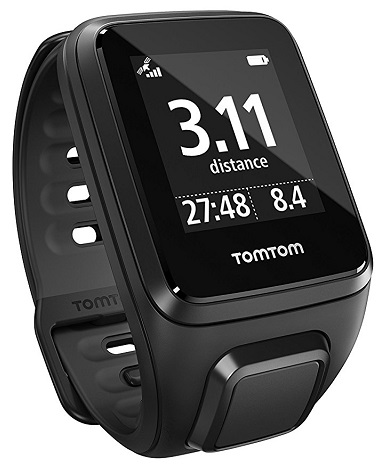 The Spark 3 tracker is geared more towards tracking specific sports instead of activity tracking, but it’s completely capable of doing both and it does a great job at keeping your step count. There’s quick access to your daily and weekly step stats either through the tracker itself or the TomTom app.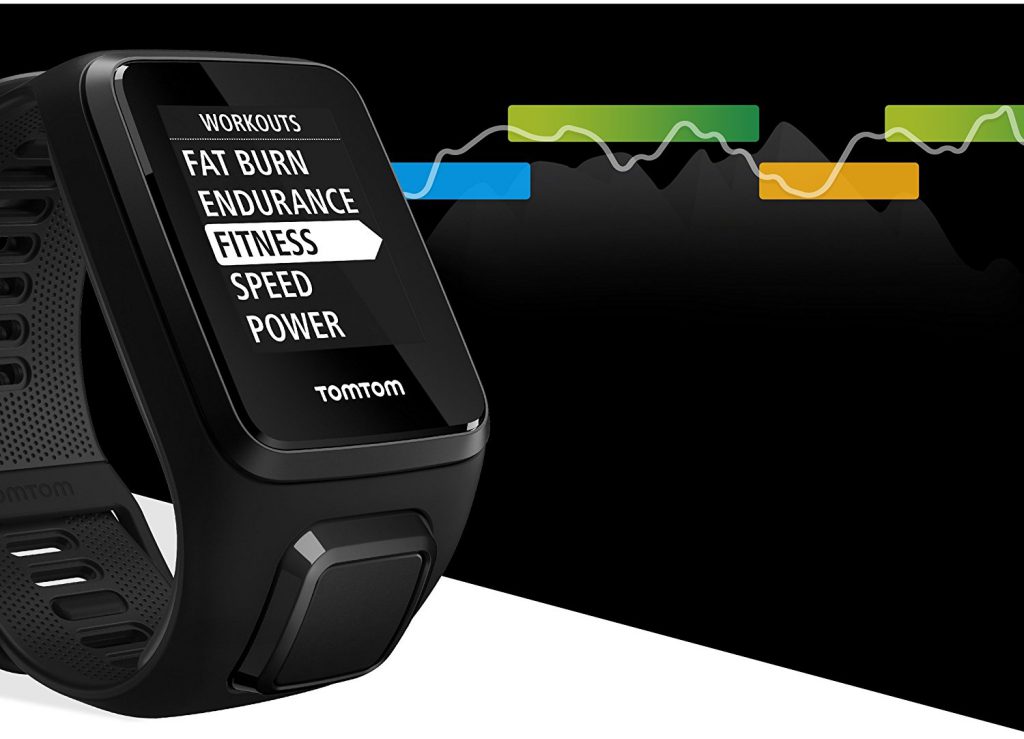
 The
The 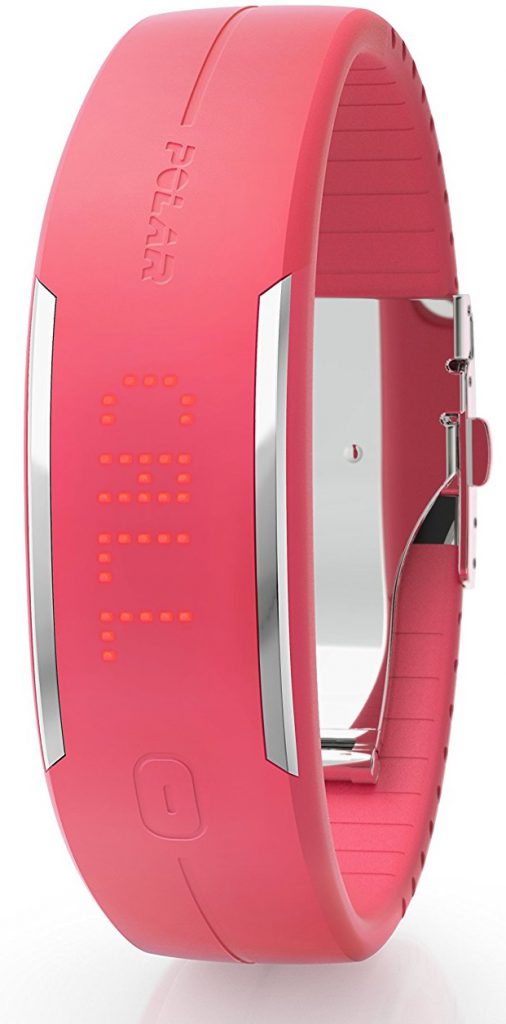
 Conclusion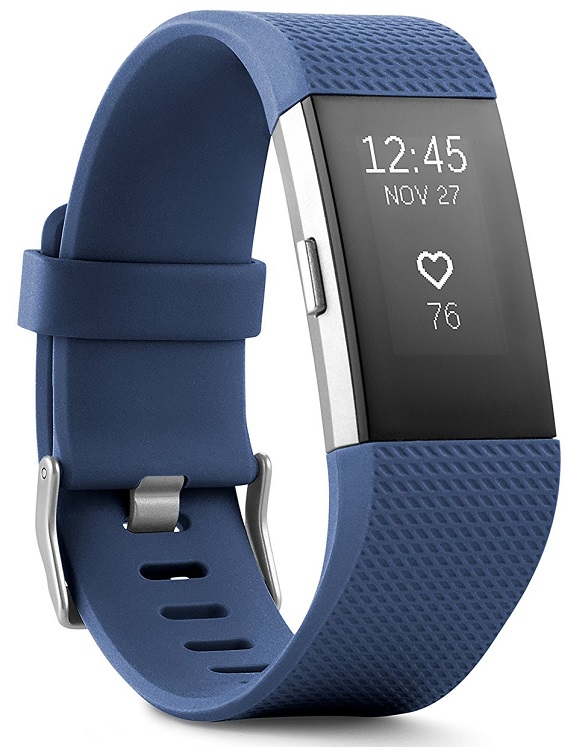
 Interchangeable bands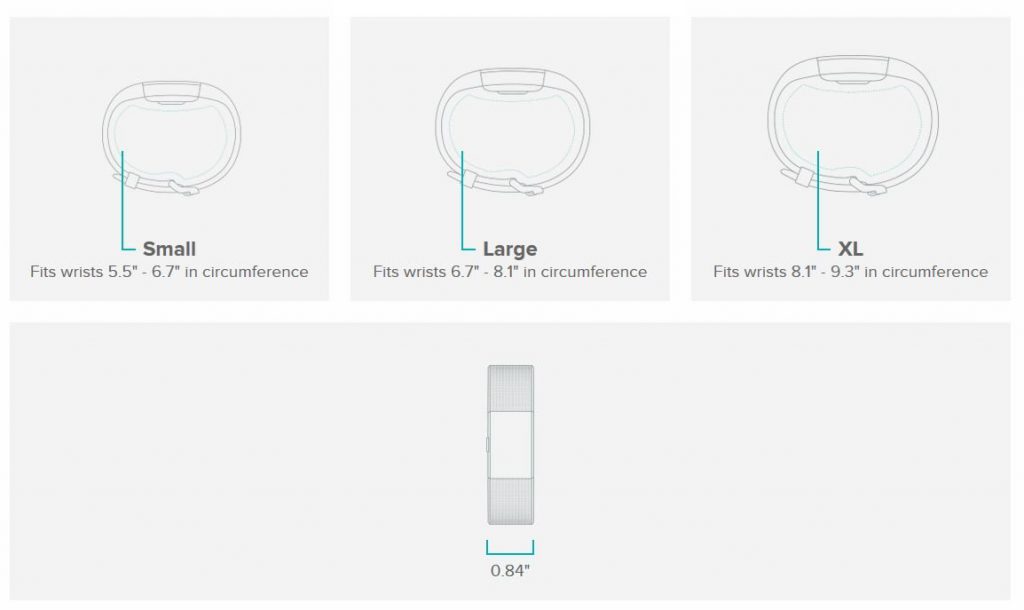
 Receiving Notifications