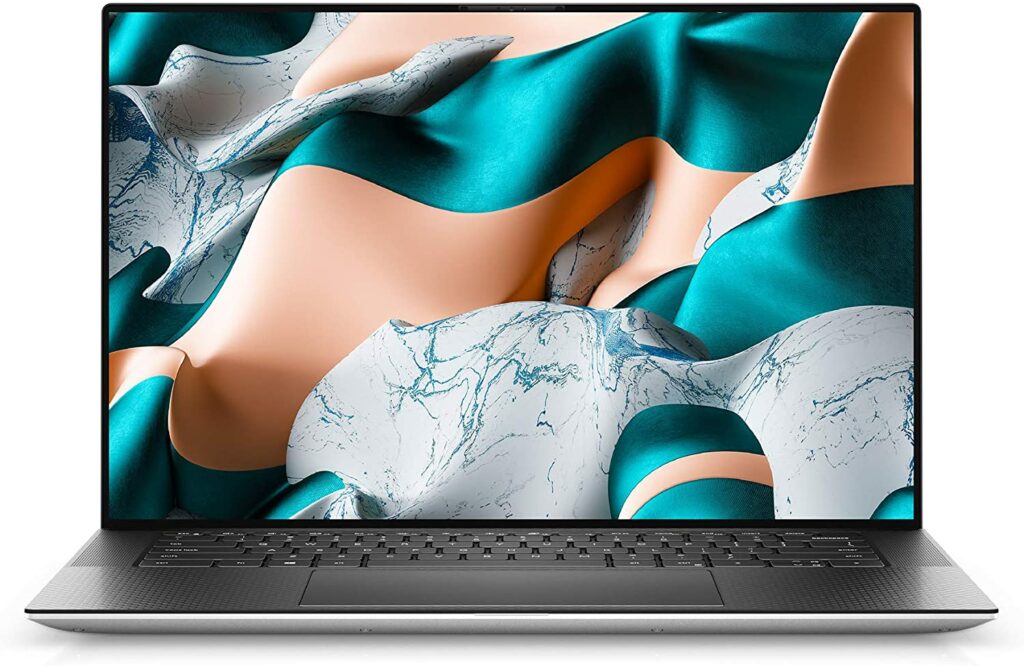
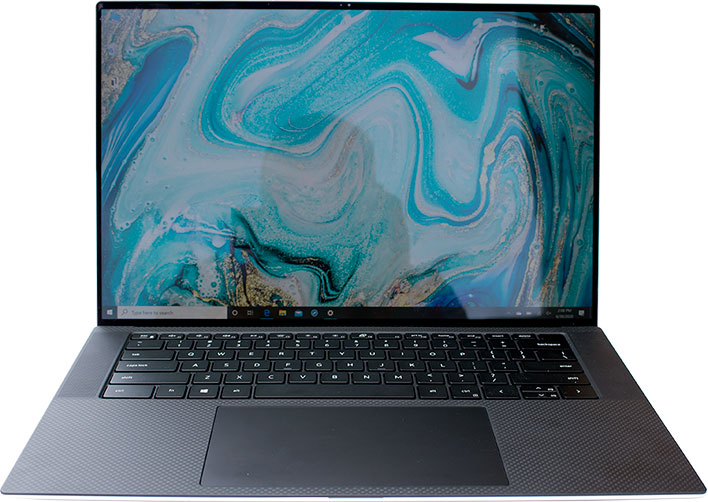
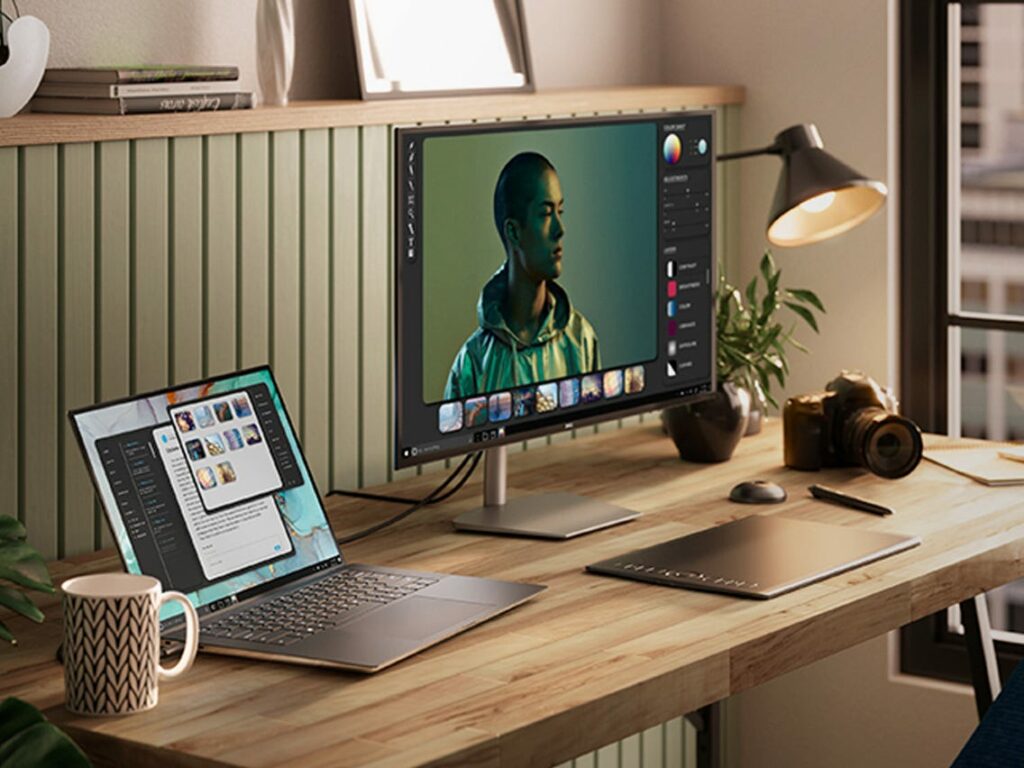
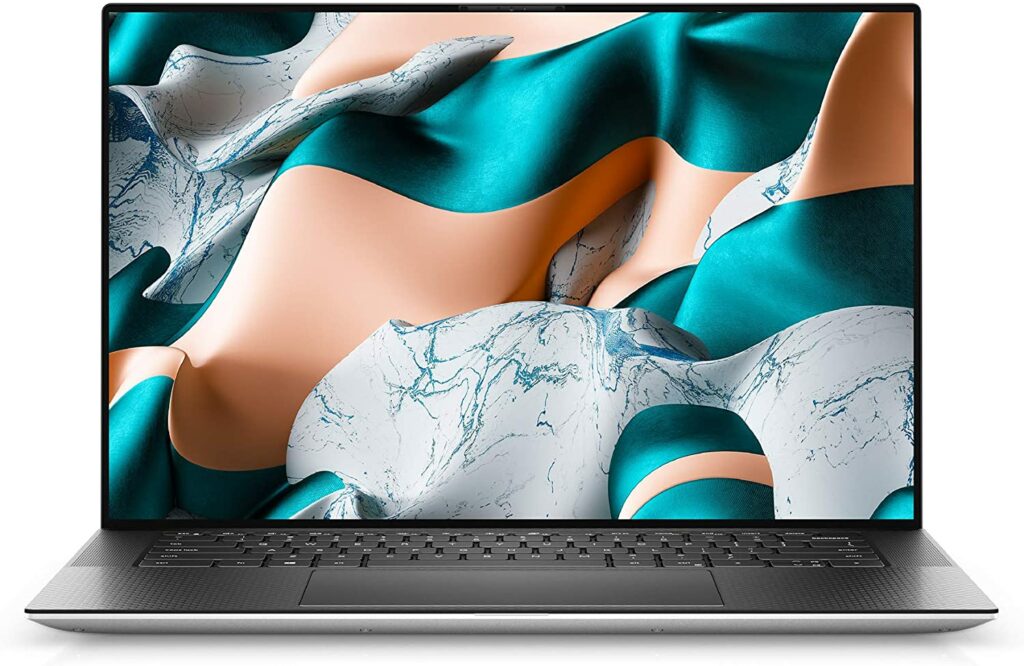
The XPS series from Dell has always been a personal favorite of mine. In fact, the laptop I use for my day-to-day activities and tasks is the old Dell XPS 13 from 2019. And up until now, it’s still working really smoothly and does the job for me without a fuss. But for today, let’s take an in-depth look at our full Dell XPS 15 (2020) review and see if this laptop is as amazing as its predecessors.
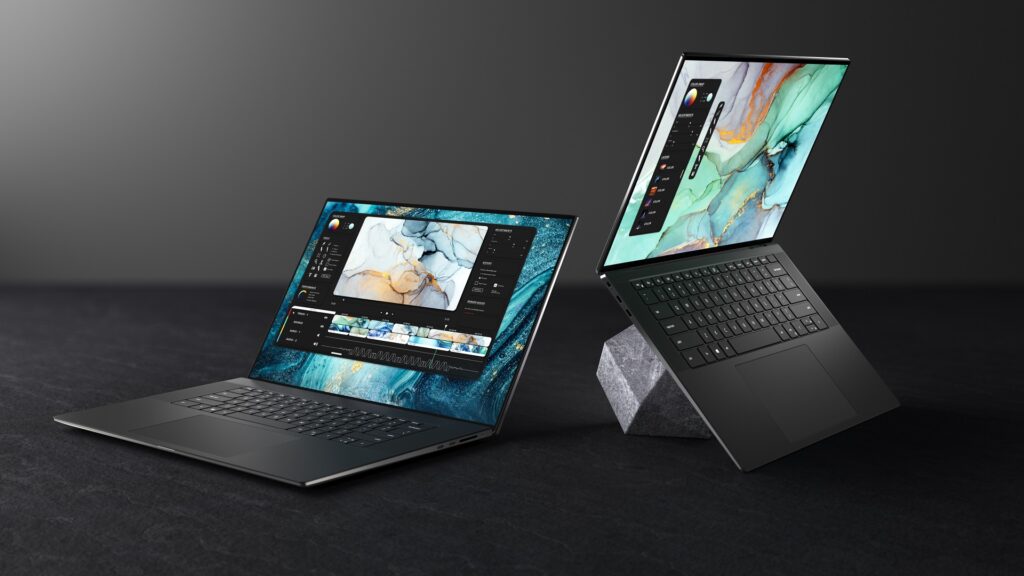
One of the latest generations from Dell’s XPS line, the XPS 15, features a much slimmer frame and a little more screen-pixel real estate thanks to the even thinner bezels, which I find crazy because the bezels from their older models were almost non-existent. Apart from that, the new XPS 15 also boasts having the newest Intel and Nvidia components as well as a touchscreen 4k display.
To find out more, just keep scrolling to read our review below!
The Dell XPS 15 packs a lot of tremendous power and punch for a laptop that’s built in a chassis this thin and lightweight. At the same time, this brand new design didn’t let Dell sacrifice or compromise its internal components or features that are sure to enhance your overall experience with this particular device.
The 10th Gen Intel Core processors integrated into the XPS 15’s system deliver desktop-caliber creativity to your laptop, which is typically only available or seen on your standard desktop computers. Just from this specific feature alone, this puts the Dell XPS 15 right in front of the competition.
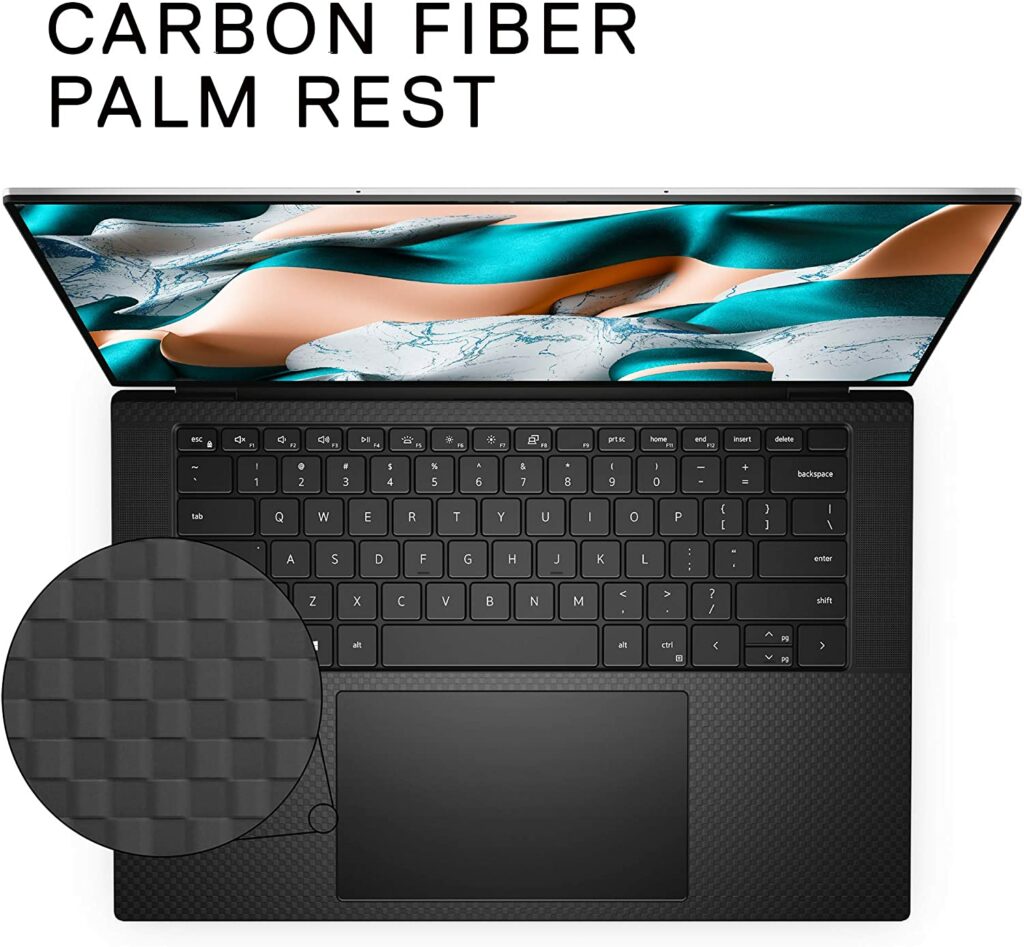
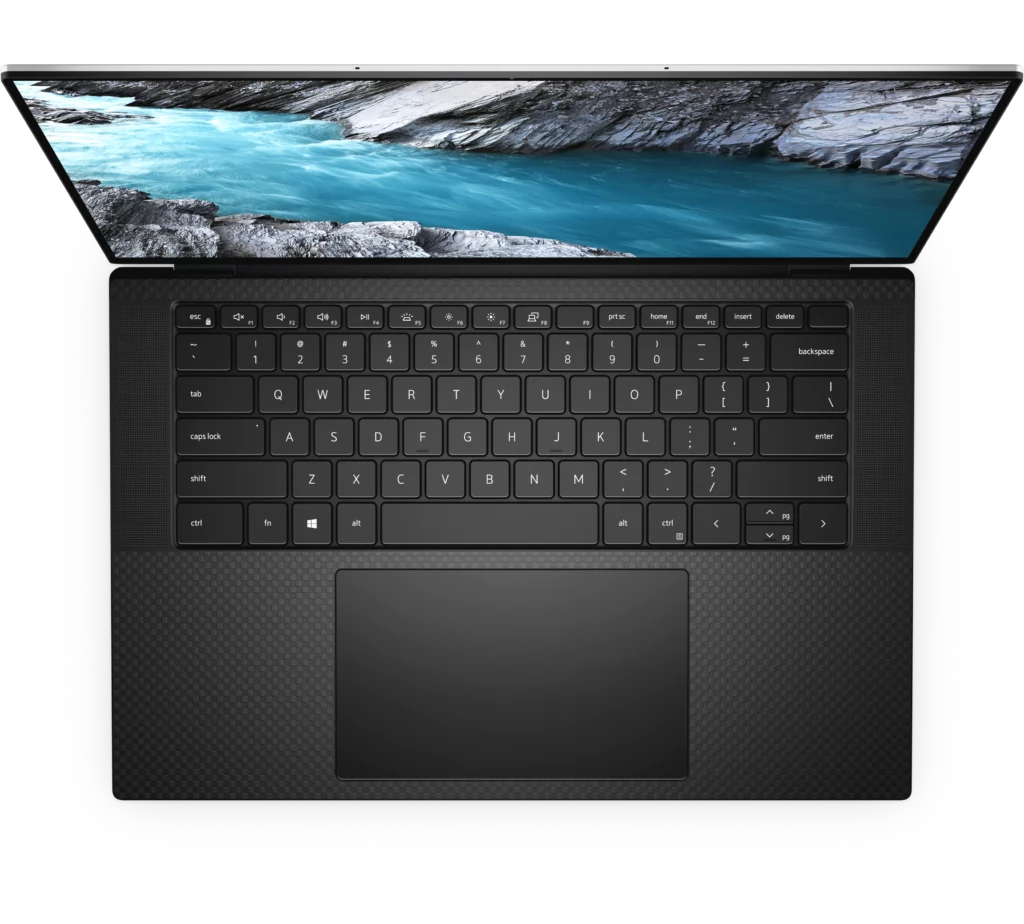
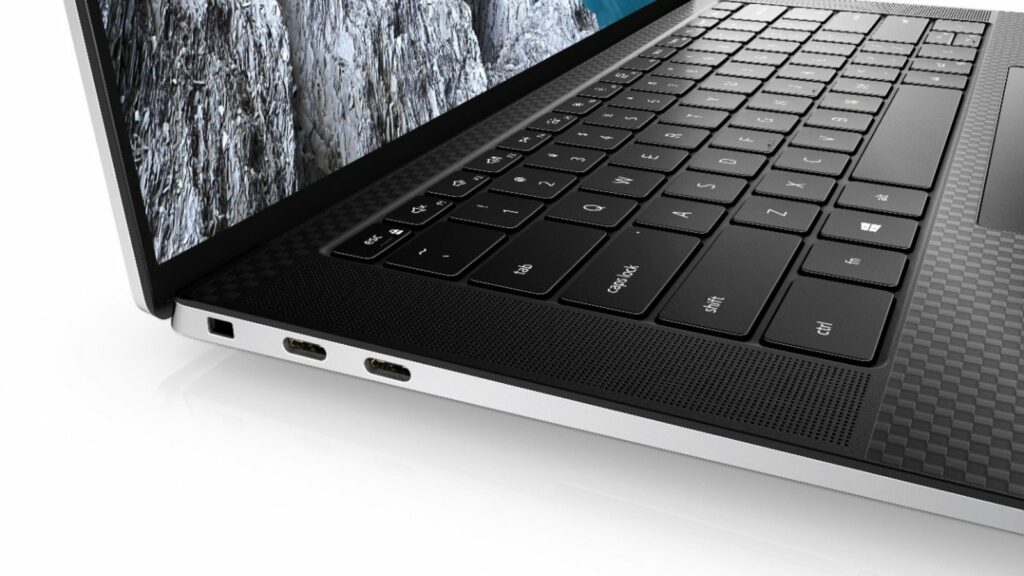
When you take a closer look, you’ll notice a gorgeous brilliant display with 500 nits of brightness and a spectacular 4k resolution with touchscreen capabilities, a really comfortable keyboard, outstanding speakers for your music listening pleasure, as well as a fantastic and satisfying touchpad. These are only a few of its many impressive features and there’s more to this laptop than meets the eye.
That being said, you can also choose between a few XPS 15 variants. Whether you want the Intel Core i5 10th Gen or the Intel Core i7 10th Gen, 16 GB of RAM, 32 GB of RAM, and up to 64 GB of RAM, and if you want the graphics card with NVIDIA GTX 1650Ti or the regular Intel UHD Graphics. It is up to you to decide based on your preferences and requirements for a laptop.
This laptop isn’t perfect, but it’s the one that comes closest to being so. So, if you have a few thousand dollars to spend on a laptop, regardless if it’s for personal use, work, or school, you really can’t go wrong with choosing the Dell XPS 15 (2020).
Features & Specifications
Dimensions: 13.57 x 9.06 x 0.71 inches
Item Weight: 6.00 lbs
Brand: Dell
CPU: 10th Gen Intel Core i7 – i9
Graphics: Intel UHD Graphics – NVIDIA GeForce GTX 1650 Ti
Operating System: Windows 10
Screen Size: 15.6″ FHD+ (1920 x 1200) InfinityEdge Non-Touch Anti-Glare 500-Nit or 15.6″ UHD+ (3840 x 2400) InfinityEdge Touch Anti-Reflective 500-Nit Display.
Resolution: 3840×2400 pixels
RAM: 16 GB, 32 GB, 64 GB of RAM
Storage: 256GB – 2TB M.2 PCIe NVMe
Battery Life: 8 hours depending on usage.
Ports: 2x USB-C 3.1 with Thunderbolt 3, 1 x USB-C 3.1, 1 x SD card reader, combi audio jack
Extra Special Features: Corning Gorilla Glass 6, 3D surround sound experience, 62% larger touchpad, 5% larger screen, and 5.6% smaller footprint, Integrated Eyesafe display technology, and equipped with 100% Adobe RGB, 94% DCI-P3 color gamut, VESA certified DisplayHDR 400, and Dolby Vision, this display delivers more than 16 million ultra-vivid colors that are 40 times brighter than ever before.
Check Out Dell’s Preview Of Their Latest XPS 15 Laptop Below.
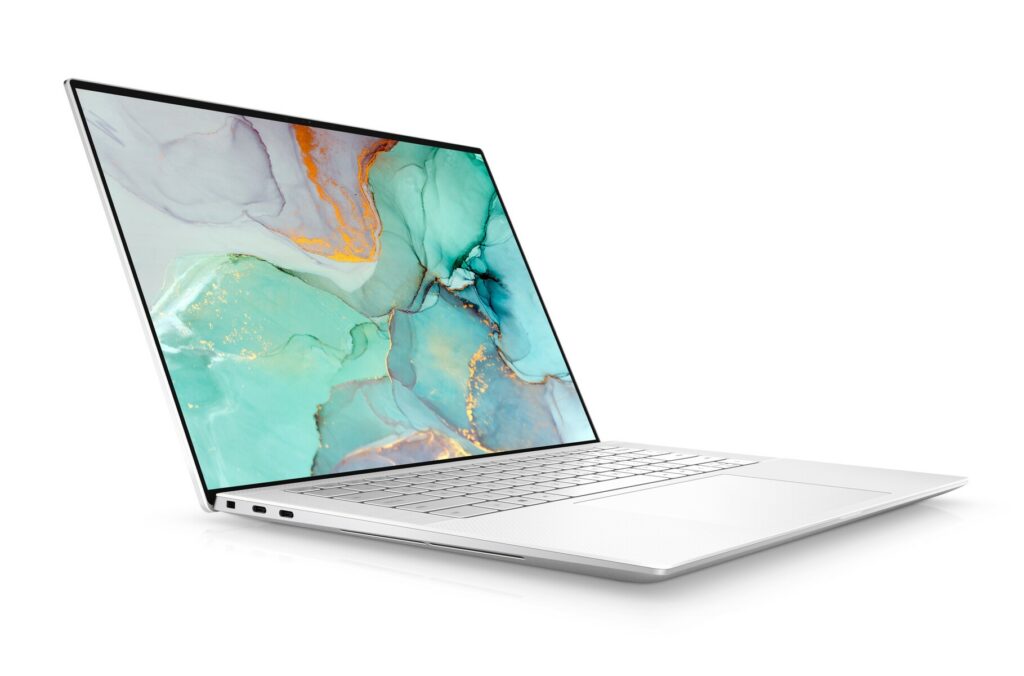
The new design the XPS 15 is now sporting is one of the things that make me excited over it, especially after several years of seeing the same boring, bulky chassis it used to have. Upon closer look, the changes are somewhat similar to those Dell made to their XPS 13 earlier this year too.
For some, these changes made to its overall appearance may seem insignificant or small but they truly add up a lot of improvement and enough upgrades that make this device look really sleek and even stylish.
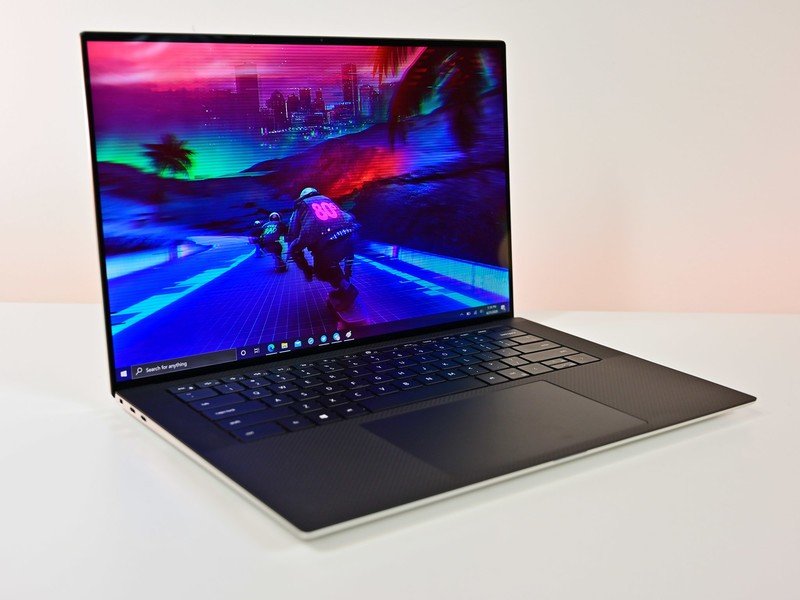
The most noticeable change is its more slimmed-down bezels as the latest XPS 15 now has the new four-sided Infinity Edge display from Dell, giving you a larger display and more screen real estate as it foregoes the chunky bezel at the bottom of the screen found in previous models.
The 2020 XPS 15 is also housed in a more compact frame than previous models, especially in terms of width. This new model is smaller than the previous XPS 15 too, measuring only 0.71 x 13.6 x 9.1 inches (height, width, length) compared to the latter that was 0.66 x 14.1 x 9.3 inches.
As for its weight, the XPS 15 weighs about 4.5 lbs. It’s not the most lightweight laptop out there but with how powerful the hardware this laptop has in its system, we’re not really complaining about the few extra pounds it has.
When it comes to the latest XPS 15’s build quality, the materials used to make the laptop are the same as before. The lid and chassis are still composed of aluminum, with a soft-touch carbon fiber keyboard deck that feels comfortable to rest your wrists on compared to a cold metal surface most laptops have.
All in all, the XPS 15 has a really classy and premium feel to it that will really appeal to a wide range of people.
Performance
With an Intel Core i7-10875H processor and an Nvidia GeForce GTX 1050 Ti graphics card, the Dell XPS 15 is clearly aimed at the “professional” market, though I can imagine students will also appreciate this type of hardware.
However, the XPS 15 is not strong enough for the tasks professional video editors or 3D artists do, but it’s certainly powerful enough for someone who does that stuff as a hobby or simply wants an all-around laptop without facing any kind of issues with every computer activity they do.
To sum it up, the Dell XPS 15 delivers professional-level performance in a compact and light chassis that won’t slow you down as you work through your daily tasks. Sure, the GPU choice could have been more powerful, but that would certainly require Dell to build a more robust (and heavy) cooling system which will add up to the unit’s overall weight.
Display
The incredibly thin bezels the XPS 15 has is one of the main reasons this is such a popular product for a wide range of consumers. Whether you’re a creative professional who needs a bright, color-accurate display for work or simply enjoy watching high-definition shows and movies in your spare time, you will surely appreciate the superb screen the XPS 15 has.
Not to mention, you have a few options on which display quality you want to get from the XPS 15. You can either get the optional 4K-resolution (3,840 by 2,400-pixel) touch panel, which is wonderfully sharp and colorful. The screen is HDR 400 certified, has a maximum brightness of 500 nits, and covers 100% of the Adobe RGB spectrum and 94% of DCI-P3.
On the other hand, there is also a full HD (1,920 by 1,200 pixel) non-touchscreen display as an alternative to those who aren’t really aiming for 4K screens and want to cut down on costs.
Our Least Favorite Thing
Battery Life
Don’t get me wrong, the XPS 15’s battery life isn’t bad at all. It’s actually pretty decent but it could definitely be improved as I have seen other laptops perform longer than this one. For casual tasks like routine email checking and browsing, you can easily get up to 10 hours on this unit. However, with streaming high-resolution content, the battery drains a lot faster, giving you around 6 hours of usage at most.
Not Suitable For Hardcore Gaming
Personally, this isn’t a huge con as I don’t really like to rely on laptops when gaming but I figured this is something to keep in mind in case some of you are gamers and are eyeing this laptop for your gaming needs. While the Dell XPS 15 (2020) can perform smoothly in almost every task you throw at it, its gaming capabilities are severely lacking especially if you’re planning to play demanding AAA titles.
While the GTX 1650 Ti is technically a gaming GPU, the Dell XPS 15 is nowhere near a gaming laptop. The thin and light chassis design isn’t really compatible and doesn’t lend itself to long gaming sessions where heat could create performance issues or concerns. At most, this laptop’s gaming capabilities will be limited to you playing games at 1080p on medium settings.
Though I reckon games that don’t rely too much on heavy graphics might work for you. But if you’re looking for a laptop for hardcore gaming, it’s best to look for another model or perhaps think about building your own PC.
In A Nutshell
After giving you a breakdown of what we liked and disliked about the Dell XPS 15, here is a narrowed-down list of the good and the bad with this near-perfect laptop.
Pros
Stunning, bright display.
Excellent speakers.
Keyboard is comfortable to use.
Sleek and stylish design with impressive build quality.
Overall powerful performance.
Cons
Battery life could be better.
Not the best option for gaming.
Our Final Verdict
Now that we have reached the conclusion of our Dell XPS 15 (2020) review, I must say that this is certainly the closest any manufacturer in the market can get to a perfect laptop as of writing. It’s definitely one of the best laptops you can get your hands on right now and you’ll be hardpressed to find real faults on this model.
Do you already own the Dell XPS 15 (2020)? Or are you still on the fence about purchasing it? Let me know in the comments section below if you have any insights or questions to share with us. We’d love to hear all your thoughts about this product!
Affiliate Disclosure: I am grateful to be of service and to bring you content free of charge. In order to do this, please note that when you click links and purchase items, in most cases I receive referral commissions. Eventually, I may earn enough to buy a beer or two.
These days, professionals and small business owners are required to adjust to a work-from-home setup. From having to use their office desktop to using a laptop from their home. But how do you know which laptop will be the one for you? Well, worry no further. In this article, I’ll be giving you some of my choices for the best laptop for a small business this 2021.
Having a laptop where you can run your business is pretty important these days. Even more so now as we continue to live in an era of a pandemic. That’s why picking a laptop to use for your work is no small or easy decision. There are a lot of things to consider when it comes to choosing the perfect supercomputer for you.
For example, you’ll need a laptop that can last you throughout the day, has durable build quality yet something slim and easy to carry around, is powerful enough to take on heavy workloads, secure, can provide fast performance to make sure that every workday goes on perfectly with little to no hiccups, and the list goes on and on.
Remember, having a laptop that’s reliable and powerful enough to handle every task you need to keep your business smoothly running can make or break your professional career. The last thing you want is a faulty machine that shuts down while you’re in the middle of an important task.
Desktops Vs. Laptops: Which Is Better?
Since computers have evolved into the powerful machines we know now today, there had been a long-standing debate between which device is better: a laptop or a desktop? Honestly, there is no right or wrong answer here. Both devices have their advantages and disadvantages and neither device is better than the other. It really all comes down to your preferences.
But these days, because of how quickly technology is evolving and advancing, it’s been only getting harder and harder for consumers to pick between the two. Nowadays, laptops are being built to handle more power by integrating them with advanced internal components which almost closes the performance gap between them and your standard desktop PCs.
Now that majority of you have to settle with working from home, more discussions and topics about desktop PCs and laptops have risen once again, with a lot of them comparing the two. In turn, this could make deciding which one to get all the more confusing for you.
Not to mention, with practically endless options in the market, it’s easy to get overwhelmed, and finding which one will suit your needs better will be even tougher.
Sure, some professionals can easily afford to have both devices in their households but not everyone has the budget to do the same thing. So if you’re still undecided about which one to get or have no idea which one is right for you, let’s get into the pros and cons of each device.
Desktops
A desktop PC is a computer that will remain stationary on a desk. It can either be placed in an office or in a bedroom, depending on your preference. A tower, a monitor, a keyboard, and a mouse are some of its most common components. However, you can also easily customize a PC to meet your needs or to give it certain upgrades.
In general, PCs are more customizable than laptops. This is probably their biggest selling point. They also often offer more value than a laptop because when you choose a desktop computer, you may put together top-of-the-line parts for every aspect of the device. However, with a laptop, your options are much more limited and a lot of the time, you’re stuck with what you pay for.
A desktop PC is what you should choose if you want a computer with a lot of flexibility and versatility. Desktop computers can easily store large files, let you do heavier workloads like photo and video editing, and you can also play games with high-resolution graphics. Plus, you don’t have to worry about the battery running out or having to recharge as desktops only need to be plugged in when you use them.
Overall, desktops can be customized to meet your specific requirements while providing you the flexibility to upgrade their parts like bigger RAM and storage or graphics card with less cost than having to upgrade to a whole new laptop.
However, the biggest advantage of desktops is their immobility. You can’t really carry around your whole desktop PC to anywhere you like. I can imagine setting it up in a cafe would be a nightmare and will probably not be allowed. So if you want something that’s portable, a desktop might not be for you.
Laptops
A laptop is the best option for you if you’re someone who likes devices that are portable because you like to move around or are always on the go. So whenever you’re going, you can always pack your laptop with you and never miss out on it.
Gone are the days when people would say that laptops lack power. Nowadays, laptops are built-in with the most advanced internal parts like their CPU and graphics cards that can easily go toe to toe with some of the best desktop PCs in the market. Of course, keep in mind that not all laptops are like this and it still depends on the model of your chosen unit.
Generally, laptops are best for lighter work like word processing, streaming, social media management, doing excel sheets, and other similar tasks. But there are also laptops in the market that can handle heavy workloads and run demanding applications in a breeze. Though there are also laptops you can plug into a graphics card if you want to give it an extra boost.
Additionally, you can also play games on your laptop. Though your choices would be more limited compared to a PC.
Another good thing about laptops though is that sometimes they come in with built-in software that might be useful for your business or school. You can also carry it around with you whenever you feel like you want a change of scenery.
While more laptops offer more power now, they can also come at a pretty hefty cost. More budget-friendly options might be a little too underwhelming performance-wise though this isn’t always the case. Usually, you’ll have to expect to sacrifice some components or specs if you have a limited budget.
Our Top Recommendations For The Best Laptop For A Small Business
1. Dell XPS 15 (2020)
Overview
The Dell XPS 15, which combines immense power in a beautiful small and light chassis, doesn’t skimp on internals or features that will surely improve your overall experience. Typically only available from desktops, the 10th Gen Intel Core processors found in its system bring desktop-caliber creativity to your business laptop.
With these specifications alone, this makes the Dell XPS 15 one of the best business laptops available in the market this year.
Upon closer look, you’re getting a magnificent bright display with 500 nits of brightness with stunning 4k resolution, an exceptionally comfortable keyboard to use, outstanding speakers for your music listening pleasure, and a fantastic and satisfying trackpad. And these are just a few of its amazing features.
Furthermore, you can have the option to either get the XPS 15 variant with the Intel Core i5 10th Gen or the Intel Core i7 10th Gen, choose between 16 GB of RAM, 32 GB of ram, up to 64 GB of RAM, and whether you want to go for the graphics card with NVIDIA GTX 1650Ti or the standard Intel UHD Graphics. It depends on your preference and requirements.
This laptop isn’t perfect but it’s definitely the one closest to achieving perfection. So if you have the money to spare a few thousand dollars on a laptop for your small business, you really can’t get any better than the Dell XPS 15.
Graphics: Intel UHD Graphics – NVIDIA GeForce GTX 1650 Ti
Operating System: Windows 10
Screen Size: 15.6″ FHD+ (1920 x 1200) InfinityEdge Non-Touch Anti-Glare 500-Nit or 15.6″ UHD+ (3840 x 2400) InfinityEdge Touch Anti-Reflective 500-Nit Display.
Resolution: 3840×2400 pixels
RAM: 16 GB, 32 GB, 64 GB of RAM
Storage: 256GB – 2TB M.2 PCIe NVMe
Battery Life: 8 hours depending on usage.
Extra Special Features: Corning Gorilla Glass 6, 3D surround sound experience, 62% larger touchpad, 5% larger screen, and 5.6% smaller footprint, Integrated Eyesafe display technology, and equipped with 100% Adobe RGB, 94% DCI-P3 color gamut, VESA certified DisplayHDR 400, and Dolby Vision, this display delivers more than 16 million ultra-vivid colors that are 40 times brighter than ever before.
Pros
Stunning, bright display.
Excellent speakers.
Keyboard is comfortable to use.
Sleek and stylish design with impressive build quality.
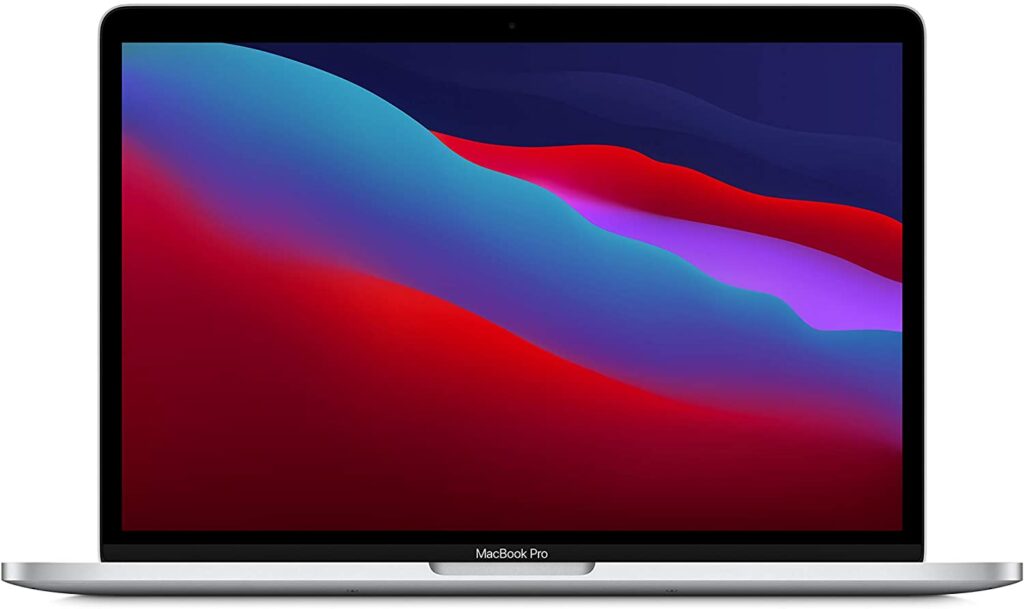
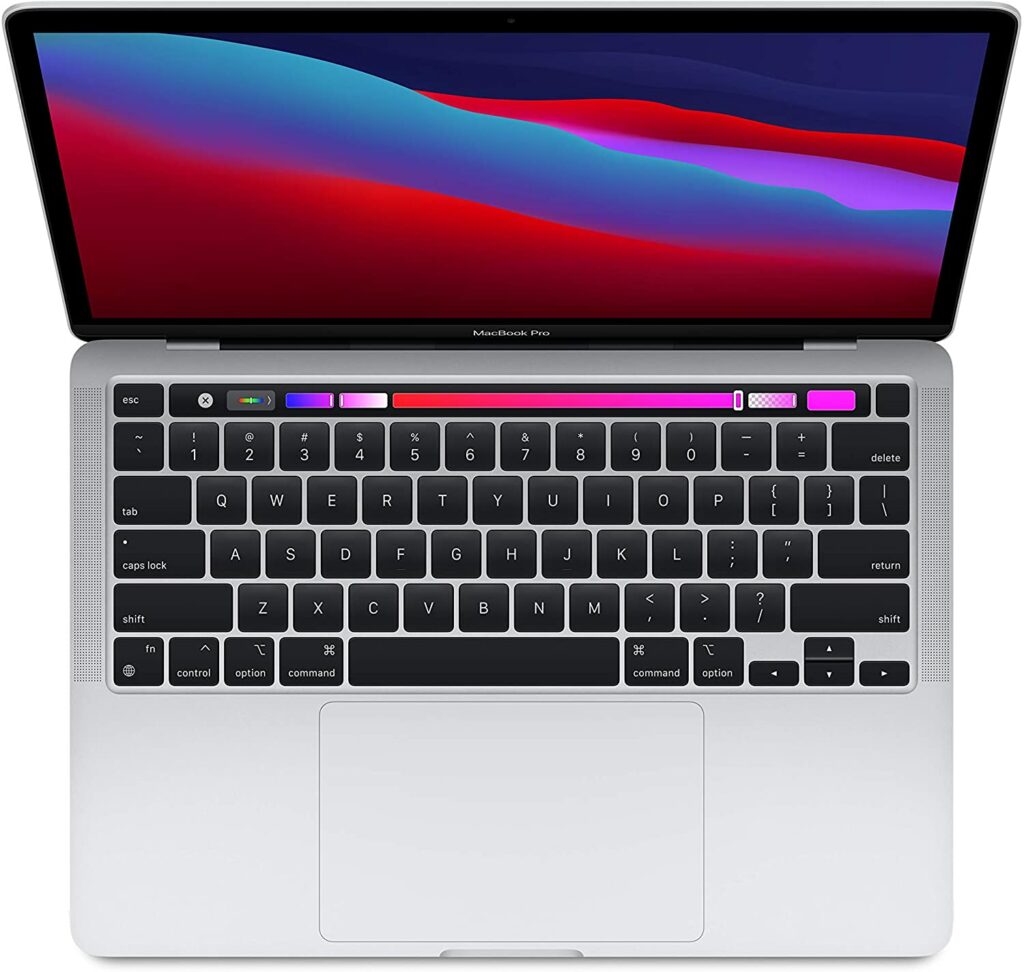
The MacBook Pro 13-inch (M1, 2020) from Apple makes up for its lack of redesign with a substantial performance boost. The tiniest MacBook Pro still basically has everything we loved about its predecessors except it is now more powerful and longer-lasting than ever.
This is all thanks to Apple’s now-legendary M1 chipset, which significantly boosts its power and efficiency. This is definitely a laptop that is sure to satisfy even the most power-hungry tech enthusiasts out there.
With the M1 chipset powering up the Macbook Pro, we’re talking about video editing prowess in 4K and even 8K! To put it simply, that means it can tackle pretty much any business-related task you throw at it while still looking sophisticated and stylish in terms of appearance.
Apple’s M1 is the first step in the company’s deliberate decoupling from Intel. The 16 billion transistors in the ARM-based 5-nanometer chip are the most the company has ever packed into a single chip.
The System on Chip (SoC) also has an eight-core processor, integrated graphics, a unified memory architecture, Apple’s Neural Engine, an enhanced image signal processor, and Apple’s Secure Enclave, in addition to all those transistors. The result? You get a beast of a machine that’s faster and has more power packed into a slim and sleek laptop you can take with you anywhere.
CPU: System on Chip (SoC) Apple M1 chip; 8-core CPU with 4 performance cores and 4 efficiency cores; 16-core Neural Engine
Graphics: Integrated 8-core GPU
Operating System: MacOS
Screen Size: 13.3-inch (diagonal) LED-backlit display with IPS technology
Resolution: 2560-by-1600 native resolution at 227 pixels per inch with support for millions of colors, 16:10 aspect ratio
RAM: 8GB – 16GB unified memory
Storage: 256GB or 512GB SSD
Ports: Two Thunderbolt / USB 4 ports with support for: Charging, DisplayPort Thunderbolt 3 (up to 40 Gbps), USB 3.1 Gen 2 (up to 10 Gbps)
Battery Life: Up to 17 hours wireless web battery life
Extra Special Features: LED-backlit Retina display, True Tone technology, P3 wide color, FaceTime HD Camera, Three-mic array, Touchbar, Touch ID, and Magic Keyboard.
A small laptop display won’t suffice for people who manage their own business or deal with many professional operations. If you’re someone like that, I’m pretty sure you have multiple tabs opened at the same time while multitasking different activities to keep your business running.
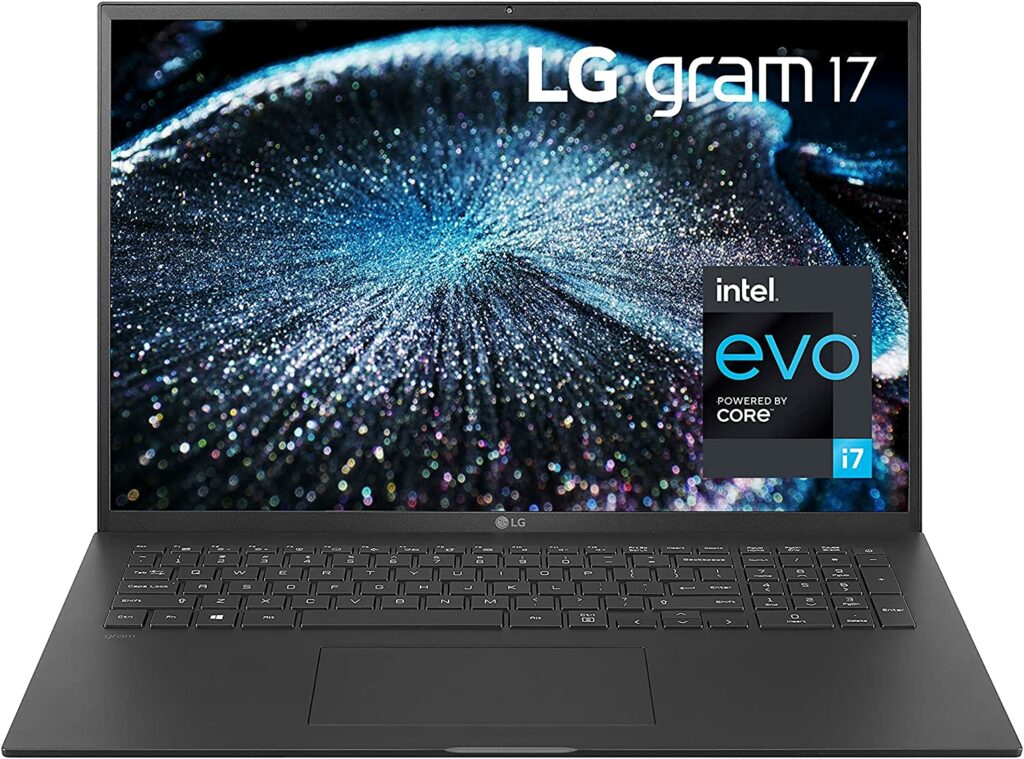
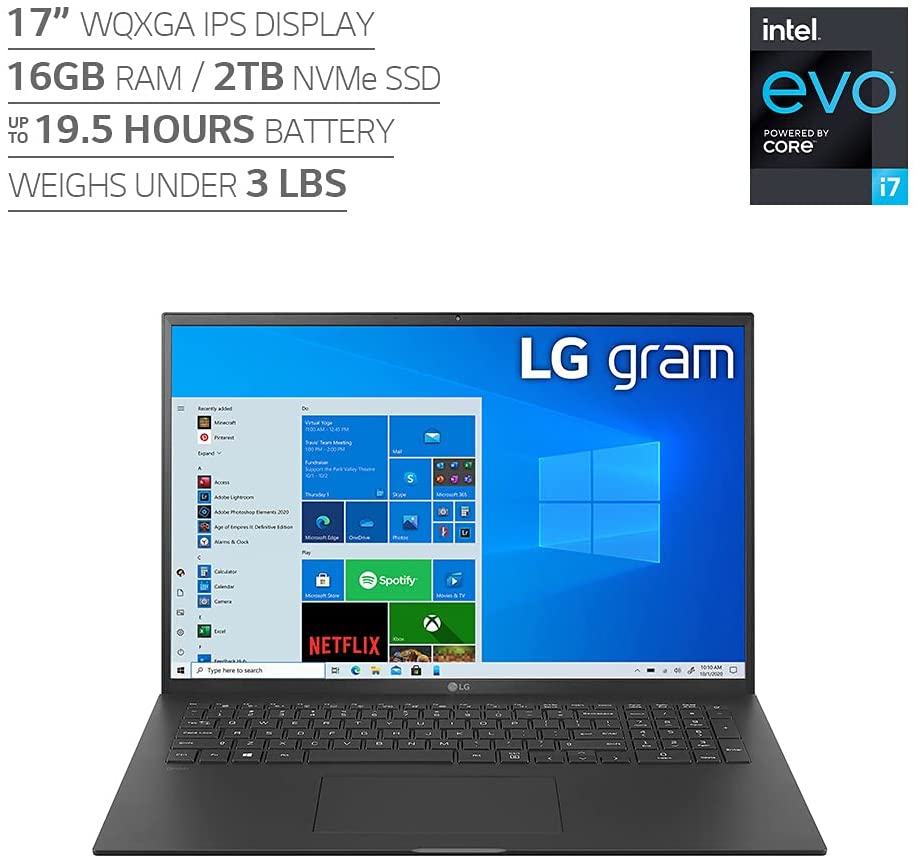
That’s why I recommended you to look for a laptop with more screen real estate so you can easily keep track of your tasks. With that being said, allow me to introduce you to the LG Gram 17. It’s the peak of laptop design this year in 2021, with a massive 17-inch (2560×1600) display housed in a chassis that’s only 17.8mm thick and weighs for 1.35kg.
The LG Gram is powered by an 11th generation Intel core i7-1165G7 Processor along with Intel Xe Graphics to ensure delivery of performance for high-resolution content creation and editing.
Not to mention, LG has significantly improved the trackpad and speakers, which were two of our major issues about the Gram 17’s predecessor, the 2020 model. All in all, this is definitely one of the greatest big-screen laptops you can purchase if you want a device that offers a much bigger display.
It has the latest Intel Tiger Lake processors, along with up to 16GB of RAM, and a massive 1TB SSD on the more high-end variants of this laptop. If that wasn’t enough, the 80Wh cell also provides excellent battery life to keep up with long working hours.
Screen Size: 17″ WQXGA (2560×1600) IPS LCD, with DCI-P3 99% color expression
Resolution: 2560 x 1600 pixels
RAM: 16 GB DDR4 SDRAM
Storage: 1 TB to 2TB of storage.
Ports: Two USB-C ports with Thunderbolt 4 support, two USB-A 3.2 ports, a full-size HDMI port, a microSD card reader, and a 3.5mm audio jack
Battery Life: 19.5 hours on a single charge but take note that this will vary from specifications depending on model, configuration, applications used, features utilized and power management settings.
Extra Special Features: HD webcam, back-lit keyboard and Amazon Alexa Built-In, Widened 16:10 Touch Pad,Enhanced Key Pitch Stroke, Expanded, Keypads, All-In-One power Button, and DTS:X Ultra.
Pros
Stunning, large display.
Lightweight for a laptop this size.
Impressive performance that will perform tasks without a fuss.
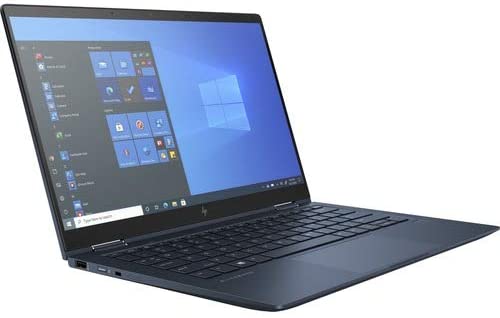
The Elite Dragonfly G2 is the successor to HP‘s lineup of thin and light business laptops, and it looks to be even more amazing than ever.
It’s primarily intended for professional use, yet its design is sleek and attractive enough to appeal to a wide spectrum of people. In fact, there’s very little about this laptop that screams “corporate” or even “professional”, so don’t assume that just because it’s a business laptop that it’s boring.
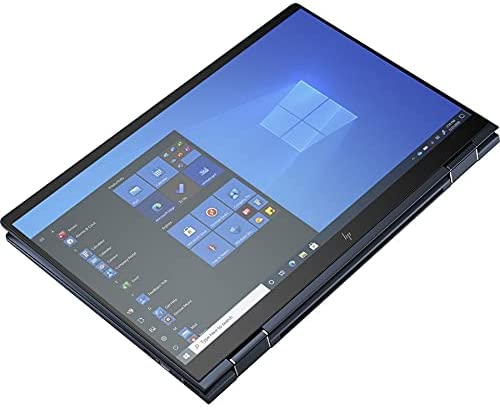
The HP Elite Dragonfly G2 is a 2-in-1 device that can be used as a laptop or a tablet. Its high-resolution 4K touchscreen looks great and performs well, giving it a level of adaptability and versaility that other laptops lack.
Furthermore, the HP Elite Dragonfly G2 runs Windows 10 really well. There’s enough power here due to its generous 8-32 GB of RAM, quick SSD storage, and Intel’s new 11th-generation processors to handle most day-to-day work. As for battery life, it’s undoubtedly excellent and is sure to last you throughout the day. Though keep in mind activities like video calls might drain the battery faster than expected.
However, given how thin and light this laptop is, there is no dedicated GPU, which should come as no surprise to most of you. So if your small business requires a lot of graphics-heavy tasks, this might not be the laptop for you.
Features & Specifications
Dimensions: 12.67 x 8.42 x 0.8 inches
Item Weight: 2.18 lbs.
Brand: HP
CPU: 11th-generation Intel Core i3 – i7
Graphics: Intel Iris Xe Graphics
Operating System: Windows 10
Screen Size: 13.3-inch diagonal BrightView LED FHD, 400 nits – 13.3-inch diagonal BrightView LED 4K UHD HDR-400 550 nits
Extra Special Features: Audio by B&O, 4 Premium stereo speakers, multi array world-facing microphone, Clickpad with multi-touch gesture support, HP Premium Collaboration Keyboard – spill-resistant, backlit keyboard.
Pros
Versatile 2-in-1 device.
Bright, 4K screen resolution.
Powerful enough to run most daily work tasks.
Cons
Lacks USB ports and are only found in one side.
Isn’t as powerful than most laptops featured in this list.
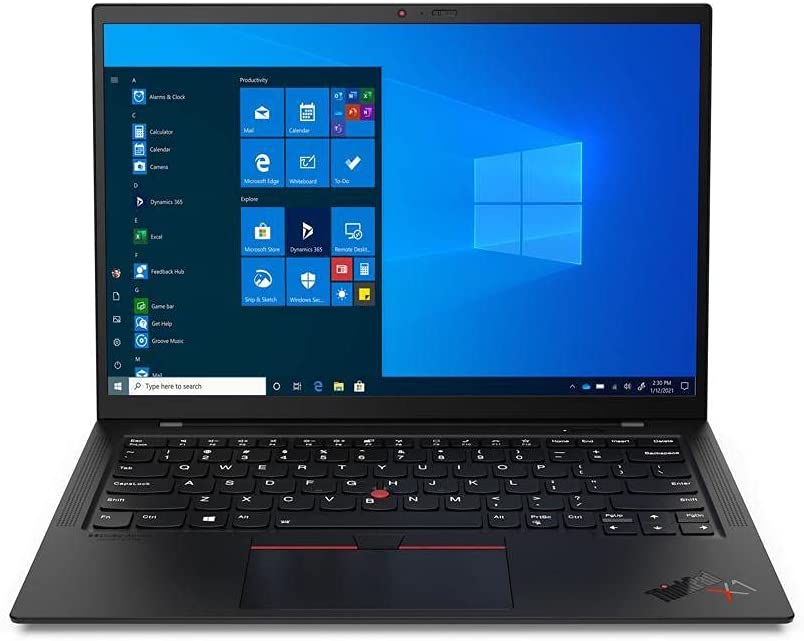
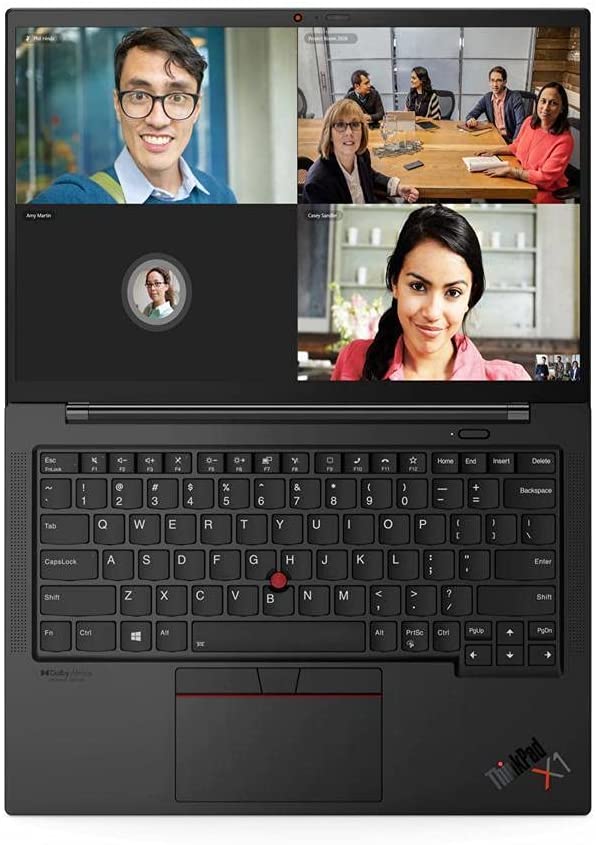
The 9th Gen model of Lenovo‘s flagship business laptop, the ThinkPad X1 Carbon, has a number of sginificantly nice updates. Longer battery life of up to 15 hours, powerful quad speakers, a new 14-inch display with a 16:10 aspect ratio, along with generous ports for a variety of connections are all included, all in an amazingly light chassis of under 3 pounds.
But it’s the iconic ThinkPad attributes that elevate the X1 Carbon to utter greatness: a rugged design (MIL-STD-810G strength), best-in-class keyboard, and stealthy black/red aesthetics that might almost make people mistake this for a gaming laptop.
However, no laptop is perfect and there are definitely things we wish Lenovo did such as the retaining the SD card reader and perhaps a better webcam as well. Its high-end variants are definitely expensive too but overall, you receive a great build quality, excellent ergonomics, and a robust set of specifications with the Lenovo ThinkPad X1 Carbon (Gen 9).
Features & Specifications
Dimensions: 12.38 x 8.72 x 0.59 inches
Item Weight: 2.49 lbs
Brand: Lenovo
CPU: 11th generation Intel Core i5 – i7
Graphics: Intel Xe Plus
Operating System: Windows 10 Pro
Screen Size: 14-inch, 1920 x 1200p, IPS touchscreen, 400 nit
Resolution: 1920 x 1200 pixels
RAM: 8GB – 16GB
Storage: 256GB – 512GB SSD
Ports: 2 x USB 4 Type-C with Thunderbolt™ 4 (DisplayPort / Data Transfer / Power Delivery), 2 x USB-A 3.2 Gen 1, Headphone / mic combo, HDMI 2.0
Battery Life: Up to 15 hours depending on usage.
Pros
Excellent display.
Impressive long-lasting battery life.
Cons
Design is too simple. It can be better.
Expensive.
Rating: 8.5 out of 10.
Where Can I Buy The Lenovo ThinkPad X1 Carbon (Gen 9)?
As I have said before, there are tons of things to consider when you’re buying a laptop for your business. To help you out in what you need to keep in mind before making any final purchases, I’ve listed below the things you need to consider as you go laptop shopping.
The Faster The Processor, The Better The Performance
One of the most important things to keep in mind when you’re looking for a laptop is the integrated CPU it has in its system. In case you’re unfamiliar, the CPU, or the central processing unit, is mainly the one responsible for executing instructions andenabling your computer to interact with all of the applications and programs it has installed.
Processors with four or more cores are now generally accessible on laptops nowadays, allowing them to handle both routine email checking and more demanding business programs and applications you need for work.
Many top-of-the-line business laptops feature Intel’s latest 11th Generation “Tiger Lake” processors. But older 10th Generation “Ice Lake” and “Comet Lake” CPUs are still readily available and capable of performing most tasks without a problem. Hexa-core processors, such as the latest top-end Core i7 and Core i9 CPUs, will also be required for very demanding workloads.
As a side note, because of the release of Tiger Lake processors, laptops with the older generation processors might see a decrease in their prices which will be good news if you’re a little tight on your budget.
Some larger workstation-grade laptops for designers, engineers, and professional data crunchers now include eight-core Core i9 CPUs, which were previously only available and seen on desktops. AMD-based laptops, which use the Ryzen Pro, are still rare, although they’ve begun to appear in certain traditional business-laptop brands, such as Lenovo’s ThinkPad series.
You might also spot certain processors like the Y-series Core, Pentium, and Celeron chips from Intel on certain laptops. However, these CPUs are now quickly phasing out in the laptop market and might be a little underwhelming for anyone who wants to use their laptops for everyday productivity work and multitasking with lots of applications and programs open at once.
How Much RAM Do I Need?
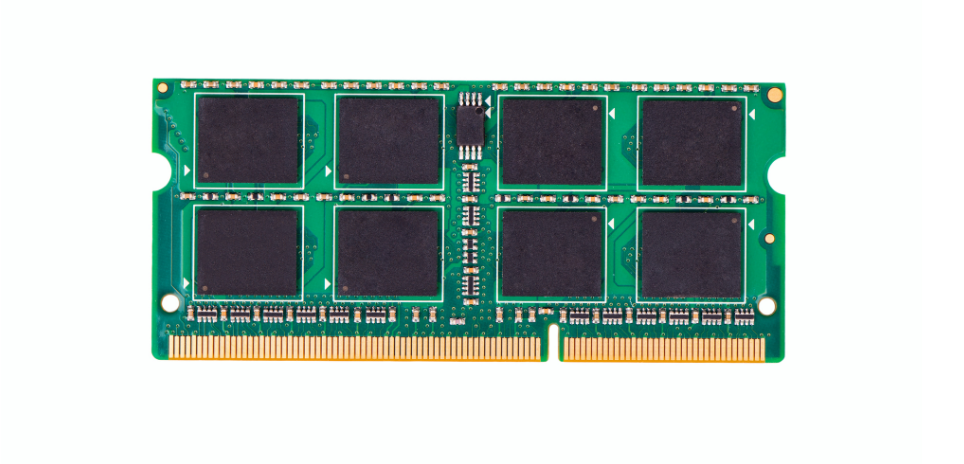
If you’re going to use your laptop mainly for work to run your small business, as much as possible, opt for laptops that offer 8 GB or 16 GB of RAM. You might think that 4 GB of RAM is enough but it’s better to futureproof your next laptop purchase so you won’t feel the need for an upgrade on your chosen device for at least the next handful of years.
If graphics designing, video editing, and other heavier workloads are part of your everyday tasks, 16 GB is what you should aim for. With that much RAM, you can easily run multiple programs, windows, and browser tabs at the same time, as well as complete multimedia tasks like photo editing and video rendering a lot faster.
Storage Options: SSD Or HDD?
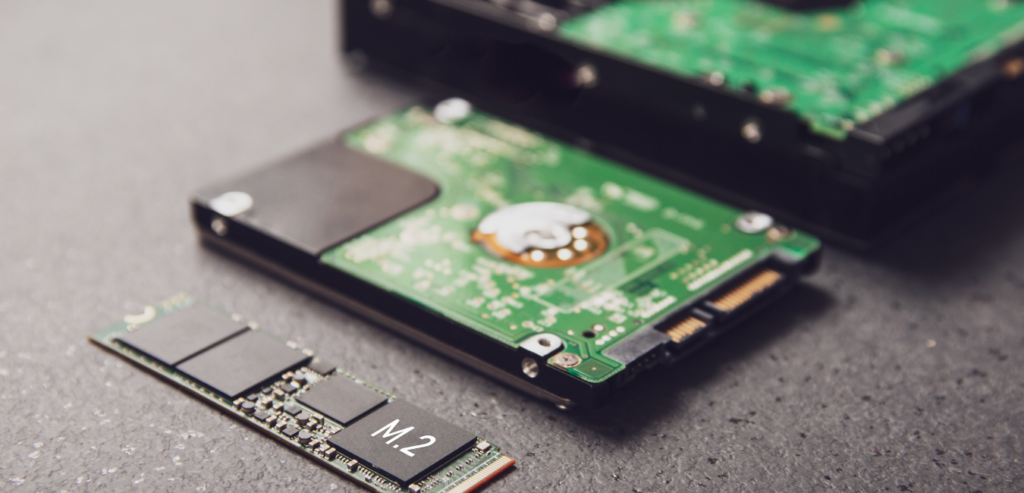
The HDD or SSD in a particular laptop can affect its performance in a few certain ways. While SSD is highly favored and preferred by the majority because it runs apps a lot quicker, a few of you might still choose HDD because of how more affordable this option is. If you’re undecided between the two, let me explain it to you.
A hard disk drive or what’s better known as the HDD is a data storage device for your laptop that consists of a metal disk with a magnetic coating. While the platters are rotating, a read/write head on an arm reads the data.
Meanwhile, on solid-state drives or SSDs, the data is kept on interlinked flash-memory chips that keep the data even when there is no power running through them, similar to how a hard drive does. These flash chips are not the same as the ones used in USB thumb drives, and they are usually swifter and more dependable.
Personally, I recommend going for laptops that use SSDs but if your budget doesn’t allow it, HDDs aren’t too bad at all.
Conclusion
Buying a laptop for your small business can sometimes be complicated, but it doesn’t have to be. I hope our top recommendations of the best laptops for a small business were able to help you out in choosing the most suitable laptop for your work.
Do you already own a laptop for your small business? Did your favorite unit make it into your list? Let me know in the comments section below if you have any questions, suggestions, or insights to share. I would love to hear all your thoughts!
Buying yourself a new camera can be a pretty exciting thing. Regardless of whether you’re upgrading from your current smartphone camera or just simply feel like getting your hands on a manual DSLR to see if photography is a path you want to take. But with so many options to choose from in the market, how do you know which one will fit you best? Not to worry! For our article today, we will be guiding you on how to buy the best cameras for beginners this 2021.
From knowing the different types of cameras in the market to learning the things you need to consider, you’ll surely have an idea of how to buy your first manual camera by the end of this article. Just keep scrolling to find out more.
The Rise Of Smartphone Cameras & Why A Manual Camera Is Still Worth Investing On
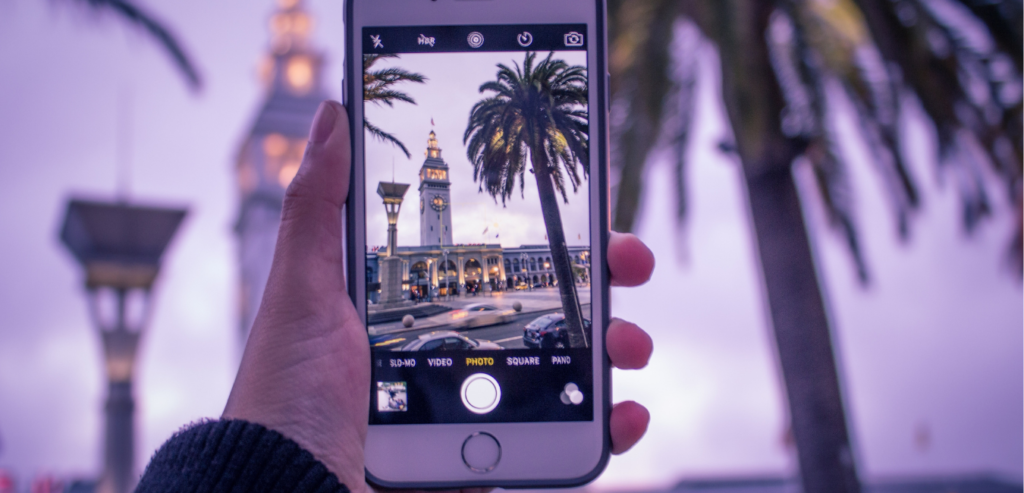
As you already know, smartphone cameras have come to a point where they can easily go toe to toe with some of the best mid-range manual cameras in the market.
Nowadays, smartphones are capable of having 48MP cameras as well as shooting high-res videos at 4K. This even surpasses the quality of a lot of manual cameras in the market, making them almost feel obsolete.
So it’s pretty understandable if some of you may still be on the fence about whether it would be good to invest in a dedicated camera or stick with the one your smartphone provides. After all, smartphone cameras provide a certain convenience these manual cameras don’t.
For example, manual cameras are mainly used for taking pictures, while the former is built into an all-in-one device. This means you don’t have to carry a separate gadget with you every time you want to take a photo. Additionally, smartphone cameras are just much easier to use in general. They don’t have these complicated setting options you really need to properly set in order to get the photo you want.
And because of these very reasons, the camera industry has seen a significant decrease in demand these past years. It has come to a point where some people have ultimately quit buying cameras and don’t see them as worthy of investing in anymore.
It’s very rare nowadays to see someone anticipating the next release from Canon or Nikon the same way you would see people get excited about Apple‘s new releases every year.
So Are Cameras Still Worth It?
While it’s true that you can get away with taking a perfectly good photo with your current smartphone camera) if you’re really serious about your photography and you want an authentic experience of honing your skills and growing as a photographer, nothing will beat holding a manual camera in your hands.
The majority of people nowadays prefer smartphone cameras since they’re readily embedded into their main devices. However, professional photographers are unlikely to utilize a smartphone to record and shoot professional events, commercials, or films.
Meanwhile, cameras like DSLRs offer the advantage of longevity and versatility to let your creativity shine so you can get different results for your photos. Of course, smartphones have these too but they’re frequently done with the help of certain apps.
All in all, manual cameras are sure to last you for decades. You can also easily just swap out certain parts if you want an upgrade such as the lenses and there’s no need to completely throw out your current unit if you’re on a budget. On the other hand, you can’t really do the same thing with a smartphone camera and you’ll be wanting to upgrade the model every 3-5 years or so.
Why You Should Pick A Beginner-Friendly Camera
Just like any other hobby we pick up or just starting to take interest in, we usually test the waters first by starting small and avoid investing too much in case it turns out to be something we’ll not be doing in the long run. The same logic can be applied to photography.
Some might get excited at the prospect at first and even dive headfirst into taking as many pictures as you want without really taking into account the technicalities that come with it. There’s nothing wrong with this but after a while, you might ask yourself if this is something you truly enjoy or are you simply following a trend?
So in order to avoid wasting or spending too much money on professional-grade cameras before you’re ready for them or have decided that photography will be a long-term hobby of yours, let me tell you why buying an entry-level camera model will be more beneficial to you as a beginner.
The term “beginner” might mean different things to different people. To some, it may imply a complete lack of knowledge in photography. Which in this case, you’ll want to stick with entry-level cameras that offer plenty of manual choices for you to experiment with as your skills improve over time.
Aside from that, entry-level cameras are also generally a lot cheaper compared to other cameras that were made specifically for professionals or veteran photographers. Not only this helps you save money, but it also prevents you from feeling guilty for investing too much or wasting resources in case you realize that photography isn’t something you want to do in the long run.
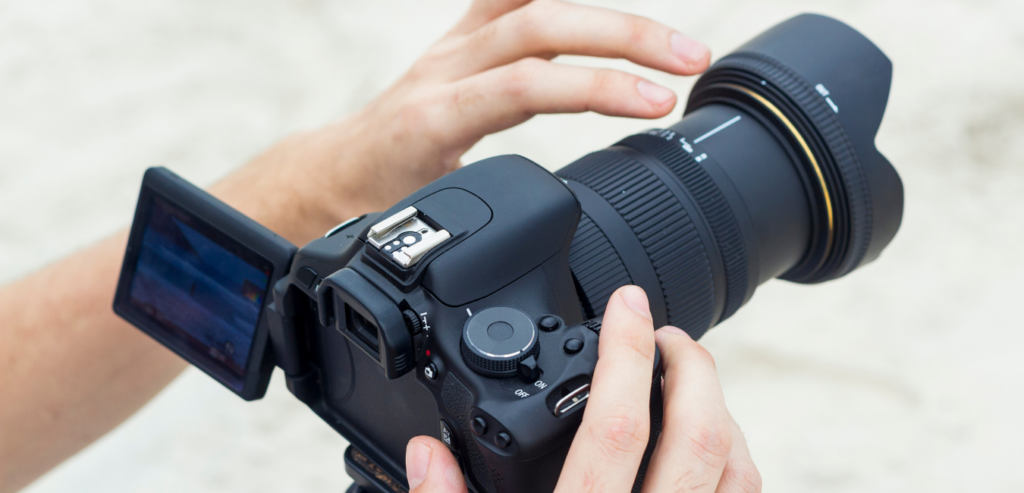
The term “DSLR” stands for digital single-lens reflex which refers to the fact that it uses a single lens for shooting and focusing on your subjects.
Internal mirror mechanisms are built into DSLRs, allowing you to use an optical viewfinder. When it comes to capturing shots, photographers prefer to use this viewfinder rather than the LCD screen provided by the camera.
Due to their rugged builds, DLSR cameras are also generally more durable and weatherproof than other types of cameras you’ll see in the market. Though this can also vary depending on the model.
The DSLR used to be and still is, the professional camera standard. It’s one of the most popular varieties of cameras on the market, and it’s frequently utilized by professional photographers all over the world. If you frequently go to a lot of social or professional events, you’ll often see this type of camera used by photographers or journalists in their line of work.
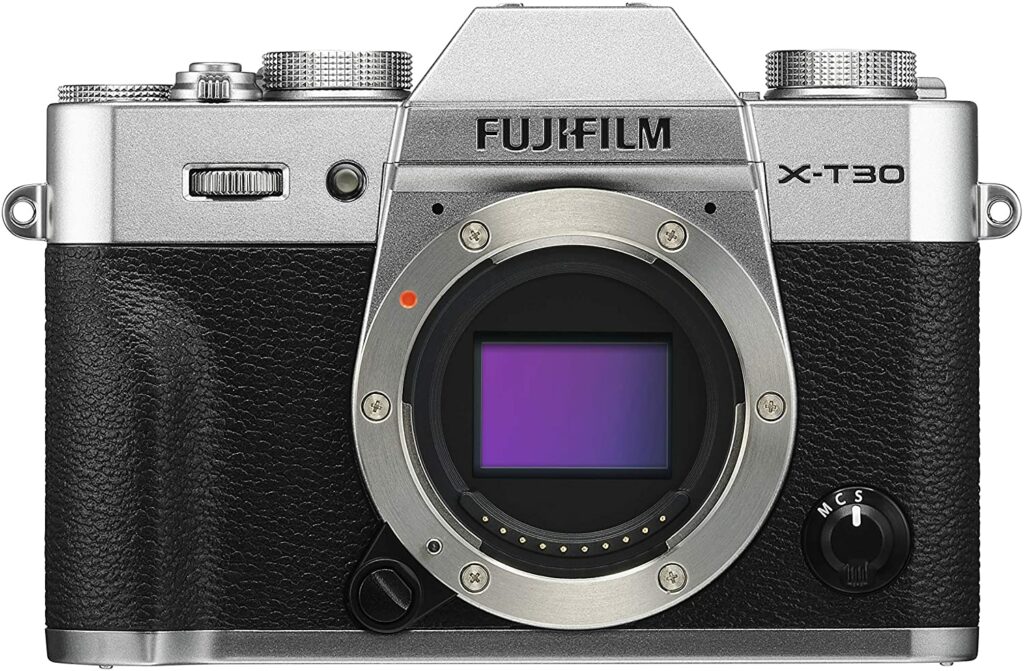
In some aspects, mirrorless cameras are similar to DSLRs. They have interchangeable lens mounts that can be swapped out whenever you want. But in exchange for the ability to build this type of camera more compact and lighter than your average DSLR, mirrorless cameras forego the mirror system that allows for an optical viewfinder.
Mirrorless cameras are also the most popular type of camera nowadays, They’re trendy and sport an aesthetic that a lot of younger people gravitate to. So if DSLRs are a little too bulky or complicated for your taste, mirrorless cameras may be a better option. They’re more portable and have smaller bodies so they won’t take up as much room in your bag.
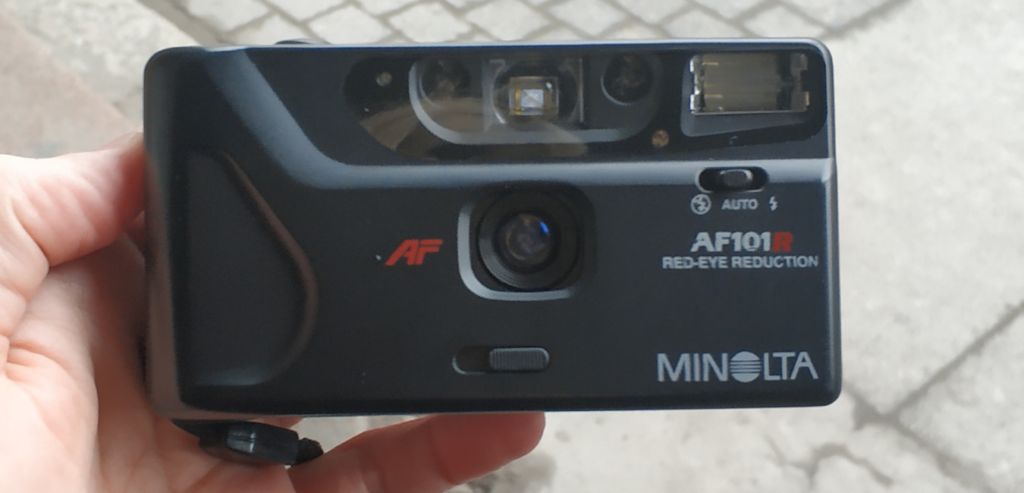
The traditional method of photography is with a film camera. This type of camera is usually inexpensive. But they also don’t have as many options for customization as you would with a digital camera like DSLRs or mirrorless cameras.
Film cameras demand more effort and time than digital cameras. Wherein the latter allows you to see the outcomes of your images immediately after hitting the shutter button. On the other hand, film cameras use film rolls, which run out after a set number of photographs are taken.
Afterward, you can take your film rolls to a picture developer and have them processed for you to get a physical copy of your pictures.
Instant Film
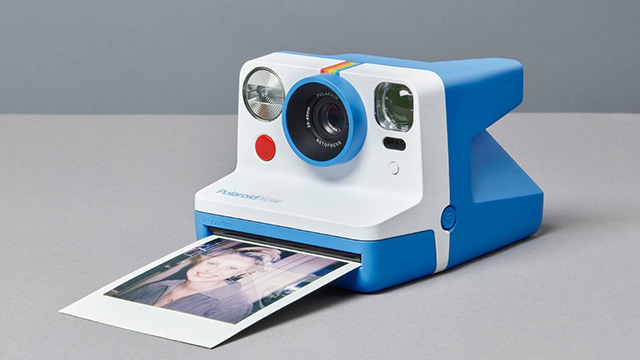
Instant film cameras are similar to film cameras, except they print your images in a couple of seconds. They produce what is popularly known as “polaroids“.
This type of camera also uses a specific film roll that only allows you to capture a certain number of images. But unlike your regular film camera, instant film cameras can create photographs shot after shot. These models are also very popular among teenagers. They’re fun, easy to use, and great for memorabilia purposes.
Compact Cameras
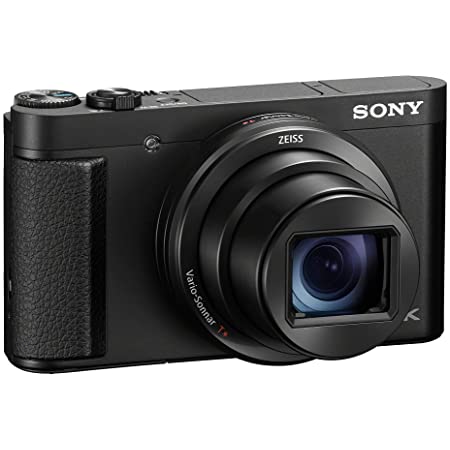
This type of camera is also called “point-and-shoot-cameras”. These types of cameras have fixed lenses that cannot be changed or swapped out. So you’ll either be stuck with a zoom lens that covers a specific focal range, or a fixed-focal-length “prime” lens that focuses on quality.
Additionally, a lot of people find this type of camera outdated. But before smartphone cameras were a thing, this was the most popular type of camera among the masses.
The models in this category of cameras were cheap and did an adequate job of taking photographs. However, because of the tremendous rise in the popularity of smartphones, their subpar quality has significantly improved since then. Many point-and-shoot cameras now offer imaging quality that can easily rival that of interchangeable lens cameras in order to compete.
Conclusion
Now that we’ve finally reached the end of our article, I hope this was able to help you out in deciding whether a camera is worth the investment or not. As well as knowing the types of cameras that will suit you the best.
Photography is a wonderful experience and there’s no better way to preserve memories than taking photos of them. So whether you opt to get a manual camera or stick with your smartphone, I hope you have fun in your pursuit of taking great images.
Do you already own a camera? Or are you still thinking of getting one? Did our article on How To Buy The Best Cameras For Beginners help you out in making a decision? Let me know in the comments section below if you have any insights, suggestions, or questions to ask. I would love to hear all your thoughts!
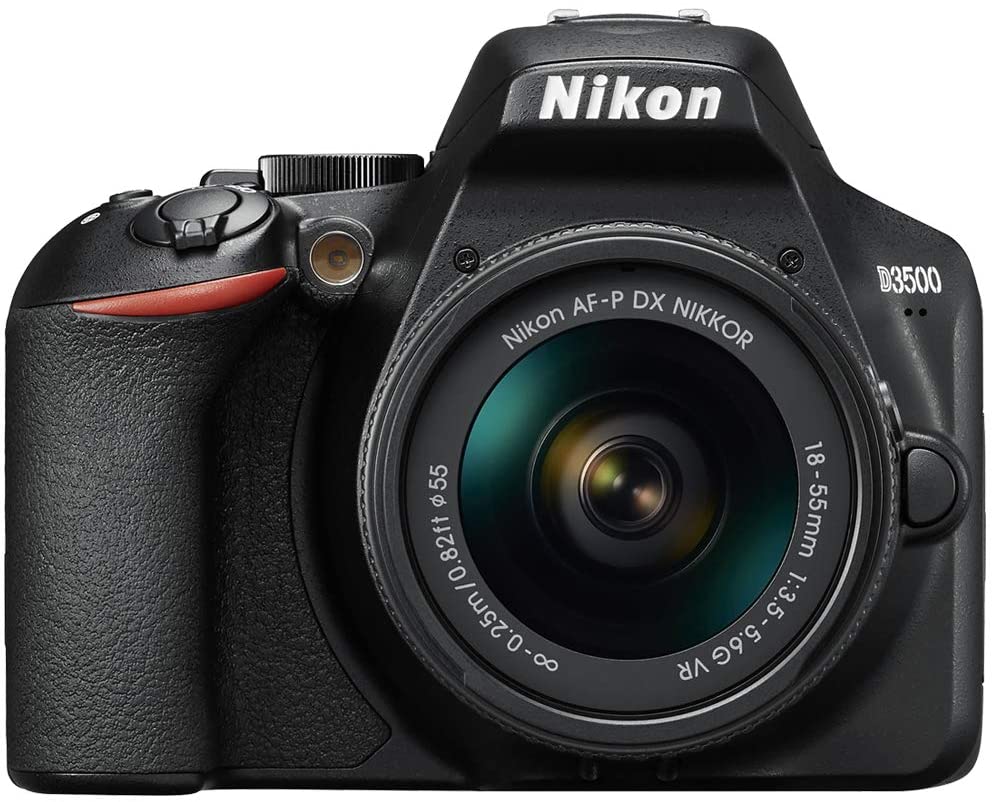
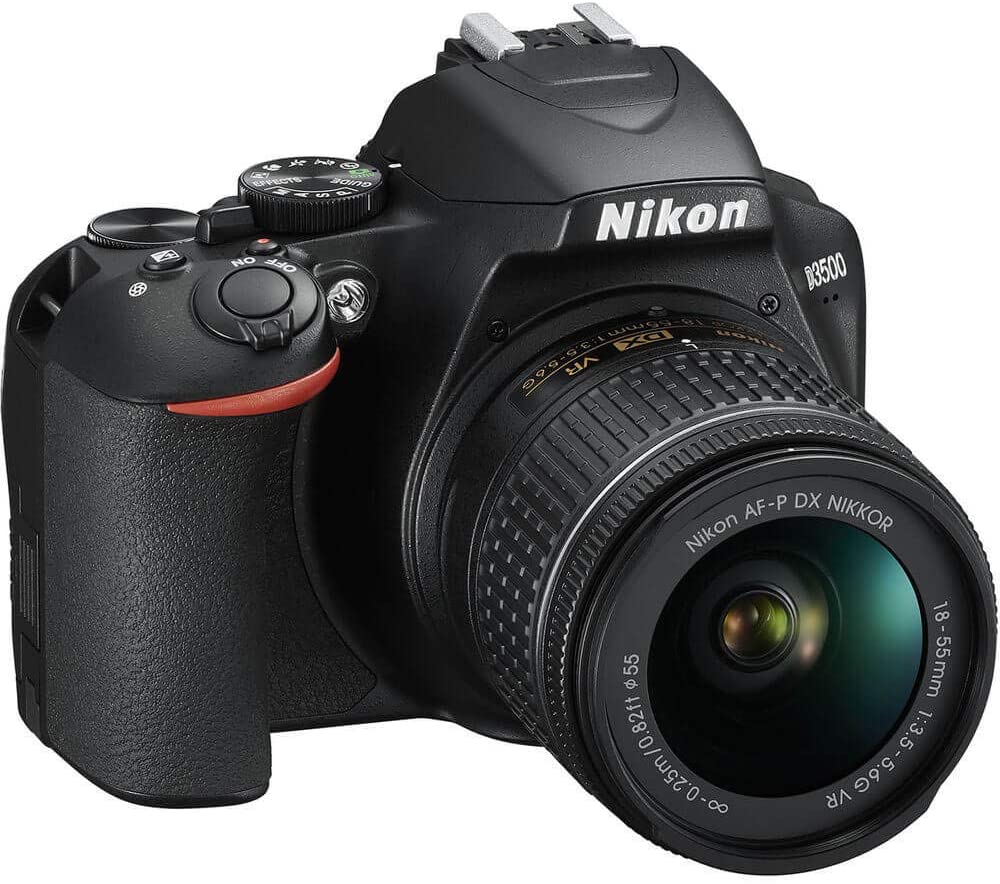
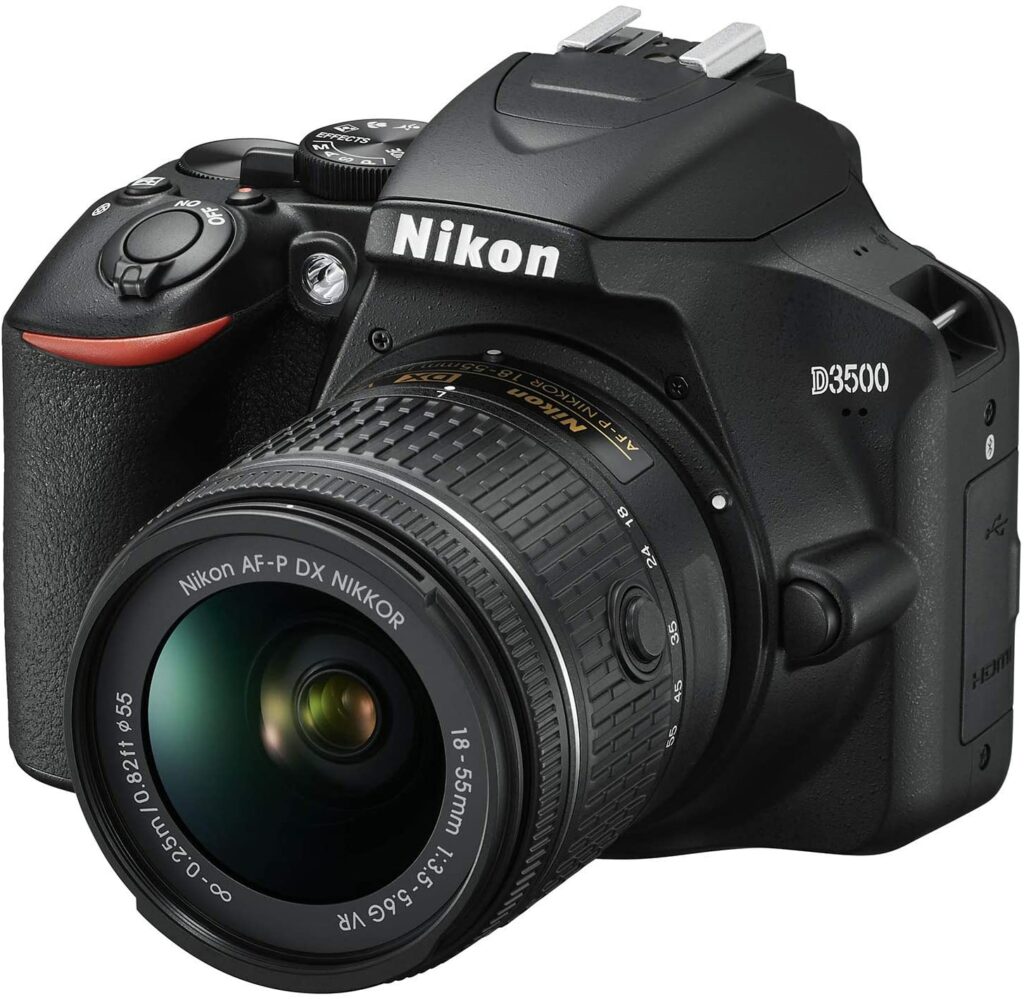
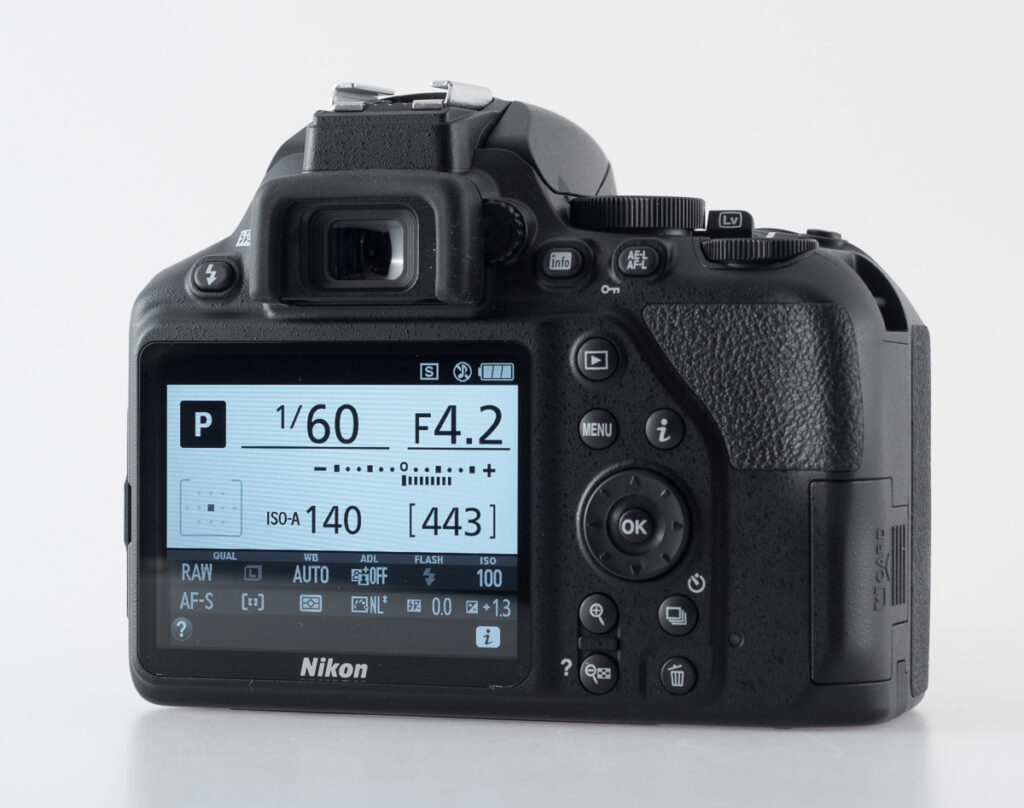
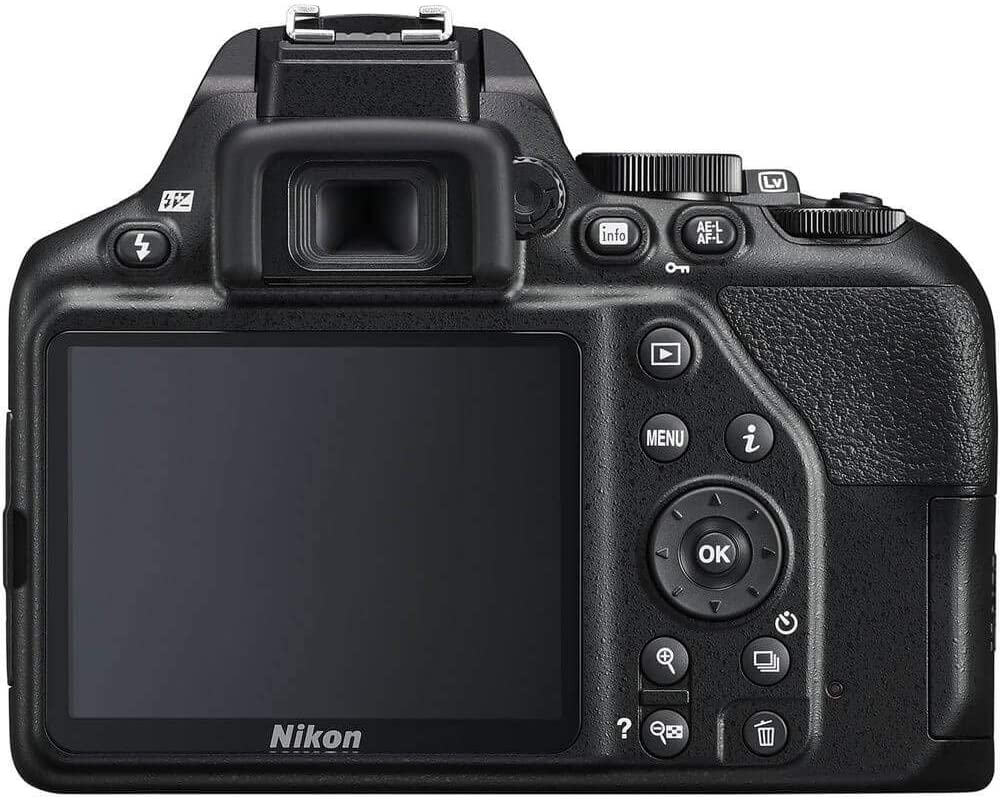
It’s been a few years since we were first introduced to the Nikon D3500. Yet somehow, this particular DSLR still remains to be one of the best cameras you can invest in if you’re just starting out in photography. That’s why for today, let’s take a closer look at our dedicated Nikon D3500 review to find out what makes this DSLR so impressive.
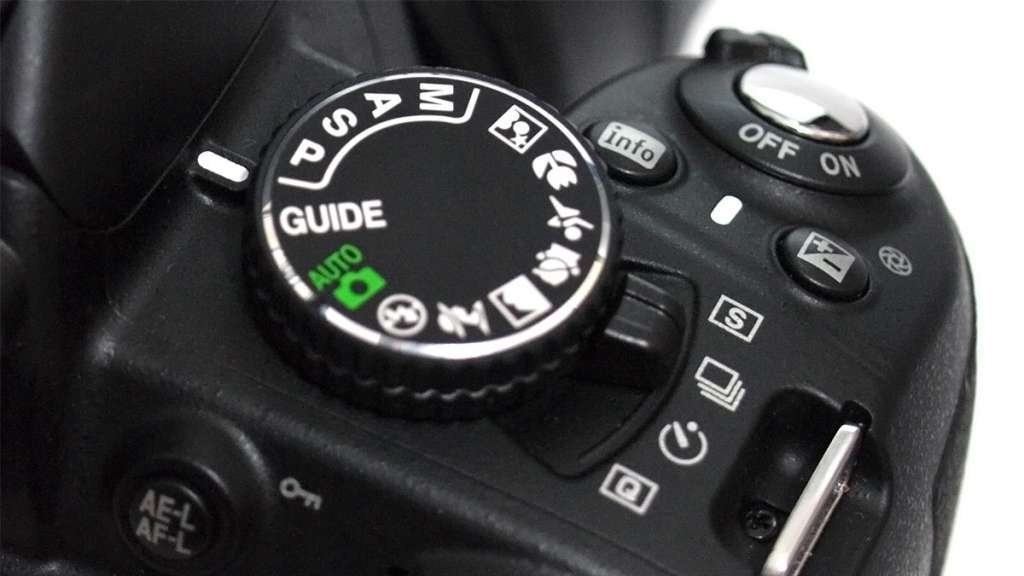
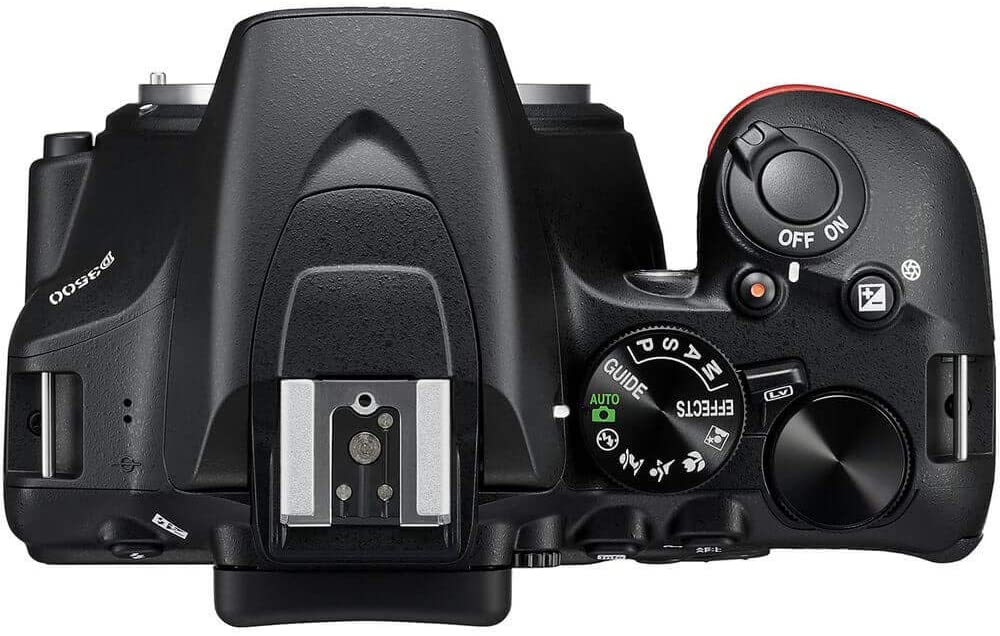
If photography is something that interests you and you feel like you’re ready to make the jump from using your smartphone cameras to holding an actual DSLR, I can’t think of a better camera to start out with other than the Nikon D3500. This beginner-friendly DSLR offers a “Guide Mode” that is truly helpful for any rookie photographer out there.
The “Guide Mode” features act as a fully interactive manual that will explain complicated concepts that may sound unfamiliar so you have an idea of how to properly set up your photography and camera settings. So if you were worried or ever felt intimidated about DSLRs being too complicated for you, the Nikon D3500 will surely help you out on that aspect.
However, if you’re not that interested in tinkering with the manual controls, you also have the option to simply set the camera on Auto Mode so you can just pick this up and start snapping away to take as many photos as you want.
What To Expect
When it comes to the Nikon D3500’s external controls, they’re pretty straightforward and easy to follow once you get the hang of it. However, due to its inexpensive price, you’ll have to manage your expectations. You’ll surely be missing out on a few advanced features you might spot on more high-end models from Nikon but this doesn’t mean that the D3500 is a bad product.
For example, unlike every other Nikon DSLR series, the D3500 offers no Custom Settings menu for customizing camera features to your liking. However, the image quality and overall performance you get from the D3500 are still extremely excellent and offer great value for its price.
Not to mention, if you’re getting more serious about your photography and you feel like you’re ready for an upgrade, Nikon offers a wide range of impressive lenses for you to choose from and invest in in the future.
Features & Specifications
Dimensions: 4.88 x 2.76 x 3.82 inches
Item Weight: 13.8 ounces
Brand: Nikon
Type: DSLR
Sensor Size: APS-C
Viewfinder Type: Pentamirror
Resolution: 24.2MP
Monitor: 3.0-inch fixed, 921k dots
Autofocus: 11-point AF, 1 cross-type
Maximum Continuous Shooting Rate: 5 fps
Max Video Resolution: 1080p
Warranty: 1 year limited warranty
Come Check Out Nikon’s Preview Of The D3500 Below.
The biggest selling point of the Nikon D3500 and the reason why it’s so well-loved is due to how intuitive it is especially for photographers who are just starting out. This is all thanks to its impressive “Guide Mode” functions.
To further explain, this particular features makes it easy for you to tell the camera what kind of scene you want to record. It essentially teaches you the fundamentals of photography the more you use the D3500, such as the shutter speed, aperture, and exposure compensation. To put it simply, this is a camera that you can really grow with and hone your skills in as a totally new photographer.
Great Value For An Inexpensive Price
Whenever we pick up new hobbies or start to take interest in certain things, we usually want to test the waters first if it’s something we want to do long-term before investing too much money in it. And that’s what makes the Nikon D3500 shine. It’s perfectly made for rookie photographers in mind while offering you some of the best features you can find within the range of entry-level DSLRs.
Sure, you might also want to set your eyes on some mirrorless cameras like the Fujifilm X-T200 and that’s okay, but they do come at a much higher cost. Aside from the ability to shoot 4K videos and a touchscreen LCD, you won’t be missing out on a lot unless you’re planning to do a lot of video recording activities such as vlogging.
While they both have their pros and cons, the Nikon D3500 is still the better choice for beginners who prioritize taking still photos due to the kind of handling and value that a lot of mirrorless cameras (even including the most recent releases) struggle to match.
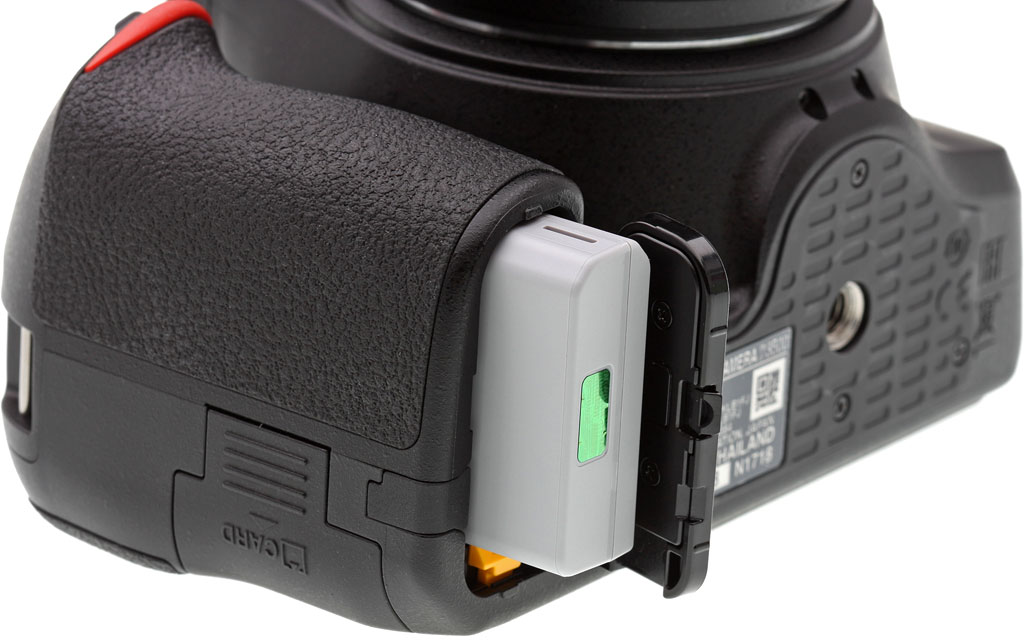
Excellent Battery Life
When it comes to battery life, the Nikon D3500 is truly a beast in this aspect which I find that even the most recent camera models struggle to keep up with. The D3500’s predecessor, the D3400 already had an impressive enough battery life of offering you 1,200 shots. But Nikon still managed to extend this to a staggering 1,550 shots with the D3500.
So if you’re going to be shooting a lot outdoors for longer periods of time with no power outlet nearby, then you’ll have little to no problems with the Nikon D3500 lasting you for several hours.
Our Least Favorite Thing
Lacks More Modern Features
While it’s nice that you’ll get to save a lot of money if you do choose to buy the Nikon D3500, it’s also best to keep in mind that because this particular camera model has been around for quite some time now, you are going to notice that it lacks a few “advanced” or “modern” features that other cameras offer. Some examples are below:
No 4K Video Capabilities
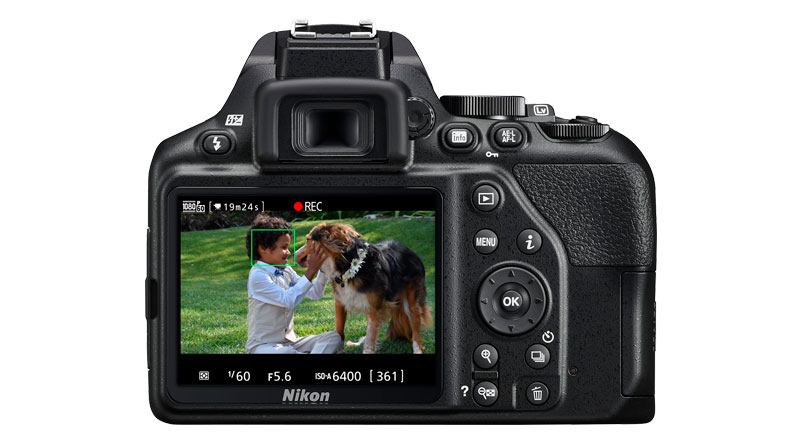
This might be the biggest con of the D3500. In this day and age, a lot of photographers or content creators are really aiming for that crisp and detailed quality you get from shooting videos in 4K. Not to mention, 4K video resolutions have already become the standard for most cameras that are currently being released.
Unfortunately, the Nikon D3500 only offers a max resolution of 1080-P in Full HD. But if that’s something you don’t mind and you’re happy with the 1080-p resolution, then this slight setback shouldn’t bother you or entirely put you off from the D3500.
LCD Isn’t Adjustable Or Touchscreen
If you’re someone who’s coming from using your smartphone camera to do your photography, then the Nikon D3500’s LCD might be a bit of an adjustment for you. Unlike other cameras with a vari-angle LCD that you can flip in various directions or a touchscreen display for easier navigation, the Nikon D3500 still has your traditional display that is stuck behind the camera’s body.
So if you’re hoping to take selfies with this camera, you might end up having a hard time doing that.
In A Nutshell
Now that we have covered everything about the Nikon D3500, here is a narrowed-down list of the pros and cons of this particular DSLR camera.
Pros
Beginner-friendly “guide mode”.
Great value for its inexpensive price.
Impressive 24MP sensor quality.
Excellent battery life.
Cons
Can only shoot up to 1080-p Full HD videos.
Fairly basic external controls.
Lacks modern features more recently released cameras have.
Our Final Verdict
Overall, the Nikon D3500 still excels in being one of the best DSLR cameras for beginners, photography students, and casual photographers who just want a low-cost manual camera in their hands to jump-start their path to photography. And despite the Nikon D3500 already being a few years old, you’re still getting a lot of value from this particular camera model at an incredibly inexpensive price point.
If you don’t mind missing out on a few more modern features other cameras offer, then you’ll be absolutely satisfied with using the Nikon D3500 for a pretty long time until you find your footing and feel more comfortable upgrading to a more advanced model.
Do you already own the Nikon D3500? Or are you still deciding whether to purchase it? Let me know in the comments sections below if you have any insights, suggestions, or experiences to share with this camera model! I would love to hear all your thoughts!
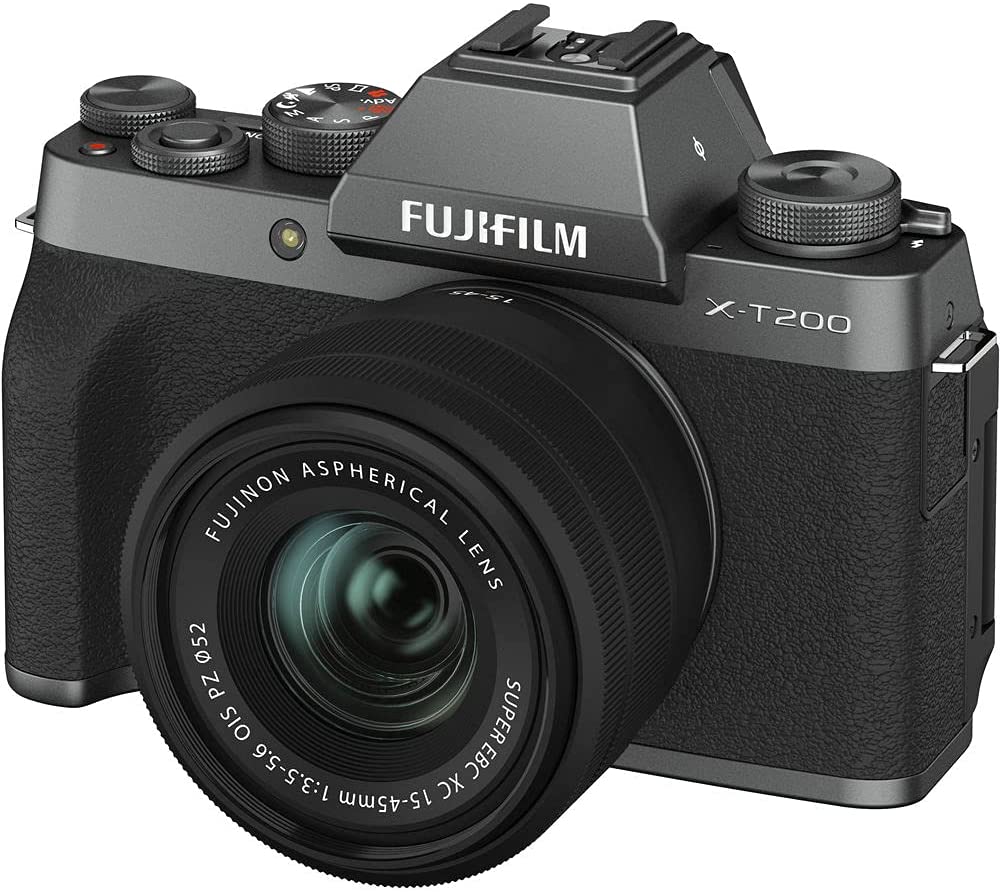
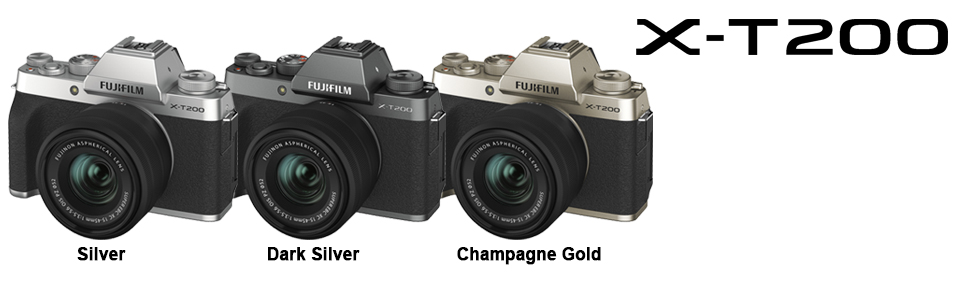
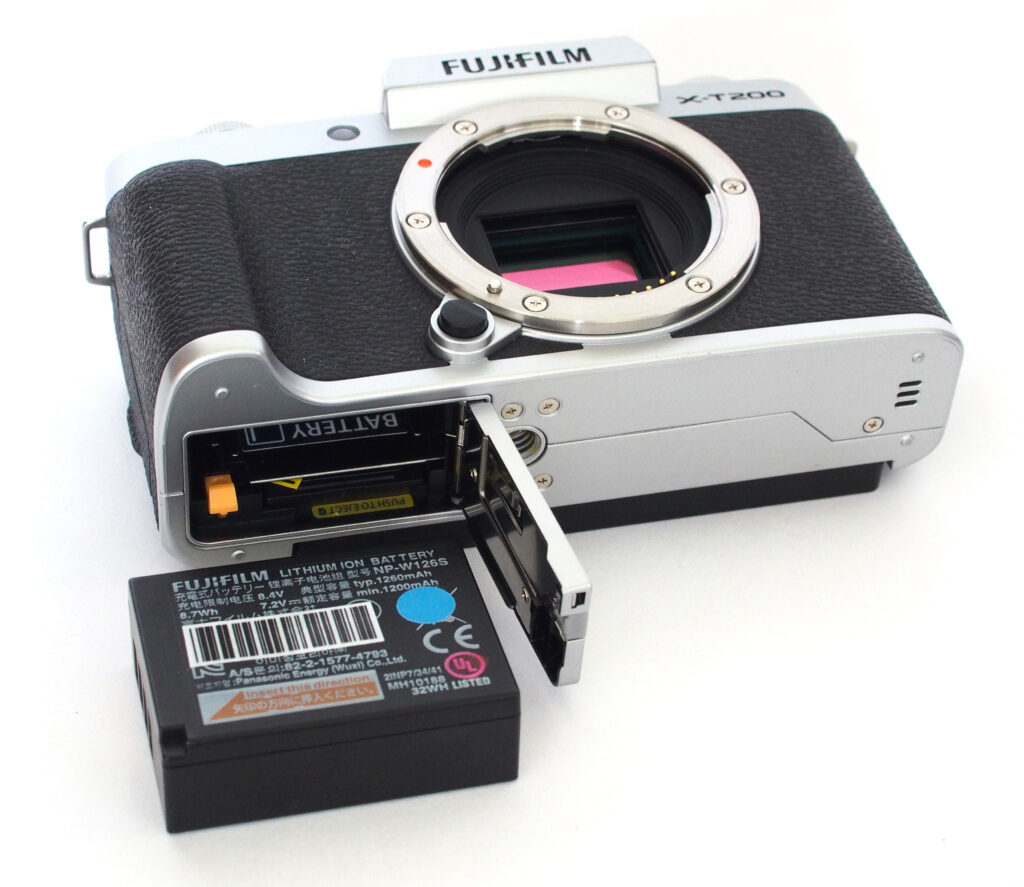
Fujifilm is popularly known for its retro-design cameras that are sure to offer you a wave of nostalgia. At the same time, providing some of the best camera specs and features you can get your hands on in the market. Their X-series cameras feature some of their best units and the X-T200 aims to bridge the gap between their entry-level models and their flagship X-T30. To find out more, let’s dive into our Fujifilm X-T200 review here.
The Fujifilm X-T200 is a great option for people who just started dipping their toes in the world of photography. It’s a nice upgrade from your current smartwatch cameras while being very beginner-friendly to those who might be intimidated by complicated or alien concepts some camera models have.
Apart from that, the X-T200 seems to serve as the sweet spot between Fujifilm’s basic entry-level mirrorless cameras and more high-end and advanced flagship models. So if you’re just starting on your photography but don’t want to settle on a basic entry-level camera, then the X-T200 will be perfect for you.
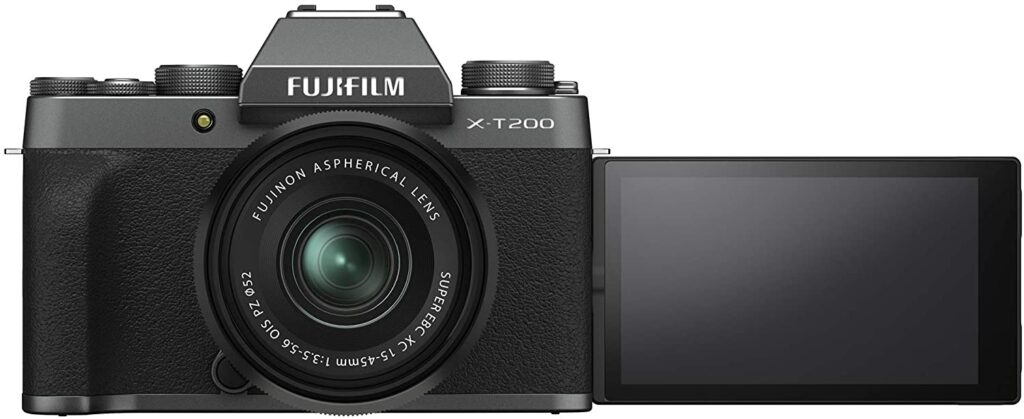
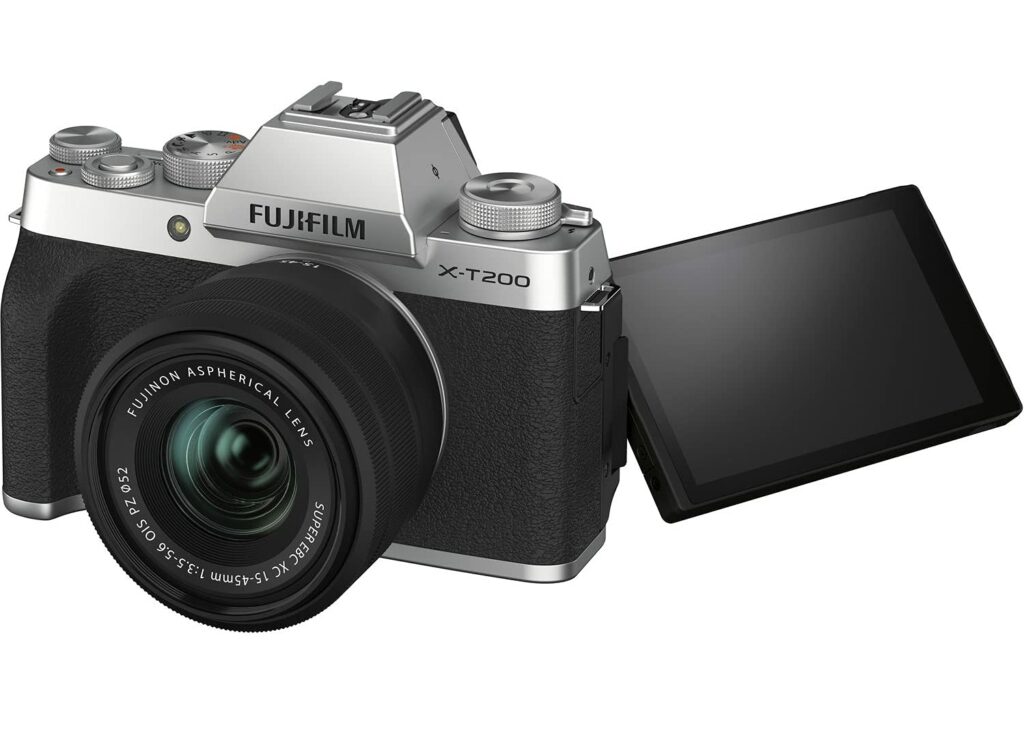
The X-T200 offers a wonderful balance of conventional physical controls along with touchscreen capabilities. The X-T200 also has 3.5 inches of display that provides easy-to-follow instructions for beginners, as well as a pretty decent viewfinder that makes it easy for rookie photographers to shoot images in broad daylight.
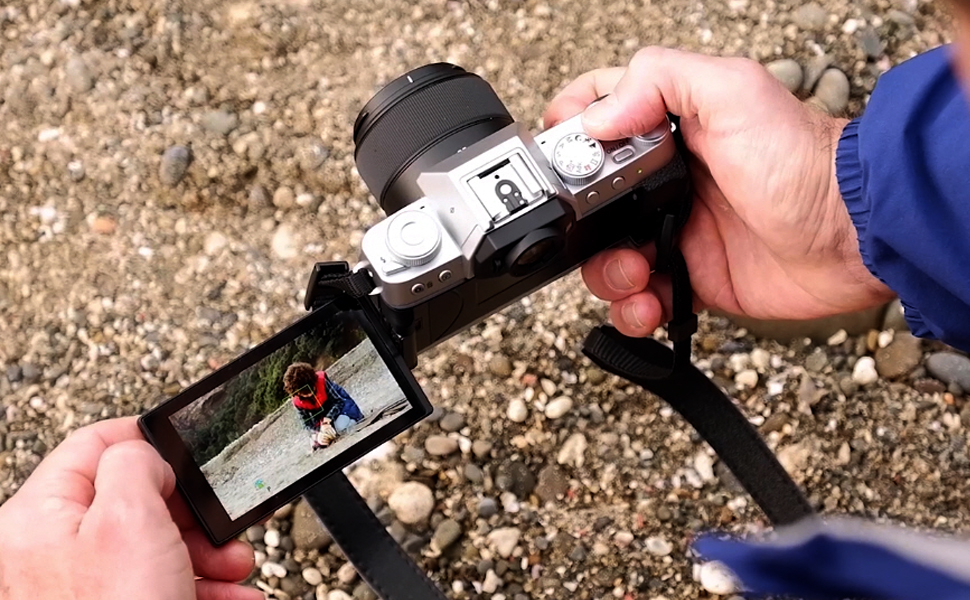
Additionally, the X-T200’s display can also be flipped over to face forward, making it ideal for people who love to take selfies and do vlogs. Going back to its touchscreen functionality, this particular feature offers a sense of familiarity to people who are mostly used to navigating controls via a touchscreen on their smartphones.
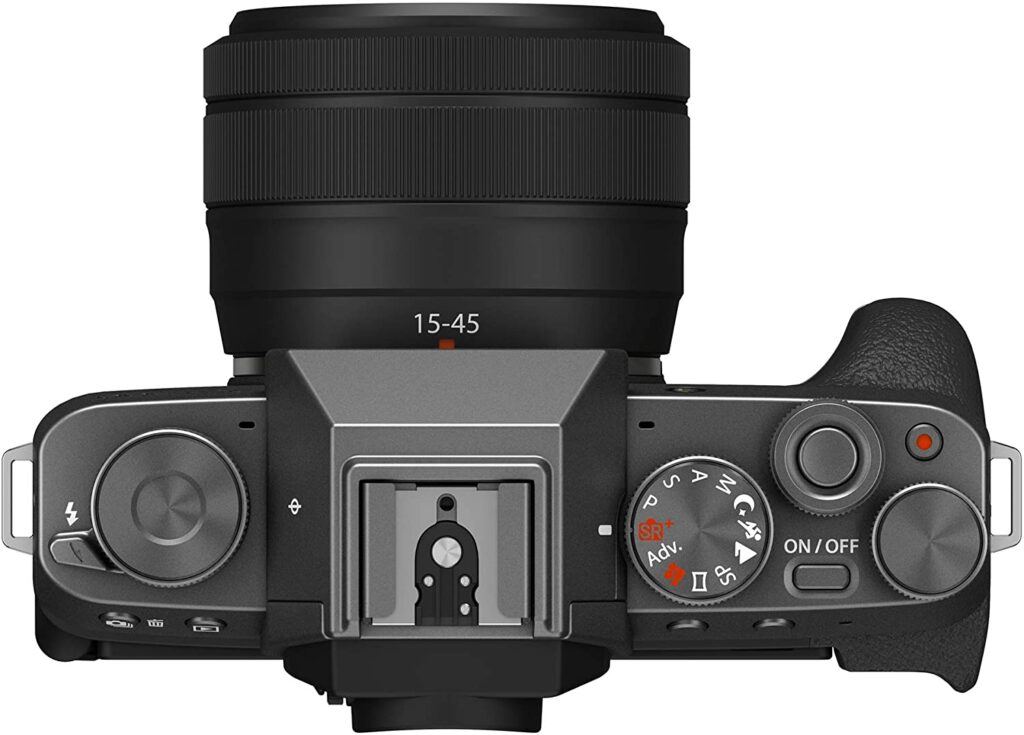
To put it simply, adapting to this camera from your smartphone won’t be too difficult for you. However, once you get the hang of this camera and you feel confident enough to experiment and tinker around with the X-T200, this model also offers physical controls such as a joystick and three dials for you to toggle with as you hone your photography skills.
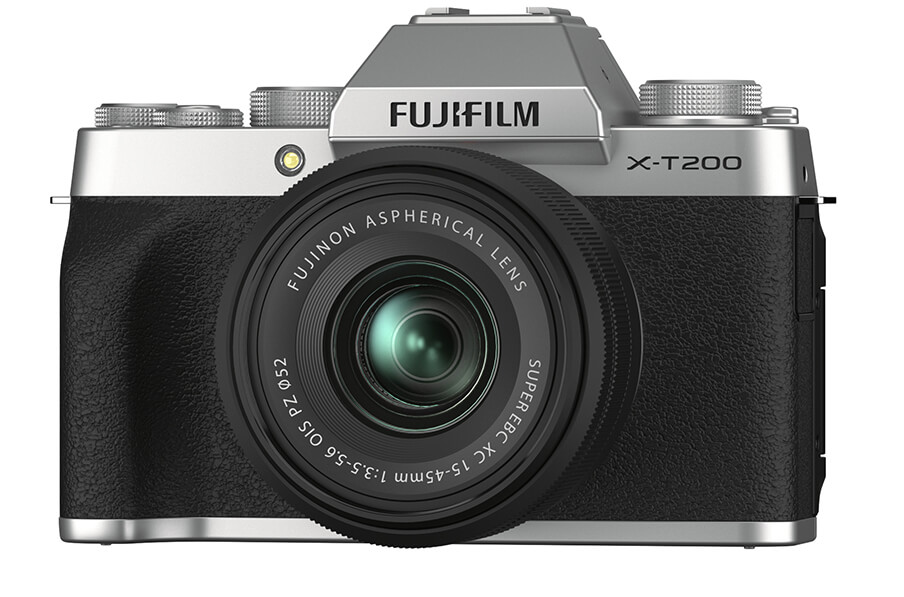
When shopping for cameras, the first thing most of you will always notice is how they look like. For the most part, cameras seem to sport the same look. This is especially the case with DSLR cameras. Depending on who you ask, seeing the same aesthetic for such cameras can often feel boring. However, Fujifilm is best known for its uniquely designed cameras that all seem to sport a retro and old-school theme.
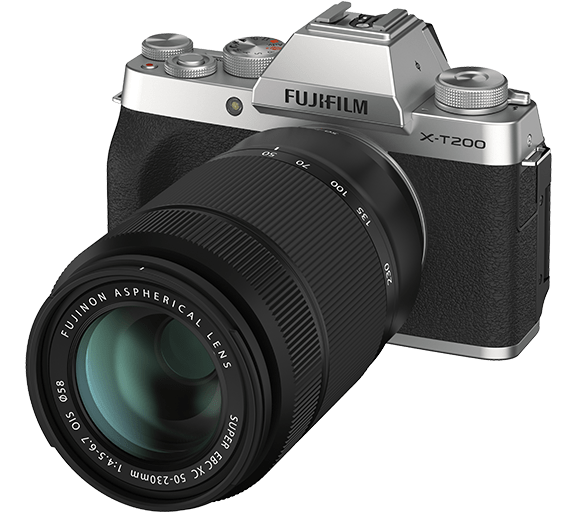
Some may love it, while some may not really pay attention to how their camera looks. But I’ll still give Fujifilm plus points for taking the step in making their cameras stand out. The X-T200 is no exception to Fujifilm’s well-designed products. Encased in a vintage style dressing, this particular camera is sure to make you feel nostalgic for the 35mm SLR film cameras of the past.
Great Build Quality & Handling
Another great quality of the X-T200 is how impressively well-built this camera is. Despite having a much larger vari-angle LCD than its predecessor, the X-T100, Fujifilm managed to keep the X-T200’s body lighter compared to the former. This makes the camera just all-around easier to carry and feels more comfortable in your hands.
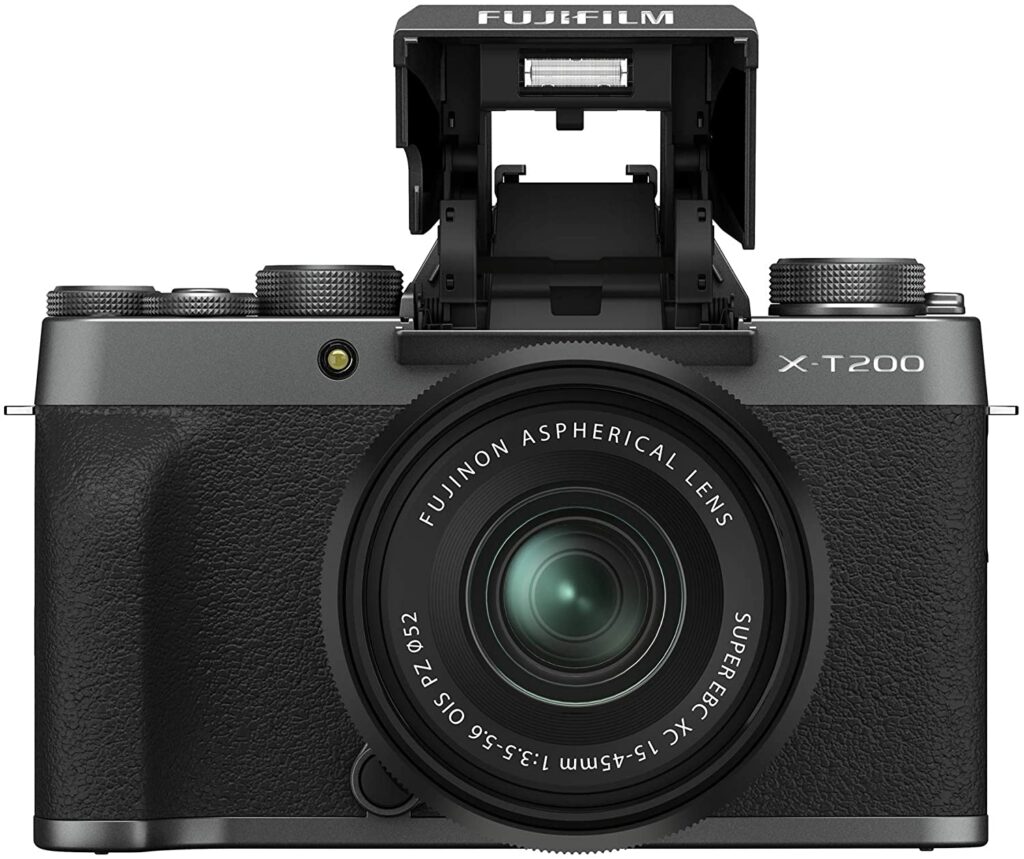
However, when compared to Fujifilm’s more high-end and advanced models like the X-T30, you’ll notice right away that the X-T200 has a more plasticky feel as well as lacking the external shutter speed and lens aperture controls. Though it’s best to keep in mind that Fujifilm settled on this decision on purpose to keep the model beginner-friendly and easily understood by novice photographers.
But don’t let that fool you. Despite being marketed towards newbies, the X-T200 is more than your average entry-level camera.
The X-T200 offers twin control dials with customizable function buttons you can configure to your preference as well as a ‘Q’ quick menu for your standard camera settings. This is essentially part of Fujifilm’s more basic mirrorless camera models, but with added and upgraded features and controls to match most mid-range cameras you’ll find in the market.
4k Video Quality At 30 FPS
The sensor and processor of this camera have been improved to handle 4K videos at up to 30fps which is really impressive for a camera of this caliber. You usually see this kind of feature on more high-end models but Fujifilm did not disappoint at all. In addition to that, the X-T200 also has 3.5x faster processing that Fujifilm claims will prevent any “rolling shutter” effect.
Apart from that, the vari-angle screen also offers a 16:9 ratio that’s perfect for video. Plus, it flips over to the front so you can take selfies or do vlogging activities to your heart’s content.
In addition, the X-T200 also has an HDR video mode which essentially blends videos at different exposures in an unknown method along with a “digital gimbal” that smooths out your footage through an in-camera gyro and an electrical stabilization algorithm that’s built into the camera.
Overall Performance Is Excellent
When it comes to performance, the X-T200 performs as well as you expect from a Fujifilm camera. The detailed rendition you get from stills alone is quite excellent and Fujifilm’s wide range of Film Simulations should appeal to a variety of tastes from everyone.
Additionally, the dynamic range extension options can be really useful in preserving highlight detail in high-contrast scenarios.
Our Least Favorite Thing
Disappointing Battery Life
One thing that really puts me off with the X-T200 is its disappointing battery life. Especially if you consider the price point it is in. This particular camera eats up a significant amount of battery life even when you’re not using it as much. A fully charged X-T200 significantly comes down to a surprisingly low battery level after moderate usage of about 30-40 pictures and a few short videos.
Personally, that kind of battery life is quite mediocre but fortunately for you, the X-T200 provides a USB-C charging port that makes it easy for you to charge the battery while on the go by using a compatible smartphone charger.
No X-Trans Sensors
Personally, I don’t find this a huge deal breaker. I get that Fujifilm wants to keep the X-Trans sensors exclusive for their more advanced models like the X-T3, X-T30, X-Pro3, and the new X100V compact models. But this is definitely something you might want to know or keep in mind before investing in this model.
However, the regular 24.2-megapixel CMOS sensor seems to be working perfectly fine with the Fujifilm X-T200.
Overall, it still performs really solidly on its right. So don’t let this put you off from this particular camera model or see this as too big of a disadvantage.
In A Nutshell
Now that we have covered everything about the Fujifilm X-T200, here is a narrowed-down list of the pros and cons of this particular camera.
Pros
Lightweight and compact.
Great design and aesthetic.
Suitable for video-oriented users or vloggers.
Offers full manual controls for you to experiment with once you’re comfortable enough with your photography skills.
Large vari-angle touchscreen display.
Excellent 4K video resolution and picture qualities without editing.
Cons
Uses a regular CMOS and not a X-Trans sensor.
Battery life is not that great especially for its price point.
Our Final Verdict
Overall, the Fujifilm X-T200 works wonderfully in what it is supposed to do. It successfully bridges the gap between Fujifilm’s entry-level models and more advanced models in their lineups. It’s perfect for people who are making the jump from their smartphone cameras and want to be more serious about their photography and want a mirrorless camera they can really hone and develop their skills in.
In any case, I hope our Fujifilm x-T200 review was able to help you decide whether this camera is something you should invest in or not.
Do you already own the Fujifilm X-T200? Or are you still deciding? Let me know in the comments sections below if you have any insights, suggestions, or experiences to share with this camera model! I would love to hear all your thoughts!