If you’ve been an AirPods user for some time now, then you most likely already know that it doesn’t have the most secure fit around the ears. It can be quite tricky when using them in the gym for some workout sessions. Thankfully for you, the Beats Powerbeats Pro is here. It costs a lot more than your standard AirPods but provides a longer battery life and better noise isolation. If you’re looking to retire from your old pair of headphones, this might be perfect for you. But is it worth the splurge? Let’s find out in our review below.
In recent months, there has been a slew of new competitors in the true wireless earbuds market, but only a few have actually addressed some of the more serious issues that come with the disconnected earbud design. How do you keep the earphones in your ear if the fit isn’t great, for example? If you have ill-fitting earphones, you’ll notice that they fall out frequently, which can be pretty annoying.
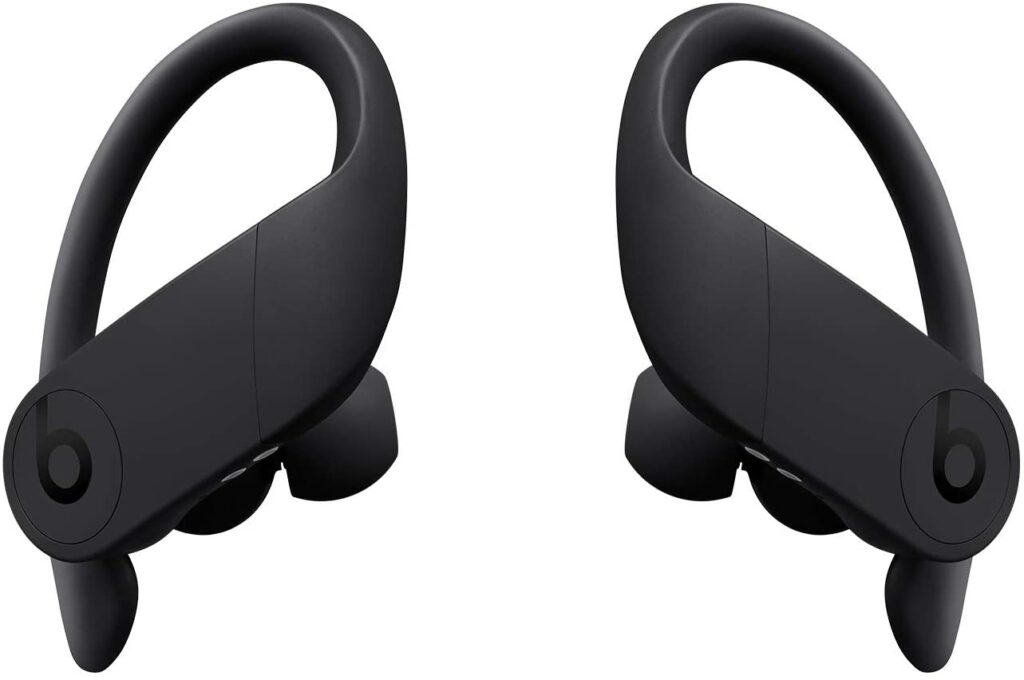
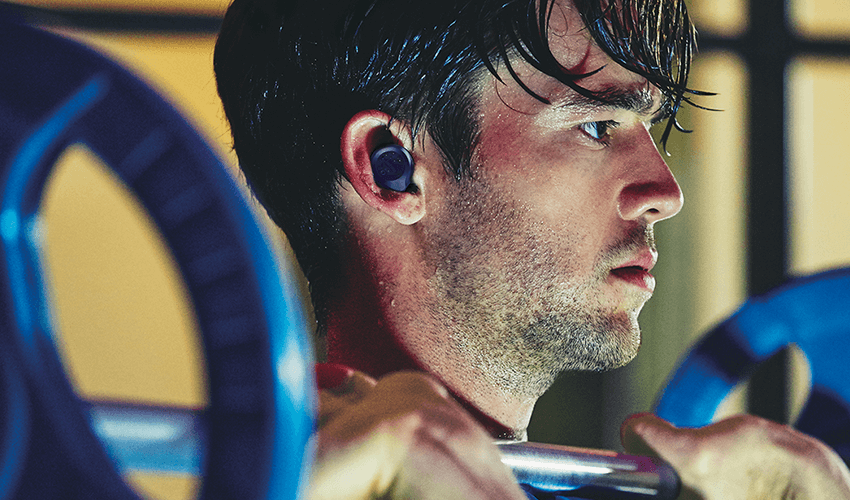
However, the Powerbeats Pro’s ear hooks accomplish exactly what other manufacturers failed to oversee. These ear hooks ease pressure on your ear canal while also keeping your headphones in place in case the seal breaks. As a result, not only do these earphones provide security but they also provide better comfort compared to other kinds of earphones in the market.
With that being said, how well the Powerbeats Pro settles on your ears will significantly affect how much you’ll like and enjoy using these earbuds. If one of the four included silicon tips fit your ears comfortably, without a doubt, you’ll love using these. Not to mention, you might just feel justified in dropping a few hundred dollars on them.
Furthermore, Beats claims to be using new upgraded piston drivers that are supposedly for eliminating distortion. In turn, this will allow your Powerbeats Pro to have a richer and much more cleaner sound with significantly tighter bass. Though keep in mind that with this sort of noise-isolating headphones, a good seal is required to maximize sound quality.
So if the tips aren’t firmly or properly lodged in your ear canals, expect to lose some bass as well as a noticeable decline in overall sound quality. This is something important to consider if you’re someone who likes to use your earphones while you’re commuting, moving around a lot, or doing fitness activities.
The Powerbeats Pro also has a feature in common with the Apple AirPods: the H1 chip. Meaning, Apple users will also enjoy the benefit of seamless connectivity and quick-pairing features the same as Android users.
Features & Specifications
Dimensions: 10 x 7.87 x 11.02 inches
Item Weight: 0.64 ounces
Brand: Beats
Form Factor: In Ear
Battery Life: Up to 9 hours of listening time, 24 hours if combined with pocket-sized charging case.
Bluetooth Range: 30 meters.
Water Resistant: Yes.
Noise Cancellation: Yes.
Wireless: True Wireless.
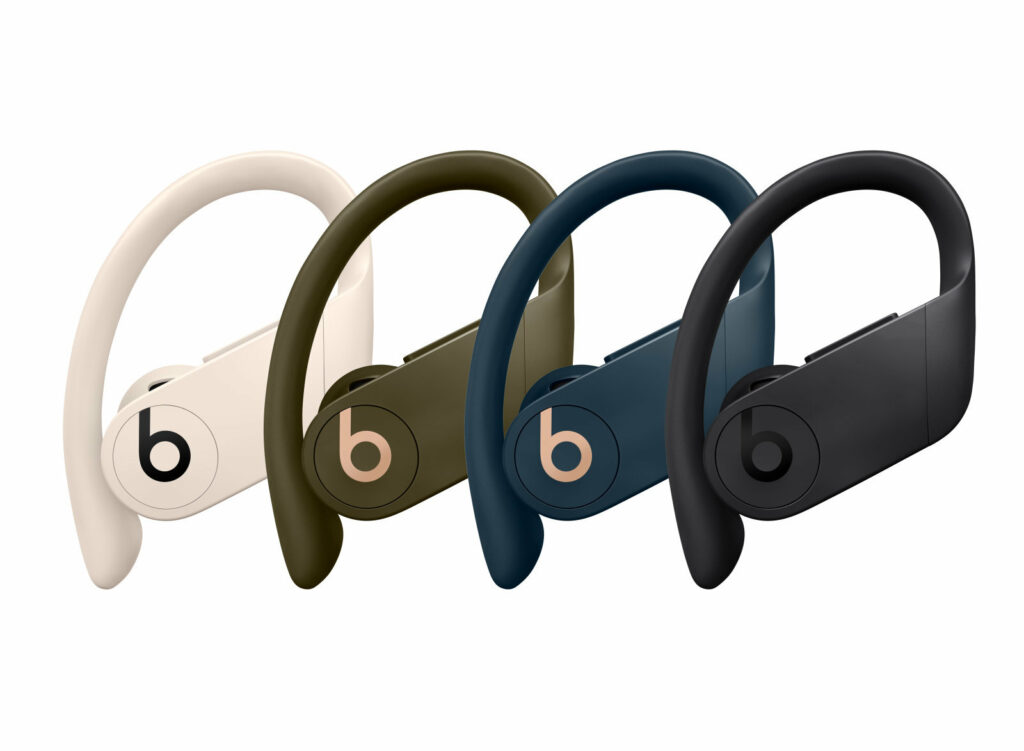
Colors: Black, Ivory, Cloud Pink, Glacier Blue, Navy, Lava Red, and Spring Yellow.
Warranty: Up to one year from date of purchase.
What’s in the box?
Power Beats Pro totally wireless earphones
Charging case
Ear tips with four size options
Lightning to USB-A charging cable
Quick start guide
Warranty card
Check Out The Preview For The Powerbeats Pro Below.
There’s a lot to appreciate about the new Powerbeats Pro in terms of appearance. It features a sporty vibe while yet being functional enough to use outside of the gym. Not to mention, they’re now also completely wireless and you get a lot of color options to choose from. So whether you’re using these for professional purposes or want fun and bold colors to accentuate your look, Beats has you covered.
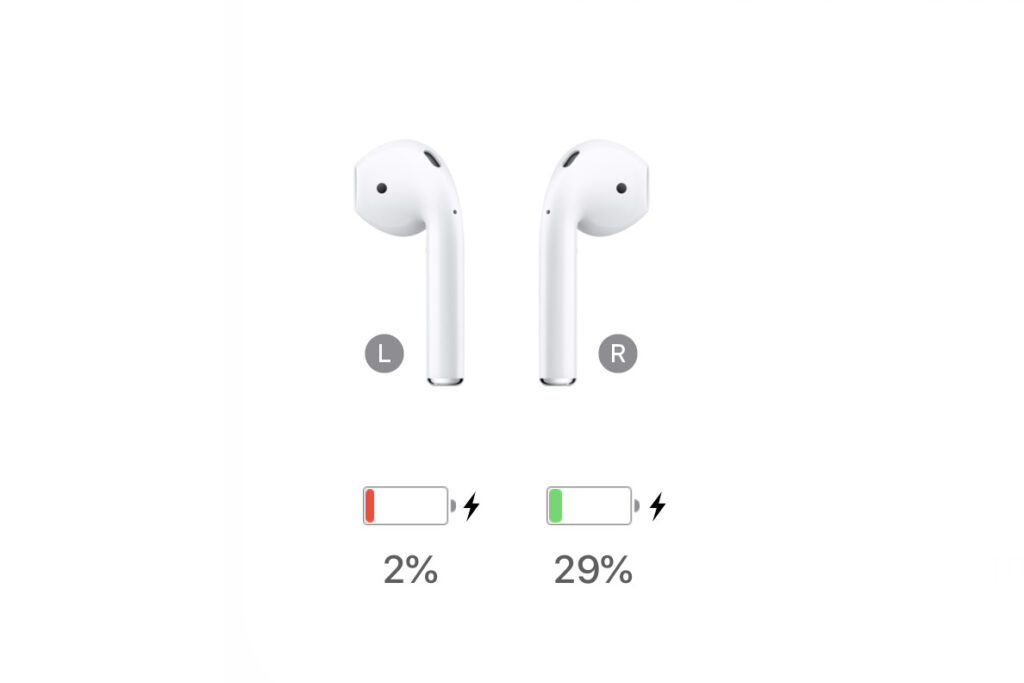
As I have also mentioned recently, the Powerbeats Pro, like the second-generation AirPods, employs Apple’s new H1 chip. This allows both earphones to connect to your phone individually.
On top of that, because neither earbud takes precedence over the other, they are always paired while also letting you use one earphone while the other charges. Because of the H1 chip, the Powerbeats Pro also connects to your iPhone or Apple device pretty quickly.
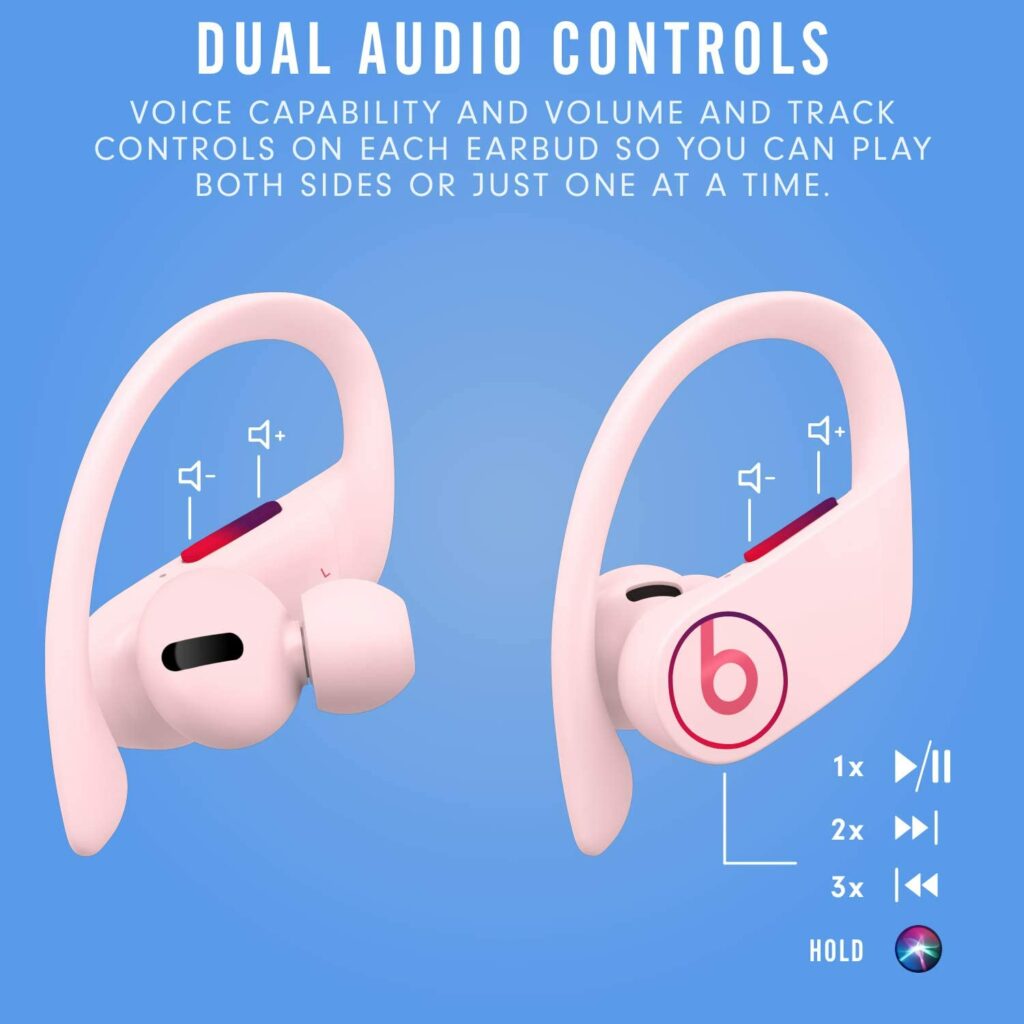
The Powerbeats Pro has a center playback control button, as well as volume controls, located on each of the two earbuds. As a result, you can easily manage your music playlist with whichever hand is free, which is a pretty convenient function in my opinion. But for iOS users, voice command for Siri is also available. You can just utter the wake words and the command and Siri will do the work for you.
Once the earbuds are placed on your ears, you’ll also notice that even if you can’t see the controls, they’re not difficult to locate. This might be a nifty feature for you if you’re going to be using these when exercising or when you’re running errands.
Feel for the B logo by running your fingertips over the earpiece, long-press if you want to engage Siri, and press once to pause or resume playback, click twice to skip a track, then three times to go back to the previous track.
Comfortability & Fit
When it comes to comfortability and fit, it helps a lot that the Powerbeats Pro is quite comfortable. Both in terms of how it fits in and around the ear as well as how it feels while listening to music.
If you’ve been using true wireless earphones for quite some time now, I’m sure you have experienced at some point some in-ear pressure whenever you’re using them. I call this ear fatigue. They’re really uncomfortable and it’s a sure way to disrupt your music-listening sessions.
However, because of the Powerbeats Pro ergonomic design, that uncomfortable pressure simply doesn’t exist. This is due to a front chamber micro-laser barometer venting hole, which decreases ear pressure and improves bass response. Though honestly, I don’t think these headphones need any more help in the bass department.
Another element contributing to the outstanding fit is the earbuds’ narrow nozzle, which is smaller than many other true wireless earbuds you’ll find on the market. And with four different sizes of ear tips included in the box, you’re sure to find one that fits your ears perfectly.
Though I did notice one small flaw from the Powerbeats Pro. They’re not the most “minimalistic” style of headphones and will surely capture some attention to your ears. But at the end of the day, this comes down to your personal preference. Some of you might like this design, some might not.
Audio Quality
A huge complaint throughout the years with Beats headphones is that the audio quality is excessively bass-heavy. Some of you might like this particular attribute but it can be quite too much for the majority. However, Beats made sure that this will no longer be an issue with the Powerbeats Pro.
Other wireless Bluetooth earbuds in the market allow you to customize and tailor the sound quality to your preference through the use of their dedicated apps. This kind of feature is actually quite handy but Powerbeats Pro, on the other hand, makes every song sound precisely tuned without the need for manual software settings.
Full noise cancellation isn’t available with the Powerbeats, but you wouldn’t expect that from a pair of sport earbuds. Although you may be able to hear traffic and passing vehicles, this model provides excellent noise isolation, which can be quite beneficial in some situations.
Our Least Favorite Things
Bulky Charging Case
There’s not a lot of bag things to say about the Powerbeats Pro, but a constant flaw that is always brought up with these headphones is the fact that the charging case is so bulky. They’re not the most portable. Meaning, they’re not very pocket-friendly. So if you’re going to bring these outdoors, the charging case will most likely end up in your bag.
So if you’re going to be working out in a gym, you’ll have to stash the charging case in your locker. This can be a little inconvenient if you need a quick charge for some extra battery life.
In A Nutshell
Now that we have finished discussing the things we liked and disliked about the Beats Powerbeats Pro, here is a narrowed-down list of the good and the bad with this pair of true wireless earphones.
Pros
Excellent pair of headphones for Apple/iOS users.
Great sound quality with rich bass levels.
Terrific noise-isolating capabilities.
Easy set-up and connectivity.
Impressive battery life.
Comfortable to wear and has a secure fit.
Cons
Charging case is not the lightest to carry around.
Doesn’t use a USB-C cable for charging.
Expensive.
Our Final Verdict
Overall, while the Beats Powerbeats Pro is an impressive pair of headphones, they aren’t the best wireless headphones available. I wouldn’t say that these are worth burning a hole in your wallet for but if you have the budget, then by all means. But in any case, there are more affordable options in the market that performs just as well.
However, if you’re an Apple fan looking for a pair of sporty headphones to wear during your workouts, these are the ideal option thanks to the little details like the ear hooks, pressure-reducing micro-laser barometer venting hole, longer battery life, and higher sound quality.
Do you already own the Beats Powerbeats Pro? Was our review helpful? Let me know in the comments section below if you have any suggestions, questions, or insights to share. I would love to hear all your thoughts!
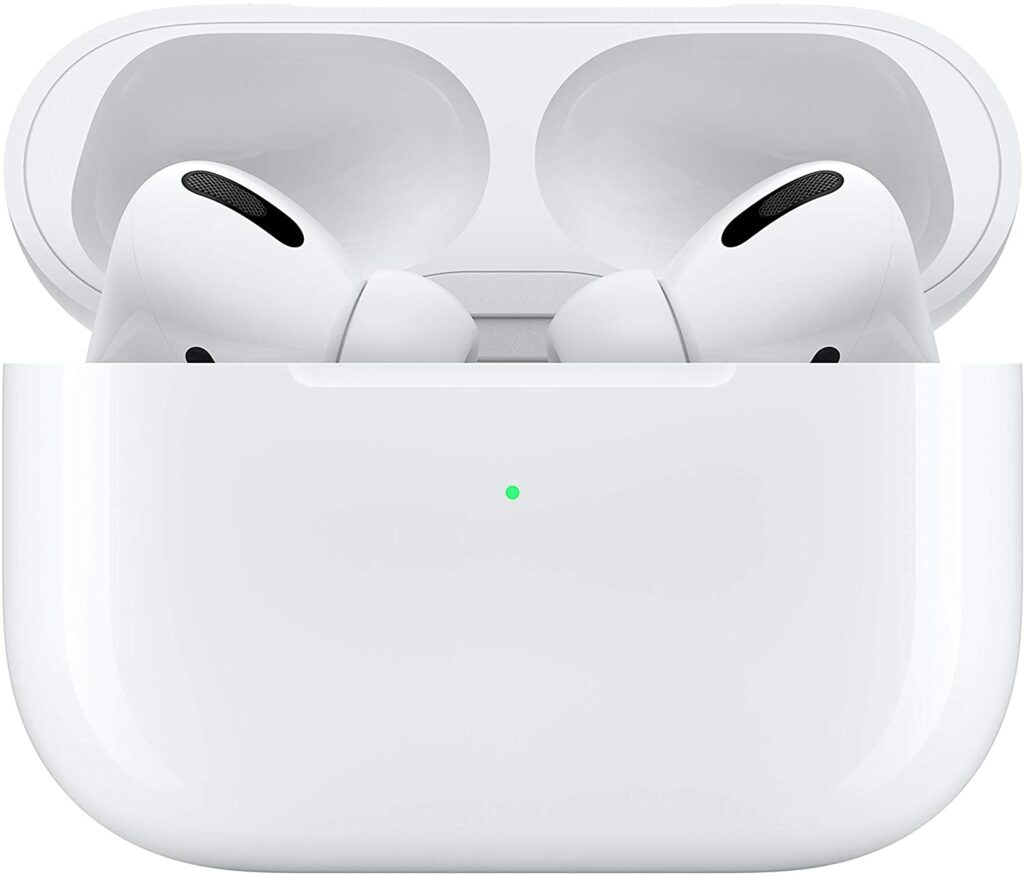
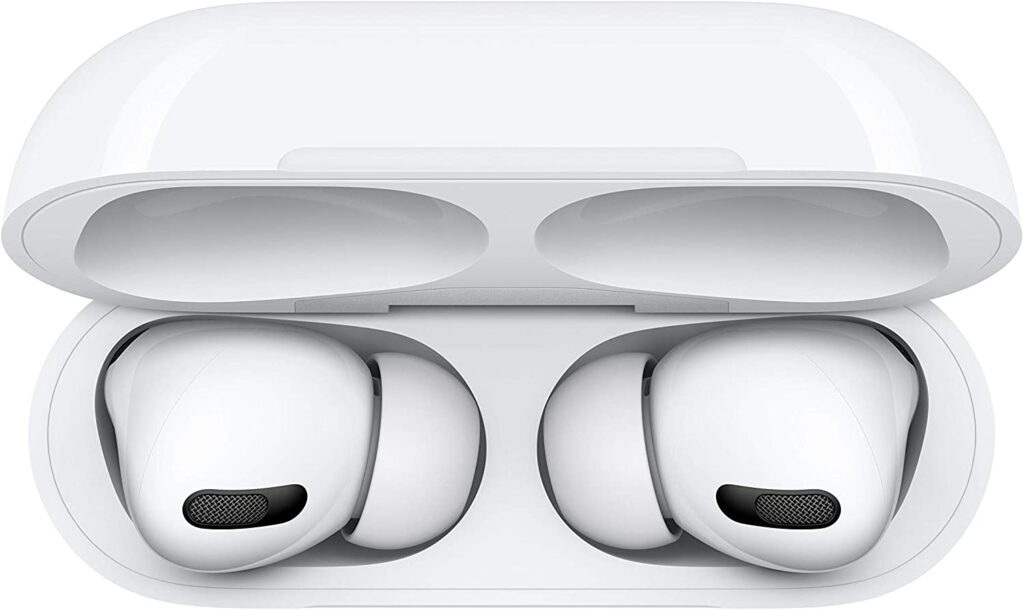
The Apple AirPods Pro was originally released way back in late 2019. But up to this day, these pair of earbuds still remain to be the best earphones Apple has to offer. When compared to its predecessor, the OG AirPods, the Pro now offers active noise cancellation as well as an overall improvement in its design. In addition to that, the AirPods Pro has also met other upgrades this year that just make the experience a lot better. So without further ado, let’s dive into our review of the AirPods Pro.
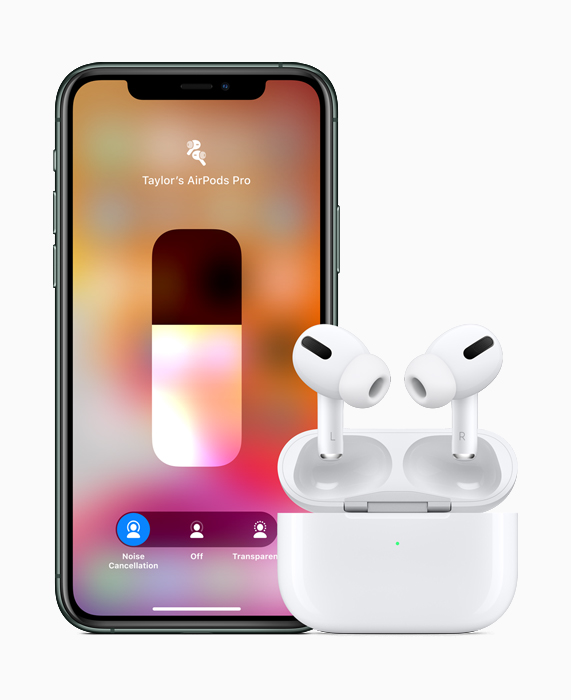
Not many people were surprised to learn that the AirPods Pro is one of the best earbuds for iPhone users, as well as one of the finest-sounding headphones available in the market in general. The AirPods Pro, of course, are the best headphones to use with your iPhone thanks to its H1 chip that enables you to easily pair the earphones with other Apple devices seamlessly.
They also come with an iOS-only settings UI that supports ANC navigation and button mapping. Apart from that, despite the AirPods Pro being released a few years ago, this device still gets plenty of upgrades from Apple. This means your user experience is only getting better and better. Since the iOS 15 update last September, the earphones have received a flood of additional features.
Such features include Conversation Boost, which helps you hear face-to-face conversations a lot more clearly, the option to announce notifications with Siri, integration with Apple’s Find My App, and a whole lot more.
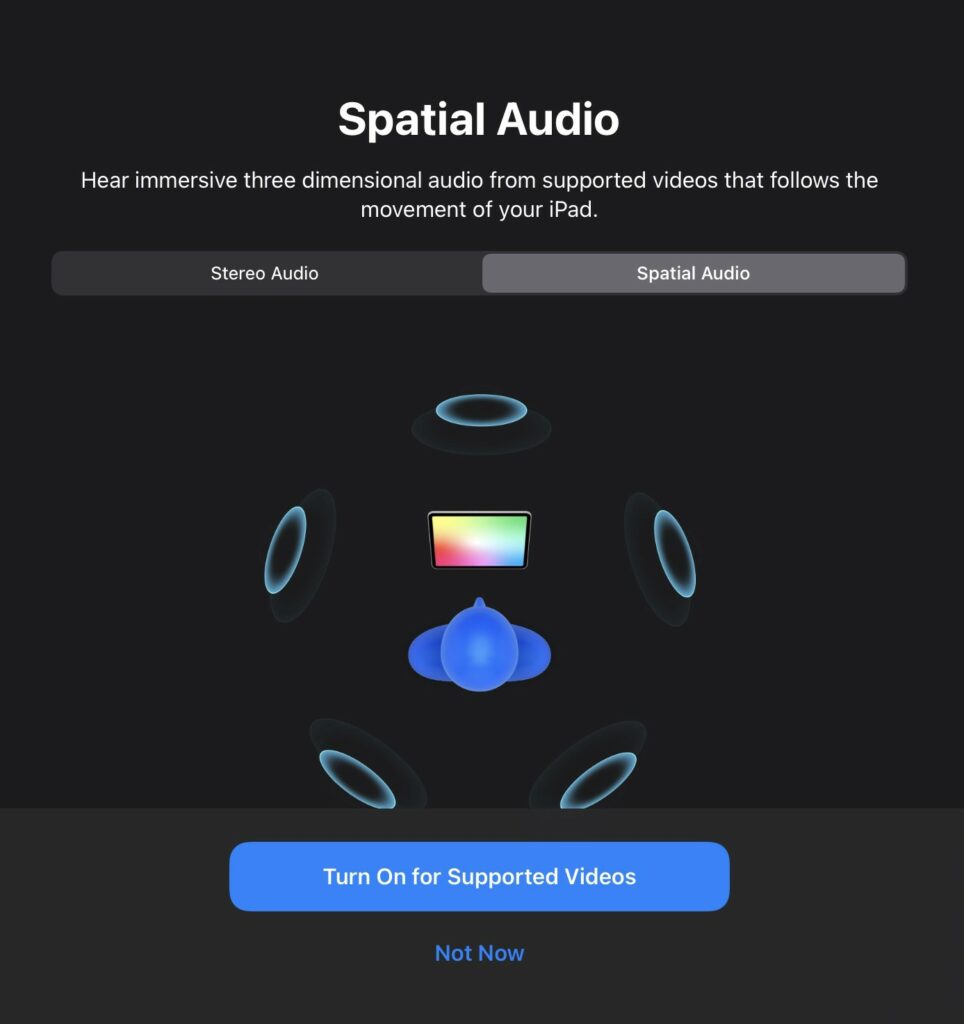
Apple also updated the software on the AirPods Pro. They now feature Spatial Audio, which is Apple’s own version of Dolby’s Atmos technology. However, unlike traditional surround which requires multiple speakers, Atmos places sound in 3D. In turn, this allows you to get the same sound quality with just a pair of headphones.
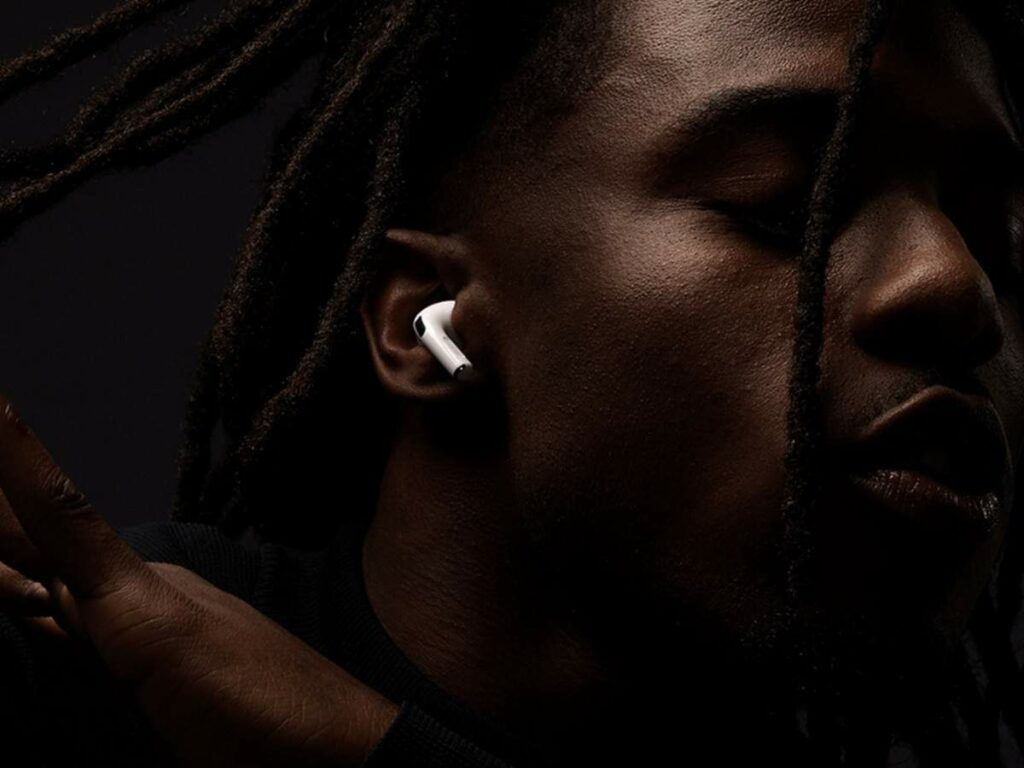
When it comes to fit and comfortability, these premium earbuds’ comfortable and lightweight design is also stable enough for mild to moderate physical activities.
As for sound quality, the lack of bass in the AirPods Pro doesn’t make this any less great. It might not be enough for hardcore bass enthusiasts, but the overall audio quality is still top-notch and is well-suited for a variety of audio content. It will definitely satisfy the majority of its users.
Features & Specifications
Dimensions: 0.94 x 0.86 x 1.22 inches
Item Weight: 0.18 Ounces
Brand: Apple
Battery Life: Over 5 hours with ANC and up to 24 hours with the charging case.
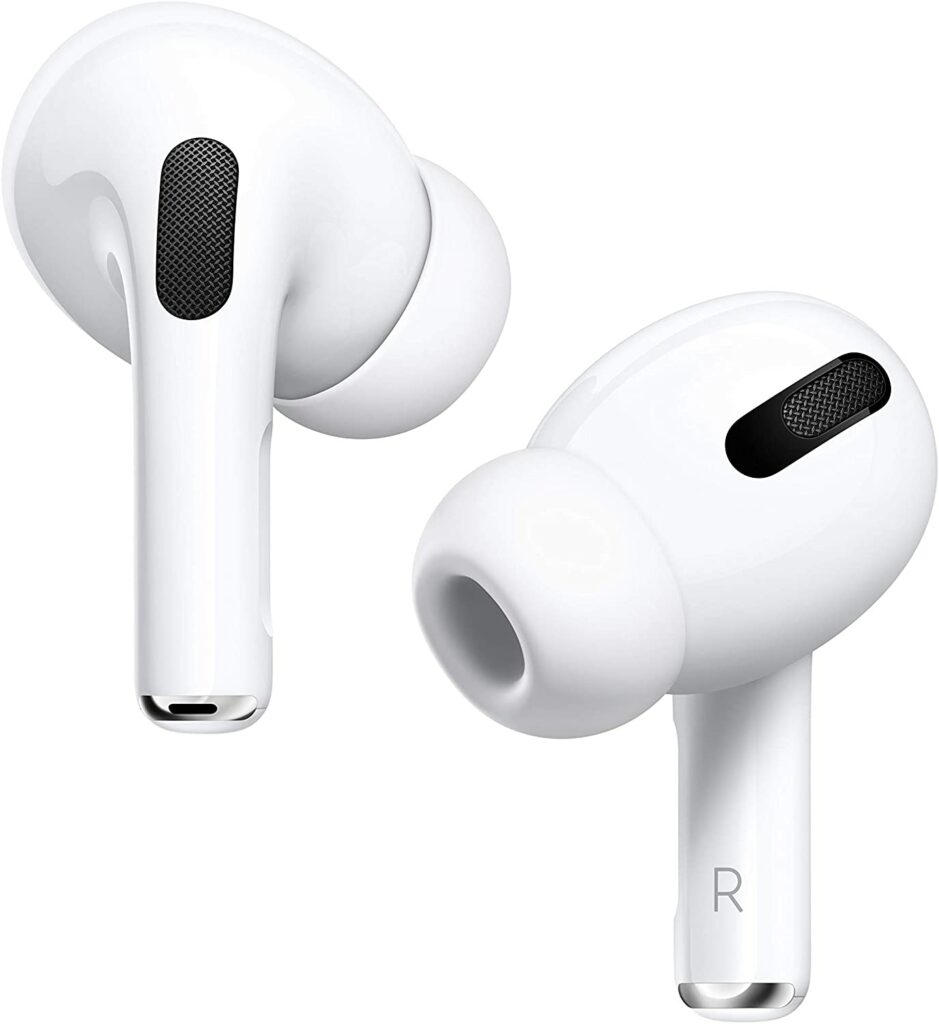
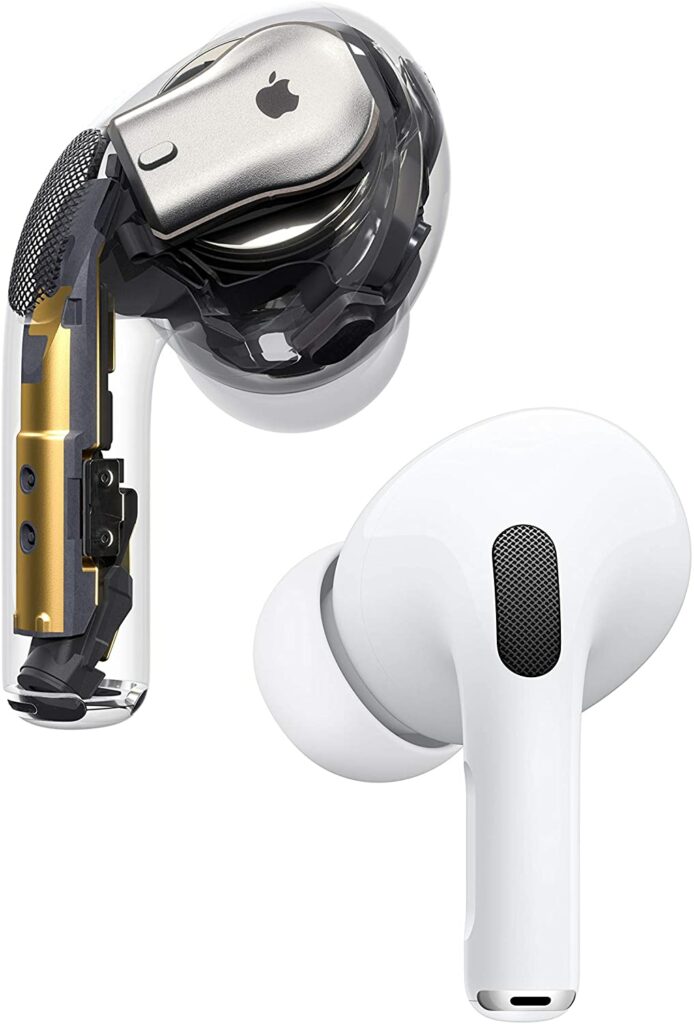
When the first iteration of the AirPods was released years ago, many users complained about the uncomfortable fit and the overall design. Thankfully, you no longer have to worry about that with the AirPods Pro. The new design of the Pro variant makes them significantly less likely to fall out from your ears than their predecessors.
Not to mention, the Pro version’s additional microphones now provide effective noise cancellation which you’ll notice a lot more when you’re commuting or in busier and noisier environments. But if you still prefer to be aware of your surroundings, the handy Transparency mode lets you hear external sounds to an ideal degree.
Aside from the redesign, the AirPods Pro is incredibly light. They’re so lightweight that it’s difficult to know they’re there once they’ve been inserted into the ears. Personally, this is a huge plus in terms of comfort. If you often experience fatigue around your ears from wearing earbuds for too long, you are less likely to encounter that with wearing the AirPods Pro.
Furthermore, the stems of the Pro variant are substantially much shorter than the ones on the original AirPods. While you were able to tap the body of the regular AirPods to skip music or activate Siri, the Pro’s new fit makes this a less comfortable experience for you.
Each AirPods Pro also has a ‘capacitive force sensor’ in the stem, where tapping this area activates noise-canceling and Transparency mode, as well as navigating your music playlist. If you have been previously using the regular AirPods, you might take a bit of time getting used to this new function, so keep that in mind.
IPX4 Rating
One of the best things about the AirPods Pro is its IPX4 rating. This means that if you ever get caught in the rain while you’re outdoors, you won’t have to worry about these earbuds getting ruined. Of course, you can’t fully drench these earphones in water or go swimming with them, but they can certainly survive a good amount of sweat whenever you’re working out or the occasional accidental splashes of water.
Sound Quality & ANC
Aside from the improvements in design, the first thing you’ll notice about the AirPods Pro once you put them on is that they have greater bass than the original AirPods. Their new noise-isolating design and new drivers are largely responsible for their increased bass.
When the first AirPods came out, they sounded well in quiet environments, but they struggled a lot when exposed to noisier environments due to their open design. Because of this, the bass frequencies get drowned out among the external noise.
Fortunately for you, the AirPods Pro has addressed this problem and has now a more efficient noise cancellation thanks to its secure ear tips. As a result, the combination of the tips’ seal and active noise cancellation features make the overall sound quality considerably better when you’re in busier areas like the city streets.
The AirPods Pro also has two microphones, enabling for both internal and external sound analysis. One uses an algorithm to evaluate the audio quality in your ear to see if the music you’re listening to is sounding as it should. While the other eliminates background noise. This results in a significantly better listening experience.
Also, the active noise cancellation on the AirPods Pro is also quite noticeable once you turn them on. But keep in mind that it won’t completely block out all other sounds around you. For example, if you’re in an area with music playing in the background, a small amount may still get through you might still hear the external music. However, when strolling down the street, the AirPods Pro was pretty effective in blocking out any noises from vehicles rushing by.
Spatial Audio
One of my favorite things about the AirPods Pro is that it now comes with Spatial Audio. This particular firmware update now allows Dolby Atmos’ immersive audio to these premium pair of earbuds. The Spatial Audio feature works in 5.1, 7.1, and Dolby Atmos, which places sound all around you within a virtual sphere.
To put it simply, this means that if you’re watching a Dolby Atmos film that shows a plane flying overhead, it will sound as if the plane is actually passing above you. Not to mention, the built-in accelerometers and gyroscopes inside Apple’s earbuds and headphones are used by Spatial Audio to track the position of your head as well as the position of your Apple device.
A streaming provider that supports 5.1, 7.1, or Atmos, as well as an Apple device running iOS 14 or iPadOS 14, is required. Stereo content can also be converted to Spatial Audio if the streaming service has a stereo spatialization plugin installed.
Our Least Favorite Things
No Sound Customization Capabilities
Aside from the obvious high-end price the AirPods Pro is asking for, one of the biggest drawbacks I found with these earbuds is that there are no sound modification capabilities, such as an EQ or presets of any kind. This kind of feature would have allowed you to tailor the sound of the headphones to your preferences.
It may not be a huge deal-breaker for some of you, but I just personally find it pretty disappointing especially when you’re paying this kind of premium price for a pair of headphones.
In A Nutshell
Now that we have discussed the things we liked and disliked about the AirPods Pro, here is the narrowed-down list of the good and the bad with these earbuds.
Pros
Excellent ANC features.
Comfortable fit.
Works well with Apple devices.
Nice, clean design.
Well-built.
Cons
Expensive
No sound customization features.
Battery life could be better.
Our Final Verdict
Overall, the Apple AirPods Pro is a pretty expensive pair of earbuds. However, they’re amazingly well-built with excellent ANC capabilities as well as better-than-average sound quality. They also have little yet significant design modifications that really upgrade your user experiences when compared to the regular AirPods and other true wireless headphones out there.
Fans of Apple products will surely be satisfied with the quality and the seamless compatibility with other Apple devices. But whether they’re worth the splurge is completely up to you.
Do you already own the Apple AirPods Pro? Was our review helpful? Let me know in the comments section below if you have any questions, suggestions, or insights to share. I would love to hear all your thoughts.
Without a doubt, Apple‘s iPhones are one of the best smartphones you can get your hands on in the market right now. So it comes as no surprise why millions of people around the world line up every year in front of Apple stores just to get their latest releases. With thousands of apps, a user-friendly design, a great ecosystem, and an incredible camera, who could blame them?
On top of that, its incredible sound quality is one of its outstanding characteristics as well. Ever since Apple removed the headphone jack from their iPhones, the demand for wireless Bluetooth headphones has significantly increased. With that said, now is a fantastic opportunity to invest in a pair of headphones that will do your iPhone justice. Fortunately for you, you have an array of options available. So for today, we’ll be giving you our top picks for the best Bluetooth headphones for your iPhone this 2021.
Affiliate Disclosure: I am grateful to be of service and to bring you content free of charge. In order to do this, please note that when you click links and purchase items, in most cases I receive referral commissions. Eventually, I may earn enough to buy a beer or two.
Our Top Recommendations
1. Apple AirPods Pro
Overview
It comes as no surprise how the Apple AirPods Pro sits on the top of our list. Obviously, the AirPods Pro is the ideal pair of headphones to use with your iPhone because they are designed specifically to work seamlessly with Apple’s technology.
To put it more specifically, these earphones include an H1 chip. This allows you to pair the earphones with other Apple devices without difficulty. They also include an iOS-only settings interface that includes button mapping as well as ANC navigation.
Apart from its compatibility with Apple’s ecosystem, the comfortable and lightweight fit of these premium headphones is also stable enough for mild to moderate physical activity. In terms of sound, the AirPods Pro has a pretty decent audio quality that is well-suited for a variety of audio content, despite the somewhat lack of low bass.
Apple also recently upgraded the software on the AirPods Pro. Now, they include Spatial Audio. Which is Apple’s take on Dolby’s Atmos technology. However, unlike standard surround sound that requires several speakers, Atmos inserts sounds in 3D space. This allows you to experience the same quality through a pair of these headphones.
Unfortunately, the AirPods Pro doesn’t have any sound modification capabilities, such as an EQ or presets. This kind of feature would have allowed you to tailor the sound of the headphones to your preferences. Which I find pretty disappointing especially when you’re paying this kind of premium price for a pair of headphones.
Their built-in microphone also seems to have a poor recording quality, making your speech seem thin and muffled. Nonetheless, most Apple users who are looking for an iOS-compatible pair of headphones for their iPhones will still be pretty satisfied by the AirPods Pro’s overall quality.
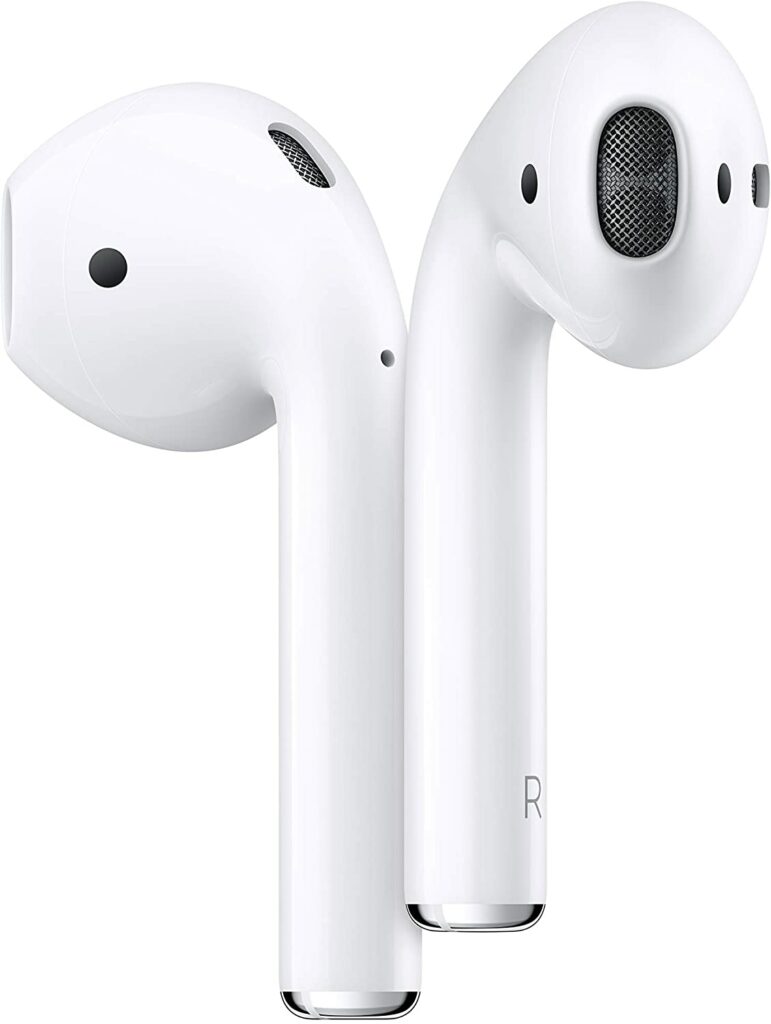
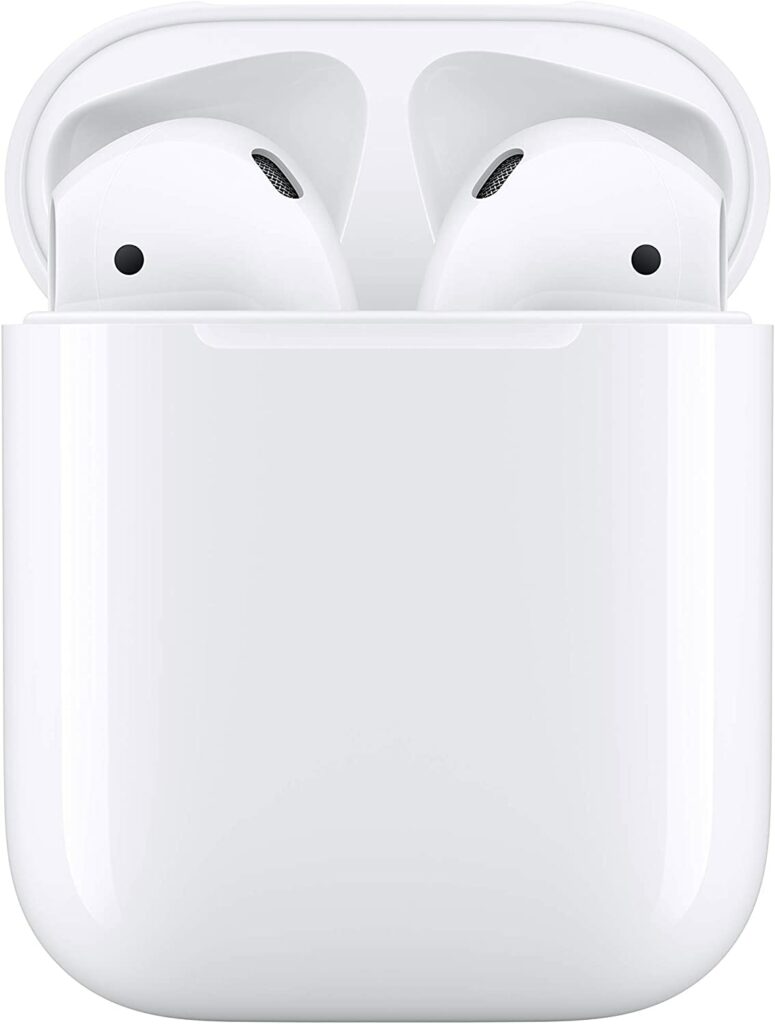
The 2nd generation of the Apple AirPods is a pretty solid option if you want a pair of wireless earphones that are more comfortable to wear compared to the AirPods Pro. While their overall sound quality isn’t as great as the Pro’s, their hard, one-size-fits-all shape means they don’t fit as snugly in your ear, which may be a more pleasant experience for some.
Just like the AirPods Pro, however, this model is similarly well-made, and they also include an H1 chip that makes pairing the earphones with Apple devices a breeze. In terms of battery life, you’re getting about 5 hours of continuous playtime and the charging case it comes in with can provide you with about five charge cycles.
If you’re looking for a pair of headphones with terrific noise cancellation, however, these might not be the earphones for you. These open-back headphones do not isolate you from external noises such as the sound of vehicles honking or passing by. So this is something important to take note of if you’re considering this particular model.
Apart from ANC capabilities, there’s not a lot of significant difference between the 2nd gen AirPods and the AirPods Pro. If you’re looking for amazing ANC functions and better sound quality, go for the latter. But if you’re on a budget or you prefer prioritizing comfort over sound, the AirPods (2nd gen) is the one for you.
Features & Specifications
Dimensions: 0.65 x 0.71 x 1.59 inches
Item Weight: 3.5 Ounces
Brand: Apple
Battery Life: 5 hours of listening time, more than 24 hours listening time with the charging case.
How well the Powerbeats Pro, Beats‘ first completely wireless headphones, fit your ears will affect how much you enjoy using them. If one of the four included silicon tips fit your ears comfortably and snugly, you’ll have a lot of fun with these headphones and feel justified in spending a few hundred dollars on them.
Beats claims to be using new upgraded piston drivers that are believed to eliminate distortion. As a result, the Powerbeats Pro offers a richer, cleaner sound with much tighter bass. With that being said, a solid seal is necessary for maximizing sound quality with these types of noise-isolating headphones.
As a result, if the tips aren’t properly lodged in your ear canals, you can lose some bass and hear a notable drop in sound quality especially if you’re planning to use this while you’re constantly moving around or doing workout activities.
Furthermore, the Powerbeats Pro shares a feature with the Apple Airpods: the new H1 processor, which enables Bluetooth 5. This means that Apple users will have access to the same fast-pairing features Android users have enjoyed.
On top of that, you’ll also have the always-on Siri feature, which will allow you to activate Siri without pressing a button. Instead, like with other Apple products, you may simply say “Hi Siri” to activate this feature. Apart from that, you may also ask Siri to change the volume level of your audio, and Apple Music subscribers can ask Siri to either skip or go back to a certain song as much as they like.
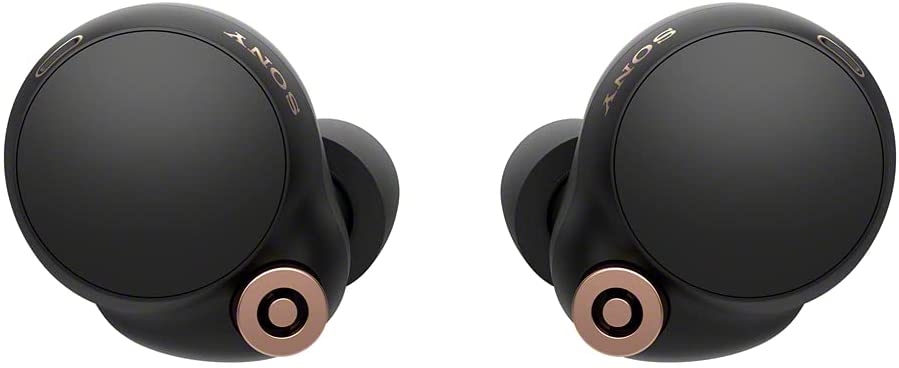
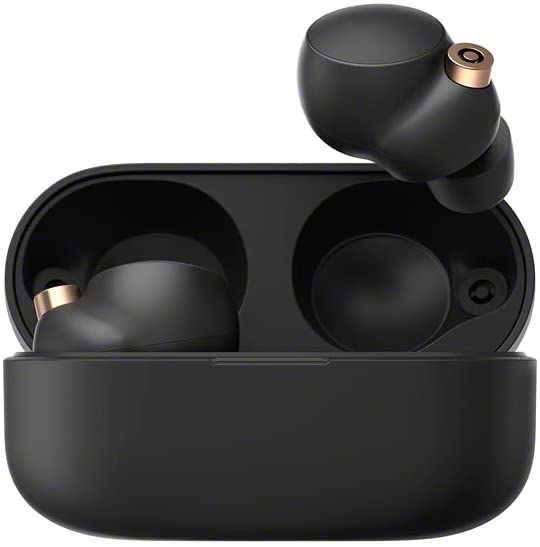
The Sony WF-1000XM4 delivers one of the most dynamic and balanced sounding wireless in-ear headphones we’ve seen in the market. The bass notes on these particular pair of earphones are quite crisp and ooze substance with a lot of attention to detail, while the vocals are polished and wonderfully lifelike.
To put it simply, the WF-1000XM4 creates music with such a feeling of melody that it’s contagious and keeps you wanting more. And owing to the class-leading eight-hour battery life, you’ll have plenty of time to be entertained which also makes these earphones ideal for longer periods of use every day.
When it comes to comfortability, these headphones are also quite pleasant to wear even after long hours of continuous listening. The ear tips also provide excellent noise isolation, keeping annoying external sounds at bay. At the same time, Sony’s Integrated Processor V1 provides excellent noise cancellation features for you.
On top of these amazing features, the Sony WF-1000XM4 will not disappoint you if you enjoy wearing your headphones while you’re out and about. The Sony WF-1000XM4’s IPX4 water resistance rating means you won’t have to worry if it rains lightly or you get accidentally splashed with water.
If you have a more active lifestyle, wearing these headphones while working out will pose no problem at all. The foam ear tips save the day once more by giving an extra snug fit in your ears. Finally, these headphones also offer Quick Attention and Speak-To-Chat modes, both of which allow you to talk without taking out your headphones.
Features & Specifications
Dimensions: 3.7 x 2.56 x 3.39 inches
Item Weight: 1.44 ounces
Brand: Sony
Battery Life: 8 hours of listening time, 24 hours with the charging case.
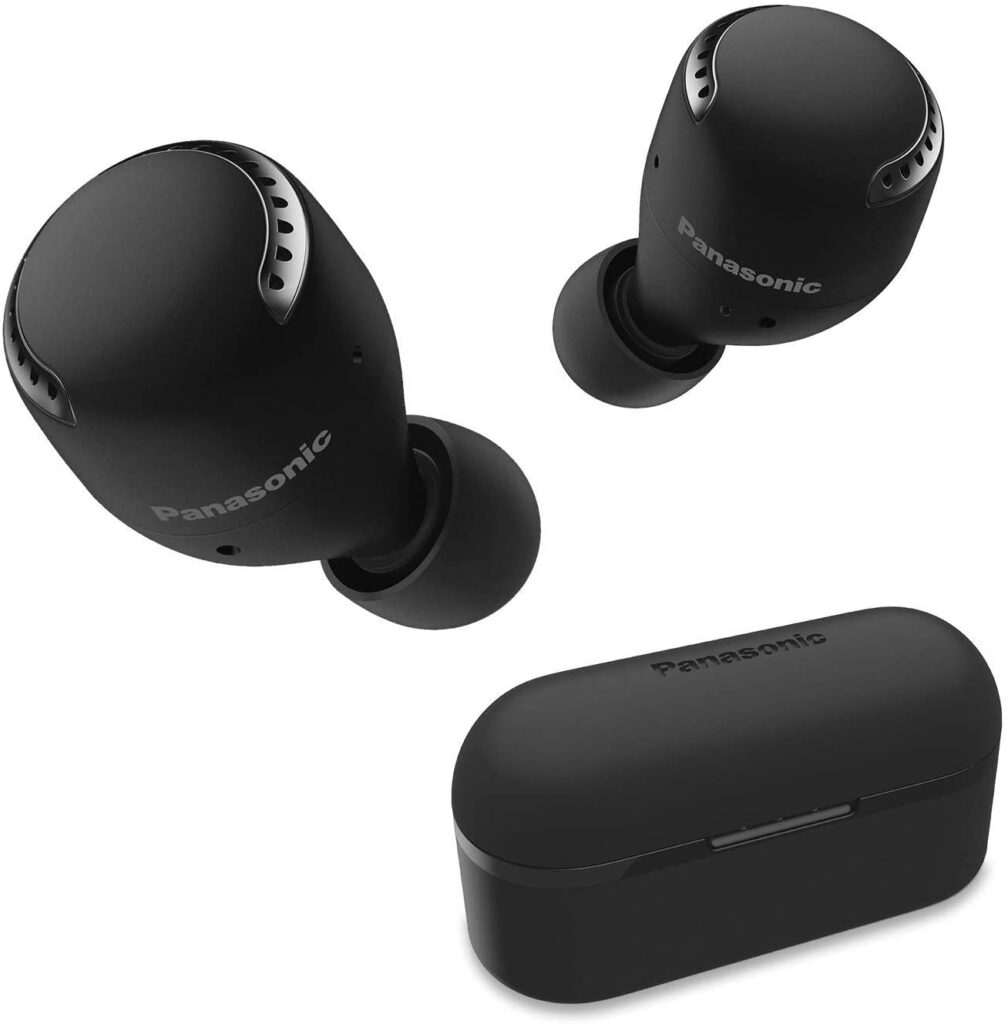
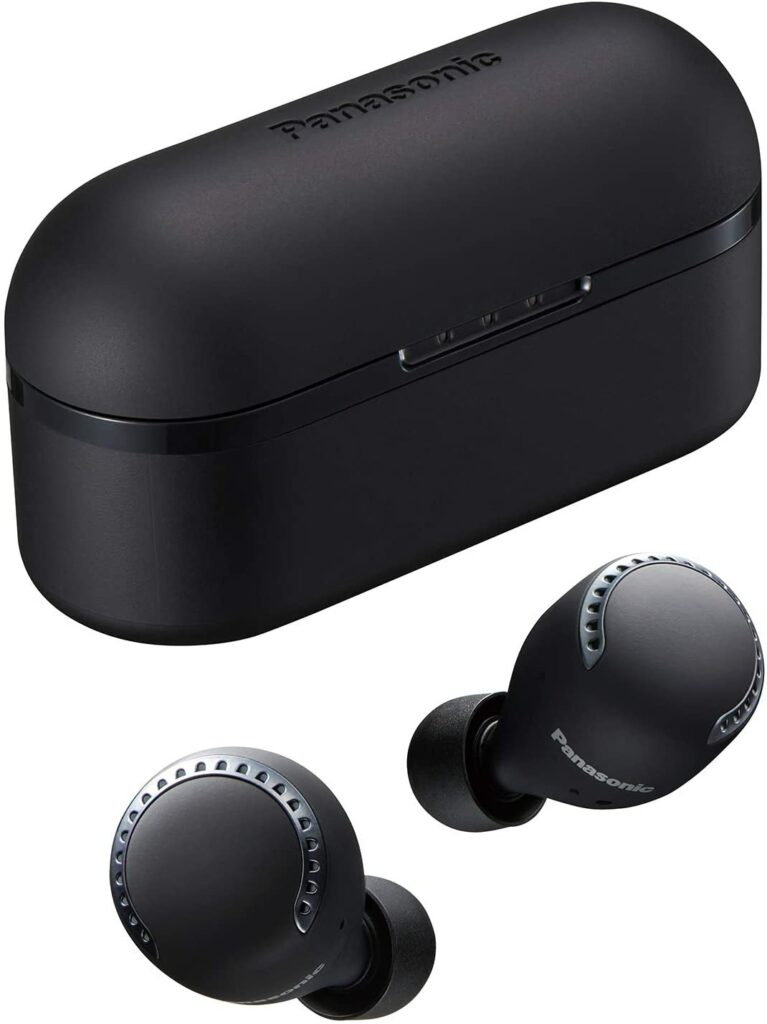
If you’re looking for a more budget-friendly option for a pair of headphones to sync with your iPhone, then perhaps you might want to consider the Panasonic RZ-S500W. The RZ-S500W, which won an award in 2021, is Panasonic’s first attempt at making completely wireless earbuds with noise-cancellation features. But not only did they succeed in doing so, but these headphones are also fantastic value for your money.
So what exactly makes these pair of headphones so good? Well, for starters, the noise-canceling technology in the RZ-S500W is complemented by an Ambient Mode. There are dual mics integrated for better quality voice calls, as well as 6.5 hours of continuous listening time which can be extended up to 13 hours with the charging case. Not only that but 70 minutes of playback can also be achieved through a quick 15-minute USB-C charge.
Furthermore, one of my favorite things about these headphones is their intuitive and snappy touch controls, letting you easily control and navigate your music depending on your preference as well as the ability to toggle between different noise-canceling modes.
If you’re worried about the fit, just know that you’ll be getting five different sizes of ear tips to help you find the right fit. So if comfortability is an issue, you can easily swap out ear tips to find which one works best for you.
With that being said, the noise cancellation and sound quality on the RZ-S500W are both exceptional. There’s a lot of richness throughout the frequency range and plenty of agility at the low end. The music is crisp, and there is a lot of refinement on display, which is a huge steal at this price point.
Features & Specifications
Dimensions: 6.65 x 4.35 x 2.35 inches
Item Weight: 0.7 ounces
Brand: Panasonic
Battery Life: 6.5 hours of listening time, 13 hours with the charging case.
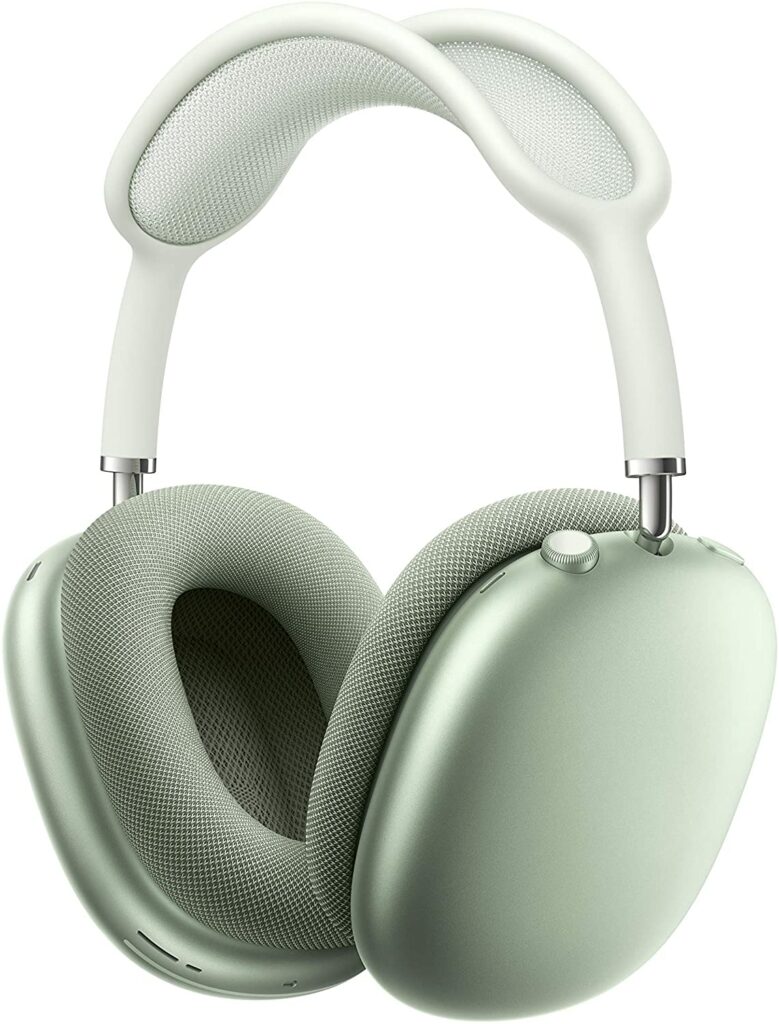
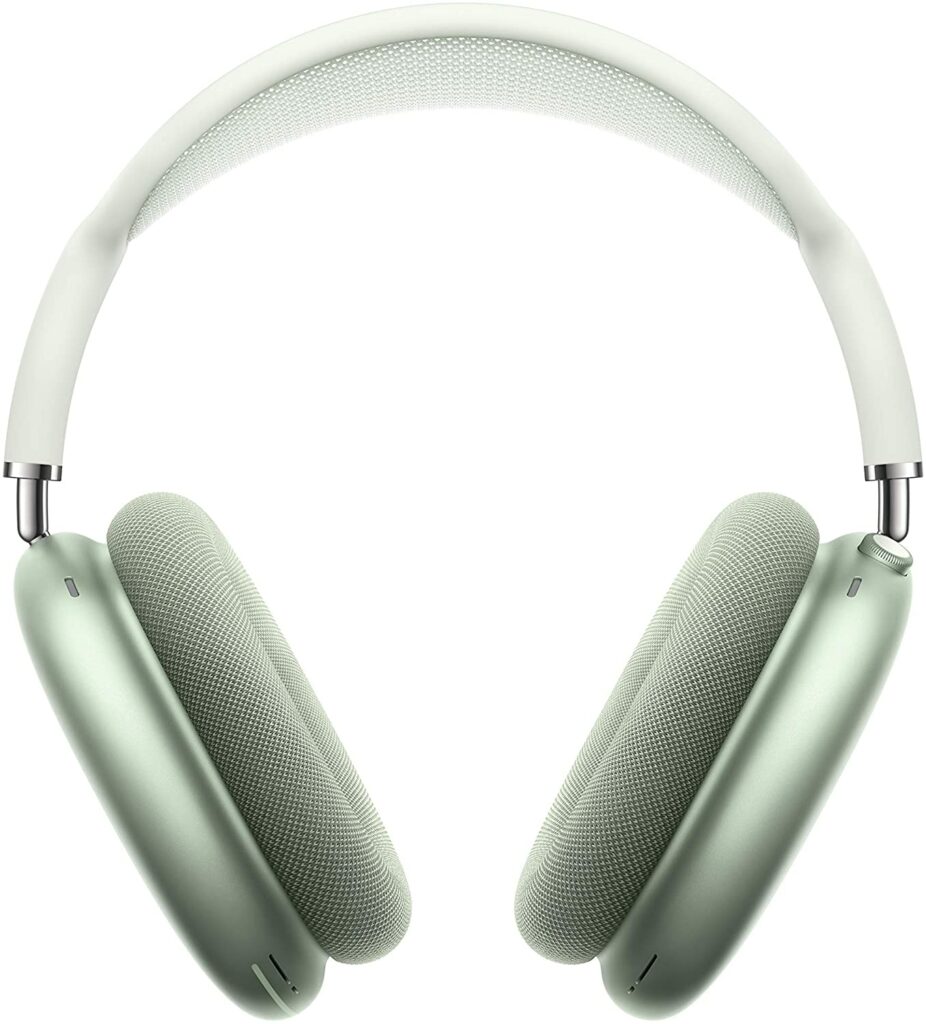
Apple’s first-ever over-ear headphones certainly aren’t the cheapest in the market. But they’re undoubtedly on the right track in terms of sound quality. In fact, the AirPods Max’s level of detail and spaciousness places these headphones among the best headphones for your iPhone with just that alone. This is probably already obvious since this is an Apple product after all.
With that in mind, the AirPods Max will work with non-Apple gadgets too. However, you will be missing out on most of their distinctive features that really set these headphones apart from their competition. Specifically, the cinematic Spatial Audio and even Dolby Atmos content.
But the question remains, are they worth spending a handful of hundred dollars for? Well, the answer is completely up to you. Personally, if you’re a hardcore Apple fan, you like listening to a lot of music, and you’re eyeing over-ear headphones, then that might justify dropping that much money on this device. If not, then there might be less costly options out there you might want to look at first.
Another thing to consider is that Apple devices are usually well-built. The AirPods Max is no different. But the design may be a hit-or-miss for some of you. Not to mention, these pair of headphones are just a little bit heavier than your usual over-ear headphones.
Features & Specifications
Dimensions: 9.43 x 9.57 x 3.15 inches
Item Weight: 13.6 ounces
Brand: Apple
Battery Life: Up to 20 hours of listening time.
Form Factor: Over Ear
Water Resistant: Yes
Noise Cancellation: Yes
Wireless: Yes
Colors: Space Gray, Green, Pink, Silver, and Sky Blue.
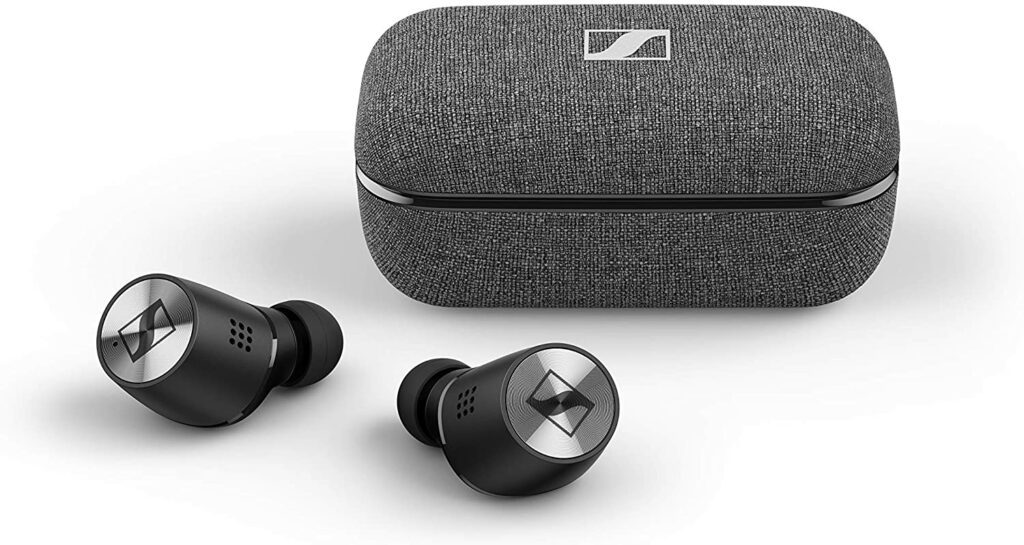
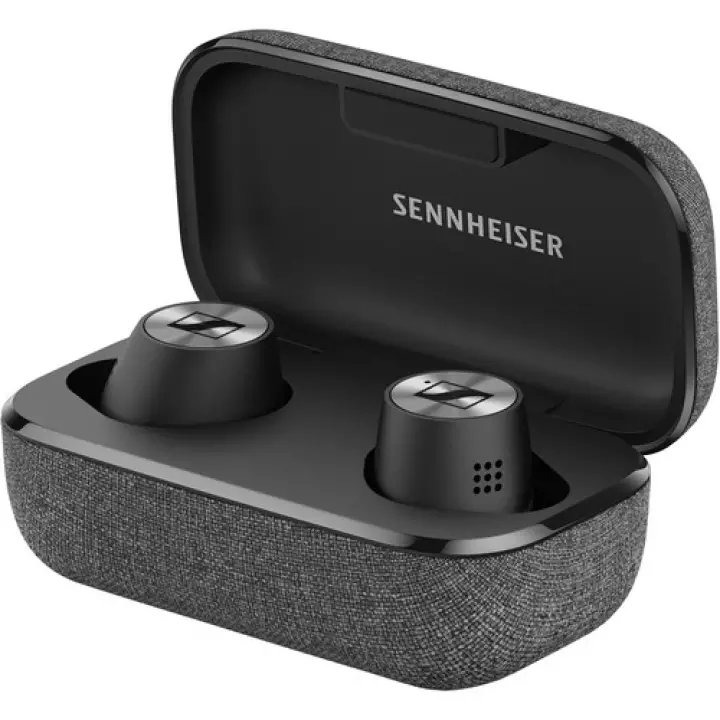
This premium pair of earphones from Sennheiser is ideal for your iPhone if money is no object to you. Apart from its well-designed exterior, the Momentum True Wireless 2 is also comfortable to wear on your ears even after long periods of listening sessions.
The noise cancellation is also excellent at making sure you’re playtime is free from ambient noises, giving some of the finest models in this list a run for their money. Not to mention, the touch controls on these headphones are also easy to use and quite intuitive. Controlling and navigating your music playlist or podcasts and other functions are completely fuss-free.
When it comes to battery life, the Sennheiser Momentum True Wireless 2 doesn’t disappoint either. You’ll be getting up to 7 hours of continuous playback on a single charge. Plus, the charging case offers three extra charges for you as well.
Overall, the design, sound quality, and features of the Momentum True Wireless 2 are pretty great. The highs and lows are balanced and controlled, but the dynamics aren’t lost. They’re a touch more expensive than other iPhone-compatible headphones, but you won’t regret it if you do decide to get this pair of headphones instead.
Features & Specifications
Dimensions: 6.69 x 4.53 x 1.77 inches
Item Weight: 5.6 ounces
Brand: Sennheiser
Battery Life: 7 hours on a single charge, charging case offers three additional charges.
Form Factor: In Ear
Water Resistant: Yes
Noise Cancellation: Yes
Wireless: True Wireless
Colors: Black, White
Warranty: 2 years.
Pros
Competitive battery life.
Terrific touch controls.
Excellent sound quality.
Cons
Expensive
Rating: 9.5 out of 10
Where Can I Buy The Sennheiser Momentum True Wireless 2?
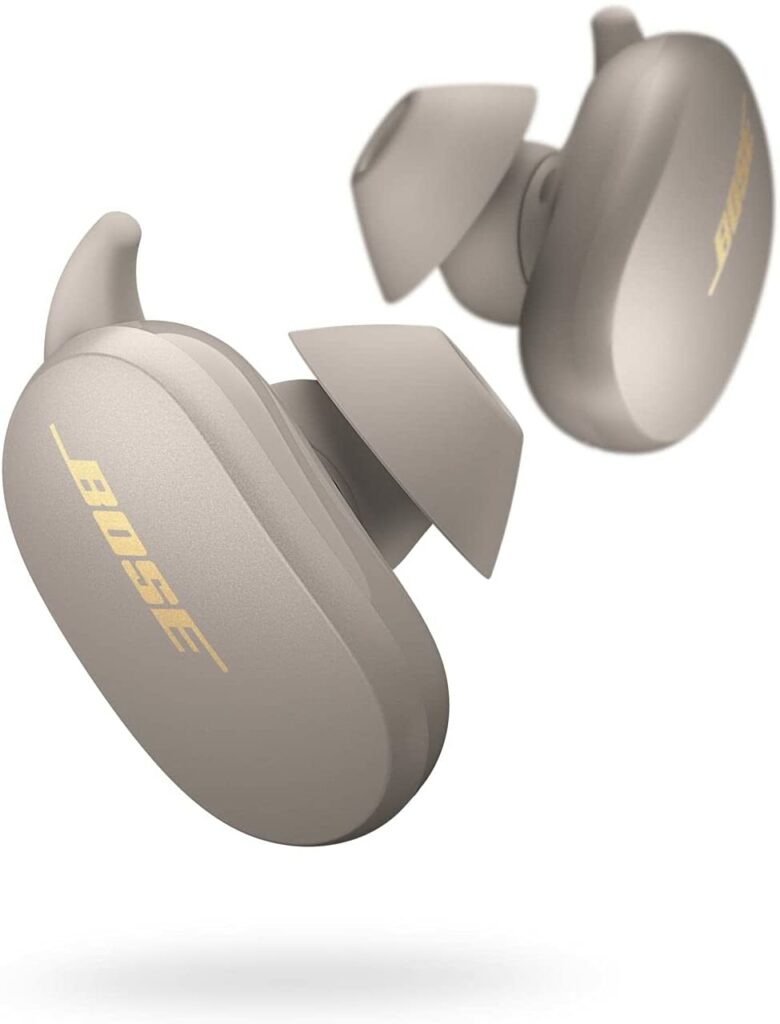
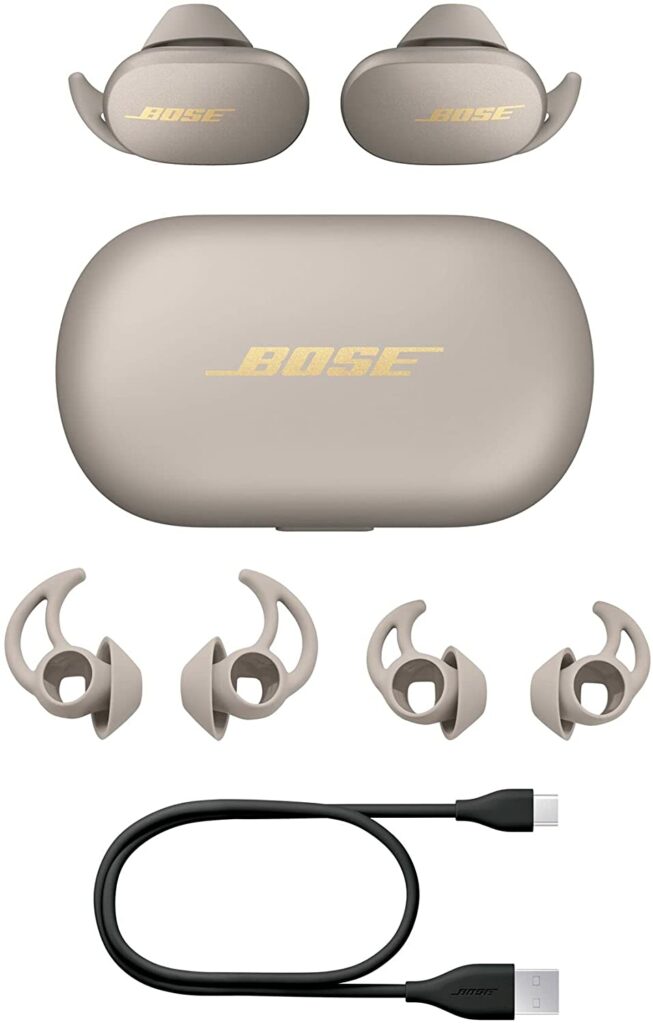
The Bose QuietComfort Earbuds are without a doubt among the best true wireless earphones available that are compatible with your iPhone. The majority of Bose’s noise-canceling headphones have been on- and over-ear models, but the Bose QuietComfort Earbuds, while being true wireless earphones, didn’t disappoint.
They’re small and light, and you’ll be able to listen for several hours at a time with them. The QuietComfort earbuds from Bose are really pleasant to use for a typical workout and have a high-quality feel to them. On a single charge, the battery lasts six hours, and the charging case adds two extra charges for a total of 18 hours.
Furthermore, the Bose QuietComfort Earbuds are both sweat and weather-resistant, making them great for both indoor and outdoor activities. The flexibility of the companion software to personalize some features and controls, as well as change the excellent noise-cancellation, adds to the ease of use. Not to mention, the touch controls for volume adjustment are pretty nice features too.
In addition, the Bose QuietComfort Earbuds give a fantastic sense of dynamism, strength, and composure. When playing bass notes, the QuietComfort seems full, with a full-bodied sound that can go incredibly deep. Which I’m sure the bass heads reading this will surely appreciate.
Overall, the Bose QuietComfort Earbuds are excellent all-around, with excellent musicality and excellent noise cancellation to block out annoying external sounds. They’re up to the task against any opponent at this level, with the one major negative being the expensive price.
Apart from excellent audio quality, there are also other things you need to consider when shopping for your next pair of Bluetooth headphones. If you’re unsure whether a pair of headphones is the perfect fit for you and your iPhone, below are some things to keep in mind to help you make a more informed purchasing decision.
Form Factor
As you may already know, headphones come in all shapes and sizes. Over-ear, in-ear, and on-ear headphones are just some of the basic and most used types in the market. To help you out in deciding which is suitable for you, I’ll be discussing the different types of headphones to make less shopping for your next pair less stressful.
Over-Ear
To focus on sound isolation, over-ear headphones go on the top of the head and “over”. Because they create an intimate environment between you and the sound you’re listening to, this form of headphones is the best for noise suppression. They have a high capacity for reducing noise leakage, which keeps the sound you’re listening to in while allowing outside noise to escape.
Open-backed over-ear headphone variants are also available, allowing them to breathe and allow sound in and out. Closed-back headphones, on the other hand, are typically favored for their potential passive noise cancellation, isolation, and high-quality sound capacity.
They are extremely comfy (though this varies depending on the model) and do not compress your ears as some on-ear headphones do. Because very little air circulates in or out, be aware that you might sweat while you use this kind of headphones.
These are also the heaviest type of headphones available. So if you’re wanting to save room or looking for something more portable, these might not be the best option. Though some of you, on the other hand, might prefer a bigger pair of headphones and aim for that snug fit.
In-Ear
In-ear headphones are the most popular type of headphone model available right now. These are most preferred by the general public and due to their ease of use and extreme portability, this easily became one of the fastest-growing styles in the market. These in-ear devices have seen a steady rise in popularity and were also quick to improve in terms of sound performance in order to compete with their larger predecessors such as the on-ear and over-ear headphones.
These earbuds go a little deeper into your canal to rest inside of your ears and get a little closer to those precious eardrums than other types of headphones that rest on the outside ridge of your ears.
This design also has very low sound leakage. Meaning the sound stays in your ear and ambient noises are kept out. In-ear headphones also usually contain a silicone or foam ear tip for added comfort and protection. This ear tip completely covers the ear canal, allowing the music from the headphones to pass directly into your ear while blocking out external sounds.
In-ear headphones are also ideal for individuals who enjoy listening to music, especially while traveling, running errands, or hitting the gym.
On-Ear
Honestly, there was a little bit of confusion when I first knew about on-ear and over-ear headphones. They both seem pretty similar and it’s understandable if you’re confused between the two too.
The on-ear design is similar to open-back headphones in that it enables some sound from the surroundings to enter and exit, as opposed to the over-the-ear version, which is far better at filtering out external noises if sound isolation is a requirement.
This type of headset is also usually very comfy and does not make you sweat as much as some over-the-ear models do. Because they rest on your ears, it’s crucial to find a pair that’s comfortable and doesn’t put too much pressure on them, or else you might feel some fatigue around your head.
Noise Cancellation
Headphones that can isolate and reduce unwanted sound, whether it be active or passive, are pretty sought after in the market. After all, who wants to hear the blaring noises of vehicles and other unwanted external sounds to disrupt your music listening, right? Commuters, travelers, and even other kinds of professionals benefit from noise-canceling headphones because they allow you to focus on what matters most: the sound.
Passive noise canceling is mostly achieved through the physical architecture of the headphone unit. In-ear devices cancel out ambient noise by sealing the ear canal, whereas over-ear models eliminate noise by covering the entire ear. Active noise-canceling uses specific frequencies to cancel out extraneous sound for a more thorough form of ambient noise reduction.
However, it’s best to keep in mind that certain models both deploy these features for the user, while some tend to only have one over the other. Passive and active noise cancellation work together to completely immerse you in your favorite audio, especially with over-ear and on-ear styles.
Furthermore, some headphones provide Adaptive Noise Reduction, which adjusts the intensity of noise cancellation to the level of ambient noise. Though these are usually found in more high-end models of headphones.
Battery Life
Your headphones’ battery life is an important feature that shouldn’t be overlooked when shopping for your next pair. The music you’re listening to should last longer than the activity you’re currently doing. No one wants to stop mid-headbang when you’re fully immersed in your favorite rock music.
With that being said, when you’re using them, pay attention to how long they last between charges and how easy and quick it is to charge them when you’re not using them. Most of today’s top Bluetooth headphones provide up to 24 hours of listening time when used with their dedicated charging case, and they should last you at least a good handful of hours without it.
Water & Sweat Resistance
Some headphones are resistant to water and perspiration to varying degrees. Water and sweat resistance is a feature that is particularly popular among sports and workout headphones, but it is also a beneficial feature for everyday music listeners. The last thing you want is a few drops of water completely ruining your headphones.
As a result, consider the level of protection provided by headphones and whether you require water-resistant or waterproof headphones. The Ingress Protection (IP) rating is used in the industry to determine how sweat-proof or water-proof a product is.
Conclusion
Now that we’ve finally reached the conclusion of our list, I hope our article was helpful enough and you were able to get an idea of which pair of headphones is best suited for your iPhone. With so many options available in the market, you’re sure to find one ideal for you and your needs.
Do you already own any of the listed headphones above? Did your favorite make it into our list? Let me know in the comments section below if you have any suggestions, questions, or insights to share regarding our list of the best Bluetooth headphones for your iPhone this 2021. I would love to hear all your thoughts!
Are you confident in selecting the TV panel technology that’s right for you when shopping for your next TV? Are you able to tell which is which? How about the specs and features? If you’re unsure, it’s only natural to feel overwhelmed or confused. Understandably so, not everyone is a tech expert. But not to worry! Our OLED TV buying guide is here to help you out to make sure you’re well-equipped with the right knowledge for your next shopping trip. From knowing the suitable specs for you to reasons why you should certainly go for an OLED panel. To learn more, just keep scrolling!
If you’re still unsure which type of screen panel technology you should choose for your next TV, let me give you a few reasons why an OLED TV is your best choice.
When you’re shopping for a TV, you’ll see a handful of different panel technologies in the market. These particular panels are divided between your standard LEDs, the OLEDs, and the relatively new QLEDs from Samsung. If you’d like to know the differences between these panel technologies, we’ll be getting to that in a bit.
In case you’re unaware, OLED panels are a kind of panel technology that brings images to life on your television. However, unlike the LEDs, it is now the most advanced and widely-used technology available when it comes to TVs. Since recent years, more and more people are now switching and upgrading to OLED TVs due to the stunning visuals and vibrancy they bring.
While standard LED displays use a backlight to create a picture, OLED TV pixels use electricity to produce their own organic light. To put it simply, an OLED display allows you to control visuals at the pixel level because each pixel self-illuminates and can also be turned on and off separately. This method employs less electricity to provide increased brightness while also allowing for total black.
As a result, any film or content with both darkness and brightness, such as a star-studded night sky, will appear realistic. This means you’ll be getting the whitest whites and the darkest blacks, as well as everything in between with limitless contrast.
This particular aspect of OLED has made a huge impact in terms of the visuals they create in your televisions. OLED is truly pushing technological boundaries in terms of color accuracy and visual responsiveness, as well as physical characteristics and energy efficiency.
OLED Vs. QLED & LED
Now if you’re still contemplating choosing OLED for your next TV, here are some brief comparisons between these TV types.
LED & QLED
LED panels, which use light-emitting diodes to illuminate the LCD screen and can be incredibly small, account for the vast majority of televisions being sold today. A huge advantage they have is that they are the more budget-friendly option among these panel technologies, which is why a lot of consumers opt for this type of TV.
Active dimming, also known as local dimming, allows many of these TVs to dynamically light up select sections of the screen while dimming others to better portray a scene’s mix of light and dark areas. Additionally, backlighting is a concealed feature that distinguishes inexpensive LED TVs from the more premium and high-end models.
However, despite full-array backlighting, you can’t expect LED screens to reach the deepest black levels the way OLEDs can. That said, the colors don’t appear punchier or more vibrant in comparison. Some shadow detail also gets lost because the pixels aren’t individually lit.
Another LCD technology, quantum dots (also known as QLED), is gaining popularity, owing to HDR’s necessity for a wider range of colors and increased brightness. An LCD with quantum dots features an additional layer, or “rail,” of nanocrystal dots of various sizes that light up when the LED backlight strikes them. As a result, the color range is expanded and the brightness is boosted.
If you’re on a budget and unwilling to spend thousands of dollars on an OLED panel, a QLED might be a good balance between your regular LCDs and pricy OLED TVs. However, despite the fancier terms and similarities with OLEDs, always keep in mind the QLEDs are still essentially LED panels.
OLED
As stated before, OLED TVs outperform full-array LED TVs due to their dozens of illumination zones. To achieve pure black and astonishing levels of contrast, OLEDs use a layer of organic LEDs controlled at the pixel level instead of a backlight. As a result, Expect vibrant colors and, more importantly, lightning-quick response times.
OLED panel manufacturing is also less harmful to the environment than regular panel manufacture. LCD panels, on the other hand, require the greenhouse gas Nitrogen Trifluoride in their manufacturing, but OLEDs do not. So, if you want to conserve the environment while improving picture quality, an OLED television may be the way to go.
However, there are also a few disadvantages to OLED. One is that they can be quite expensive, and second, there’s always the risk of permanent burn-in.
4K TVs are becoming more widely available these days. As a result, Ultra HD 4K televisions are becoming more affordable. Not to mention, in terms of visual quality and fidelity, the greatest 4K TVs on the market today can also easily compete with the top gaming monitors on the market.
Small items on the screen have more detail, including crisper typography, which is the main advantage of 4K TVs. Images appear richer and more lifelike than on the average HDTV, but the differences are minor. Larger TVs are more comfortable to view in a regular-sized home since the crisper picture allows you to easily observe the screen from a shorter distance.
Moreover, Netflix, Amazon Video, and even YouTube have begun to provide 4K material, making smart TVs with online streaming apps your best choice for accessing 4K movies and shows.
On the other hand, if you thought 4K resolution was impressive, wait till you see 8K, which boosts the detail even further with 7680 x 4320 pixels. It’s incredible to see, and it’s the next big thing in televisions for consumers. However, any good TV buying guide should advise you that it’s not worth your money just yet. They cost a fortune and it’s better to wait a few years or more until the prices go down.
On top of that, 8K is also still missing one crucial component: content. There are no 8K movies available for purchase yet in the market, and streaming 4K content is already stressing many people’s internet connections.
HDR stands for high dynamic range and is a new feature of 4K televisions. It refers to the capacity to produce more colors, contrast levels, and brightness. HDR is essentially a 4K, or Ultra HD, format update.
The UHD Alliance, an industry trade association, has established HDR10 as the basic standard for high-dynamic-range videos. Because dozens of firms implement this fundamental HDR compatibility criteria, you’ll see “HDR10” or “Ultra HD Premium” on an increasing number of TVs this year.
Dolby Vision is another form of HDR developed by the same people that brought us Dolby noise reduction and surround sound. To display HDR material, a Dolby Vision set must meet a tighter set of criteria. As a result, Dolby Vision has led the market in proprietary HDR formats so far.
There is still considerable HDR skepticism. HDR10 is presently compatible with any HDR-enabled TV on the market, however, Dolby Vision is only available on sets that match Dolby’s technical requirements and pay license costs. Despite this, Dolby Vision has fast become the HDR industry standard.
Due to numerous lockdowns and quarantines, plenty of households and consumers turned to games to get through the ongoing pandemic. From the past months, demand and prices for gaming consoles and PC parts have skyrocketed due to the scarcity of supply. However, that still doesn’t stop people from investing in the newest next-gen consoles or getting their hands on the latest AAA titles.
So if you’re planning to use your TV as your gaming monitor, finding a model that has great gaming-friendly features should be one of your top priorities. From low input lags, VRRs, and quick response times, these are just some of the gaming features in a TV to look out for. Thankfully, a lot of manufacturers and brands nowadays are making sure that their TVs can offer these qualities to meet your needs.
If you’re unsure or confused with these terms, I’ll be explaining them below to help you out.
Our Final Verdict
All in all, OLED TVs are just simply superior when it comes to TVs. Aside from the obvious reasons for better visual quality, choosing OLED also means a better gaming experience as well as saving the planet from the dangerous production of certain chemicals. They’re definitely worth investing in and the best models in the market can surely last you for a handful of years (or even more) before you realize it’s time for an upgrade.
Have you already bought your own OLED TV? Did our OLED TV Buying Guide help you in choosing the right model for you? Let me know in the comments section below if you have any suggestions, insights, or questions to ask. I would love to hear all your thoughts!
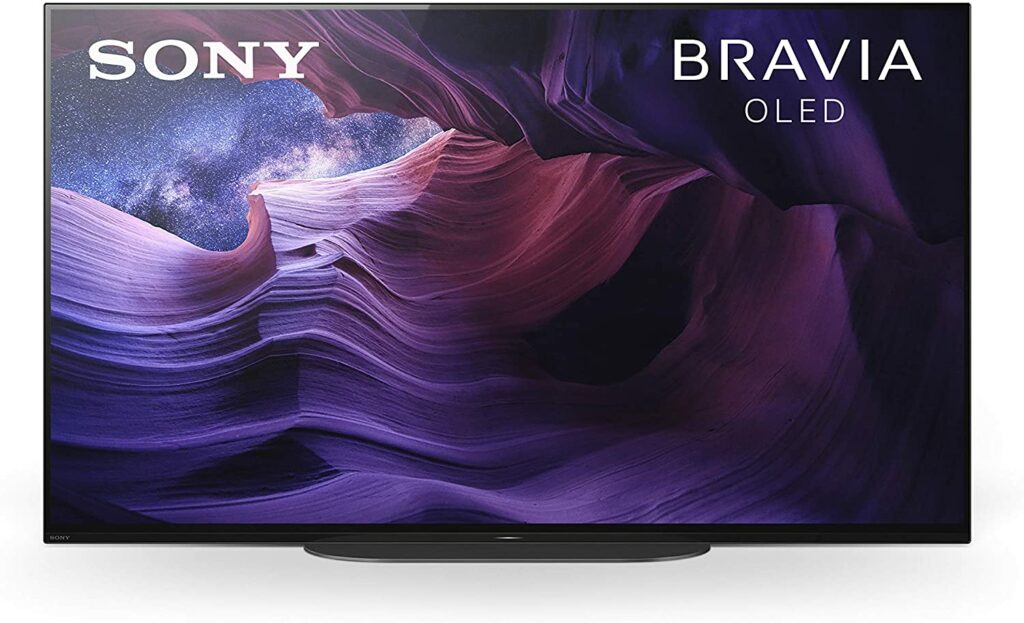
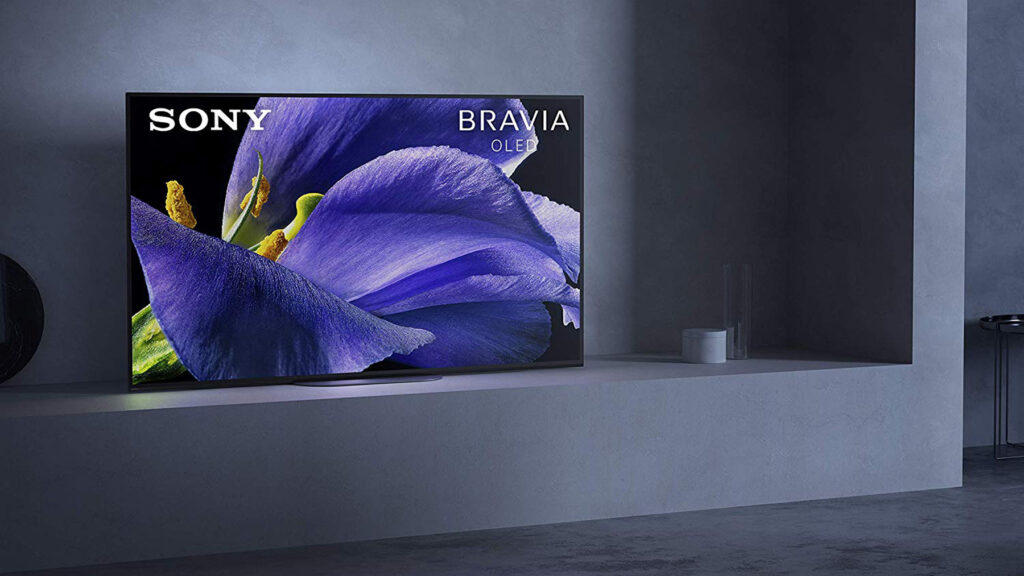
Our review of the Sony Bravia A9S shows that it is a great TV that delivers stunning picture quality in almost any form of material. It can generate inky blacks, just like all OLEDs, providing you with a wonderful darkroom viewing experience. It boasts an ultra-fast response time and an optional Black Frame Insertion feature, which delivers smooth motion in fast-moving scenarios.
Although input lag is greatly reduced compared to its predecessors, it still lacks support for changing refresh rates. It also lacks HDMI 2.1 connectors and is unable to display a 4k at 120Hz. This may disappoint some of you who are searching for a TV to complement their next-gen consoles like the PlayStation 5 or Xbox Series X.
With that being said, if you’d like to find out more, just keep scrolling to read our in-depth review of the Sony Bravia A9s.
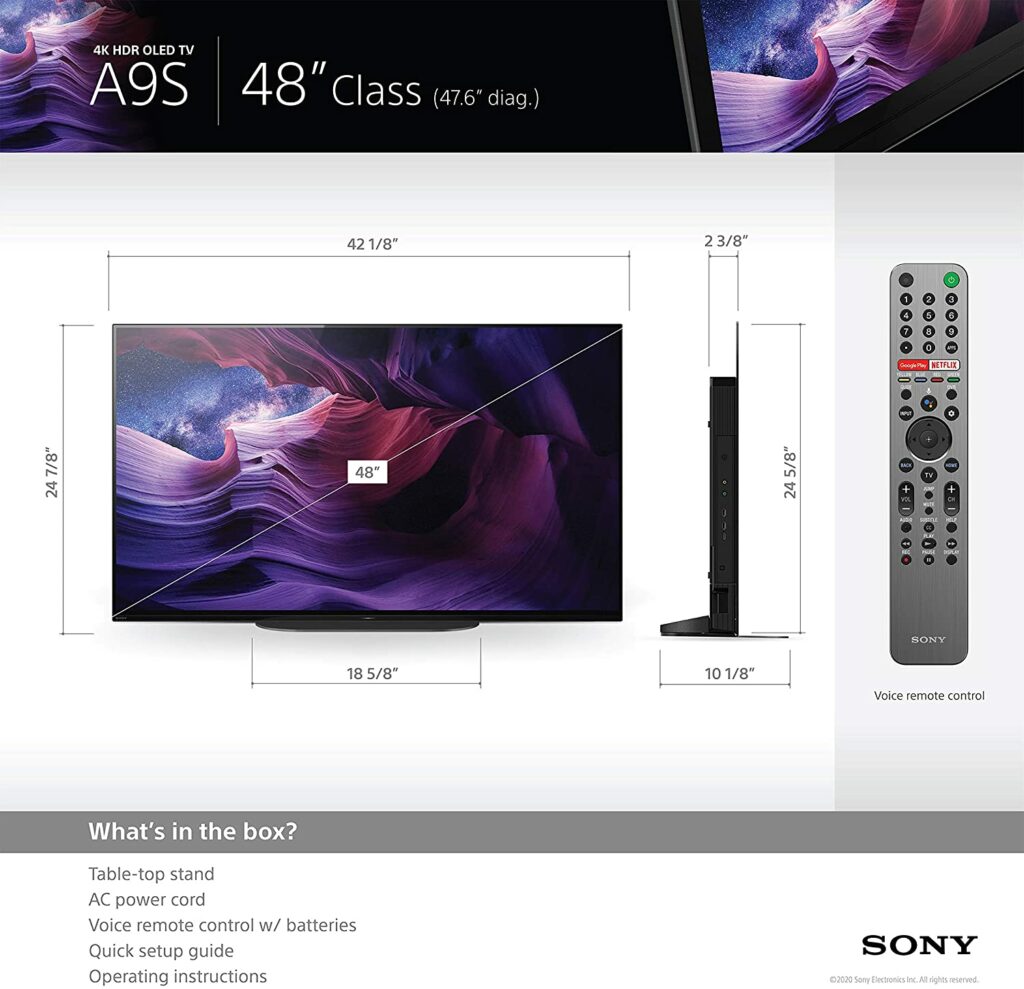
Because of its amazing picture quality, class-leading Acoustic Surface Audio system, and beautifully slim bezel design, the Sony Bravia A9s OLED TV is the only 48-inch model that can genuinely compete with LG’s smallest CX TV. However, if you’re interested in bigger screens, this particular OLED TV is also available in bigger size variants of up to 77 inches.
Image clarity is excellent because of the brand’s acclaimed X1 Ultimate picture processor, which is known for its realistic HDR images. In addition, a Pixel Contrast Booster is employed to boost color and contrast in bright areas. Sony’s excellent X-Motion Clarity picture interpolation technique handles motion, which we believe makes the screen a good pick for sports fans as well.
All of the HDR10, HLG and Dolby Vision formats are supported. While there’s no Dolby Vision IQ or Filmmaker mode aboard, Sony’s Ambient Optimization technology comes close in terms of performance.
A built-in sensor additionally improves picture and sound quality by automatically altering picture brightness in reaction to the room’s ambient light levels. It can also detect sound-absorbing or sound-reflecting objects in your room.
Speaking of the A9S’ sound quality, the Acoustic Surface Audio feature turns the screen into a speaker by vibrating it softly with stereo actuators. Plus, a subwoofer built into the back of the television provides you with deep bass. Overall, the sound system is excellent, offering crisp, clear, and powerful audio. If you pick this one up, you won’t need to purchase a separate soundbar to amplify the sounds.
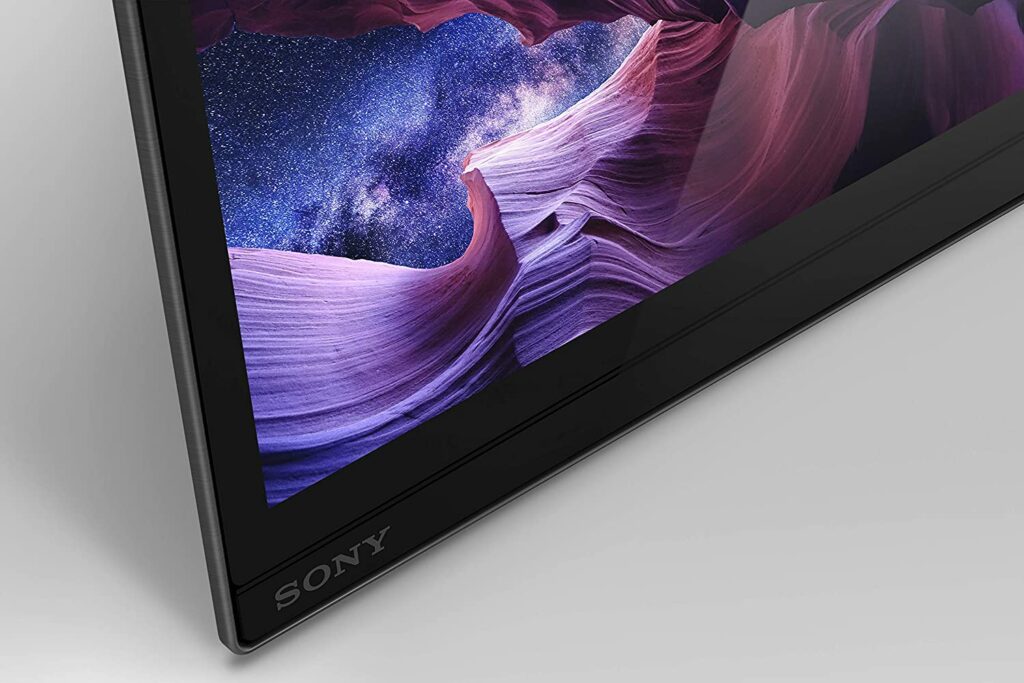
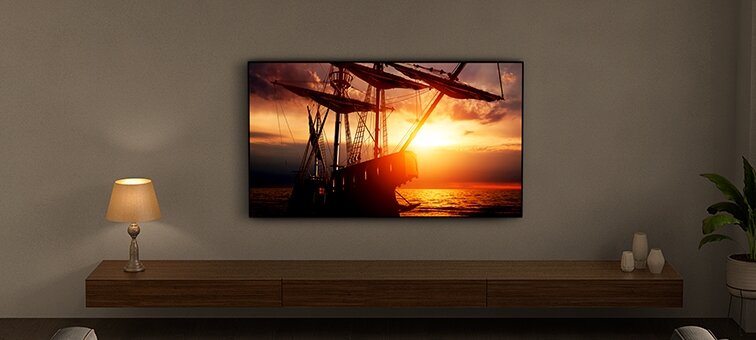
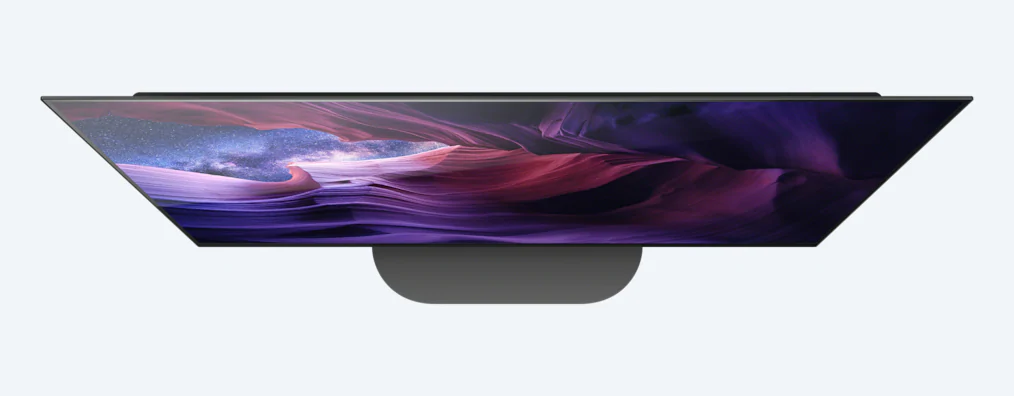
Just like any premium OLED TV, the Sony Bravia A9s is stunning when viewed from the front. It looks sleek, minimalistic, and would certainly look gorgeous in any part of your house. The screen’s frame is extraordinarily thin and rests in the same plane as the picture, giving the impression of an almost bezel-less panel.
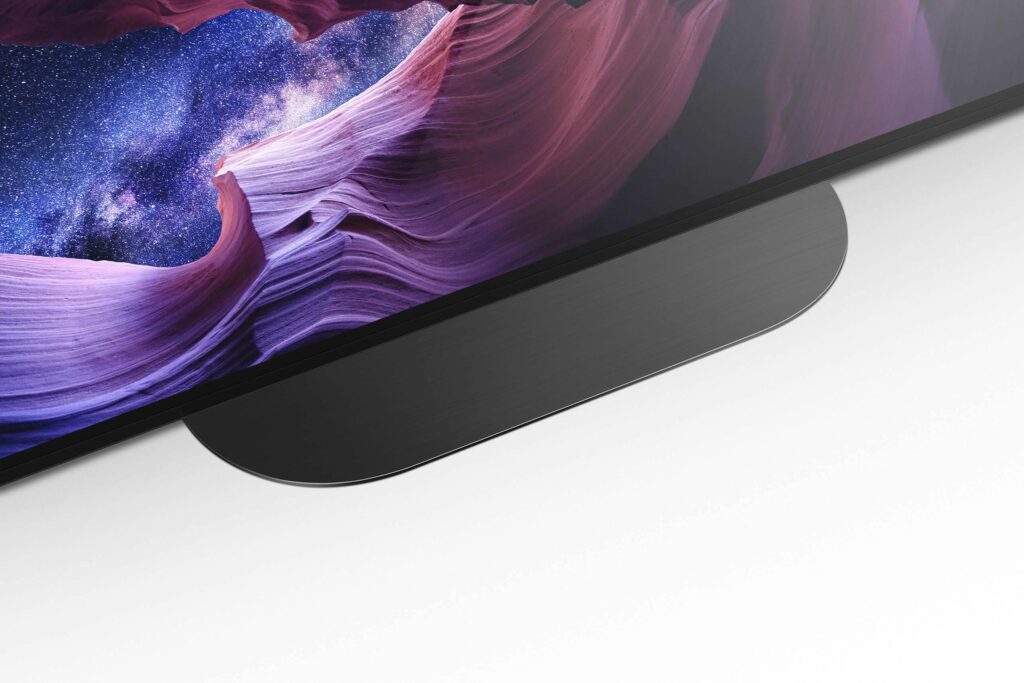
Apart from that, the screen lies so low on its heavy-duty, centrally mounted stand that it looks to keep itself upright without the assistance of a stand from any normal viewing distance. The screen’s outer edges are also only a millimeter deep and this exterior trim contrasts sharply. However, the centerpiece of the back seems to protrude more than the backsides of most recently released televisions.
The hefty pieces of the A9 don’t detract much from the overall incredibly exquisite aesthetic unless the set is going to be displayed on a wall.
At first glance, you might think that there aren’t any forward-facing speakers on the A9S. Except for the fact that it actually does. Despite the 48-inch variant being Sony’s smallest OLED TV to date, the A9S nevertheless employs the company’s patented Acoustic Screen technology, which uses perfectly placed actuators to transform the screen into a speaker.
On top of that, the 48-inch A9 has plenty of ports as well. There are four HDMI ports, three USB ports, and Bluetooth and Wi-Fi wireless communication compatibility.
Picture Quality
When it comes to picture quality, Sony certainly doesn’t disappoint. Even if you’re planning to get the smallest 48-inch variant, you’ll still get the same high-end X1 Ultimate processor you’ll find in its larger OLED siblings, along with all of its well-known advantages.
Sony’s Pixel Booster technology is included in the system, which improves contrast by better sharing power between individual pixels in the A9S’ OLED panel, while Sony’s famed MotionFlow processor helps smoothen movements in certain scenarios. If that’s not enough, there’s also a new option that inserts partial black frames into the image to give a more authentic-looking 24 frames per second movie experience without the brightness loss that black frame insertion generally causes in other TV models.
Furthermore, it can convert sub-4K inputs to 4K using a massive dual database of image analysis to provide you with pleasing results in real-time. A Super Bitmap method for smoothing striping out of HDR color blends is also an available feature, as is a Triluminos color system that uses precise color mapping to deliver a wider spectrum of color tones more accurately.
Lastly, the A9S supports three HDR formats: the regular HDR10 system, the HLG format, and the premium Dolby Vision format, which adds more scene-by-scene picture information to compatible TVs so that they can offer more realistic images. Unfortunately, there is no support for HDR10+ technology, but I don’t really see this as a necessity if you already have Dolby Vision.
Smart Features
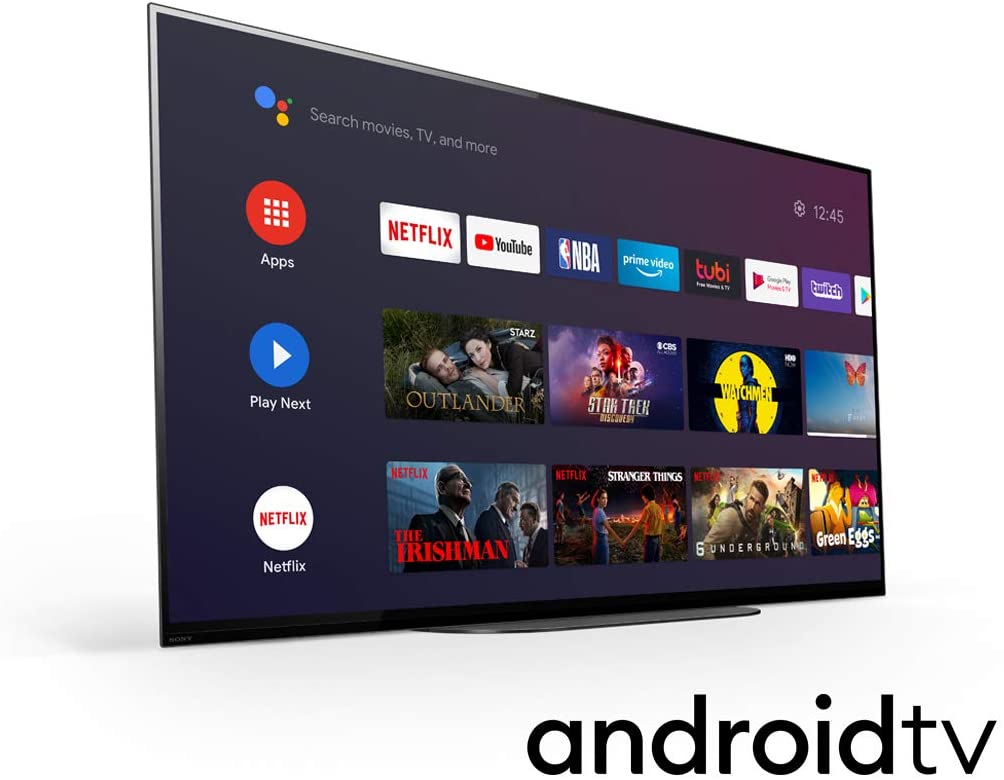
Unlike its predecessors, the Android TV interface on the A9S is now developing to the point where you can appreciate the amount of content available on this particular TV.
Sony’s implementation includes Apple TV in addition to the usual streaming services and apps like Netflix, Google Play, Amazon Prime, Rakuten, and others. If you’re in the UK, you’re in luck as major UK broadcasters are covered by the excellent YouView app, which is included on the A9. This software combines all of the UK streaming providers into a single, well-designed, easy-to-navigate umbrella app.
Although there is still some fine-tuning to be done with the A9S interface, it is now something that isn’t actually a chore to use, which is a big step forward! It’s also worth noting that Android TV comes pre-loaded with Chromecast functionality, as well as Google Assistant speech recognition and voice control.
Our Least Favorite Things
Gaming Features Could Be Better
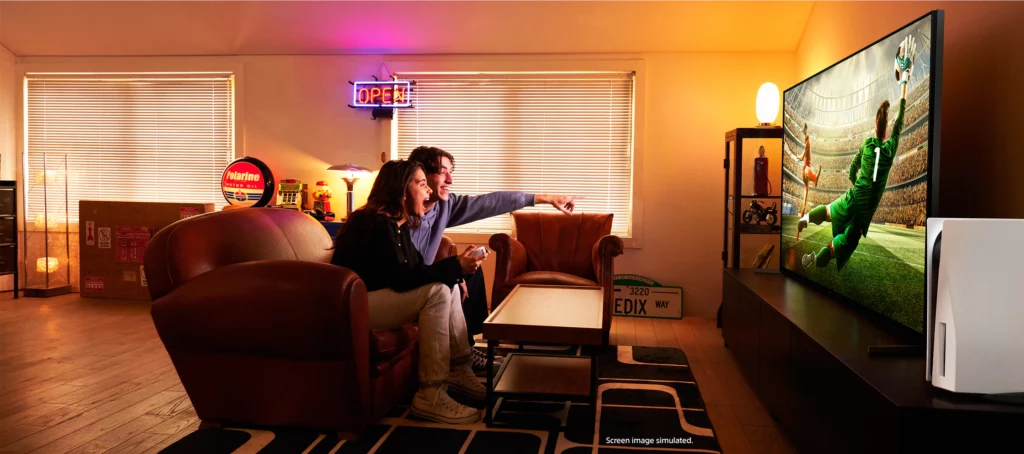
Despite the Sony Bravia A9S’ wonderful qualities, it has its shortcomings too. The casual consumer might not see this as a problem. But if you’re a gamer who is planning to get your hands on the next-gen consoles or already have them sitting in your living room, you might be disappointed with the fact that none of the HDMIs can handle enough data to support 4K streaming at 120Hz or variable frame rates (VRR).
It’s totally disappointing, to say the least. To put it in simpler terms the A9S is unable to handle the two most essential new features of the latest gaming consoles like the PS5 and the Xbox Series X as well as PC graphics cards.
Which I find a little funny, given that Sony produces one of those game consoles. You’d think that they would make sure that their latest OLED TVs will be pretty compatible running their other products without a fuss.
In A Nutshell
Now that we have discussed the things we liked and disliked about the Sony Bravia A9S, here’s a narrowed-down list of the good and the bad with this particular OLED TV.
Pros
Picture quality is pretty great.
Sound performance is amazing.
Stunning design.
Cons
Input lag might be a little high for more hardcore gamers.
60Hz refresh rate only.
No VRR.
Our Final Verdict
Overall, the Sony Bravia A9S is a fantastic OLED TV. Its OLED display has a near-infinite contrast ratio along with great black uniformity, making it an excellent choice for movie watching especially in a dark room setting. It’s also ideal for watching TV shows or any fast-paced content because it can upscale lower-resolutions and provides wide viewing angles as well.
However, if you’re a gaming enthusiast, keep in mind that this TV lacks VRR support and the refresh rate is limited to 60Hz at 4k. If you’re aiming for something higher than that, you might want to look for other OLED TV options.
Have you already bought the Sony Bravia A9S? Was our review helpful? Let me know in the comments section below if you have any suggestions, insights, or questions to ask. I would love to hear all your thoughts!